
How to create a ticket?
You have three options for creating a ticket:
Updated Jul 17, 2026
You have three ways to create a ticket in ChatDaddy.
Option 1: From the CRM page
Step 1: Open the CRM page
Click CRM in the left sidebar.
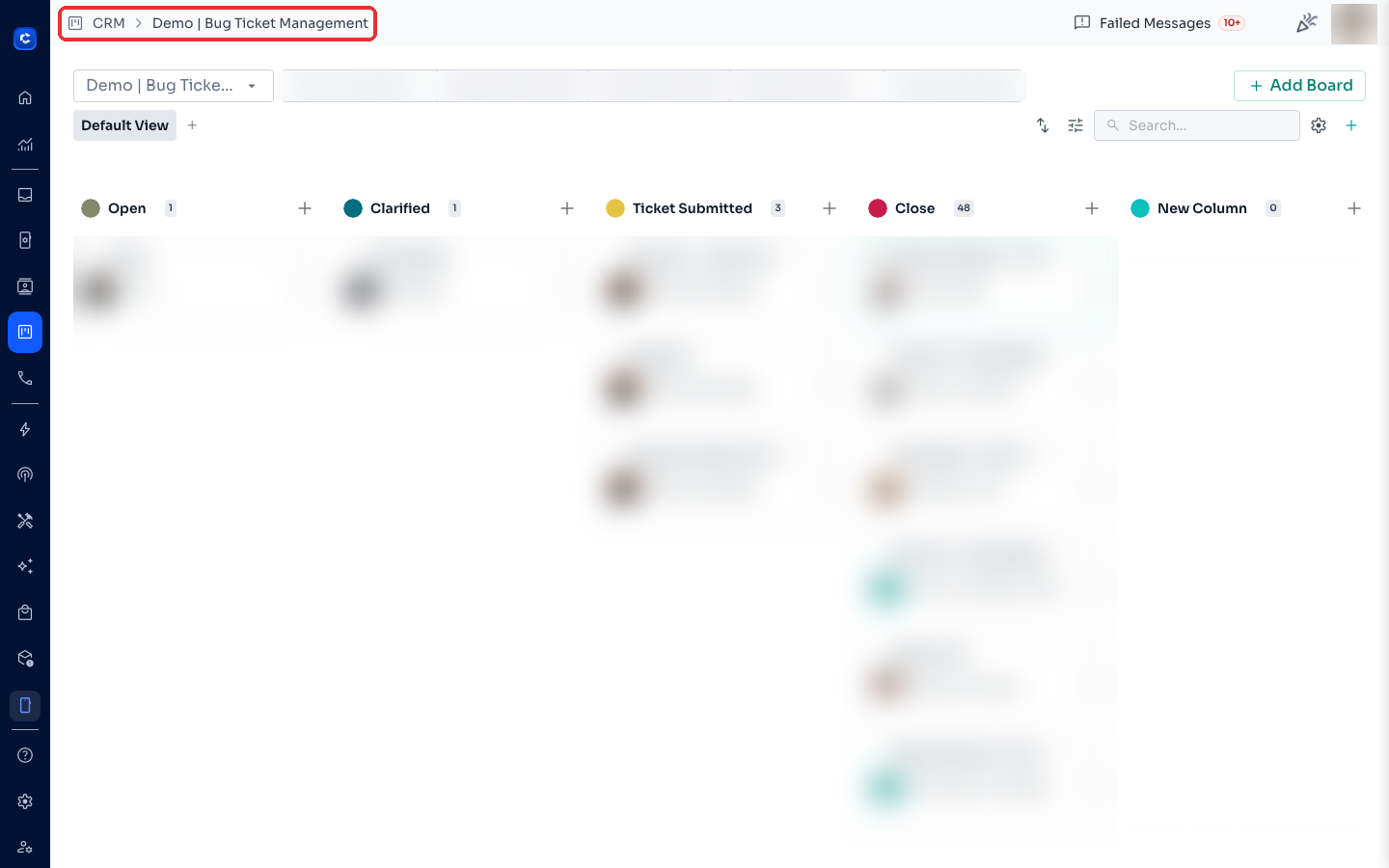
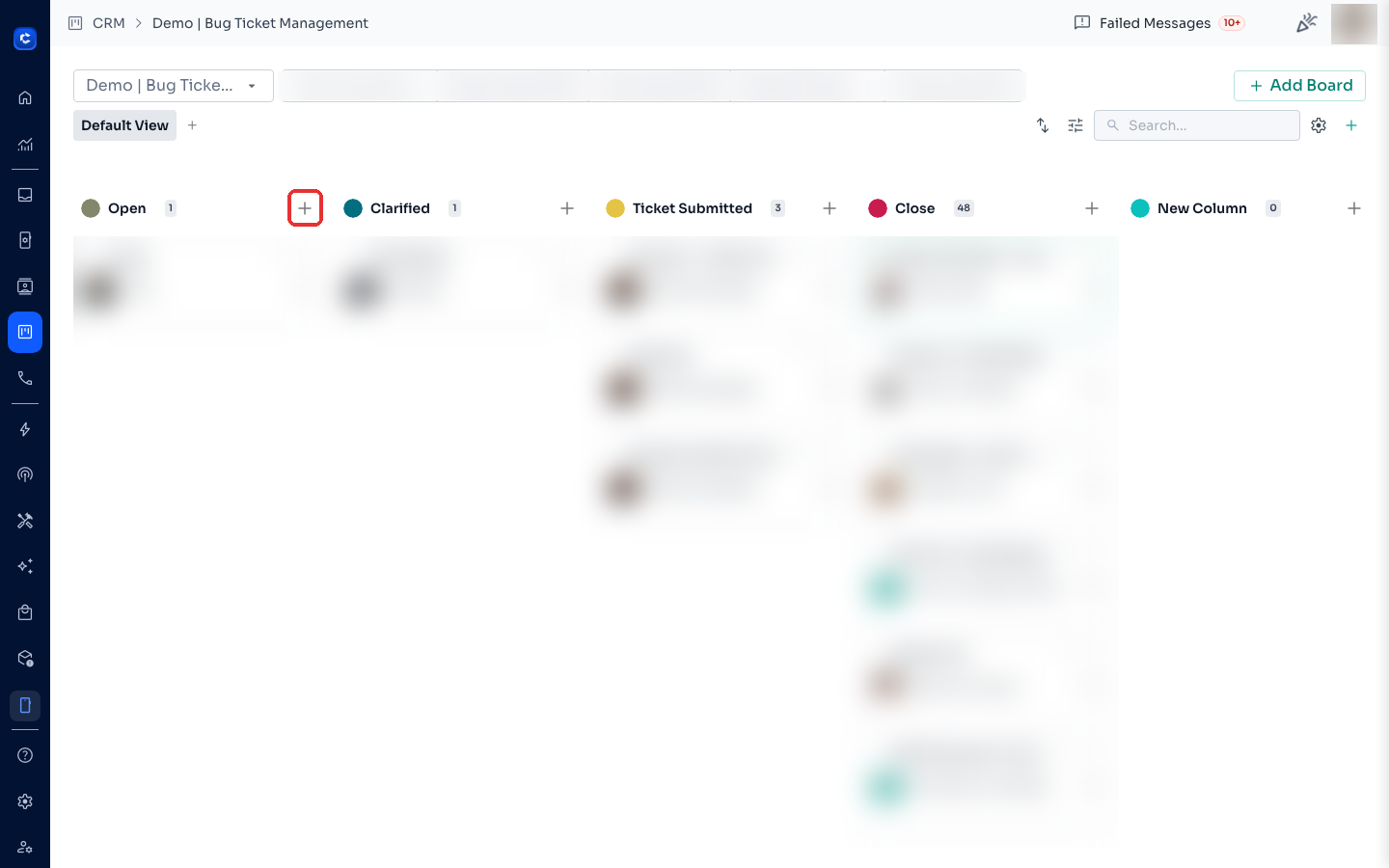
Step 2: Click the + icon on a stage
Each board stage has a + icon at the top — click the one on the stage where the new ticket should start.
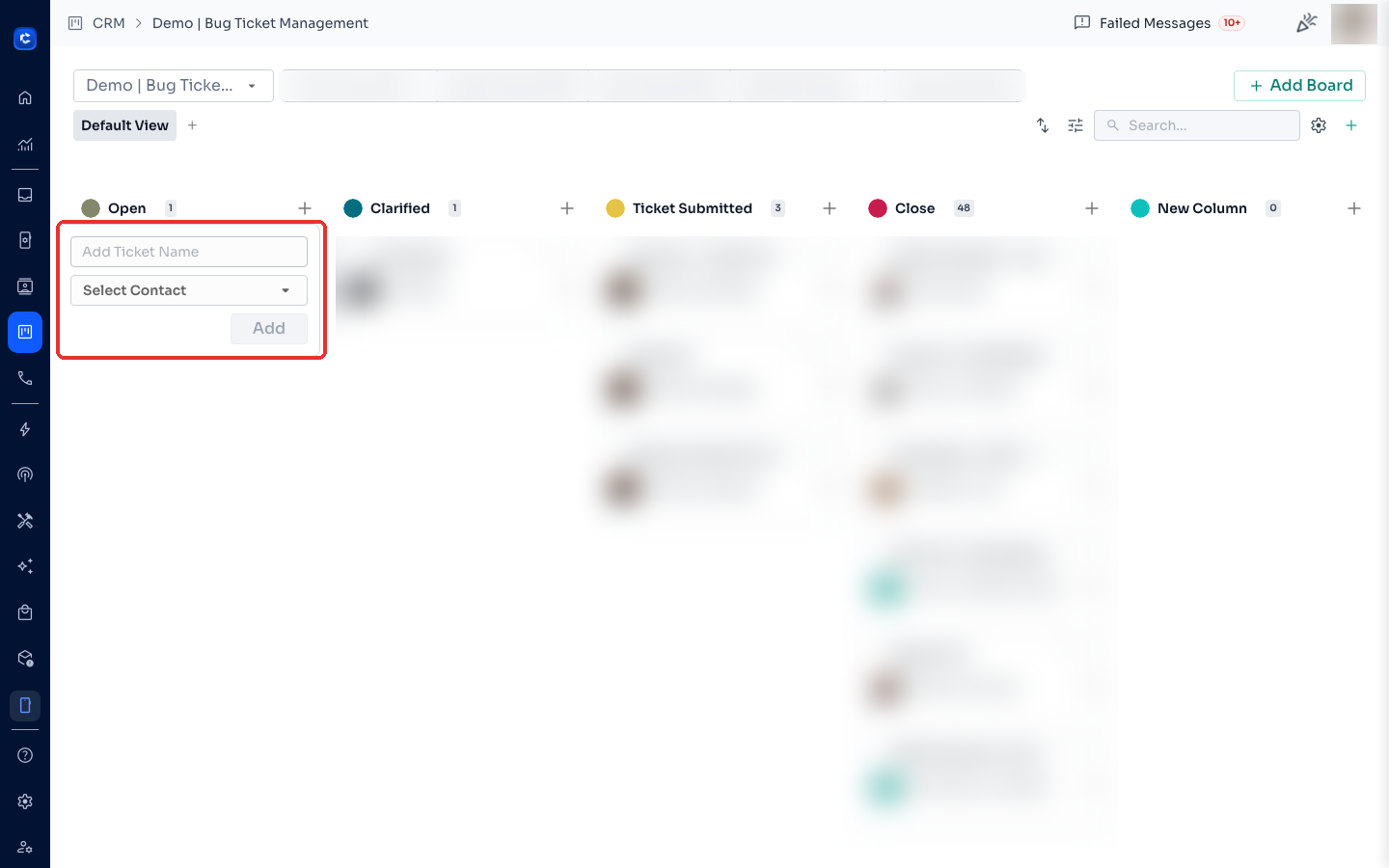
Step 3: Name the ticket and pick a contact
Enter the ticket name, select a contact, then click Add.
Option 2: From the Inbox
- Open any conversation in the Inbox.
- Click the create ticket icon in the top-right of the chat.
- Choose the board and stage, write the ticket title, and confirm.
Option 3: Automatically through Message Flows
Use the Create Ticket node in a Message Flow to open tickets automatically — see How to Use the Create Ticket Node.
Was this article helpful?