
How to create and manage CRM boards?
https://drive.google.com/file/d/11BjLn5grOT2SlPM2ijsxNHE1JzBFFZZi/view?usp=drive_link
Updated Nov 21, 2025
Overview
CRM and Ticketing System is designed to help users create and manage tickets efficiently. The mode offers various functionalities such as adding custom fields, editing board details, and viewing tickets in different formats.
Key Features
Ticket Management
- Create and Manage Tickets: This feature allows you to easily create new tickets and manage existing ones.
- Custom Fields: You can add existing/new custom fields to tickets to show specific information relevant to your business needs.
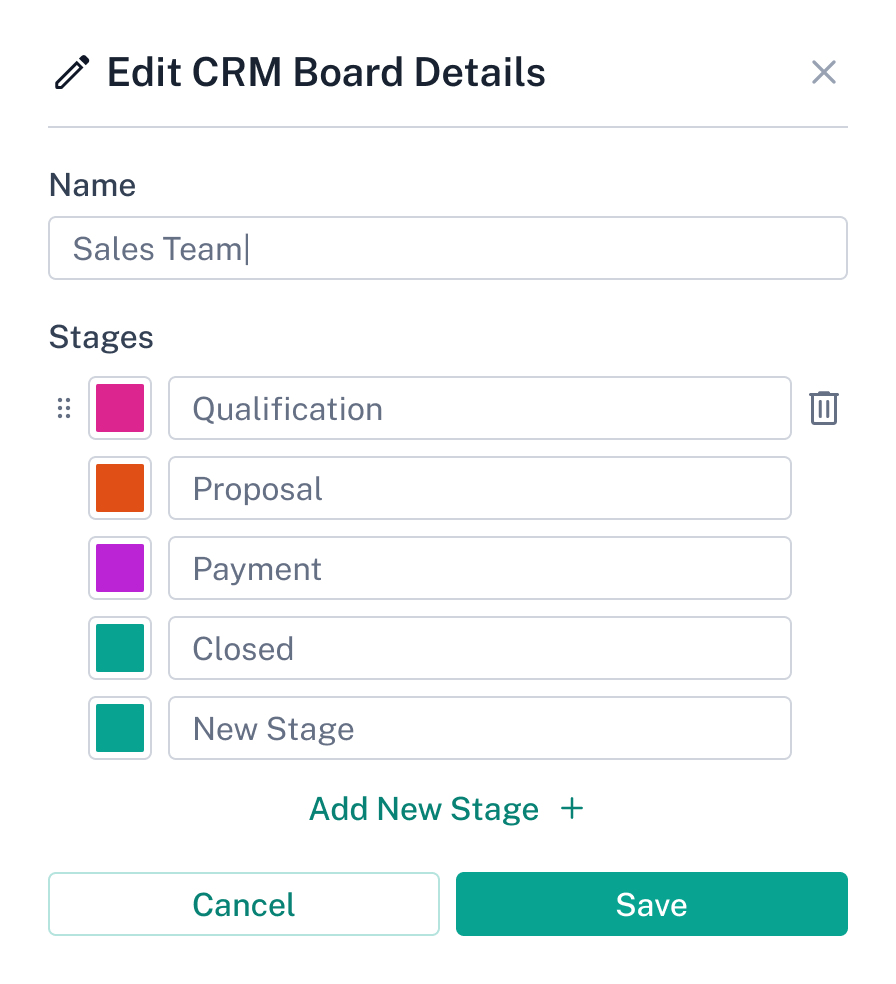
- Edit Board Details: This feature lets you adjust the board stages to match your workflow.
- Delete Board: You can remove boards that are no longer needed.
View Options
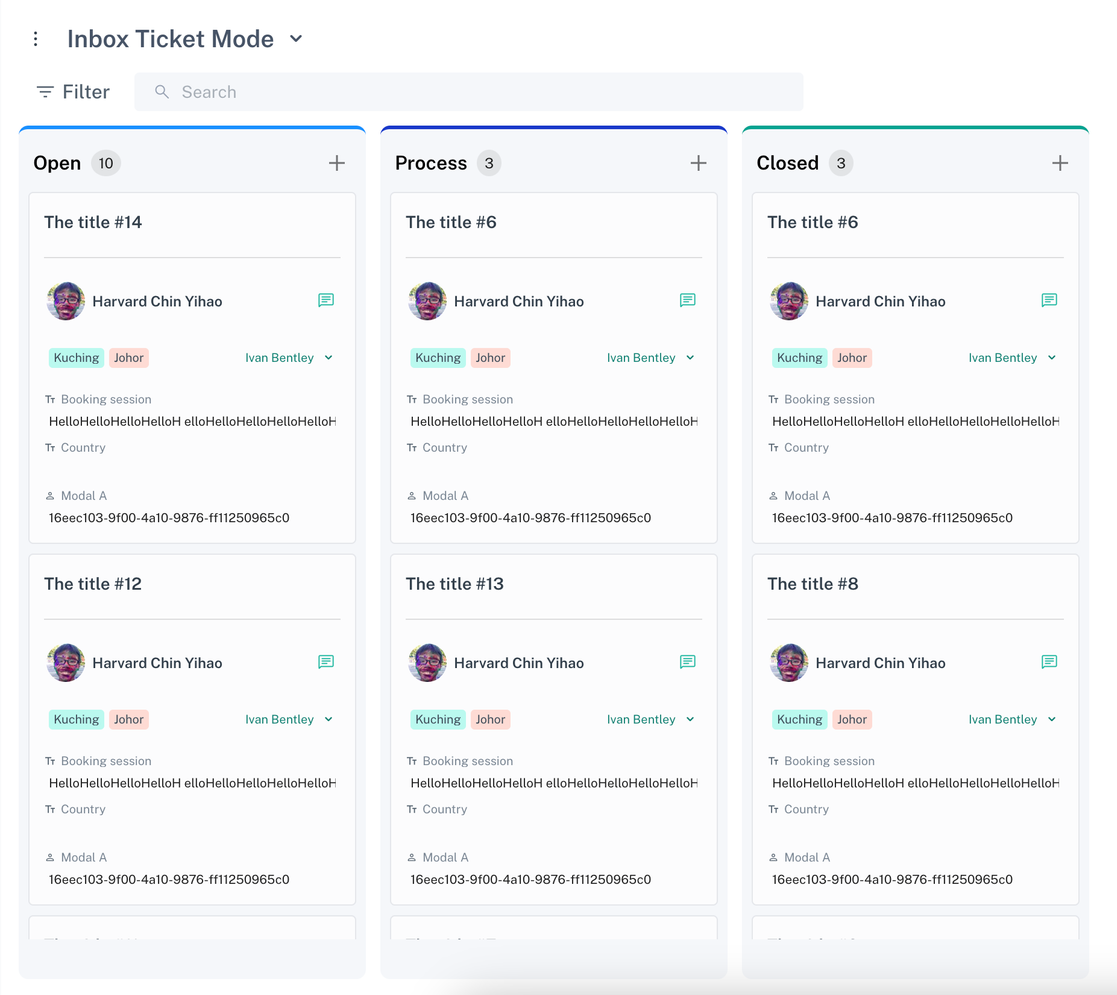
- Board View: This view visualises tickets in a board format, categorising them into different stages such as Open and Closed.
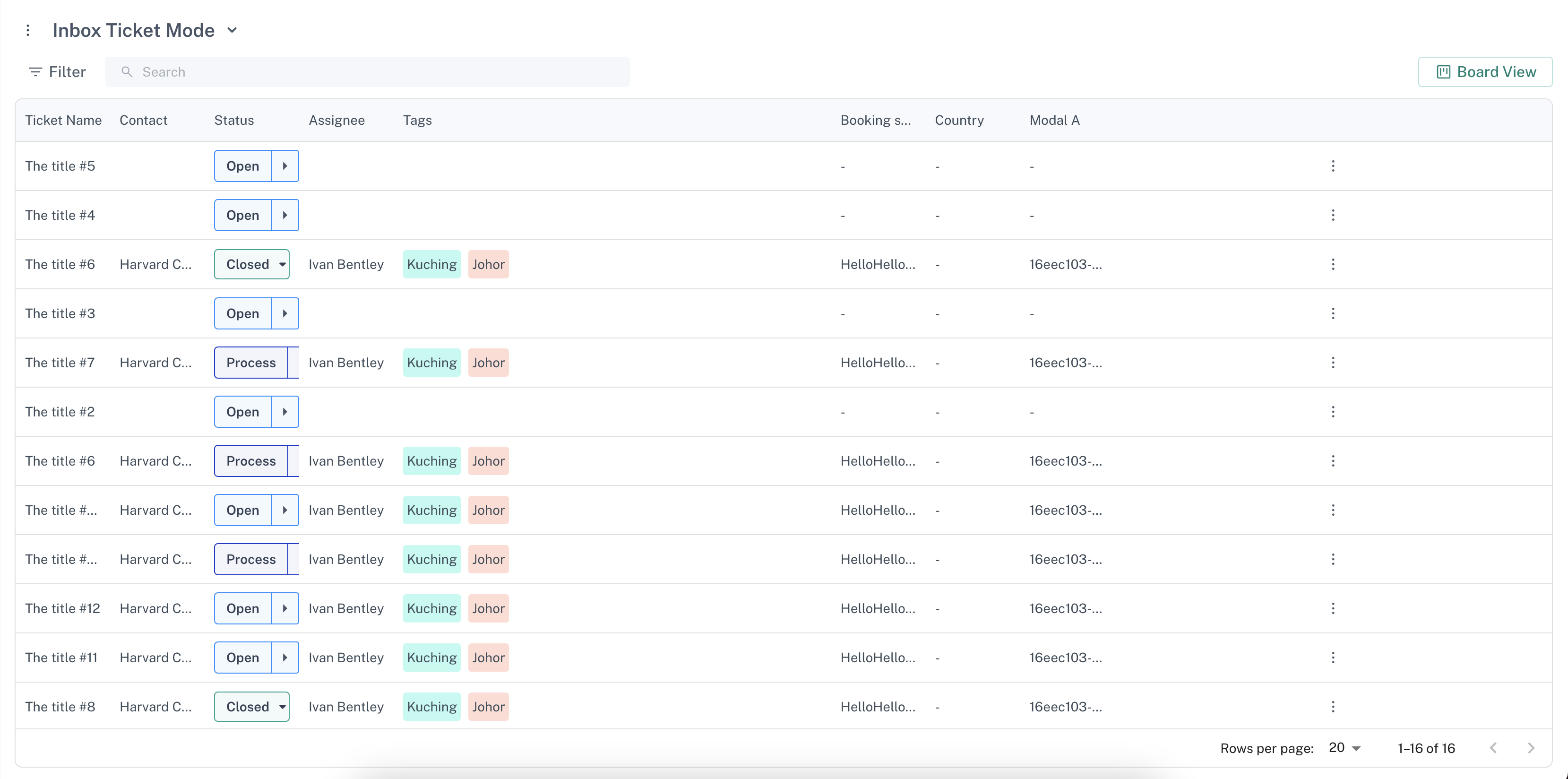
- List View: This format displays tickets in a list format for a more detailed view of each ticket's information.
Ticket Details
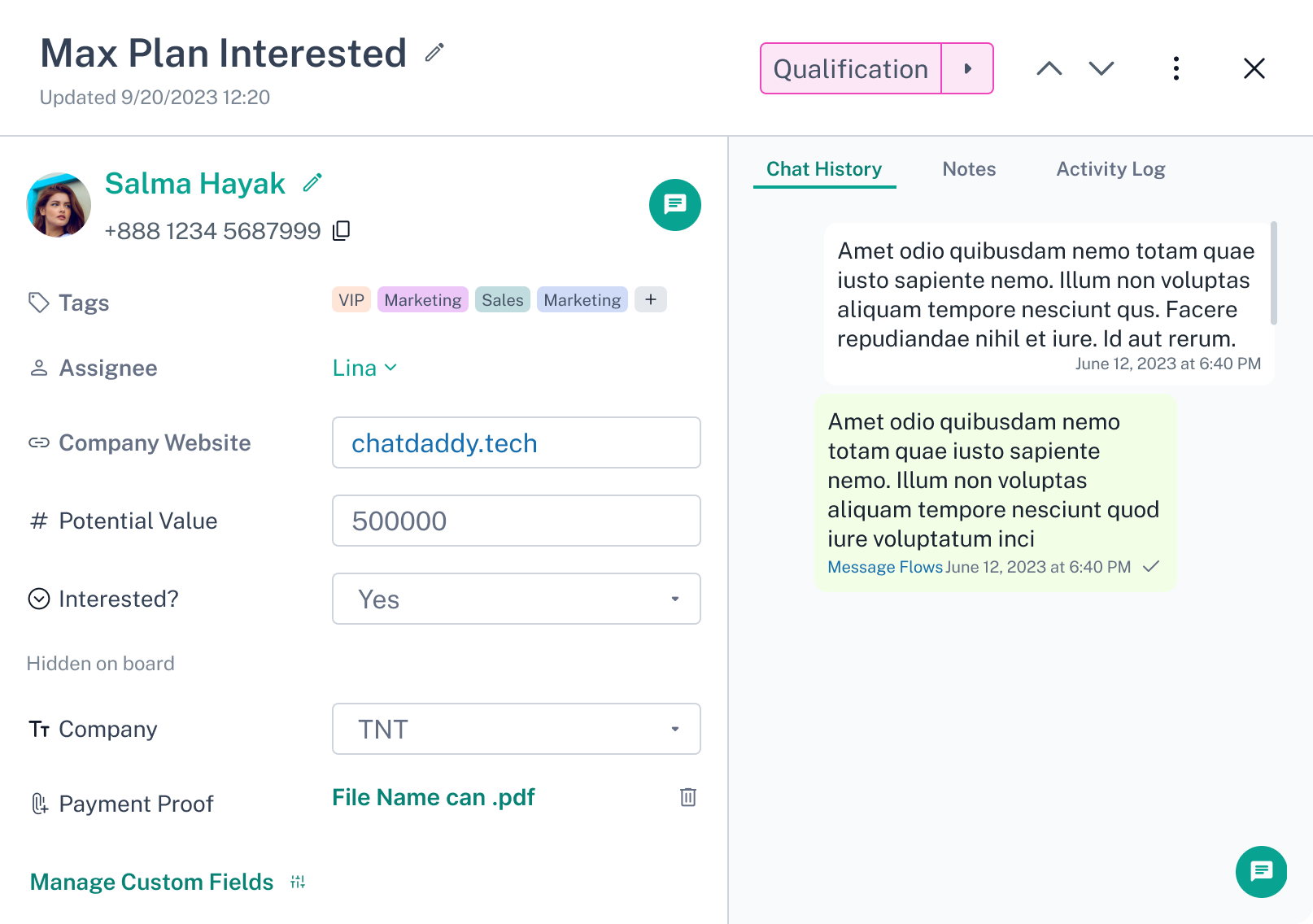
- Contact Information: You can view the contact details of the individual associated with the ticket.
- Tags: This feature allows you to add and view tags to categorise and filter tickets.
- Custom Fields: You can see additional custom fields added to tickets.
Was this article helpful?