
How to Tag a Contact in the Contacts page?
You can manually manage tag to individual contact.
Updated Jul 17, 2026
You can manually manage tags for any individual contact.
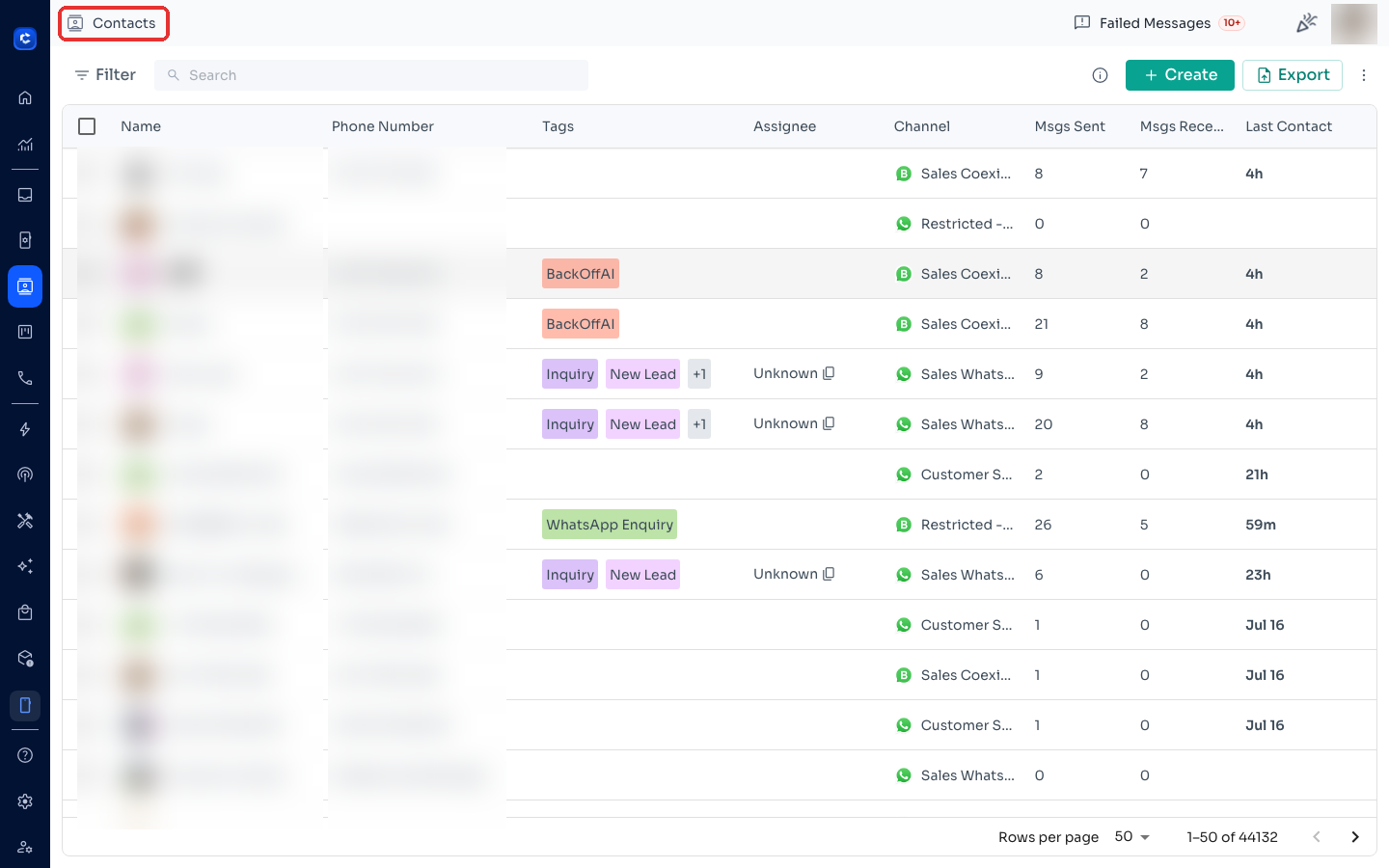
Step 1: Open the Contacts page
Click Contacts in the left sidebar.
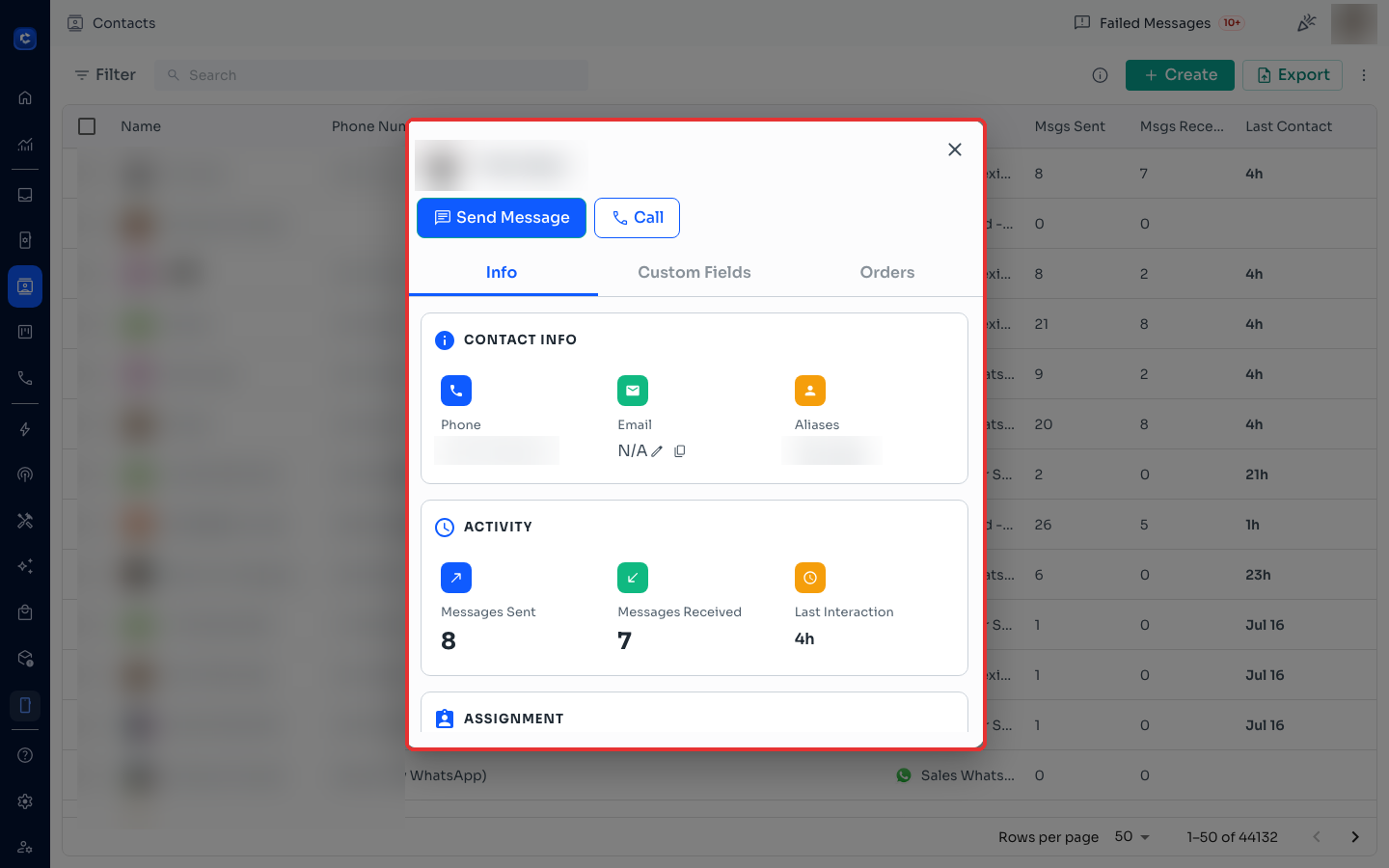
Step 2: Click on a contact
Click the contact you want to tag — their profile panel opens.
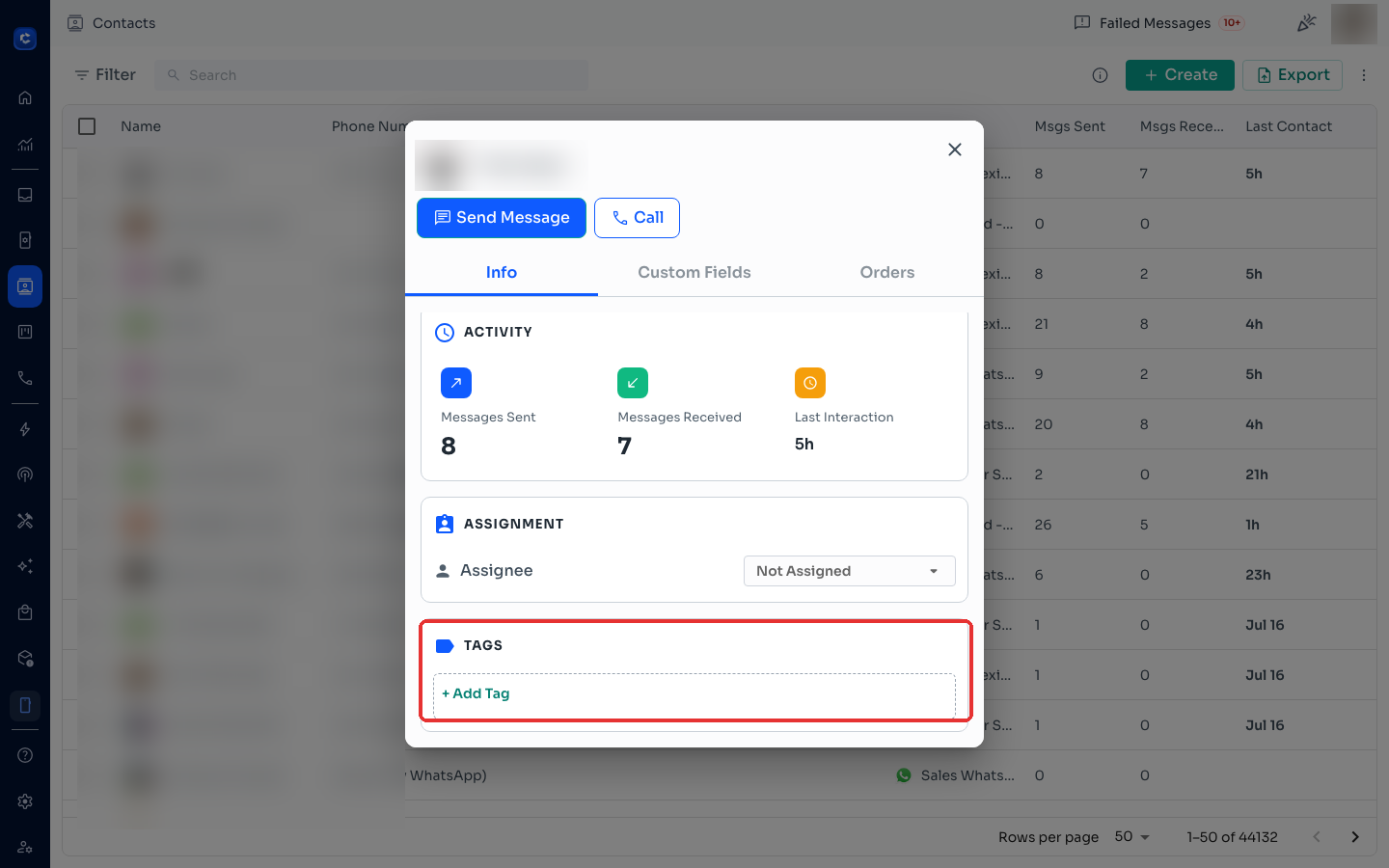
Step 3: Find the Tags section
Scroll down inside the profile panel to the TAGS section.
Step 4: Add the tag
Click + Add Tag and type a new tag or pick an existing one from the dropdown.
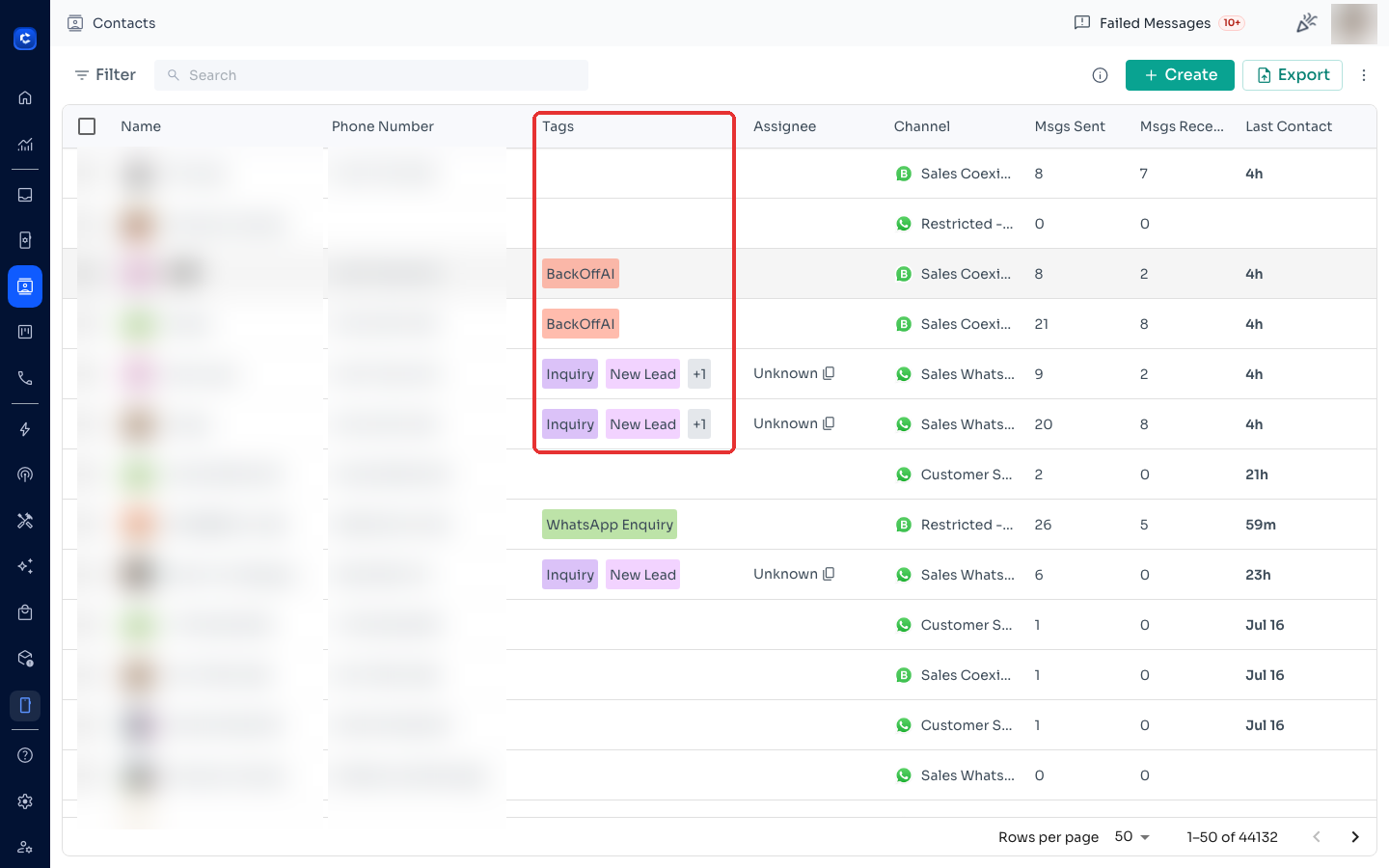
Tip: you can see every contact's tags at a glance in the Tags column of the contacts list.
Was this article helpful?