
How to create an API Token?
API tokens in ChatDaddy allow you to securely integrate your external systems with our platform. Follow the steps below to generate a new API token.
API tokens let external tools call the ChatDaddy API on your team's behalf. Create one in four clicks.
Step 1: Open Settings → Developer
Click the Settings (gear) icon at the bottom of the left sidebar, then select Developer.
Step 2: Switch to the API Token tab
The Developer page opens on Web Hooks — click the API Token tab.
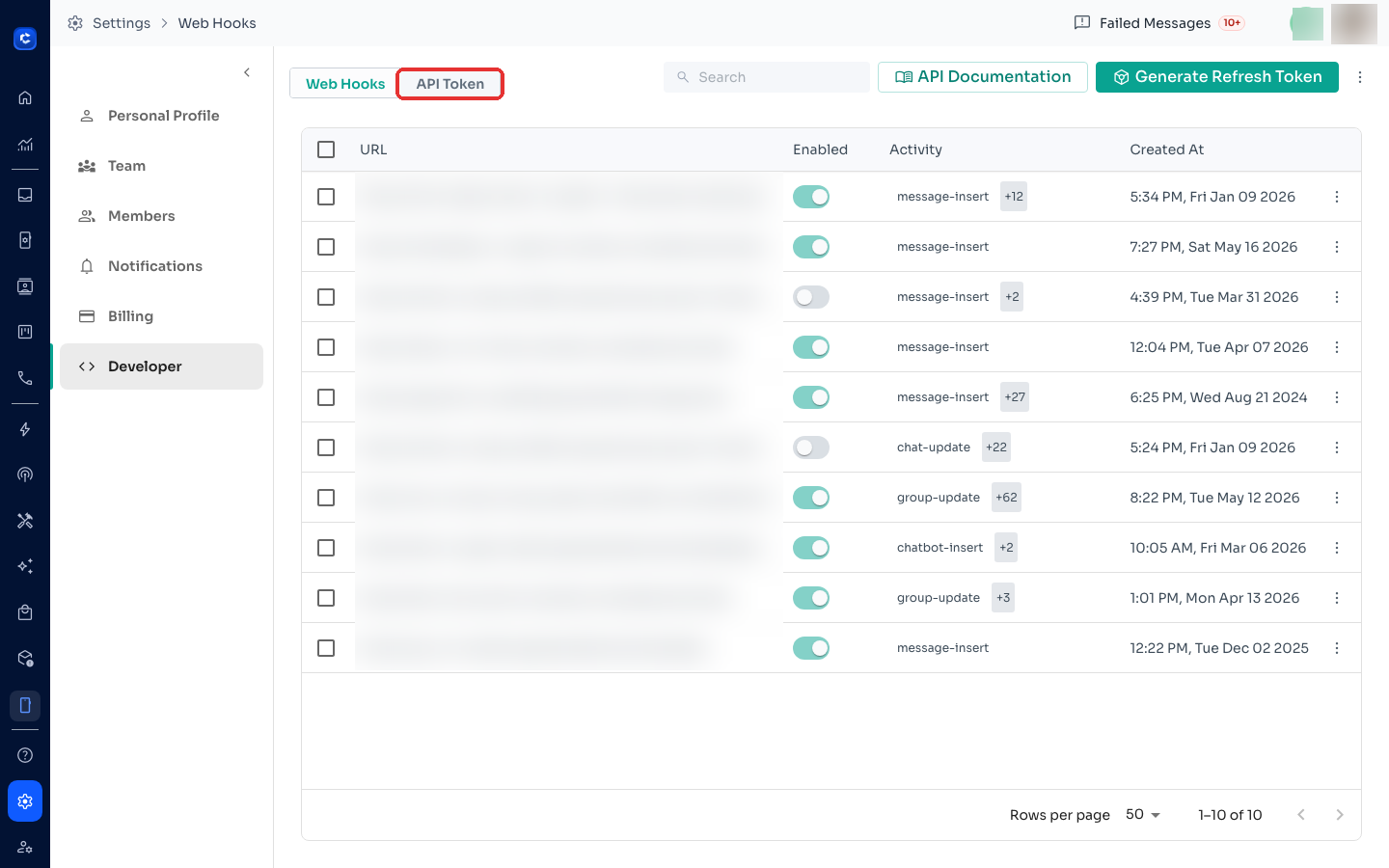
Step 3: Create the token
Click + Create, give the token a clear reason (e.g. "Zapier integration"), and choose the scopes it needs — grant only what the integration actually uses.
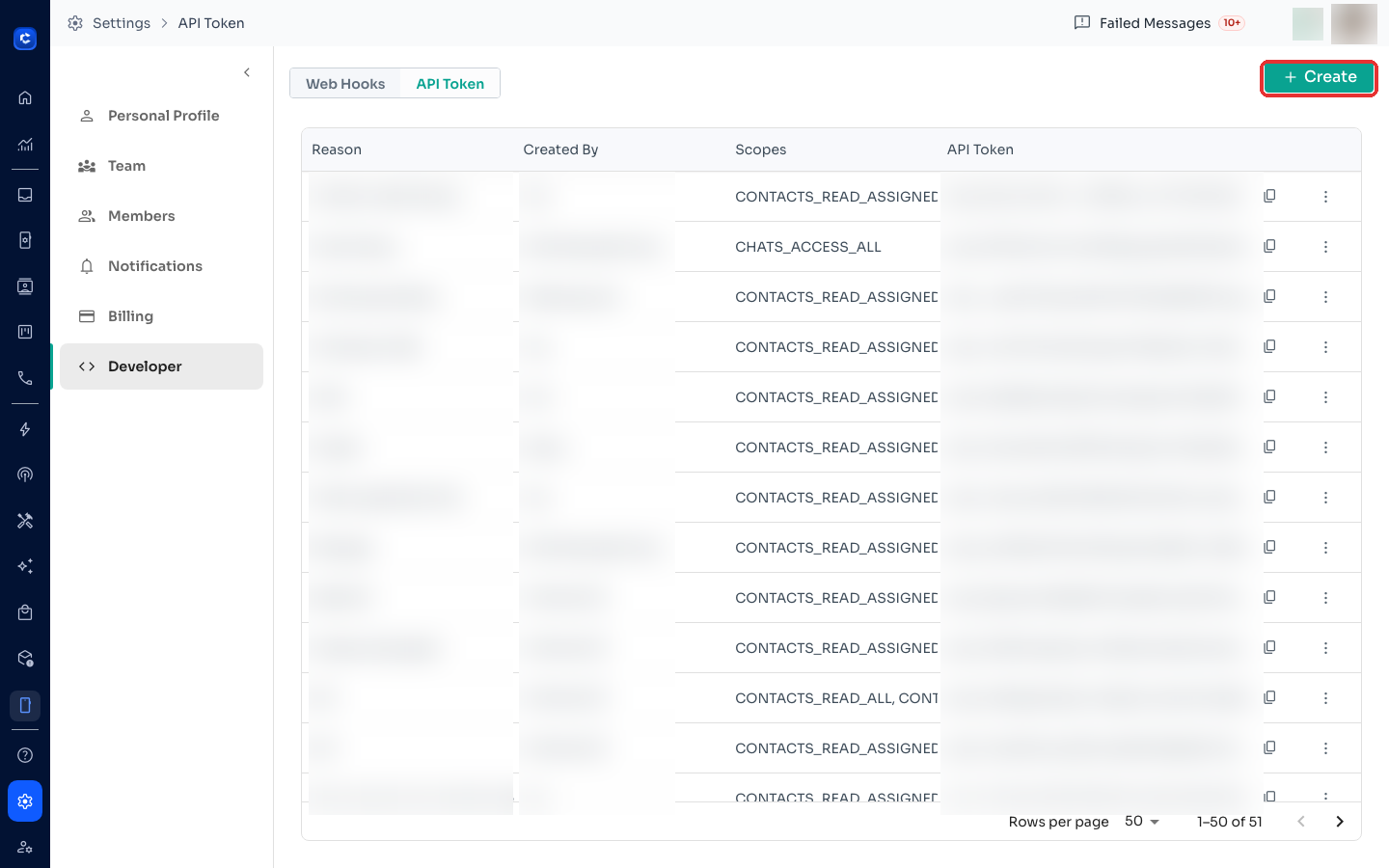
Step 4: Copy and store it safely
Copy the token with the copy icon and store it in a password manager. Treat it like a password — anyone with the token can access your team's data within its scopes. You can revoke a token anytime from its ⋮ menu.
Need the API reference? Click API Documentation on the Web Hooks tab, or see ChatDaddy API Request Requirements.