
How to get your message flow’s “Bot ID”?
🤖 How to Get Your Message Flow’s “Bot ID”
🤖 How to Get Your Message Flow’s “Bot ID”
The Bot ID is a unique identifier used to reference a specific message flow when integrating or triggering bots via API or automation tools.
Follow the steps below to locate your message flow’s Bot ID in ChatDaddy.
Step-by-Step Guide
-
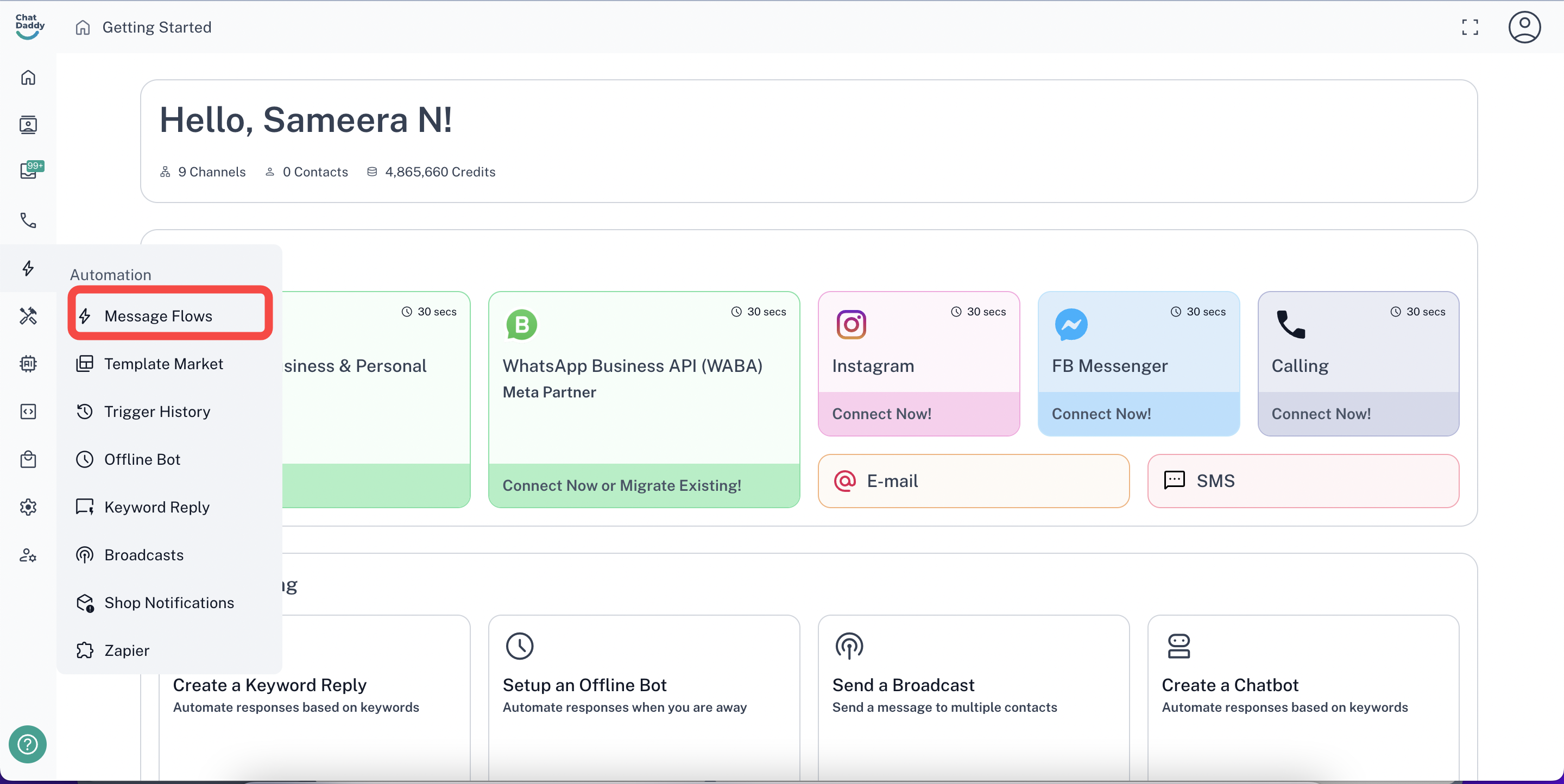
Go to the Automation Section In the ChatDaddy platform, navigate to the Automation section from the sidebar.
-
Select “Message Flows” Click on Message Flows to view all your existing bots.
-
Find the Flow You Need Browse or search for the message flow you want to use. Click to open it.
-
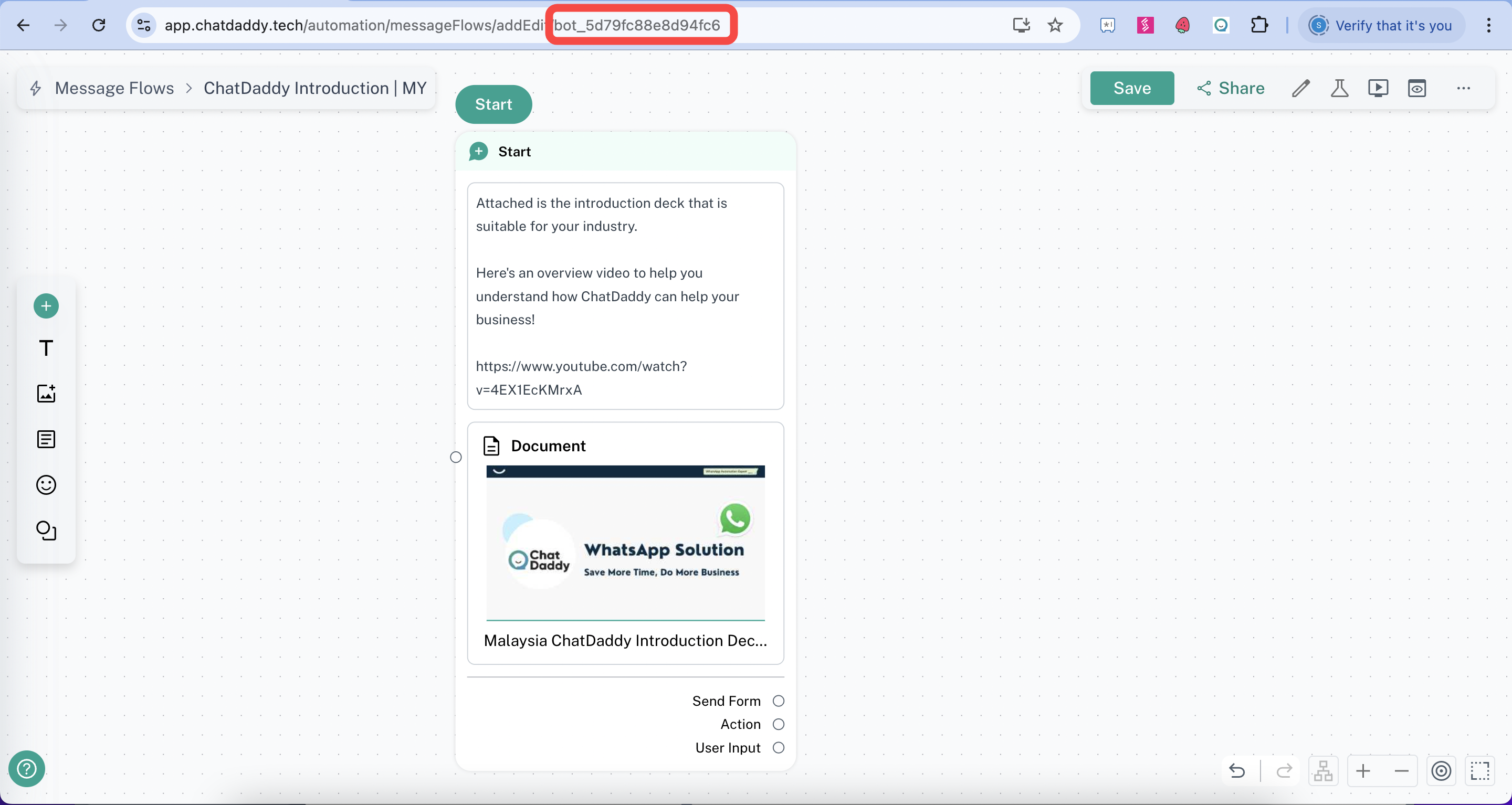
Locate the Bot ID Once the message flow is open, look at the URL in your browser's address bar.
The Bot ID will be at the end of the URL.
Example: https://app.chatdaddy.tech/automation/bots/**bot_abc123xyz**
In this case, your Bot ID is: bot_abc123xyz
✅ You're Done!
You can now use this Bot ID in your API requests or integrations to trigger the specific message flow.