
How to Use Buttons in Inbox?
You can add buttons in a message inside inbox, without creating a message flow.
Updated Nov 21, 2025
You can add buttons in a message inside inbox, without creating a message flow.
Steps
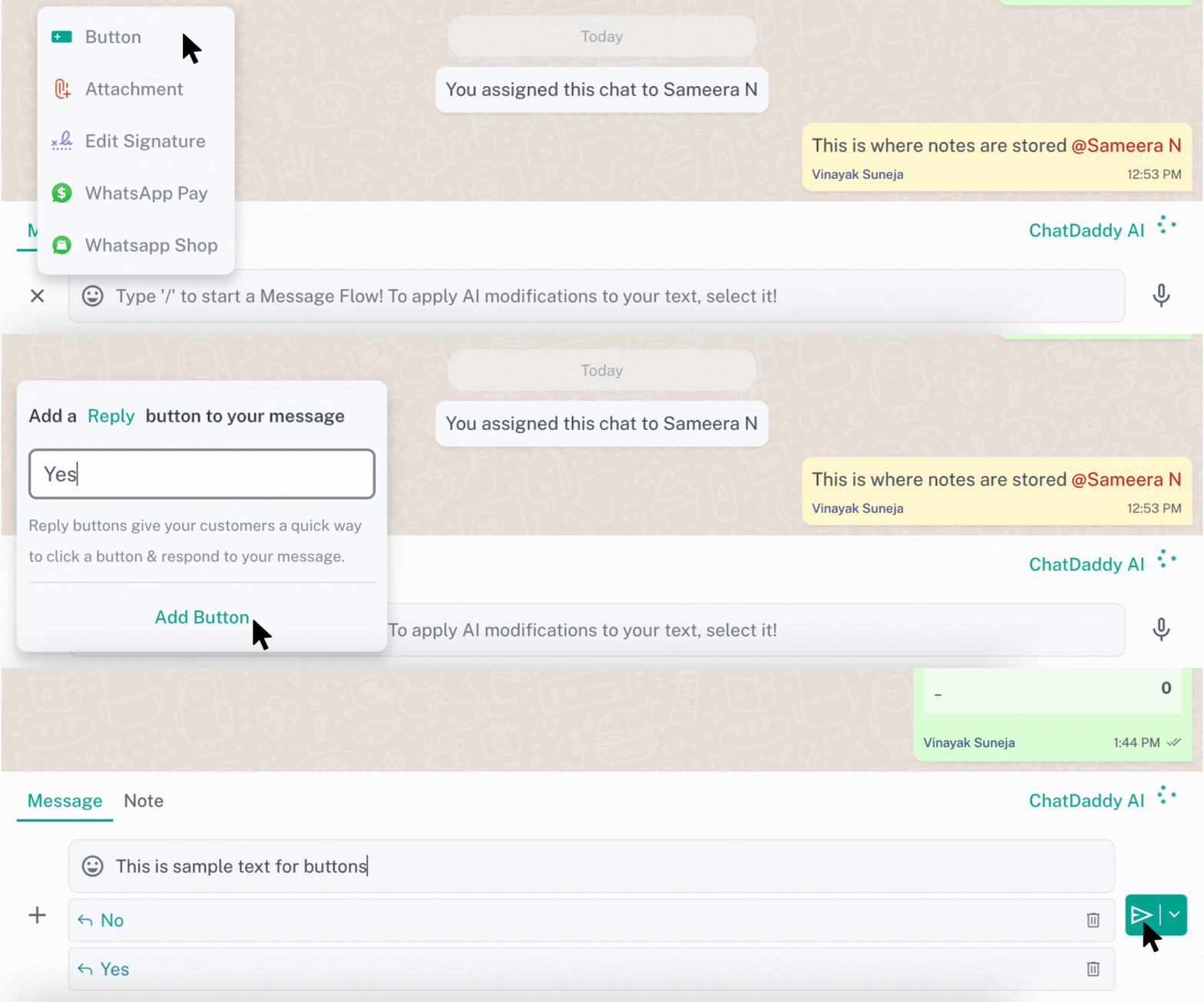
After clicking on buttons, you will be prompted with a box where you can write your own custom reply button.
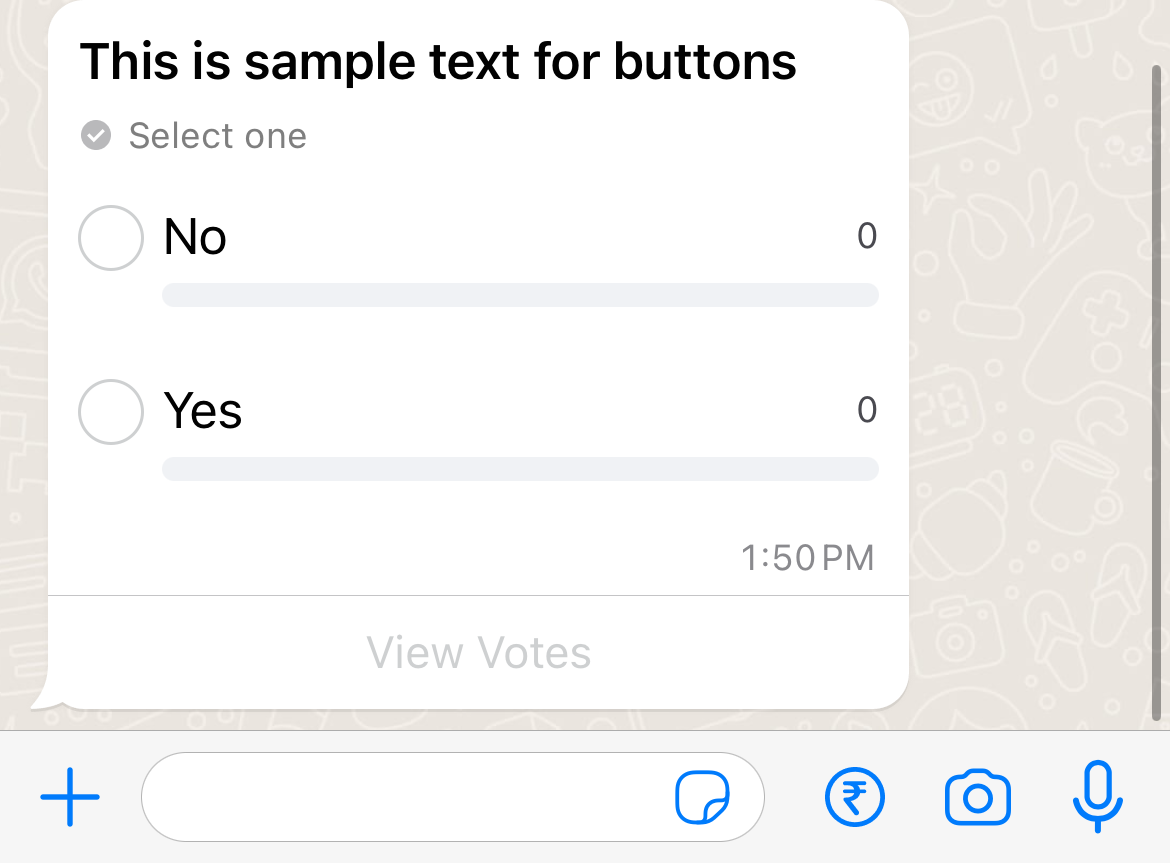
Only max 3 buttons can be added from the inbox. Message buttons can only be sent out from WABA (WhatsApp Business API) accounts, otherwise they are sent as poll buttons as shown in the picture above. Refer to this doc.
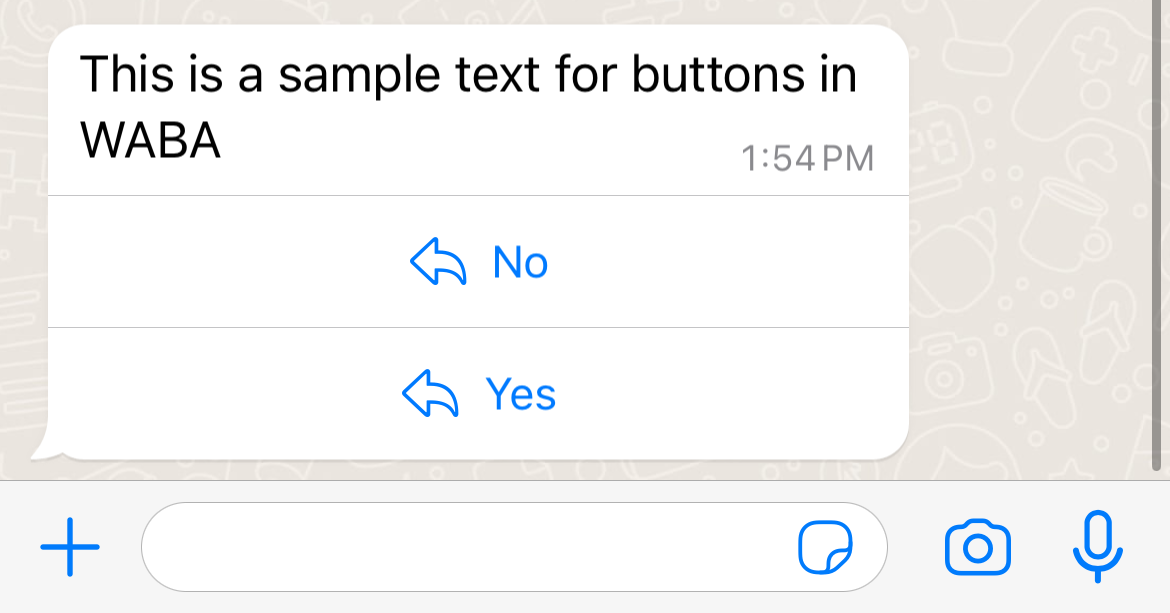
How does the message look on the user's side?
-
WABA
-
WhatsApp
The title of the button can be a maximum of 20 characters
Was this article helpful?