
Billing Migration — Old Pricing Plan to New Pricing Plan
Step-by-step guide to migrate from your old ChatDaddy pricing plan to the new plan-based billing at app.chatdaddy.tech/billing-migrate.
This guide walks you through migrating from the old pricing plan to the new plan-based billing. Open the migration page at app.chatdaddy.tech/billing-migrate and follow the 6 steps below.
⚠️ Billing access required. You must be the Account Owner or have Billing Access to complete this migration. If you are a regular teammate or admin without billing permissions, you will see an error when accessing the migration page. Contact your account owner to perform the migration, or ask them to grant you billing access first.
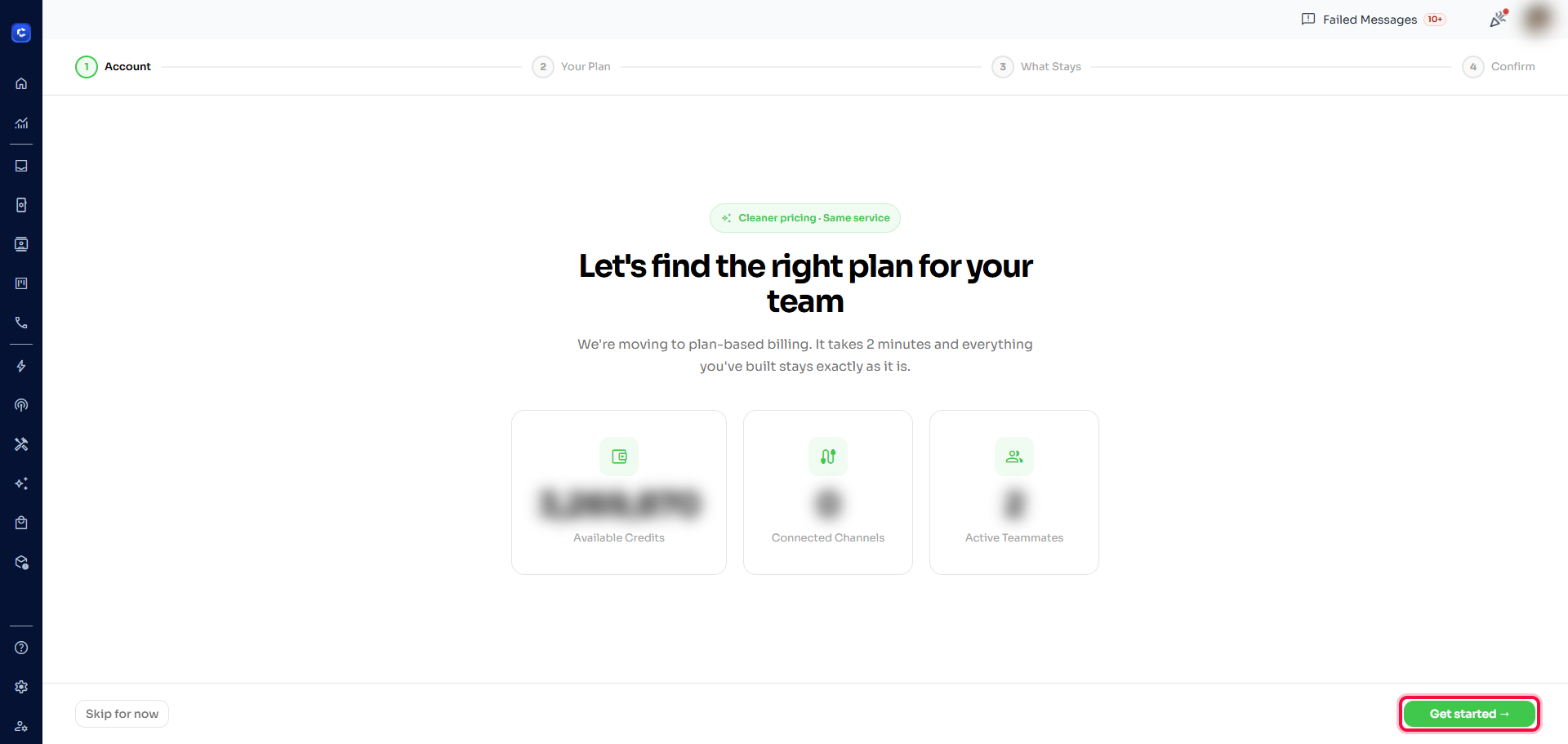
Step 1 — Open the migration link & click "Get started"
Go to app.chatdaddy.tech/billing-migrate and click the green "Get started →" button to begin the migration.
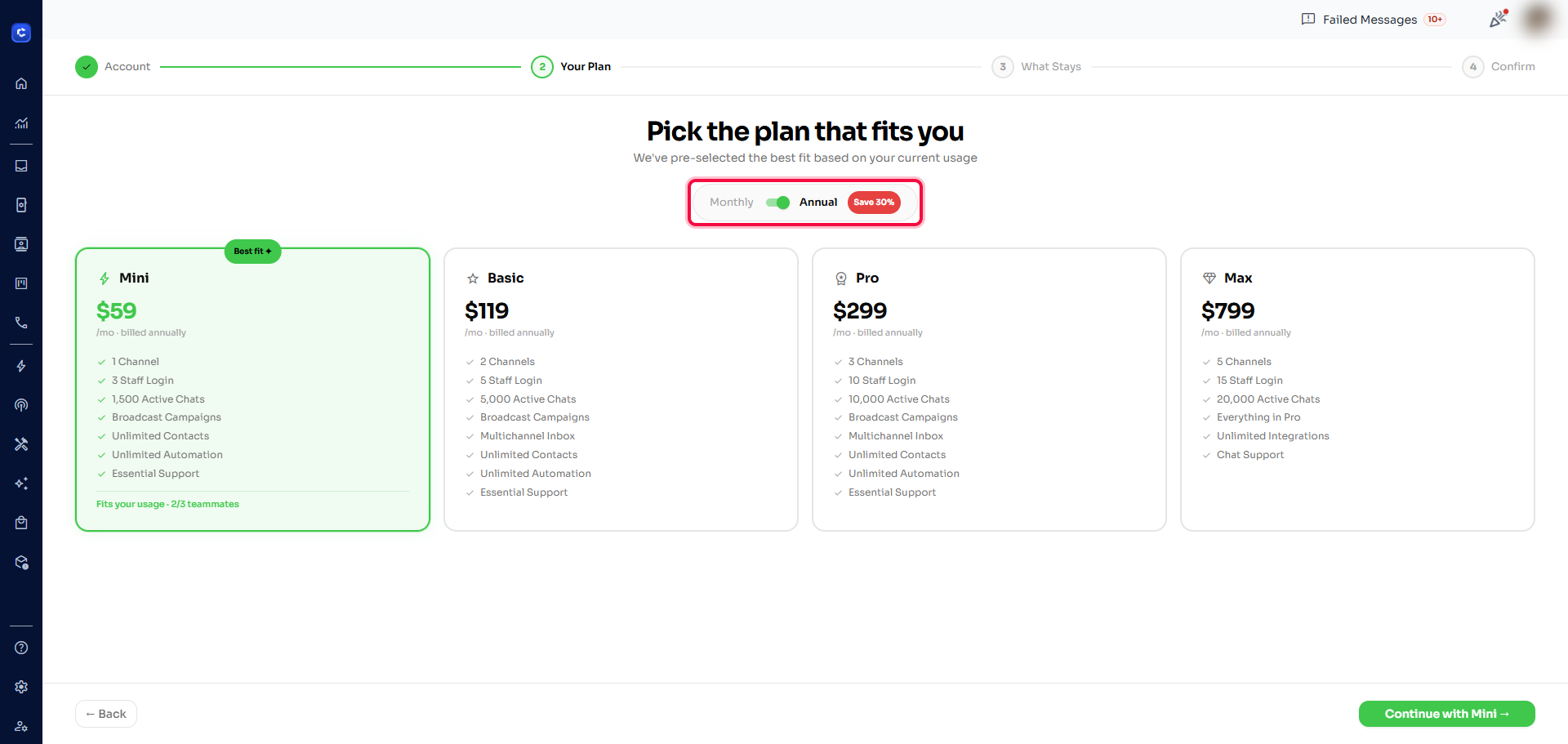
Step 2 — Switch the billing toggle (Monthly / Annual)
Use the toggle at the top to choose Monthly or Annual billing. Annual saves up to 30%.
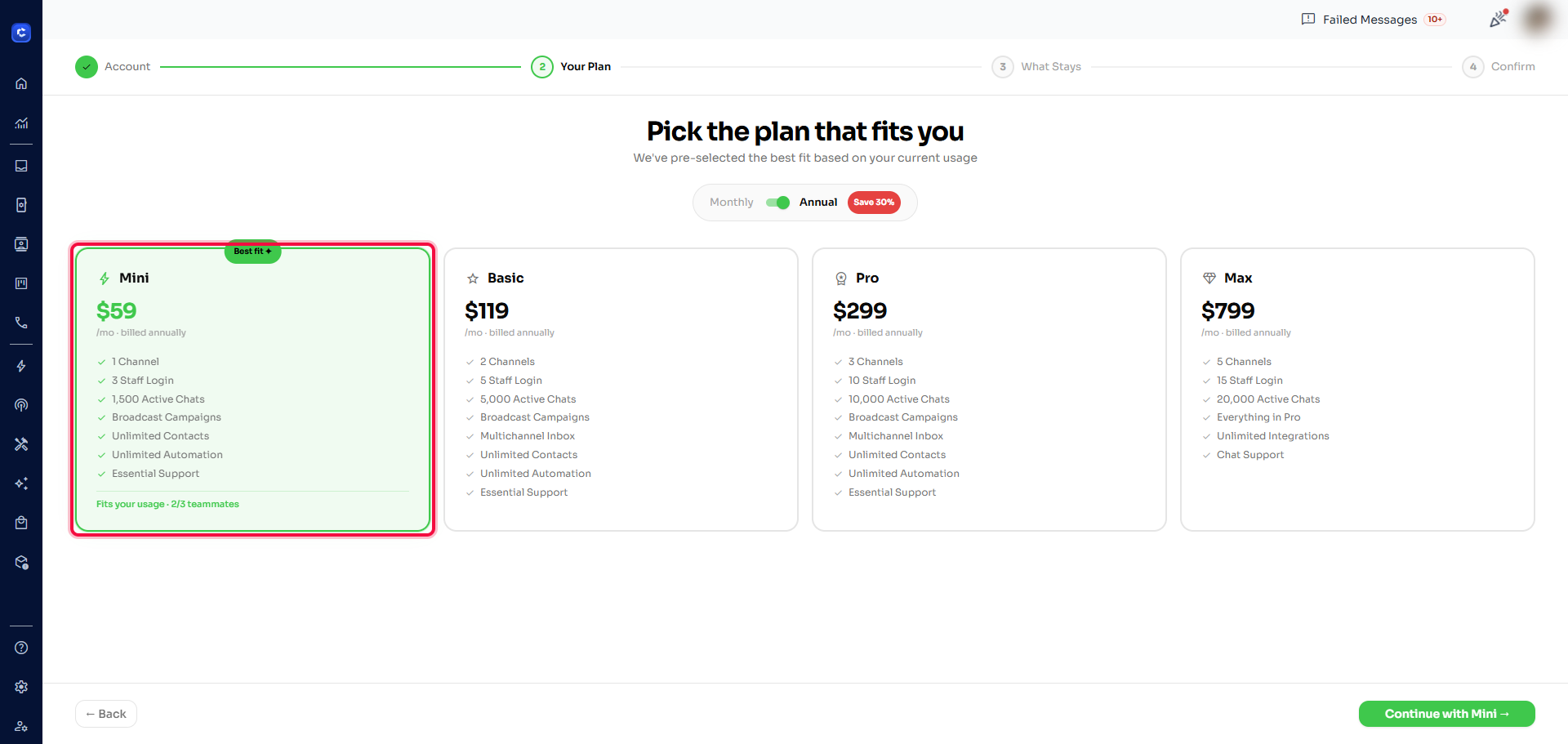
Step 3 — Select the plan that suits you
Pick the plan that fits your team (Mini, Basic, Pro, or Max). The best-fit plan is pre-selected based on your current usage.
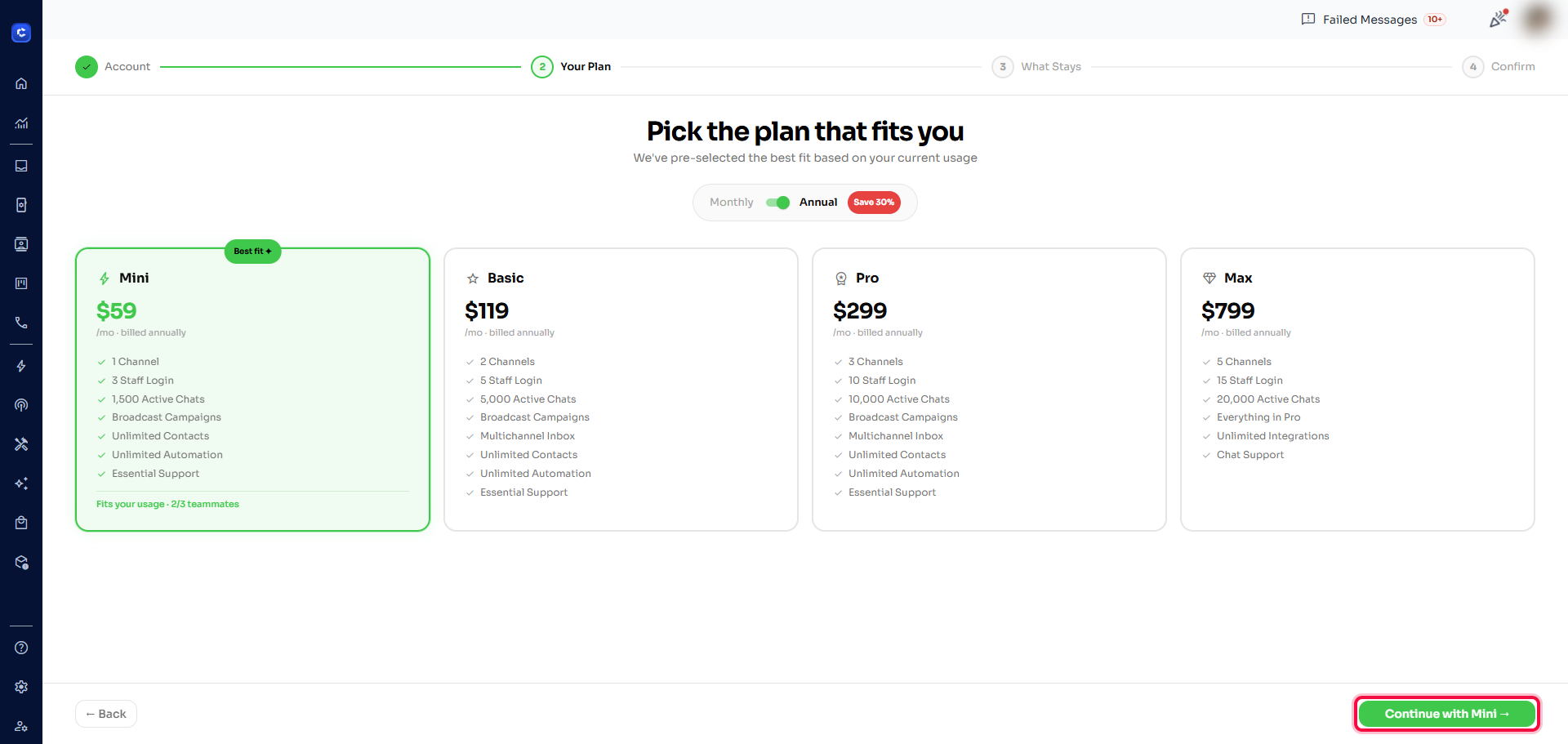
Step 4 — Click Continue
Once you’ve chosen your plan, click "Continue with [plan] →" to proceed.
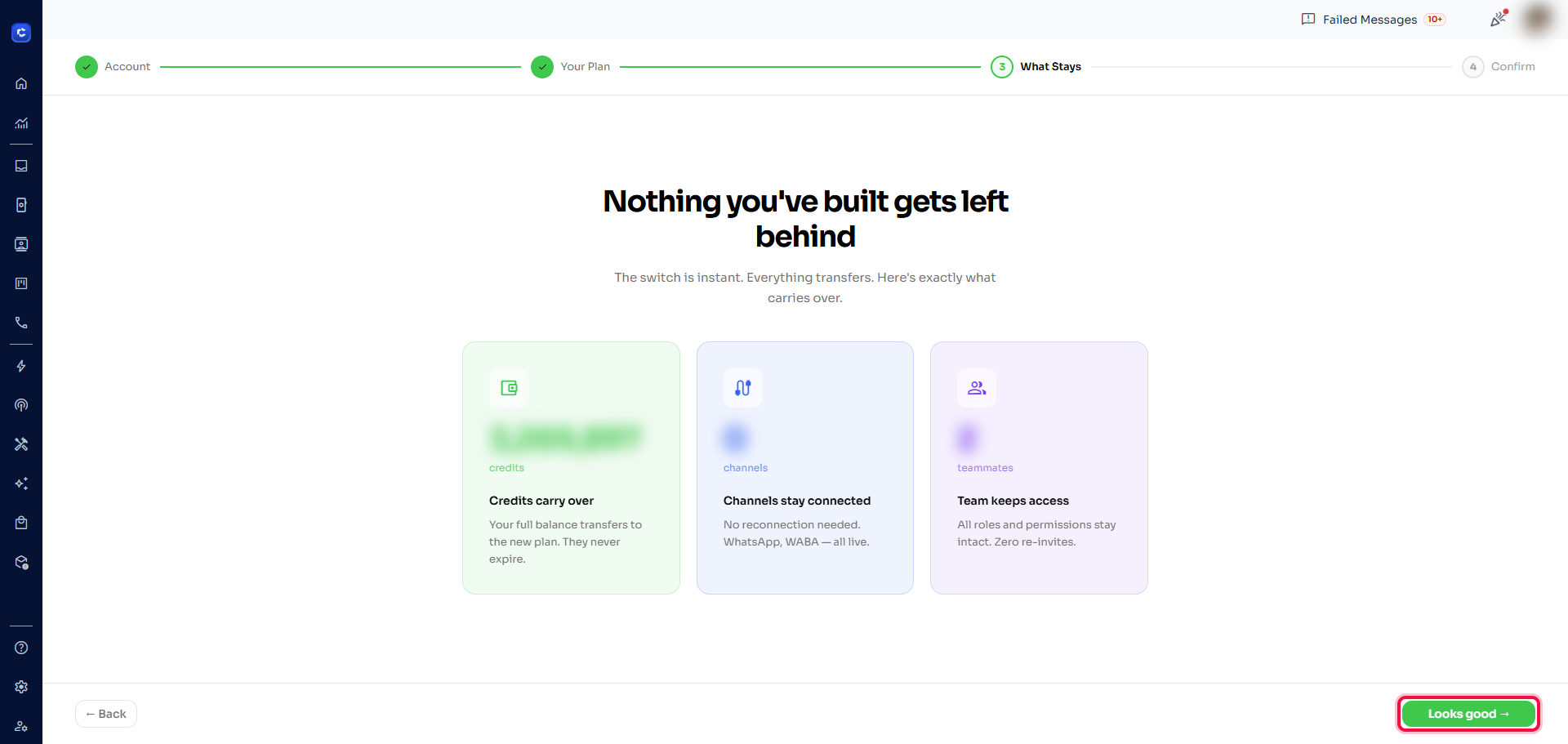
Step 5 — Review the summary & click "Looks good"
Review what carries over to the new plan — your credits, connected channels, and teammates all transfer. Then click "Looks good →".
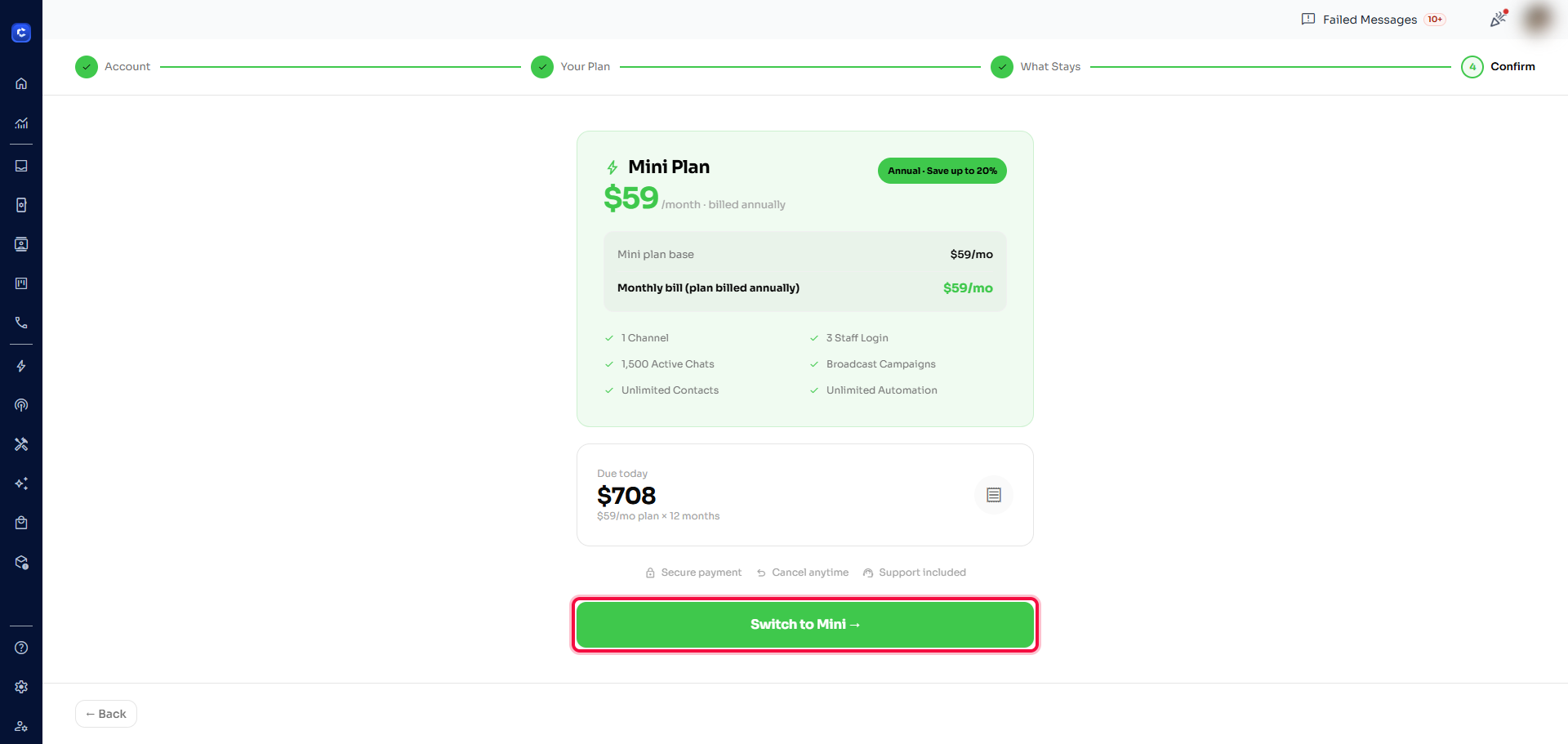
Step 6 — Click "Switch to Plan" & make payment
Review the amount due today, then click "Switch to [plan] →" to complete payment and finish the migration. Your switch is instant and everything you’ve built stays exactly as it is.
Wallet Credits, Add-ons & Support Plans
After migrating, you can manage additional usage and upgrades directly from the pricing page:
- Wallet credits — top up your balance to pay for extra usage (e.g. AI replies, broadcasts beyond your plan limit)
- Add-ons — purchase additional agents, channels, or features on top of your base plan
- Support plans — upgrade to a higher support tier for priority assistance
View all options at app.chatdaddy.tech/pricing.