
Chat on the Go with the ChatDaddy Mobile App
Download the ChatDaddy mobile app on iOS or Android and stay connected to your customers from anywhere using your phone.
Also searched as: ChatDaddy mobile app download, ChatDaddy app iOS, ChatDaddy app Android, download ChatDaddy on phone, ChatDaddy mobile, get app on phone, ChatDaddy QR code download
Your conversations shouldn't be stuck at your desk. With the ChatDaddy mobile app, you can reply to customers from your phone—whether you're in a meeting, commuting, or away from the office.
What you can do with the app 📱 Reply to customers from your phone, wherever you are 🔔 Get push notifications for new messages 👥 Switch between teams and channels 📂 Access contacts, tags, and conversation history on the go
Where to find it
The "Get the app" card sits at the bottom of the left-hand menu and is available to all users—no special plan required.
Step-by-step
Step 1 — Open the "Get the app" card
In the left navigation menu, find the Get the app · Chat on the go card near the bottom. Click on it to open the download options.
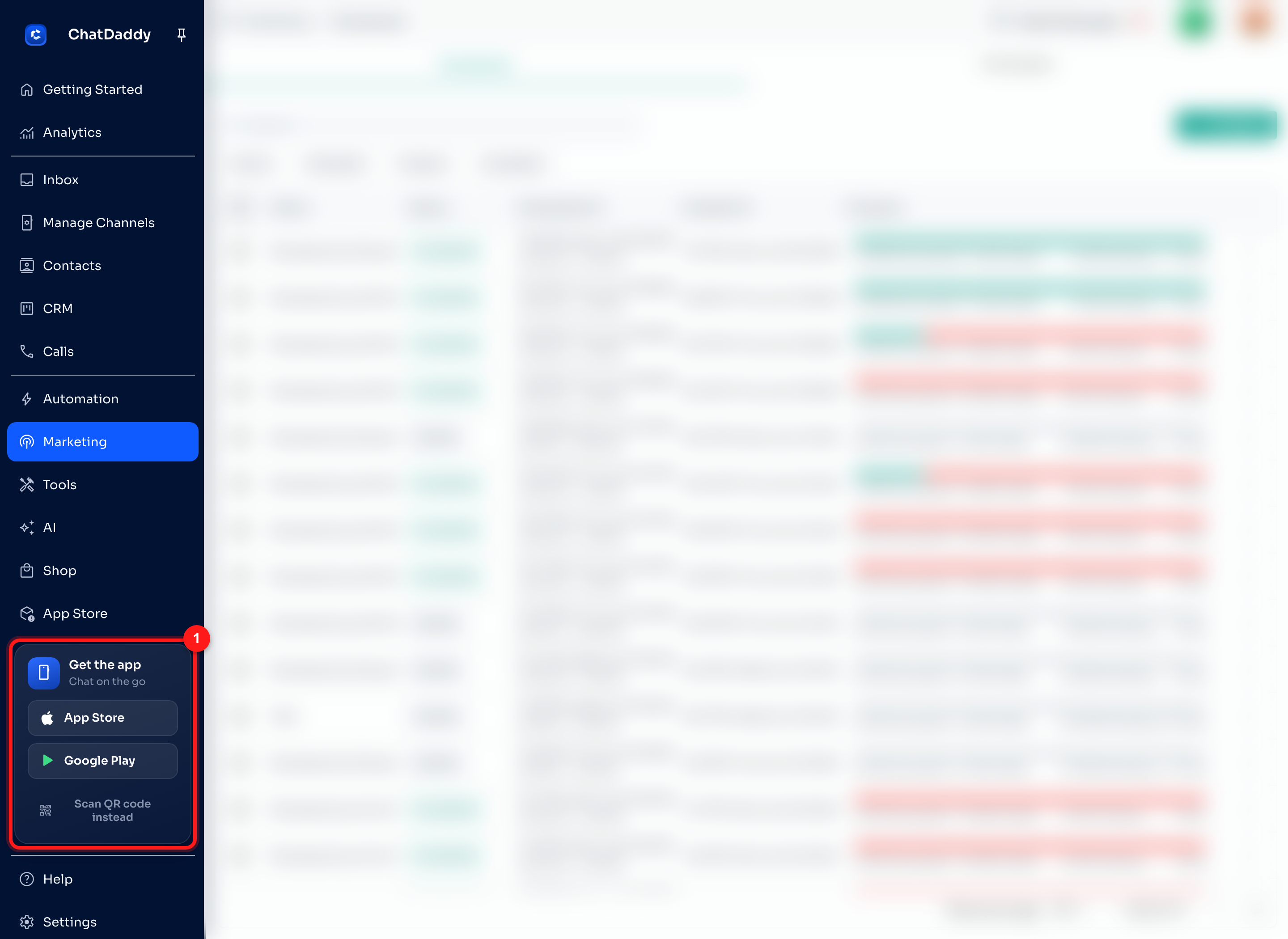
Step 2 — Download directly from your app store
Tap App Store if you're on an iPhone or iPad, or Google Play if you're on an Android device. This opens the store listing directly so you can install the app in one tap.
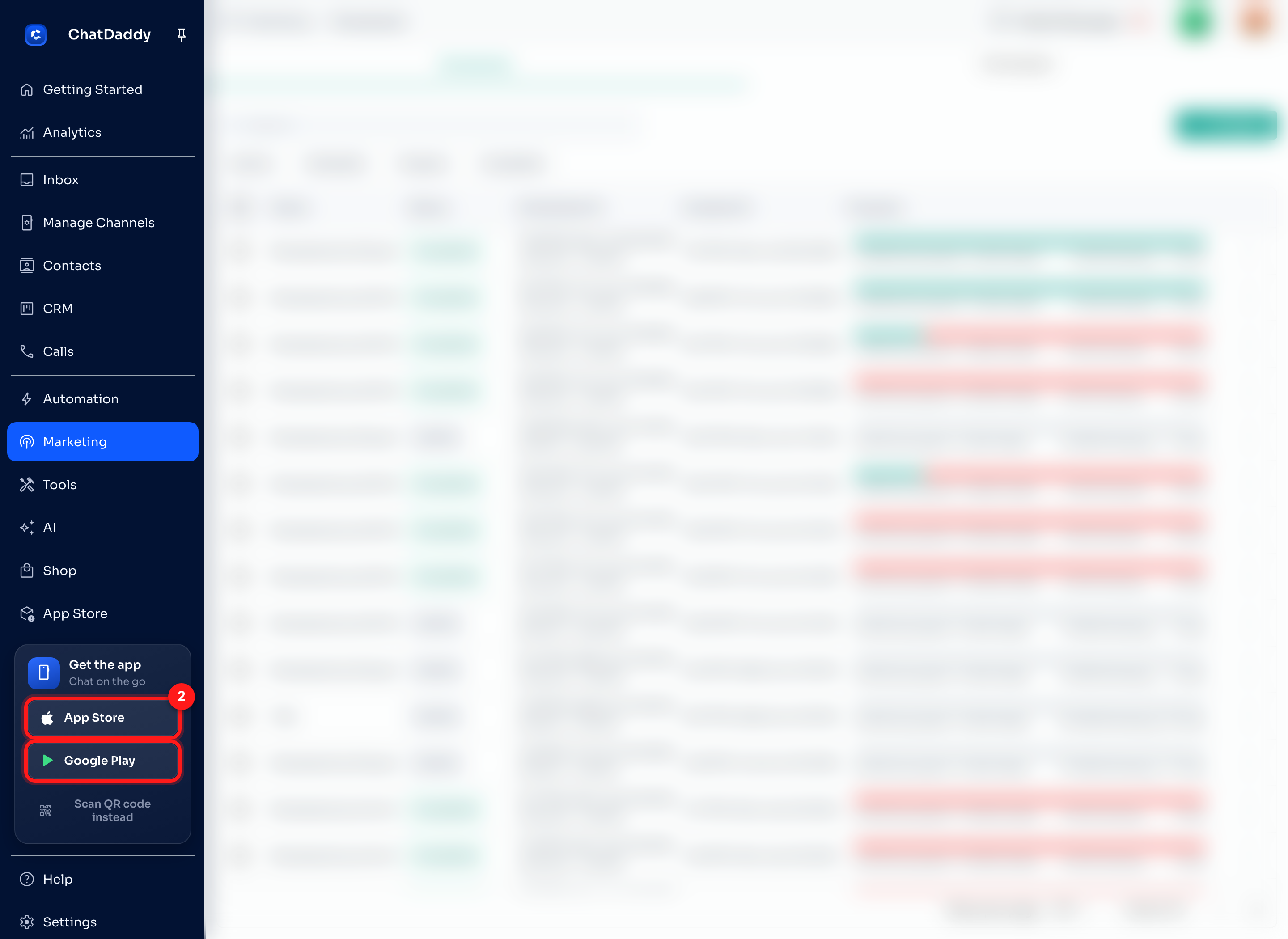
Step 3 — Prefer to scan? Choose "Scan QR code instead"
If you'd rather download straight to your phone, click Scan QR code instead at the bottom of the panel. A QR code pop-up will appear.
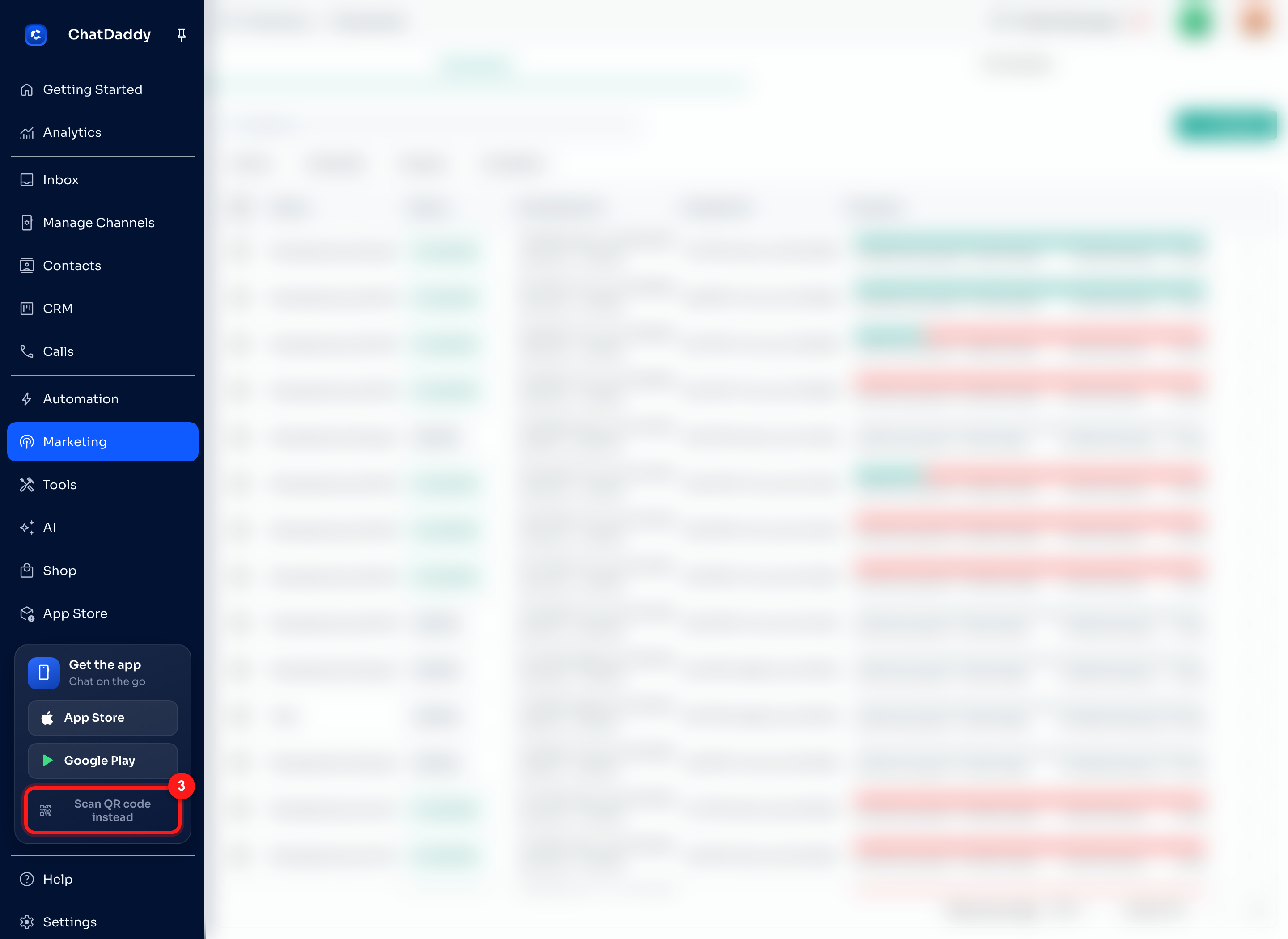
Step 4 — Scan the QR code with your phone
In the Download ChatDaddy Mobile pop-up, point your phone's camera at the Android or iOS QR code (two separate codes are shown—pick the right one for your device). Your phone will open the correct app store page automatically.
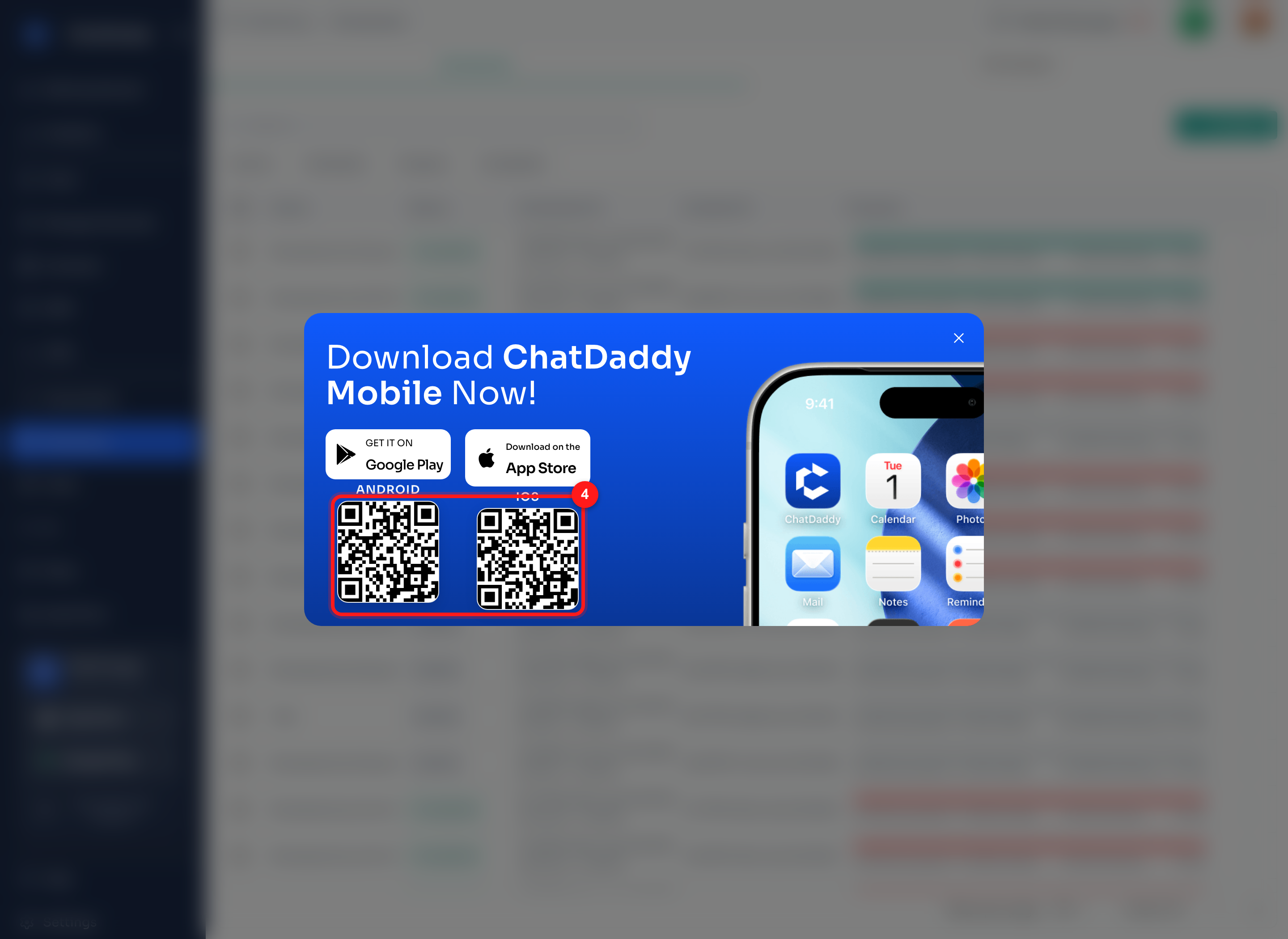
Step 5 — Sign in and start chatting on the go
Open the ChatDaddy app on your phone and log in with the same account you use on the web. All your teams, conversations, and contacts will be there waiting.
Tips
- Use the same login as the web app so all your teams and conversations appear on your phone automatically.
- Turn on notifications when the app asks, so you never miss a new message.
- The Get the app card is always available at the bottom of the left menu if you need to re-download or share the link with a teammate.
Direct download links App Store (iOS): https://apps.apple.com/us/app/chatdaddymobile/id6755759204 Google Play (Android): https://play.google.com/store/apps/details?id=tech.chatdaddy.app
Note: Screenshots are from a demo account; customer data in the background has been blurred for privacy.