
How to Clear Pending Payment in Meta for your WhatsApp Co-existence
If your WhatsApp Co-existence account shows payment due or payment issues (often Error 131042), follow these steps to clear the payment.
Updated Feb 27, 2026
If your WhatsApp Co-existence account shows payment due or payment issues (often Error 131042), follow these steps to clear the payment.
1️⃣ Open Meta Business Settings
-
Go to Meta Business Settings: https://business.facebook.com/settings
-
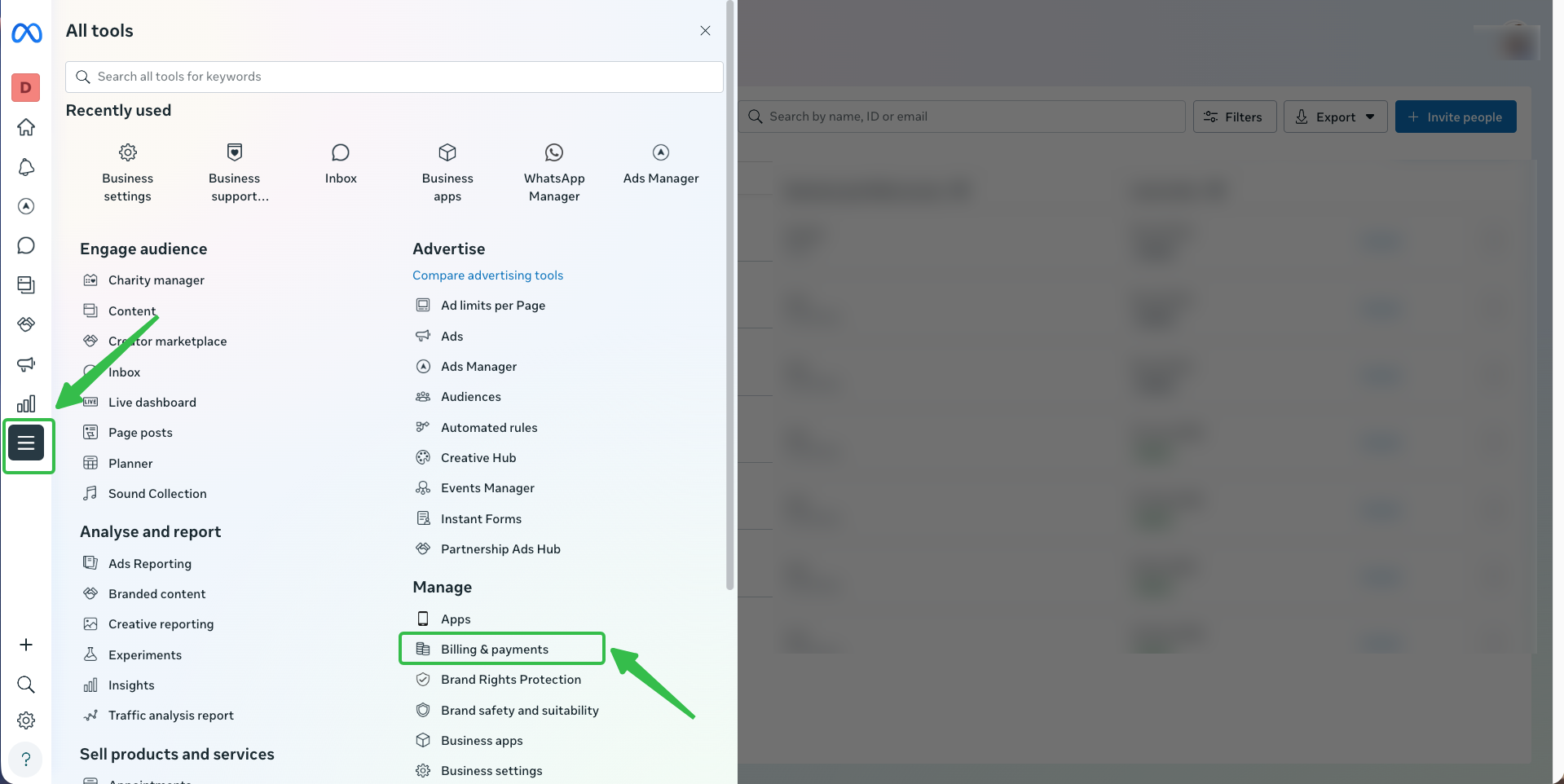
Click All Tools on the left panel
-
Go to: ➡️ Manage → Billing & Payment Settings
2️⃣ Check Outstanding Balance 💳
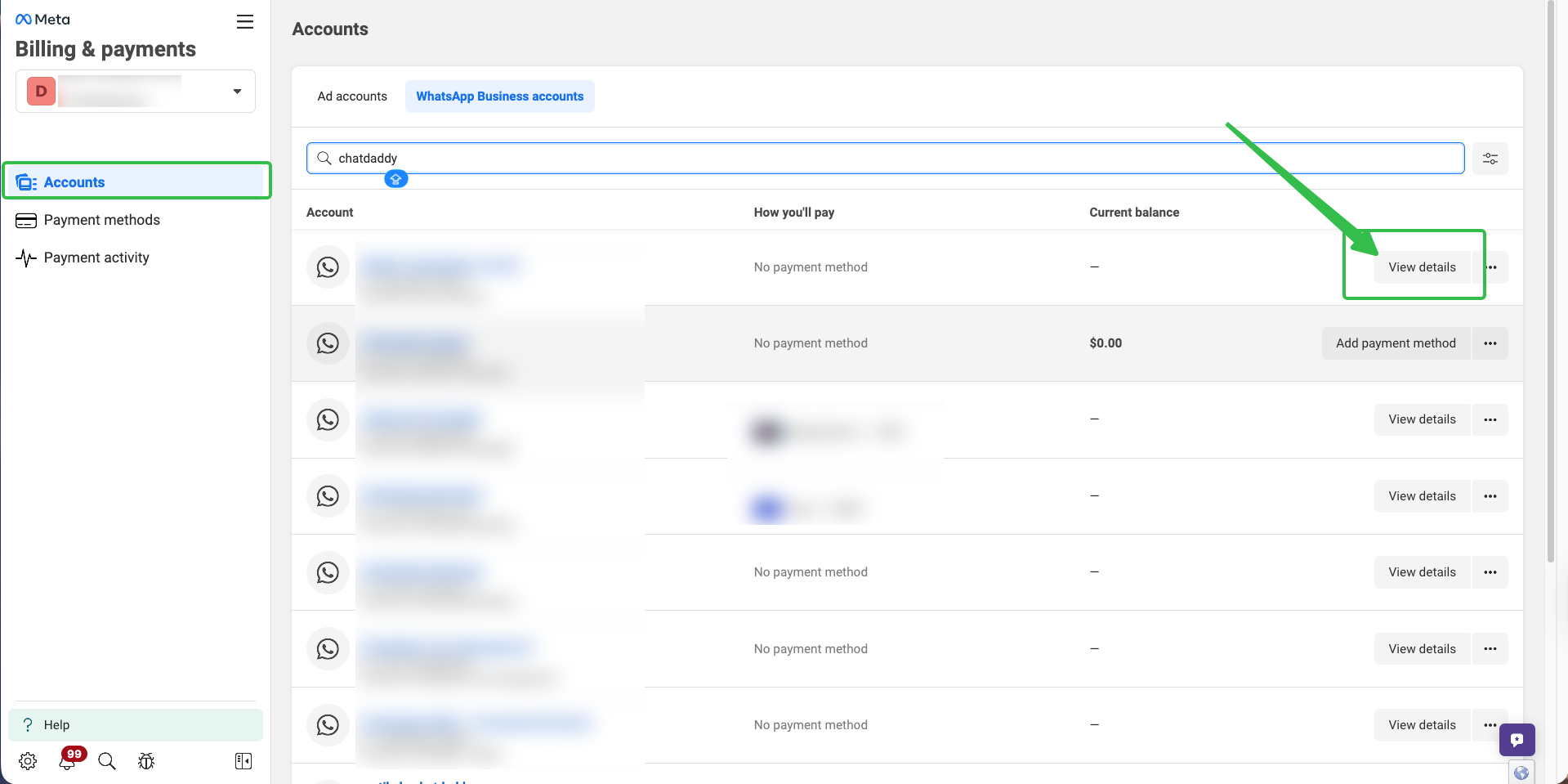
- Go to: ➡️ Billing → Payment Activity → Accounts
- Select the WhatsApp Business Account you are currently using
- Click View Details
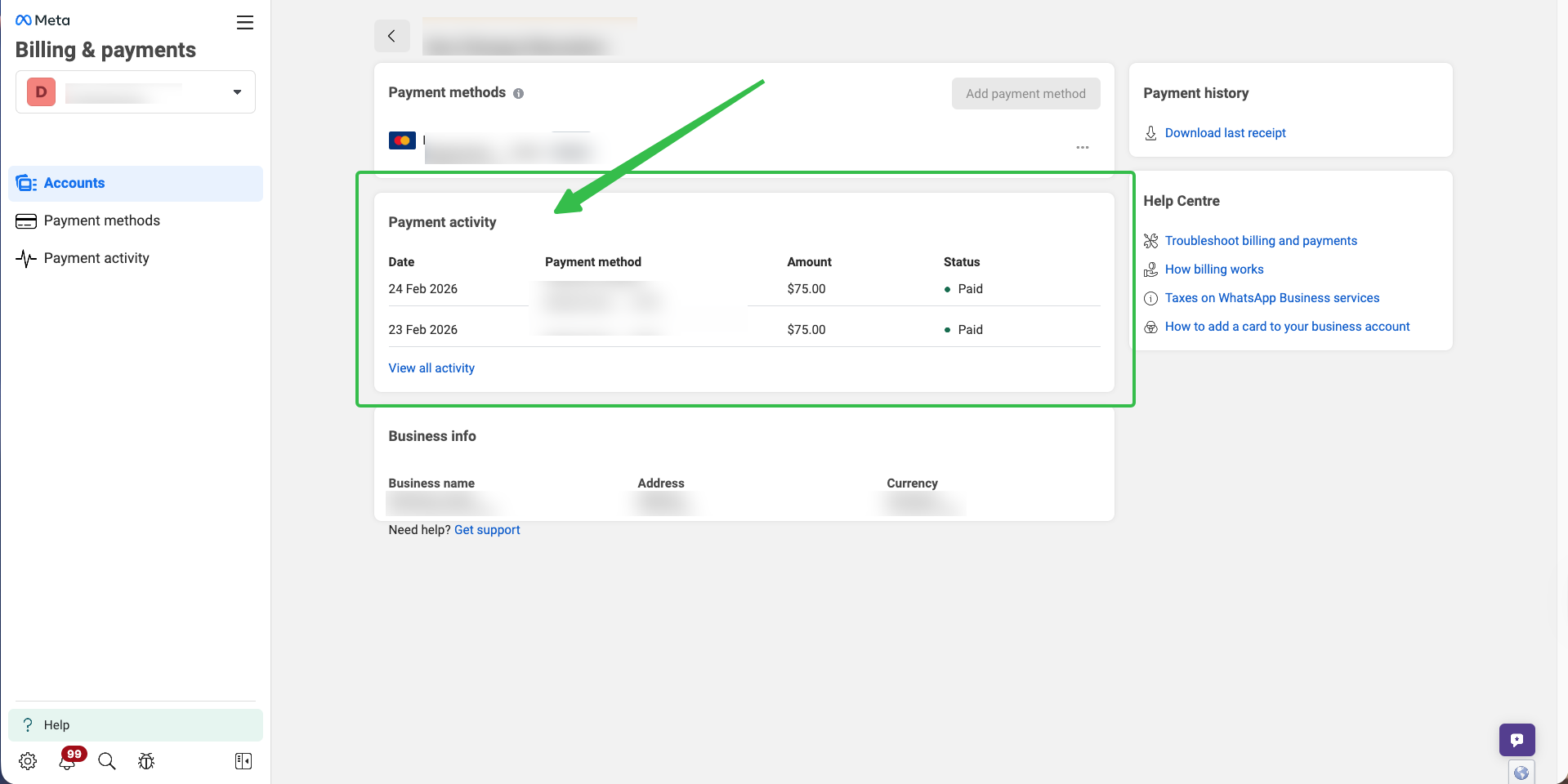
- Check if there is:
- Unpaid balance
- Overdue invoice
- Failed payment
- If payment is required: ➡️ Click Pay Now
3️⃣ Check Payment Method (Optional) 🏦
- Go to: ➡️ Billing → Payment Methods
- Make sure:
-
Payment method is active
-
Card is not expired
-
No failed payment If needed:
-
Remove old card
-
Add new card
-
Set as Primary Payment Method
4️⃣ Check WhatsApp Billing Account (Optional) 📱
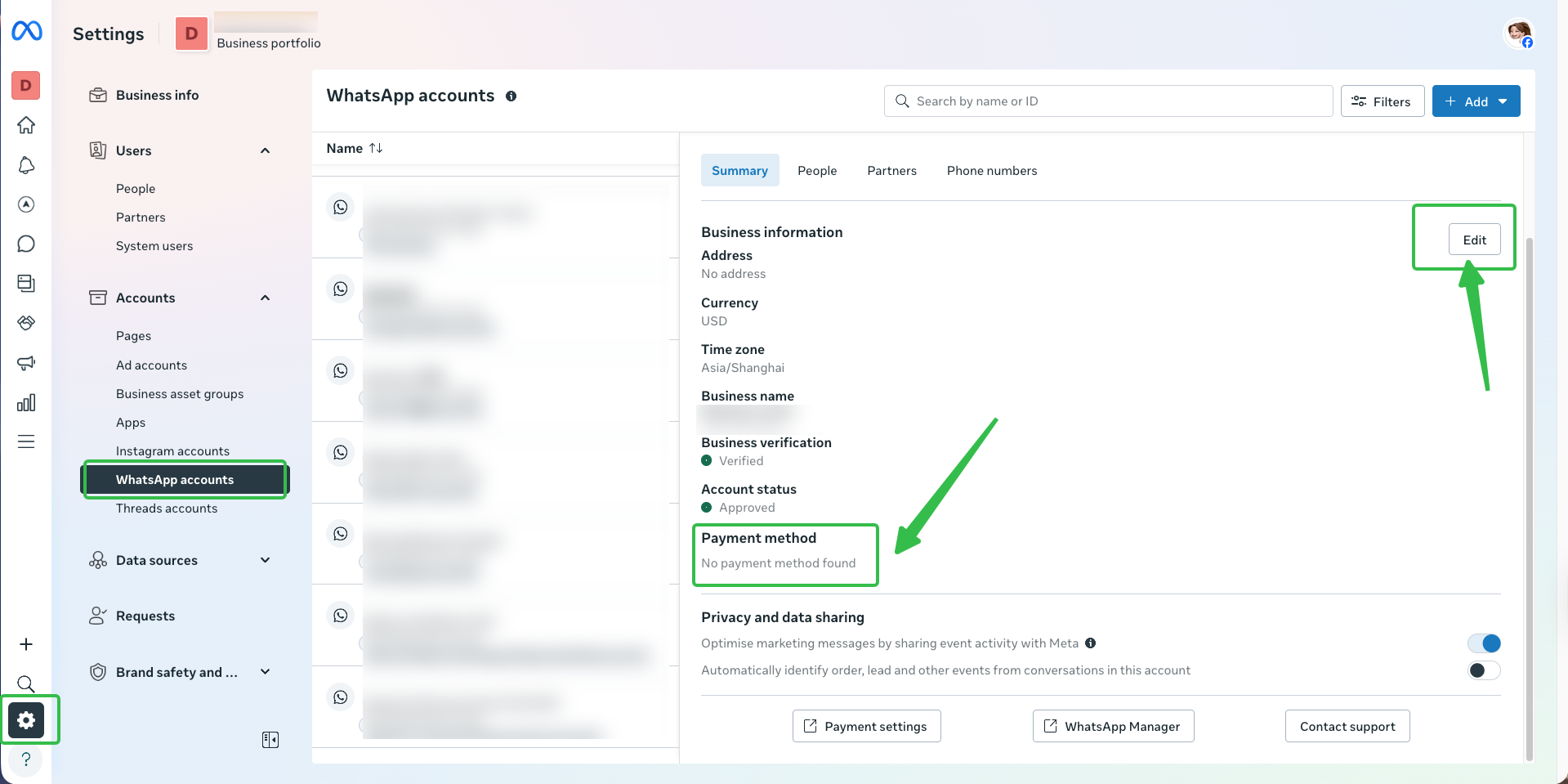
- Go to: ➡️ Accounts → WhatsApp Accounts
- Select your WhatsApp Number
- Click: ➡️ Payment Settings
- Make sure:
- Billing account is active
- Payment method is attached If not attached:
➡️ Click Edit to add or update the payment method
5️⃣ Wait for Meta Update ⏳
After payment is completed:
- Usually updates within 5–30 minutes
- Sometimes Meta may take up to 24 hours If payment is cleared but the error still appears, please wait up to 24 hours or contact us for further checking.
⚠️ Important Notes
- Payment must be cleared inside Meta Business Manager
- ChatDaddy cannot clear Meta payment on your behalf
- Messaging may stop if payment is overdue
Was this article helpful?