
How to download my Invoice?
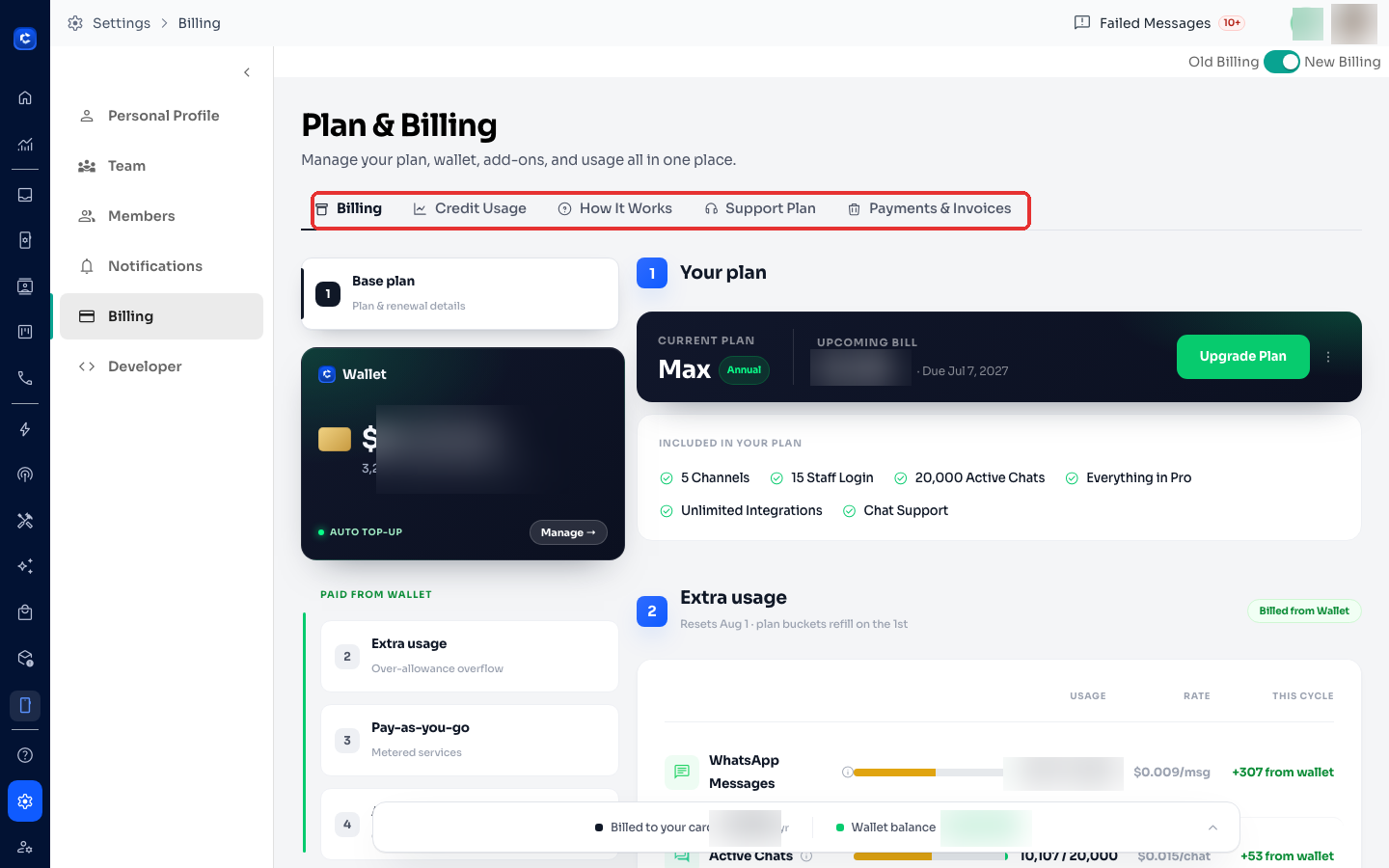
Step 1: Hover your cursor on the left navigation bar, then hover it to “Settings”, then click on “Billing”.
Updated Jul 18, 2026
Download any past invoice or tax receipt in under a minute.
Step 1: Open Settings → Billing
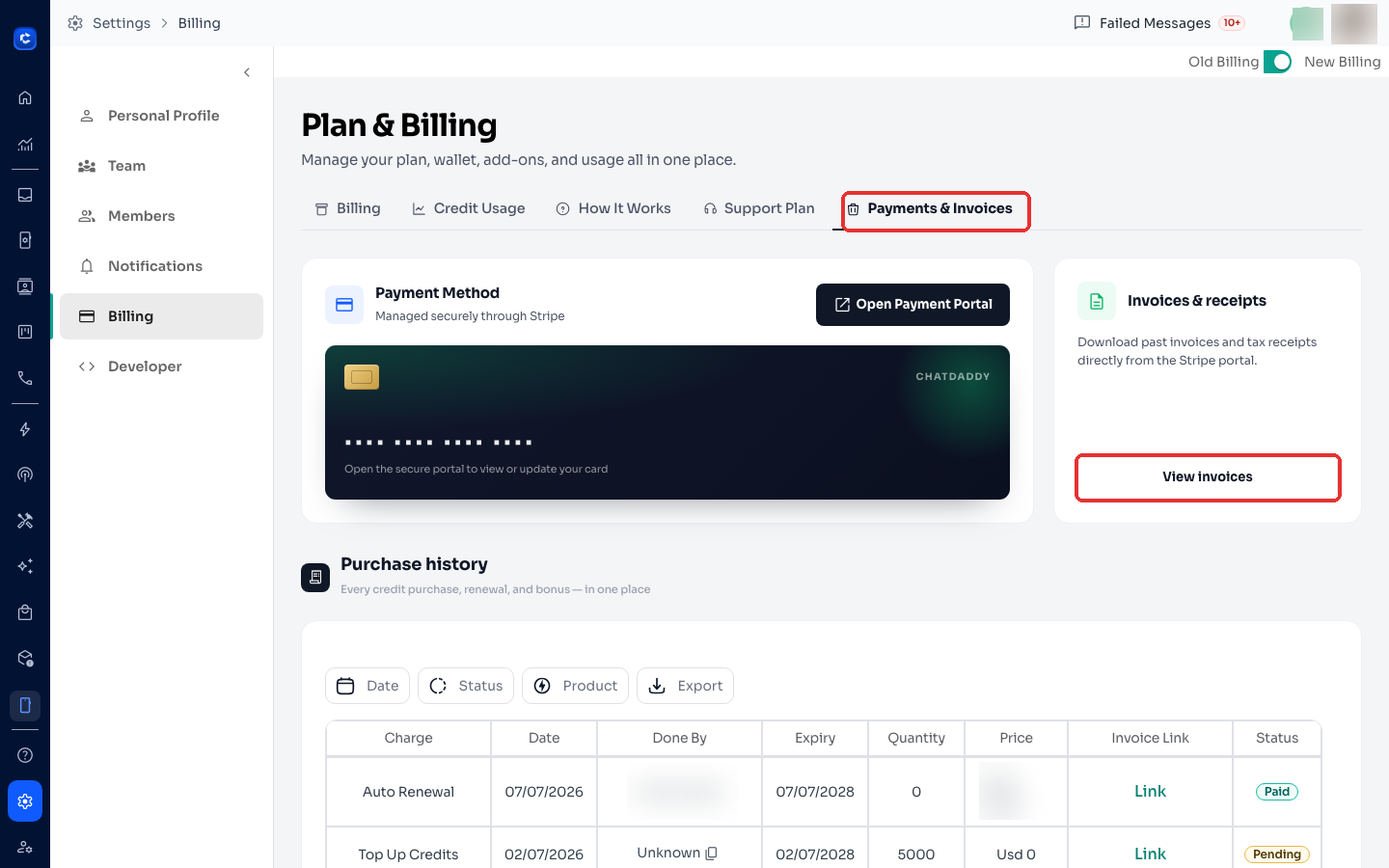
Click the Settings (gear) icon at the bottom of the left sidebar, then select Billing. Open the Payments & Invoices tab.
Step 2: View your invoices
In Invoices & receipts, click View invoices — this opens the secure Stripe portal where every invoice and tax receipt can be downloaded as PDF.
Step 3: Download
In the Stripe portal, click any invoice to download it. Your Purchase history (credit top-ups, renewals, bonuses) is also listed on this page with per-item invoice links.
Tip: payment methods are managed on the same tab via Open Payment Portal.
Was this article helpful?