
How to get your Team ID?
Learn how to copy your Team ID
Updated Feb 3, 2026
Your Team ID is a unique identifier used for support, integration, and billing purposes. Here’s a step-by-step guide to help you find it:
📍 Step 1: Log into ChatDaddy
Go to https://app.chatdaddy.tech and log in with your account credentials.

🧑🤝🧑 Step 2: Access Team Settings
Once you're inside the dashboard, click on your profile icon on the top right corner of your screen
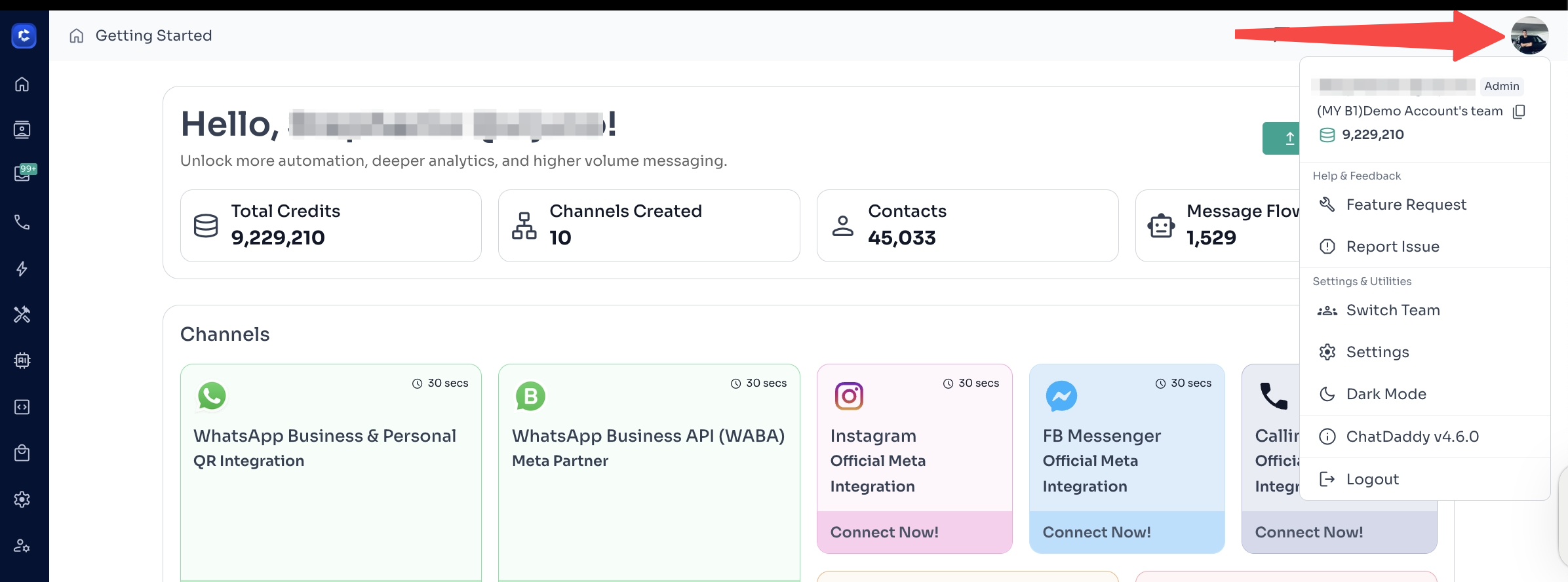
🆔 Step 3: Find Your Team ID
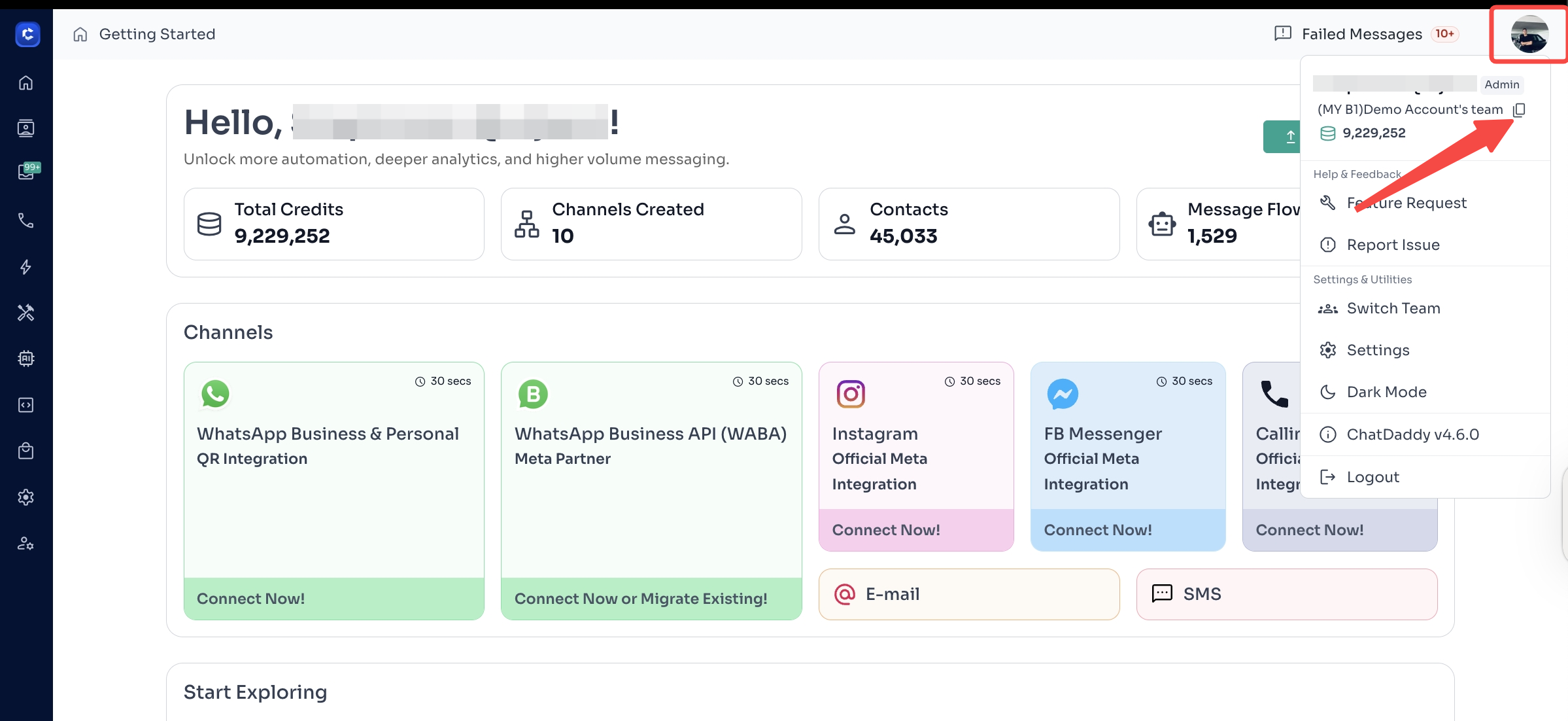
Once you click on your profile icon, you will your team name with a “copy” icon beside it. Click this icon to copy your Team ID
It usually looks something like this: b9d807926-0e2d-40c7-a1fa-0a74bc4fac93.
Was this article helpful?