How to Reset Forgotten Password?
If you've forgotten your password, don't worry! You can easily reset it by following these steps:
Resetting Your Forgotten Password
If you've forgotten your password, don't worry! You can easily reset it by following these steps:
If you are NOT logged in:
-
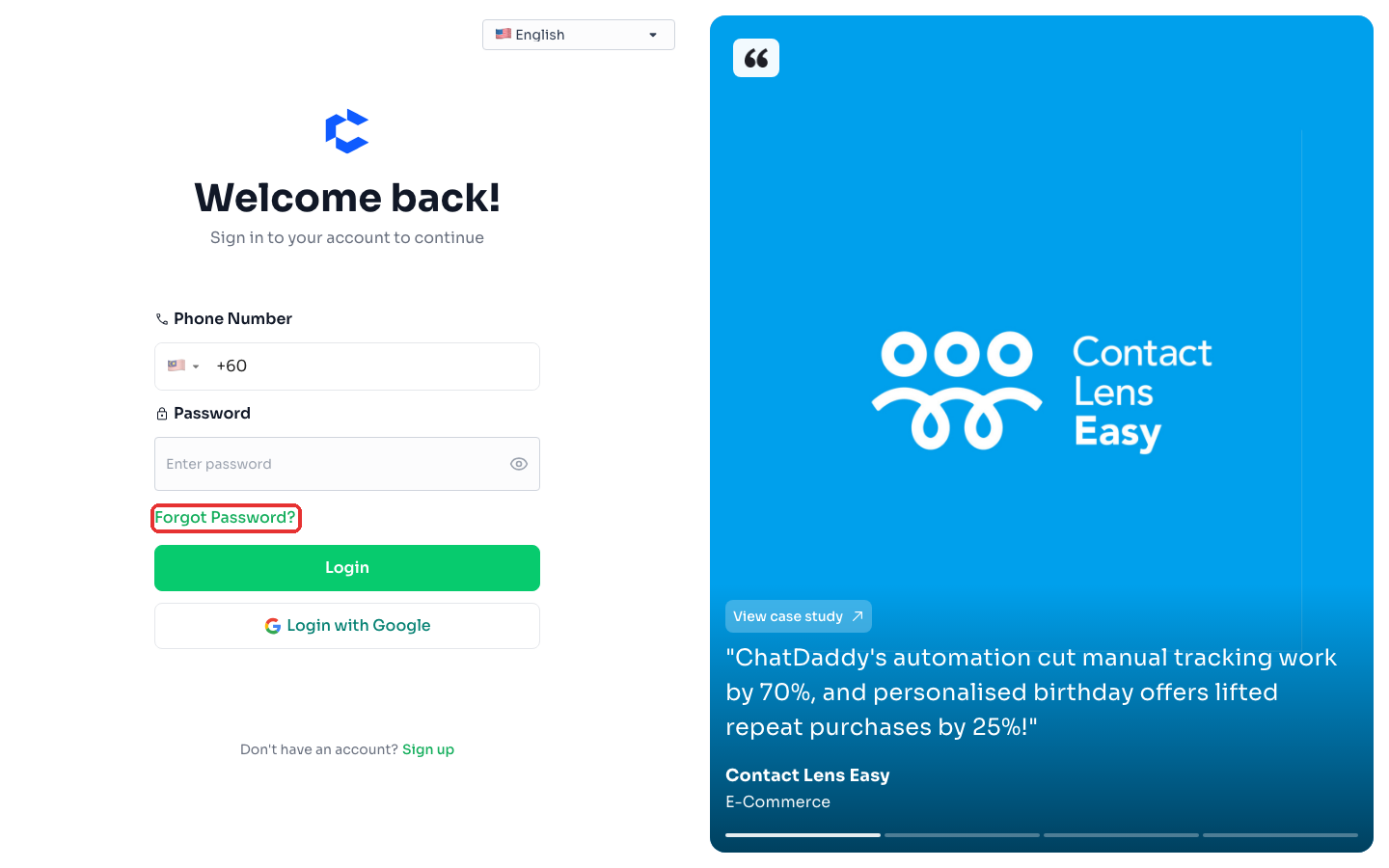
Go to the login page for our platform.
-
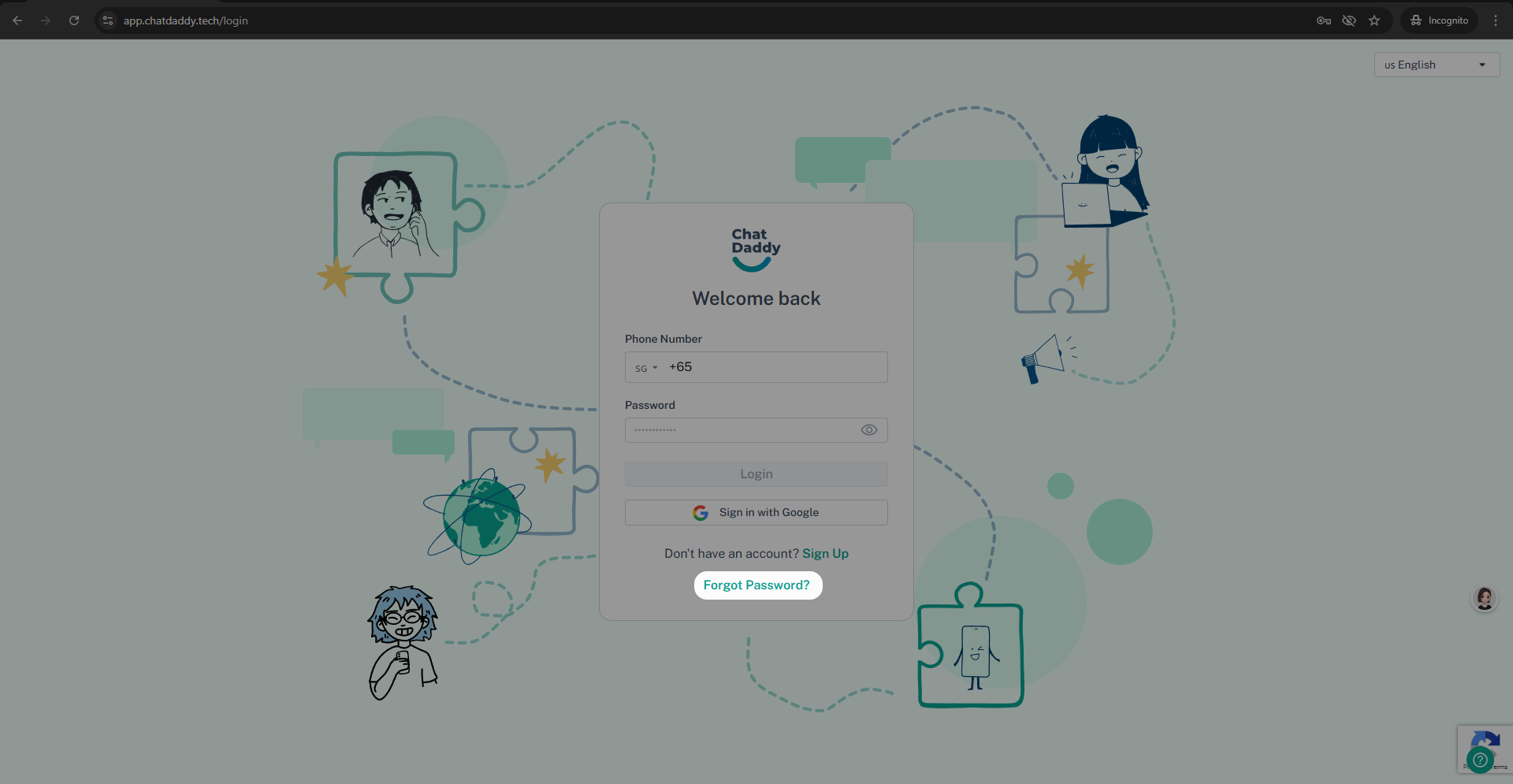
Look for and click on the "Forgot Password" link. This is usually located near the login button.
-
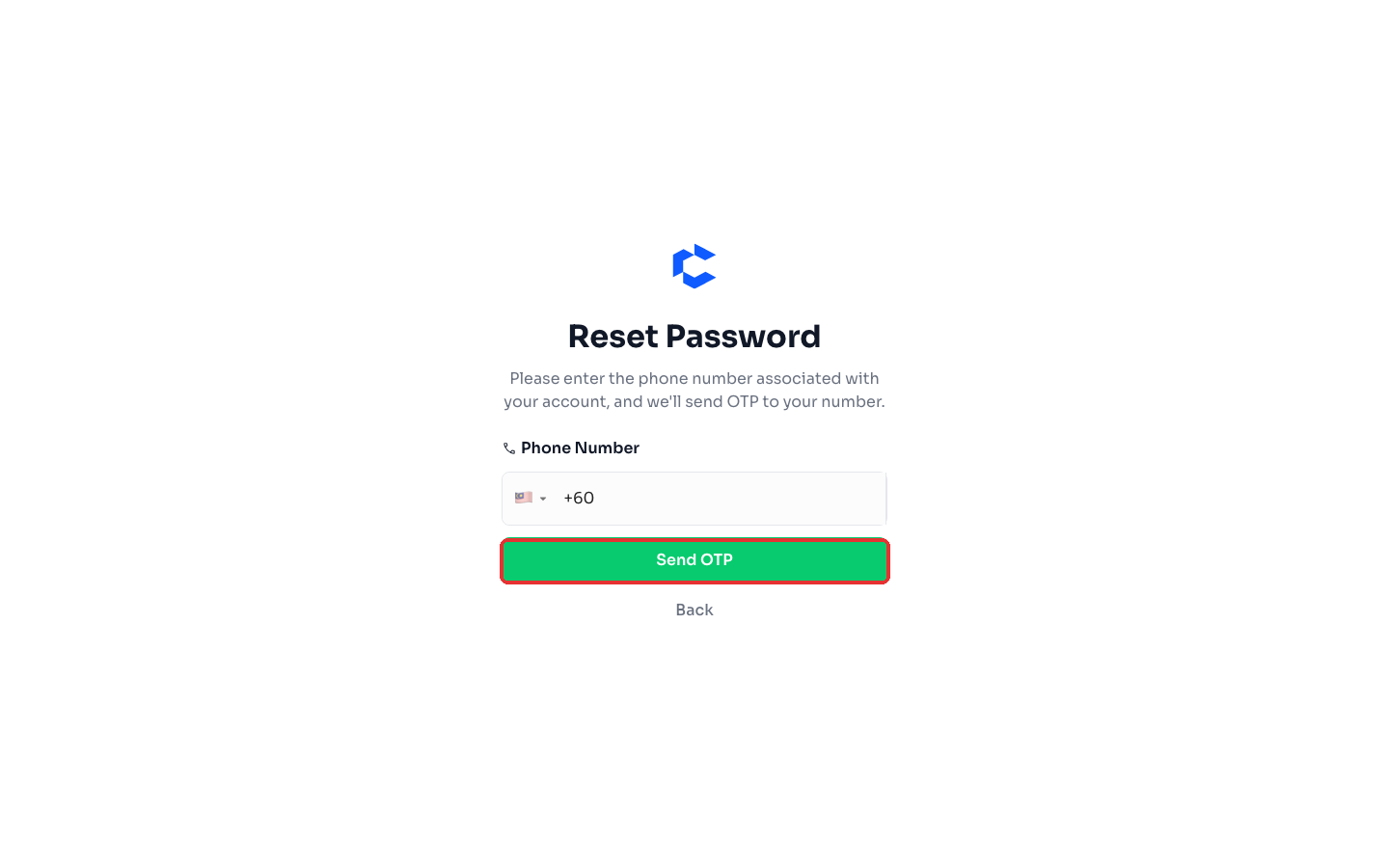
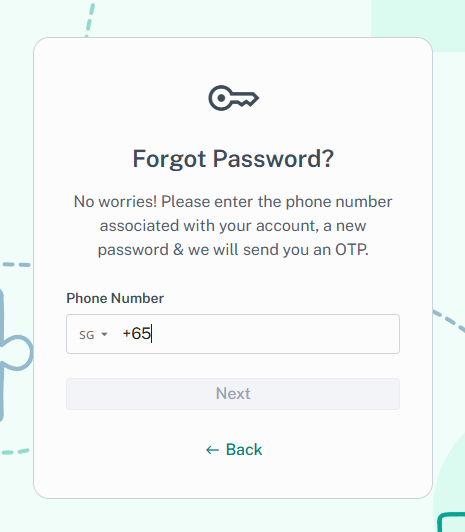
On the "Forgot Password" page, you will be prompted to enter your phone number. Please enter the phone number associated with your account.
-
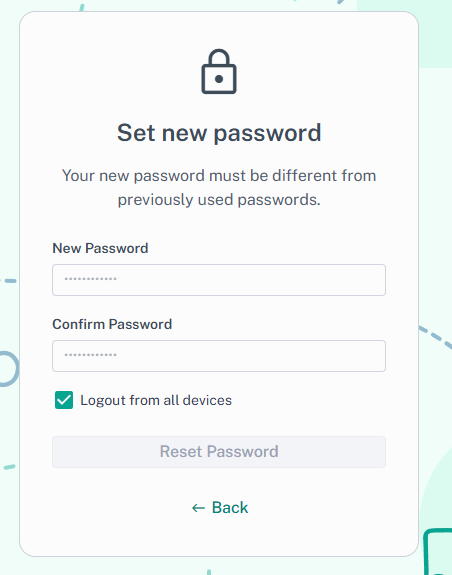
You will then be prompted to create a new password.
-
After entering your password, click the "Reset Password" button.
-
We will immediately send a One-Time Password (OTP) to your registered phone number via SMS.
-
Enter the OTP in the designated field on the "Forgot Password" page.
-
Once you've entered and confirmed your new password, click "Submit" or a similar button to save your changes.
-
You can now return to the login page and log in with your new password.
If you are ALREADY logged in and want to reset your password:
-
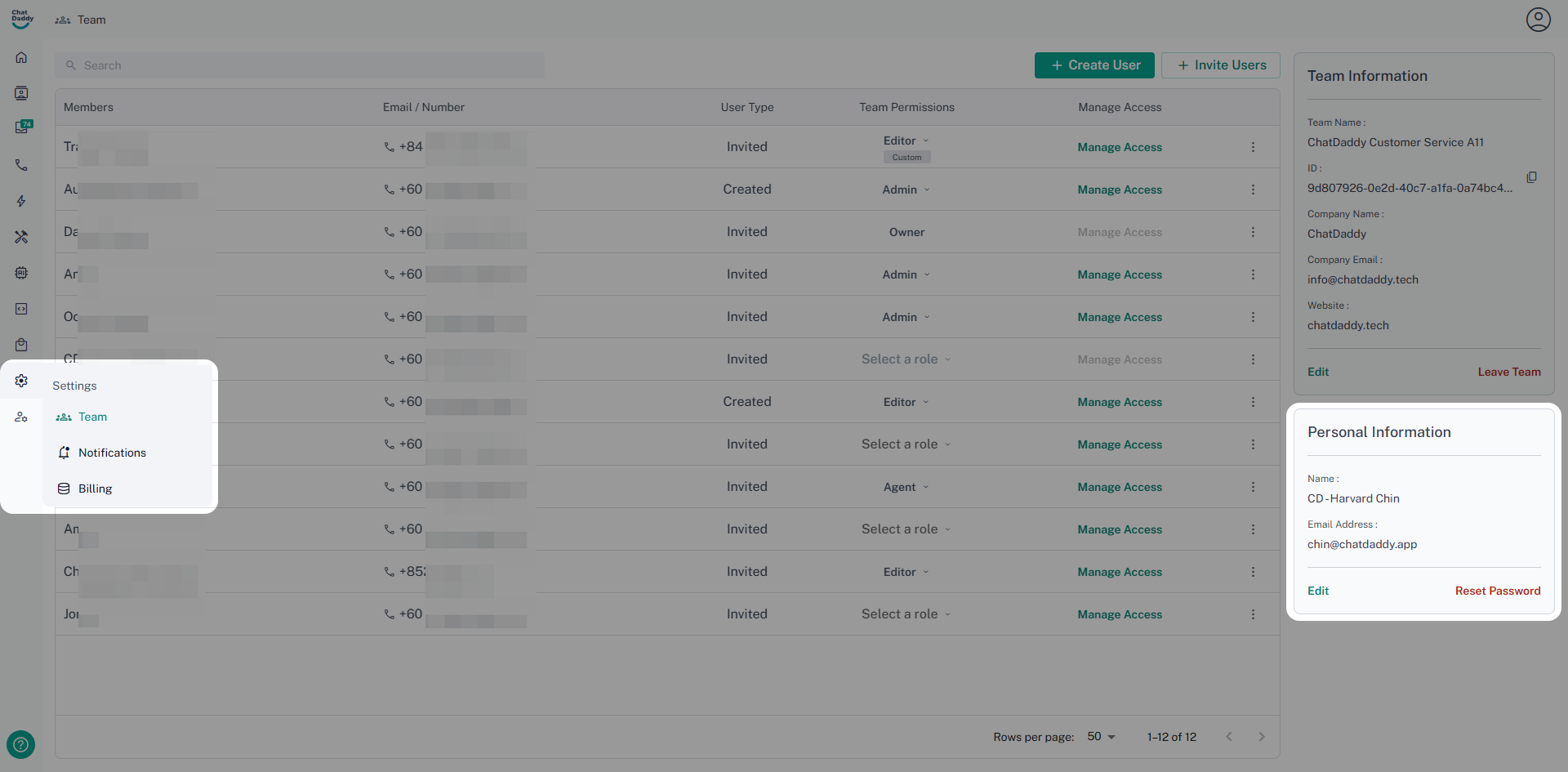
Navigate to the "Settings" section of our platform.
-
Within the "Settings" menu, look for and select "Team" (or a similarly named section related to your account or profile).
-
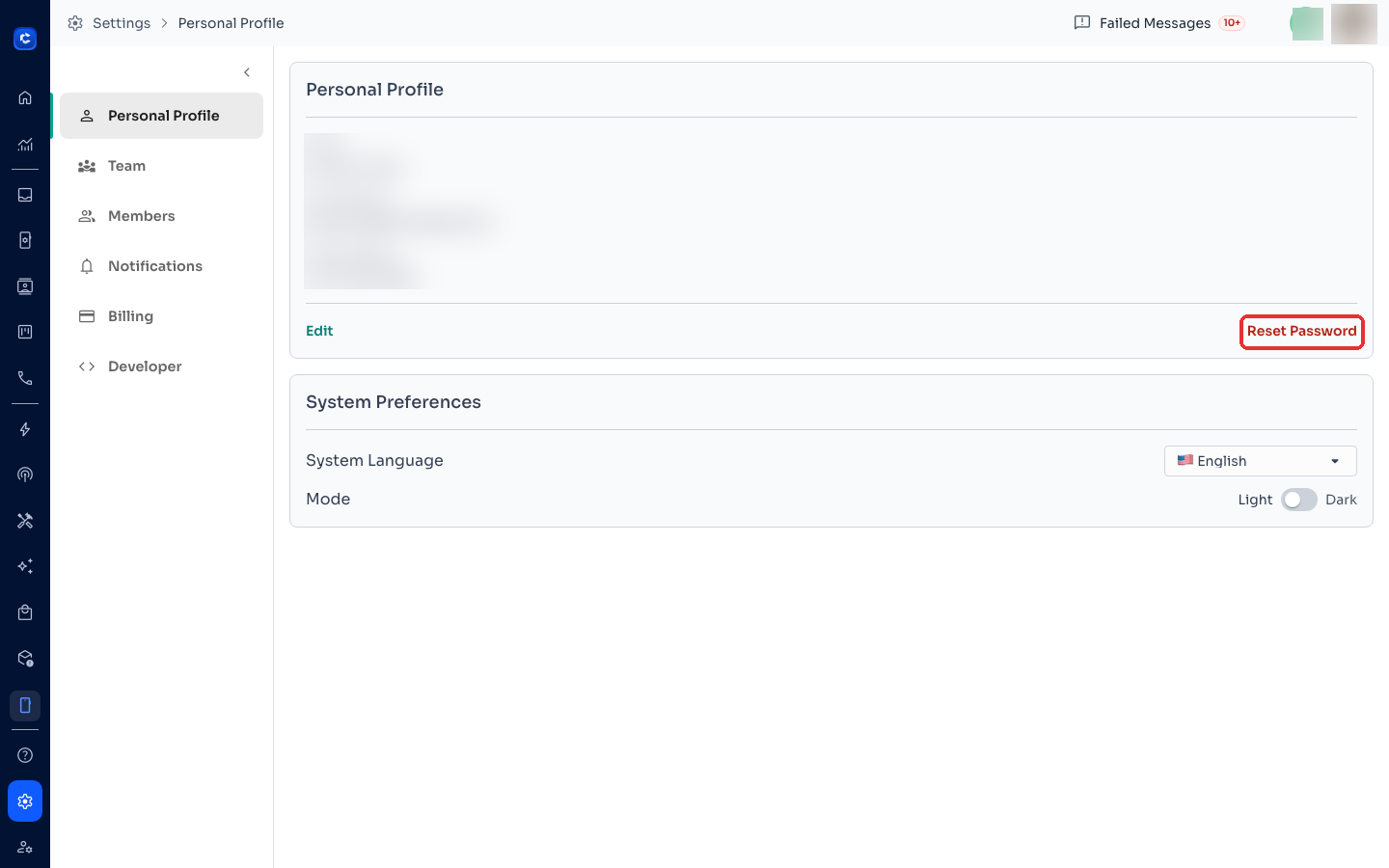
On the "Team" page, you should see your personal information. Look for a "Reset Password" button, typically located in the bottom right corner of your personal information section.
-
Click on the "Reset Password" button.
-
You will be prompted to enter your phone number. Please enter the phone number associated with your account.
-
You will then be prompted to create a new password.
-
We will send a One-Time Password (OTP) to your registered phone number via SMS.
-
Enter the OTP in the designated field.
-
Once you've entered and confirmed your new password, click "Reset Password"
**Important Note:
- Passwords must have 8 - 64 characters with at least 1 lowercase, 1 uppercase, and 1 numeric character.
- The OTP is time-sensitive and will expire after 30 minutes. If you do not receive the OTP within this timeframe, please contact our support team for assistance.**
Where to click