
How to send a Message in ChatDaddy?
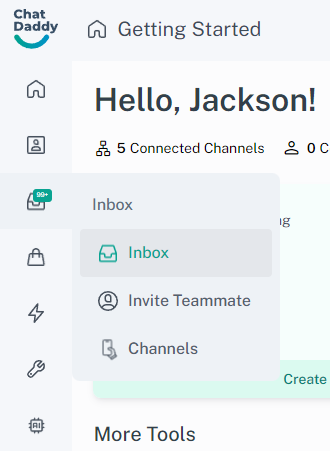
Access Your Inbox On the ChatDaddy app, tap on the Inbox tab located on the left screen.
Updated Nov 21, 2025
Steps
Access Your Inbox
- On the ChatDaddy app, tap on the Inbox tab located on the left screen.
Select a Chat
- If you manage multiple business channels , you might see a list of channels on the filter section. In this case, tap on the desired channel and select a chat to start messaging with customers.
Start Interacting with Your Customers
- Once you've accessed the inbox or selected the appropriate channel, you can now compose and send messages to your customers directly.
Was this article helpful?