ChatDaddy
Account & Settings

Team Members — How to Delete / Remove a Teammate

## Team Members — How to Delete / Remove a Teammate Module: Settings > Team Members Who can do this: Only the account Owner / Admin. Sub-users cannot remove other members. This is a self-serve acti

Updated May 29, 2026

Team Members — How to Delete / Remove a Teammate

Module: Settings > Team Members

Who can do this: Only the account Owner / Admin. Sub-users cannot remove other members.

This is a self-serve action — CS does NOT delete members from the backend.


Steps to Remove a Team Member

  1. Log in to ChatDaddy at app.chatdaddy.tech
  2. Go to Settings (gear icon, bottom-left)
  3. Click Team Members (or Team depending on your plan)
  4. Find the member you want to remove
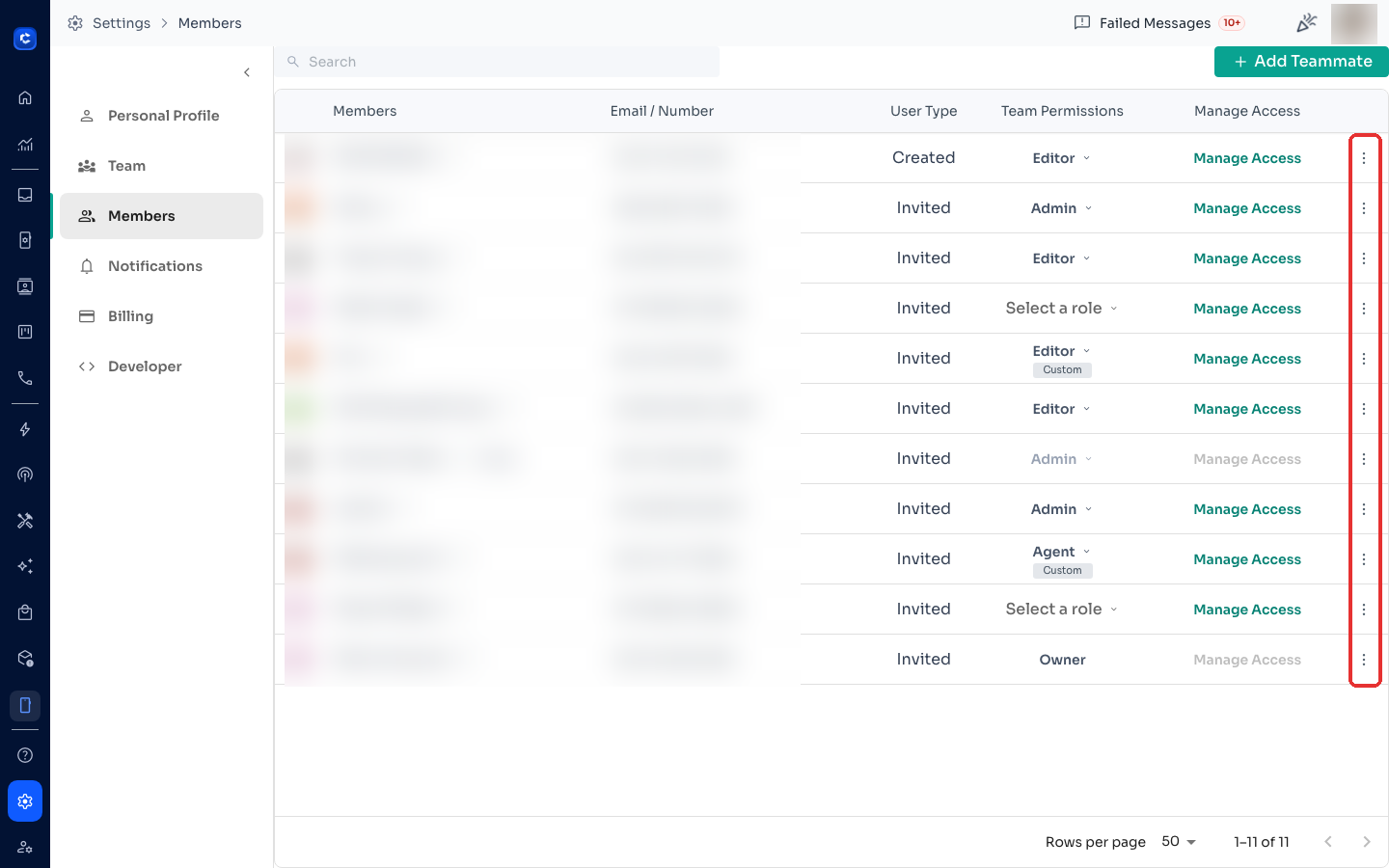
  5. Click the ⋮ (three-dot menu) next to their name
  6. Select Delete or Remove
  7. Confirm the action in the dialog The member will immediately lose access to the account.

Help article: https://help.chatdaddy.tech/article/how-to-delete-team-members


CS Reply Template

English:

Hi! To remove a teammate from your ChatDaddy account, go to Settings > Team Members, click the ⋮ menu next to their name, and select Delete. Only the account Owner/Admin can do this. Here's the full guide: https://help.chatdaddy.tech/article/how-to-delete-team-members

Chinese:

您好!要从 ChatDaddy 账户中删除团队成员,请前往 设置 > 团队成员,点击成员名称旁边的 ⋮ 菜单,选择 删除。只有账户所有者/管理员才能执行此操作。详细指南:https://help.chatdaddy.tech/article/how-to-delete-team-members


Important Notes

  • CS team does NOT delete members from the backend — always guide the customer to do this themselves
  • If the customer says they don't see the Delete option, they are likely not the Owner/Admin — ask them to check their role under Settings > Team Members
  • Removing a member does NOT delete their conversation history — all chats remain in the Inbox
Feedback
Was this article helpful?

Related articles