
What is Credit System and How does it work?
Buy a Credit Subscription Subscribe to a credit subscription where you get a certain number of ChatDaddy Credits every billing cycle. Use credits to use the…
Updated Mar 16, 2026
Intro
Buy a Credit Subscription
- Subscribe to a credit subscription where you get a certain number of ChatDaddy Credits every billing cycle.
Use credits to use the App
- Your ChatDaddy credits get consumed as you use the app. You only get billed for services you use.
Top up as you go!
- You can top up your credit balance if you run out of credits before the credit renewal date. Ideal for holiday campaigns!
Steps
How to top up One Time credits
1. Access Billing Settings
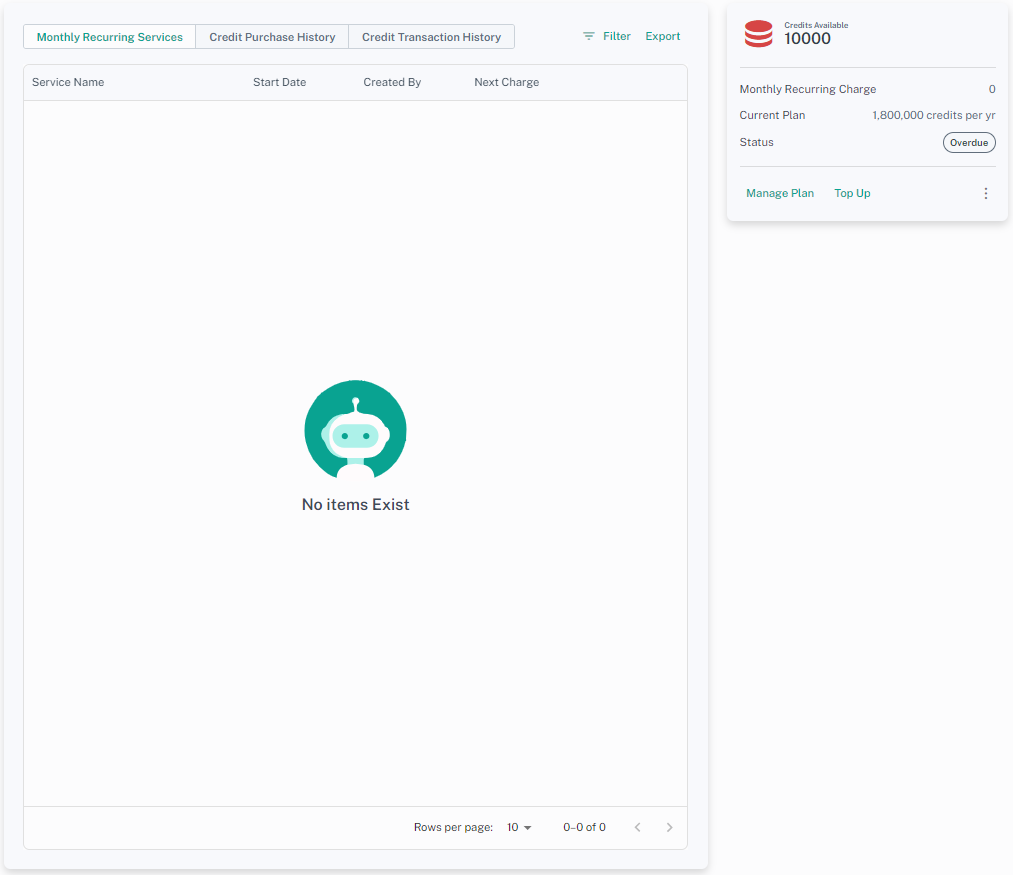
- On the ChatDaddy dashboard, locate the Settings option in the left menu bar.
- Click on Settings and navigate to the Billing section, or click here for quick access.
2. Top Up Credits
- Look for a button labeled Top Up located on the right side of the page. Click on it.
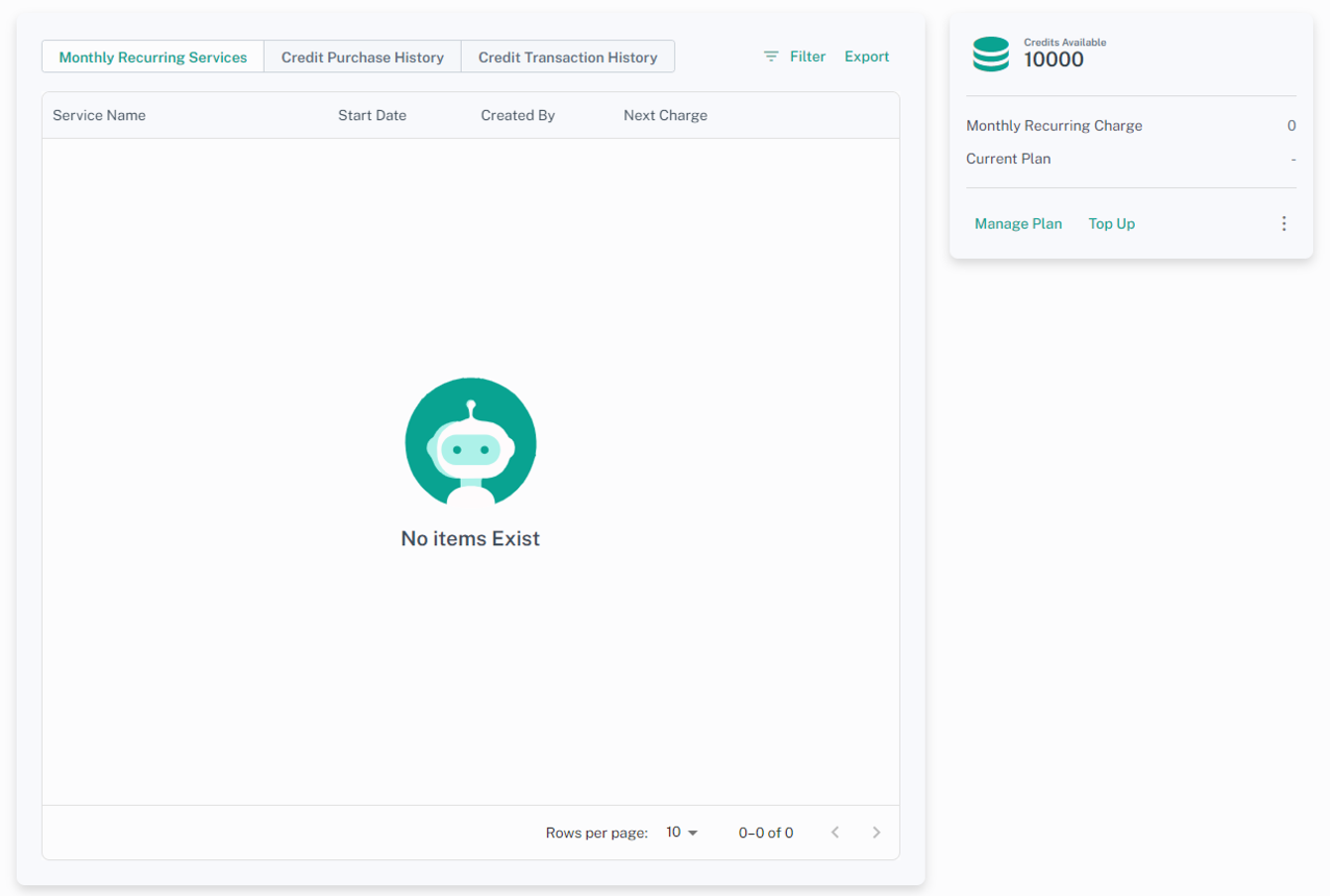
3. Quote Credit Needs
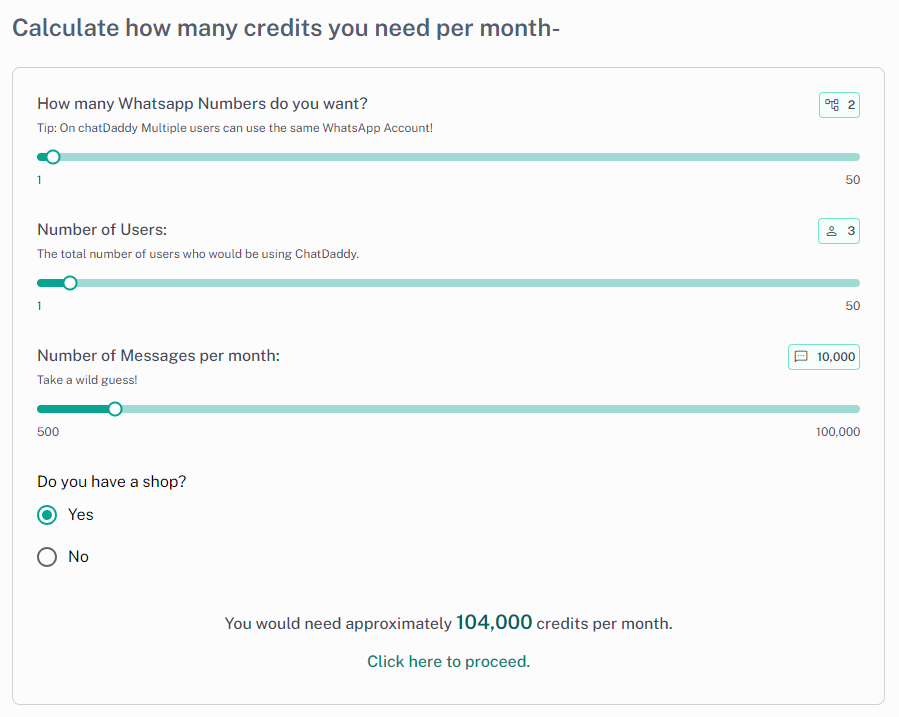
- A slider will allow you to adjust the number of credits you need. To determine the appropriate amount, consider:
- Channels: Each WhatsApp number you connect to ChatDaddy counts as a channel.
- Team Members: Factor in the number of team members who access your ChatDaddy account.
- Message Quota: Estimate the number of messages you plan to send.
- Shop Integrations: If you have a Shopify, WAHA, or other shop, you can add it for 5000 credits.
4. Review and Proceed
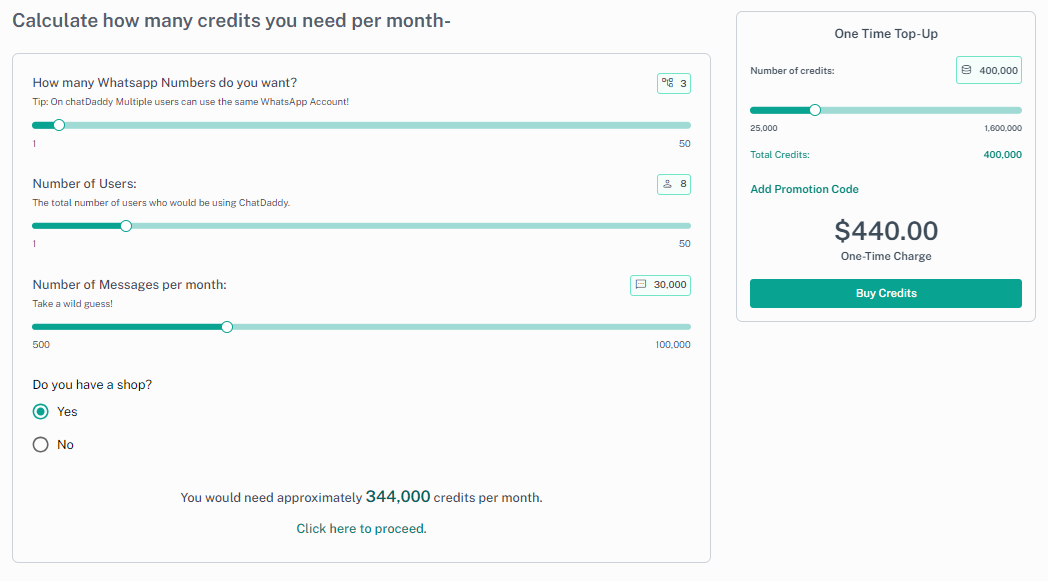
- Once you’ve adjusted the credit amount, review the details to ensure it reflects your needs.
- If satisfied, click Click here to proceed to proceed to the payment. The system will automatically calculate the total cost.
5. Additional Resources
- ChatDaddy offers a FAQs section and a ChatDaddy Credit Price List. You can scroll down and navigate to these resources for more information about credit usage and pricing.
How to top up credits
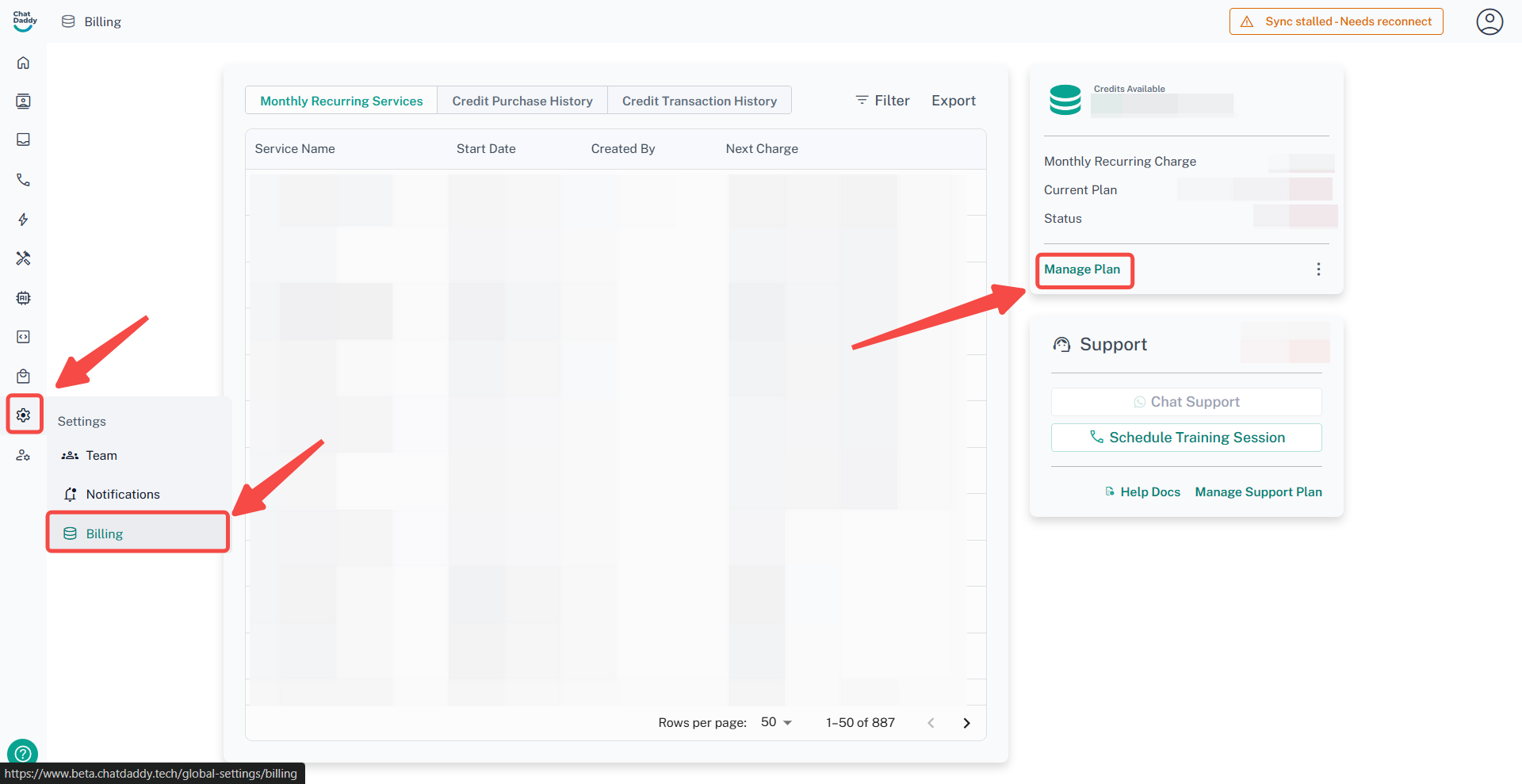
1. Access Billing Settings:
- On the ChatDaddy dashboard, locate the Settings option in the left menu bar.
- Click on Settings and navigate to the Billing section, or click here for quick access.
2. Manage Your Plan:
- Locate a button labeled Manage Plan located on the right side. Click on it.
- Choose Your Payment Plan
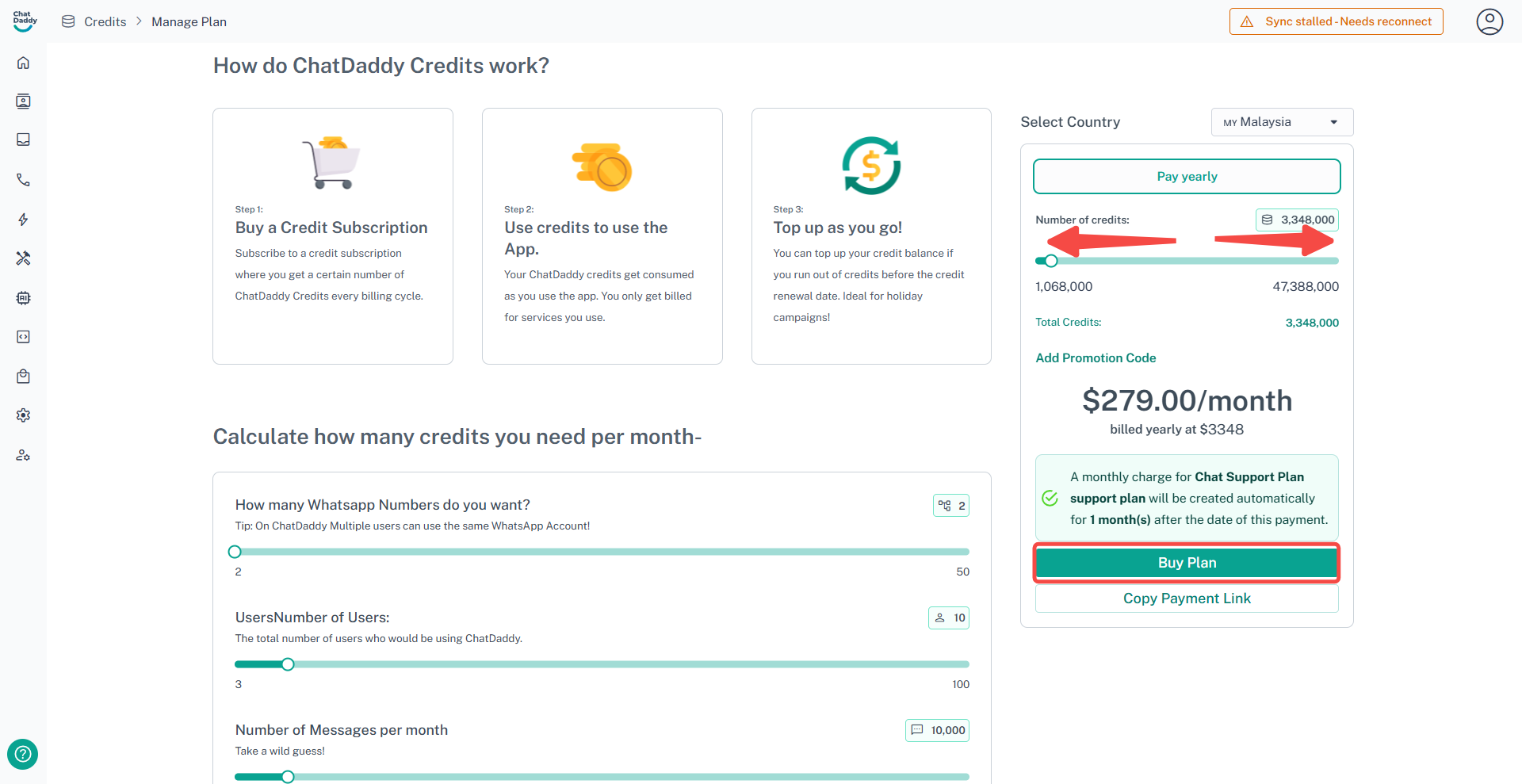
- Toggle to confirm how much credits to purchase yearly and click on “Buy Plan”
4. Credit Top-Up Reminder
- Even with a subscription plan, if you exhaust your credits before the next billing cycle, you'll need to top up again to continue using the service. Refer to the previously mentioned guide for details on one-time top-ups. For further information regarding about cancellation or refund subscription, please refer to this here.
Was this article helpful?