Advanced Usage
Advanced topics & technical details about variables
This document is intended for advanced users of message flows & developers.
How are variables implemented internally?
Behind the scenes — variables are implemented as Mustache templates. If you’d like to learn more about Mustache, read here. We support the full Mustache specification & more. (We’ll cover that later).
So behind the scenes, your pretty variable becomes “{{name}} hi how are you?”

Looping through Object Entries
One limitation of Mustache, is that it does not allow one to loop through an object’s keys like it does for a list.
To access values in a list, we use the simple syntax of:
{{#list}}
- {{.}}
{{/list}}
and given parameters { list: [”1”,”2”,”3”] }, our text output would look like:
- 1
- 2
- 3
However, if we had an object instead, like: { map: { 1: “some text”, 2: “other text” } } , we can’t loop through the keys & values like we did for the above — as Mustache doesn’t support the same.
To overcome this limitation, we’ve internally added an entries operator that you can access and loop through the keys & values of an object, like you would do with any list.
Let’s look at an example using the HTTP request app. In the node below, we’re fetching information about crypto coins from CoinGecko’s API in USD.
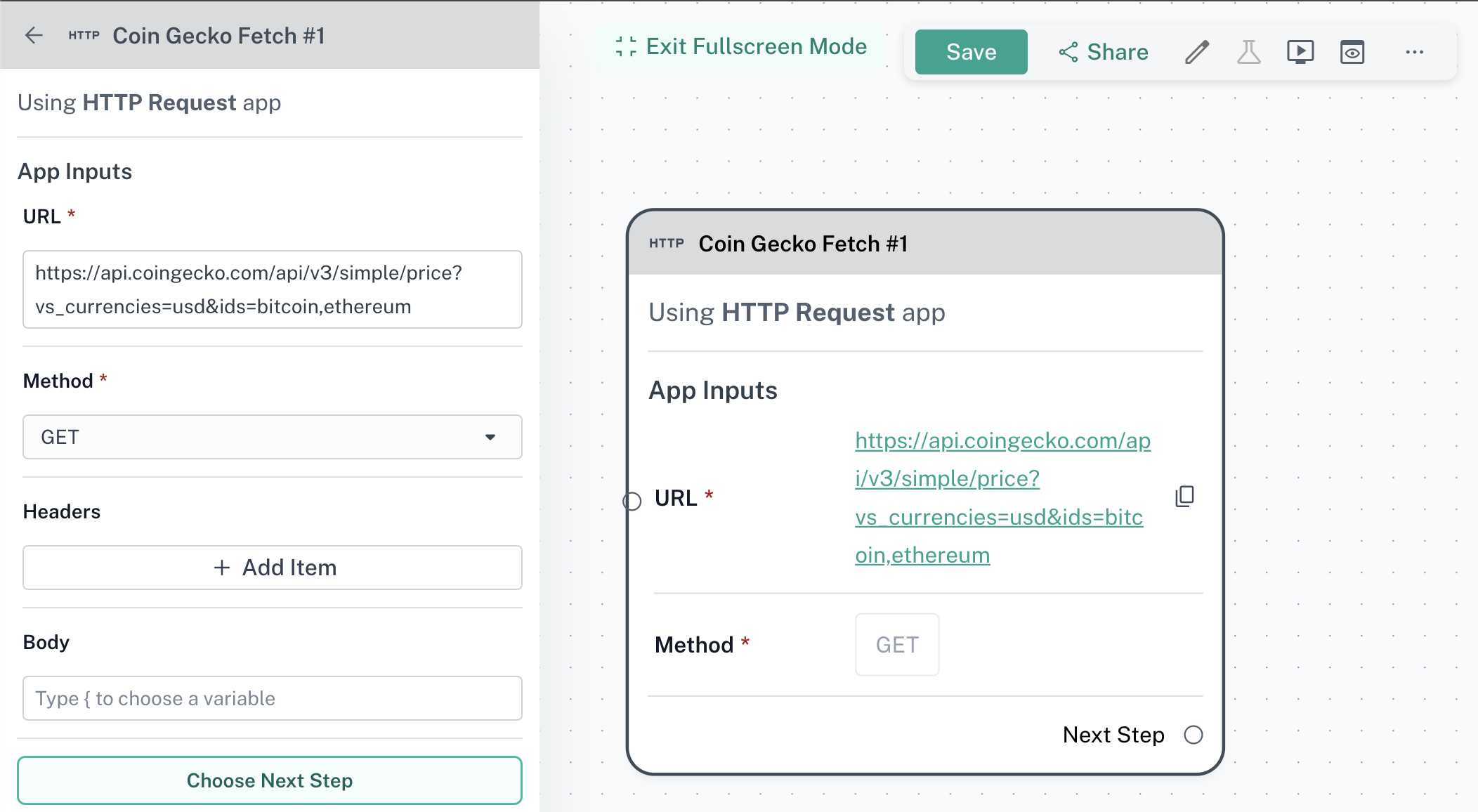
CoinGecko will return an object that looks like this:
{
    "bitcoin": {
        "usd": 61027
    },
    "ethereum": {
        "usd": 3366.53
    }
}
Now, to list out the prices of the above coins in the response, we’ll use the entries syntax as laid out above. The entries operator will transform the above object to the list of key value pairs like:
[
	{ "key": "bitcoin", "value": { "usd": 61027 } },
	{ "key": "ethereum", "value": { "usd": 3366.53 } }
]
This list can be looped through like a typical array in Mustache.
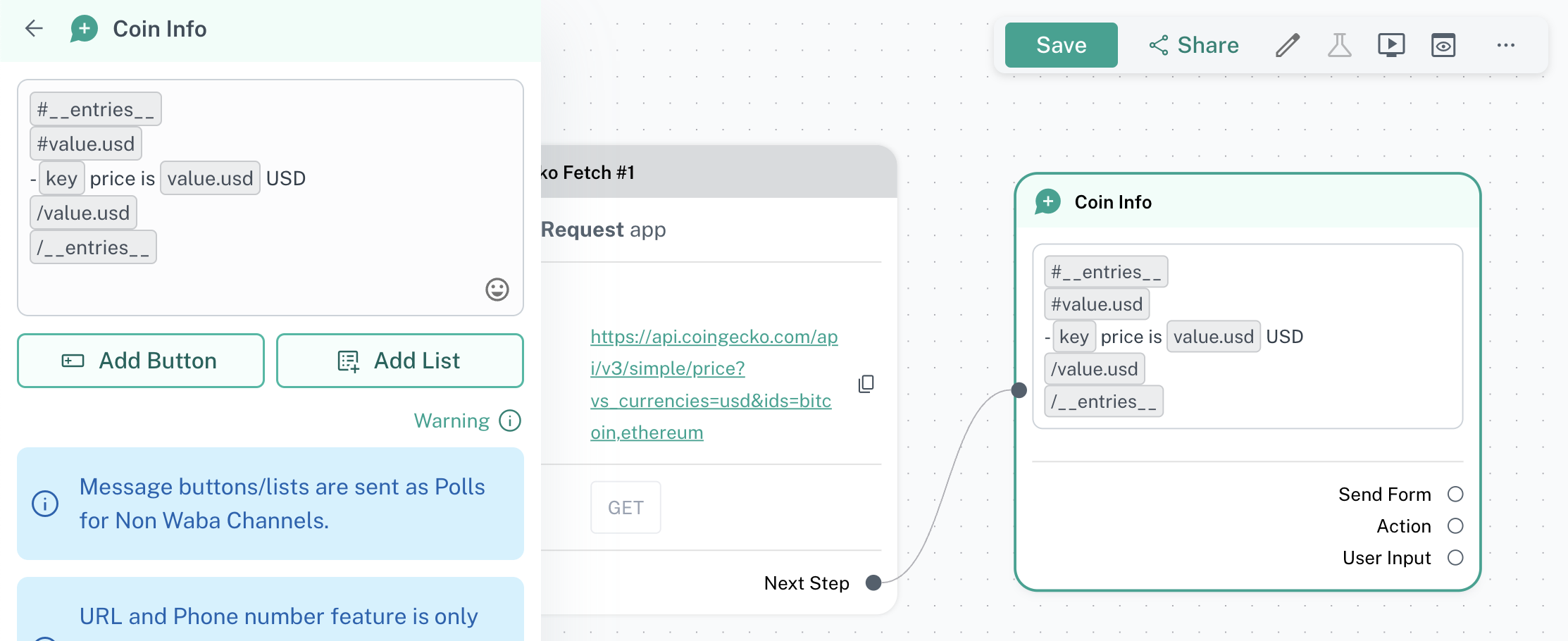
Internally, this would look like:
{{#__entries__}}
{{#value.usd}}
- {{key}} price is {{value.usd}} USD
{{/value.usd}}
{{/__entries__}}
Note: the {{#value.usd}} section has been added, so we only render entries that have a price associated, and not other parameters we’re not interested in.
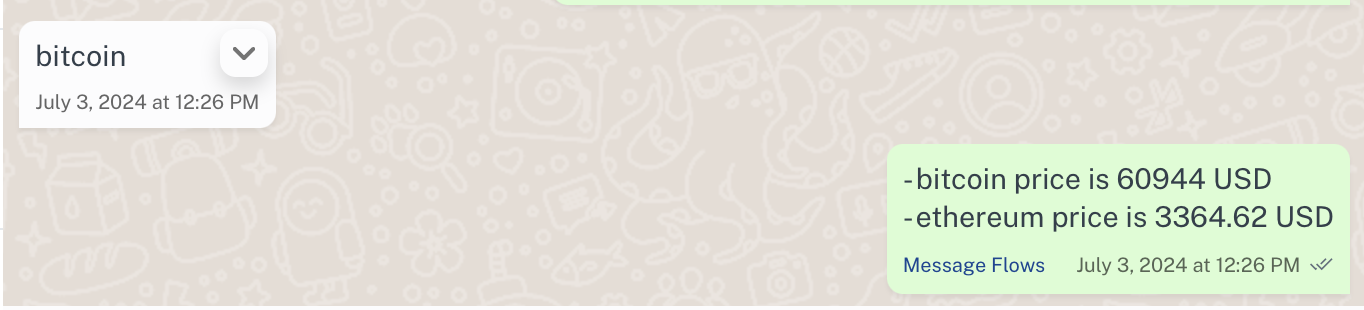
And the sent message comes out nicely formatted!