
Available Variables
What variables are available to me?
Updated Nov 21, 2025
The list is constantly growing! However, this document will cover the variables available at the time of writing, and how to access them.
Note: the variables available to you vary with whether you’re using an app/conditions or sending a message
Variables in Messages
- From the contact, you can use the:
- name
- phone number
- custom fields
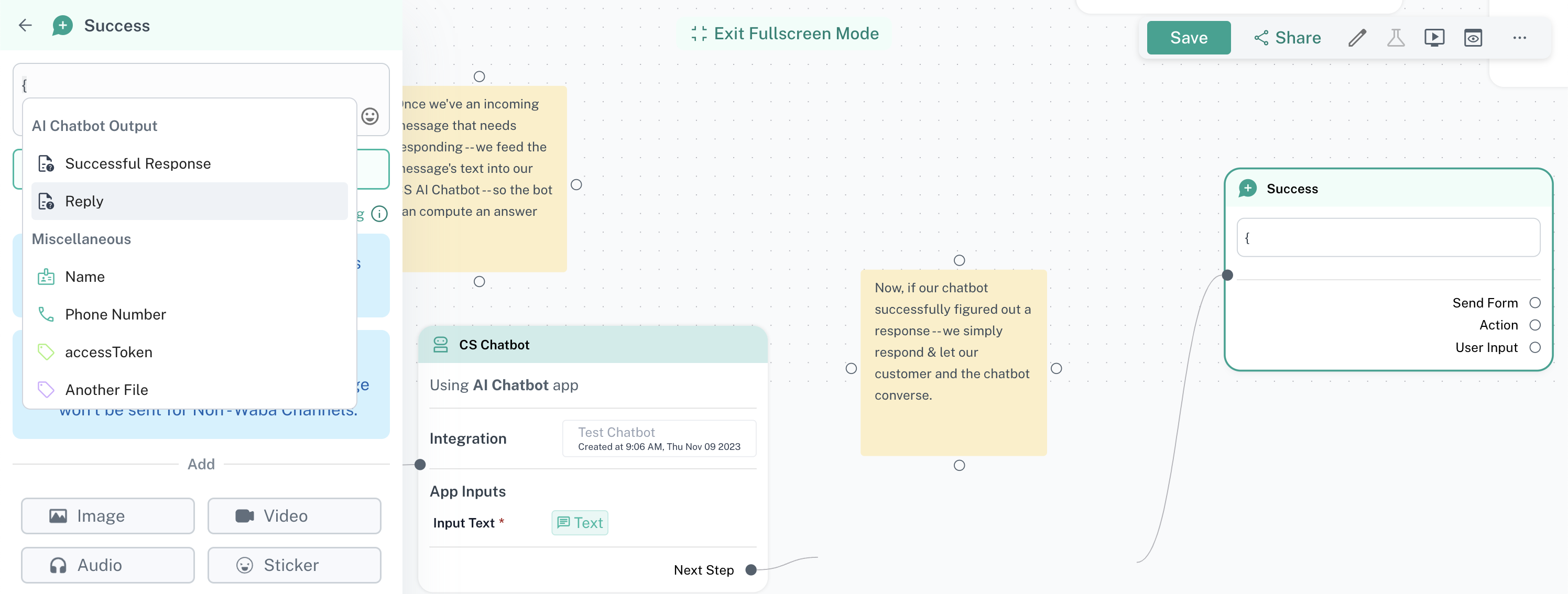
- If the message follows a trigger, or an app — you can use the data outputted from there as well. In the example below, we use the output from the AI chatbot app to power the response message
Variables in Apps/Conditions
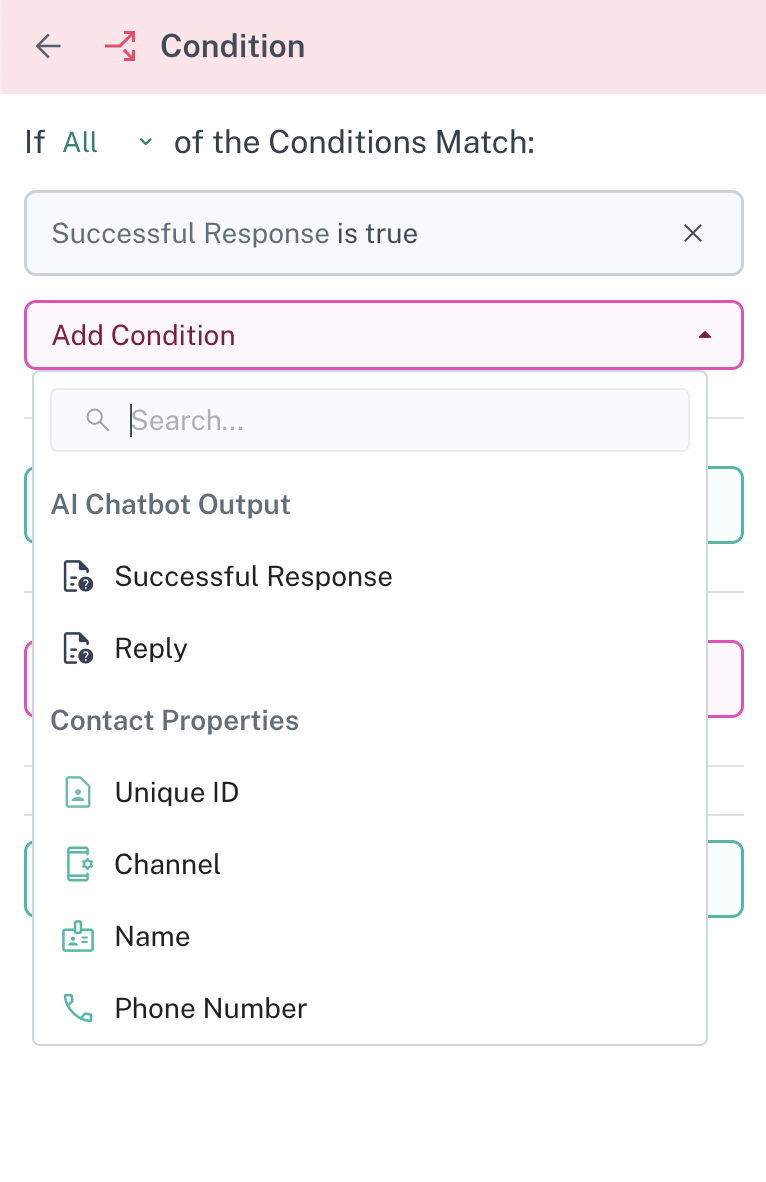
- Apps & conditions can access the following properties in the contact:
- Name
- Phone number
- Messages sent/received
- Assignee
- Tags
- Ticket stages, details
- Custom fields
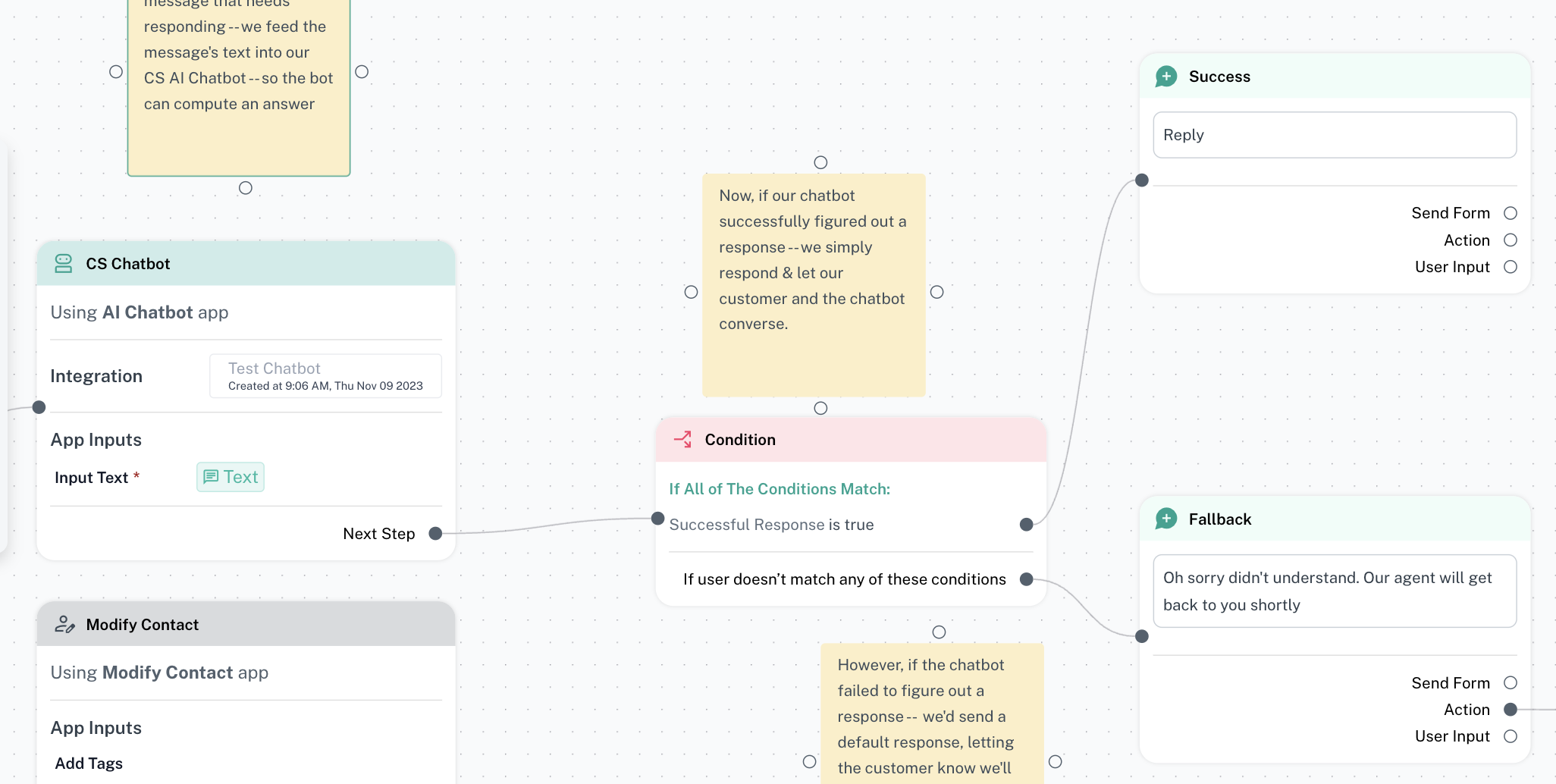
- Can also access the output from the previous app. Here you see the output of the AI chatbot feeding into a condition node to check whether the chatbot successfully answered the question & then conditionally changing the answer it returns.
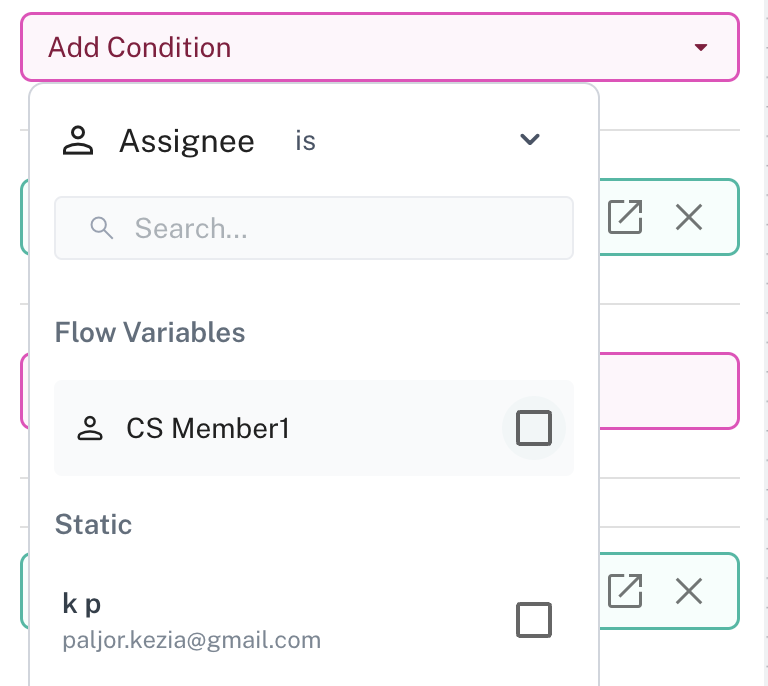
- Can also access flow variables. You can read about flow variables here. In the example below we check if the assignee messaging us has been assigned to the person referenced in the flow variable “CS Member1”
Was this article helpful?