
Best Practices to avoid a Template Message rejection
If your WhatsApp template is rejected, it means Meta did not approve the message during review.
Updated Feb 27, 2026
Overview
If your WhatsApp template is rejected, it means Meta did not approve the message during review.
This guide explains:
- Where to check rejection details
- Common Meta rejection errors
- How to correct and resubmit templates
Why Template Rejections Occur
Templates may be rejected due to:
- Incorrect variable formatting
- Violation of WhatsApp Business Policy
- Promotional or spam-like content
- Requests for sensitive information
- Duplicate template submissions
- Language mismatch Meta evaluates every template before approval to ensure compliance.
How to Check Rejection Details in ChatDaddy
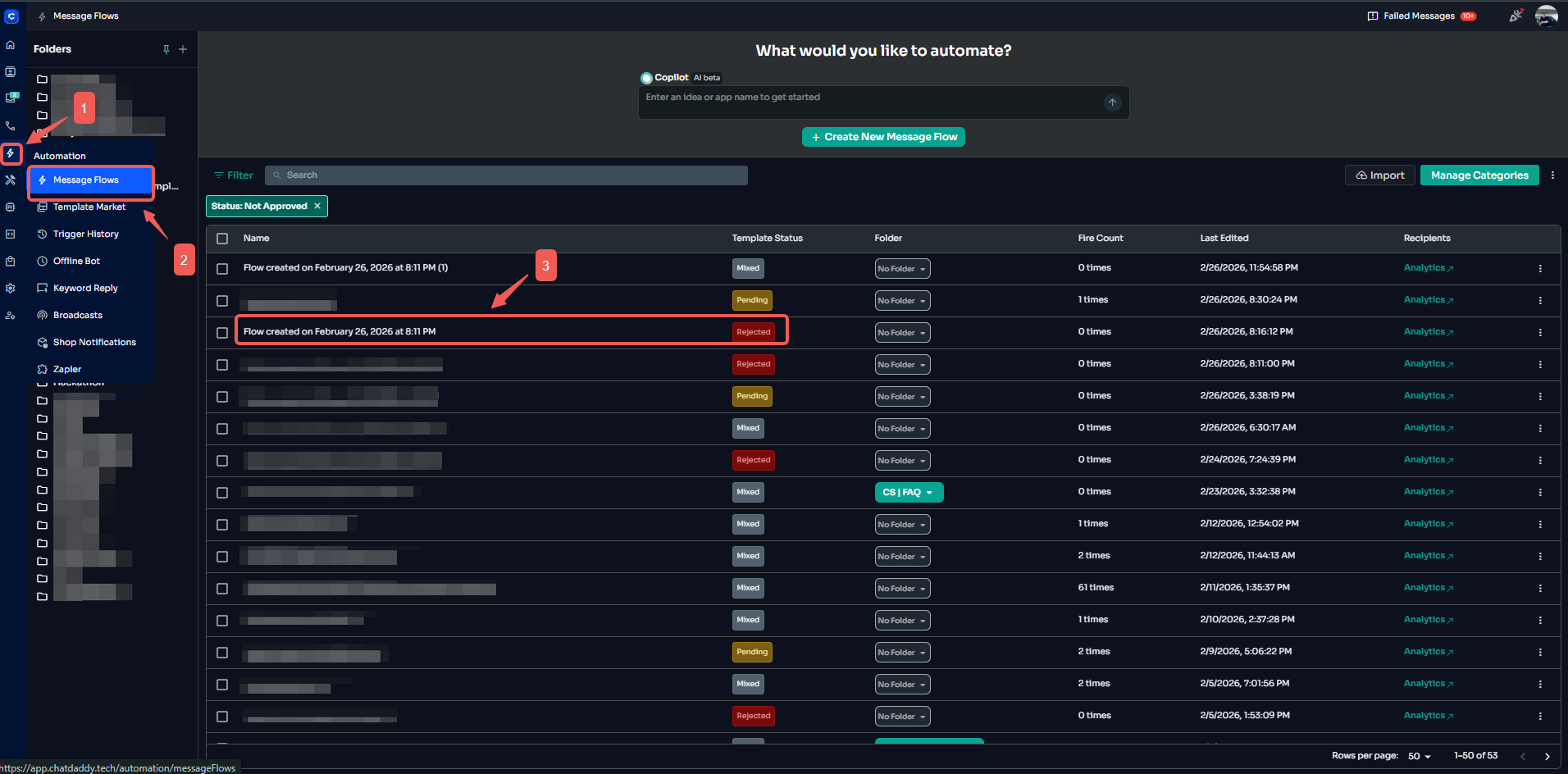
Step 1: Go to Automation → Message Flow → Open your flow
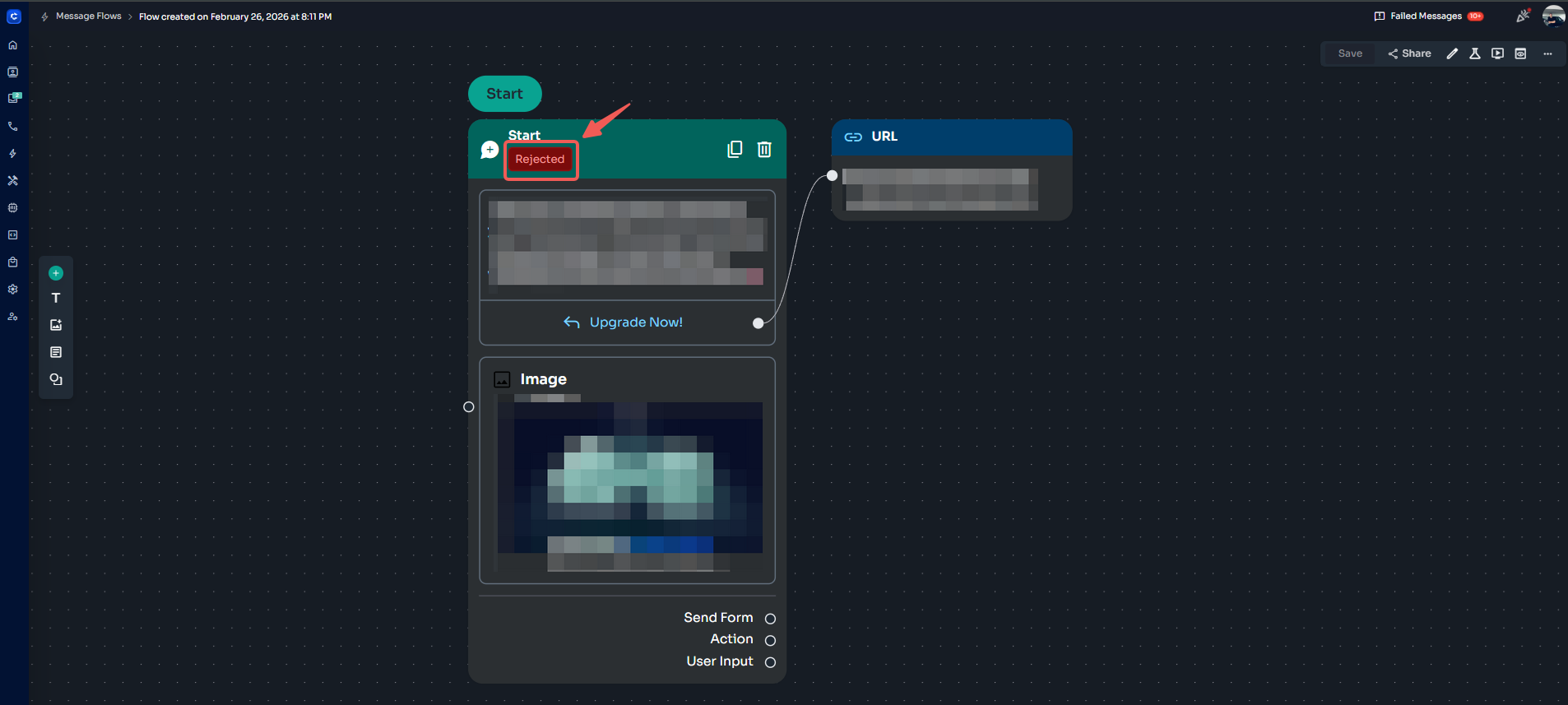
Step 2: Click the Status in the Message Node
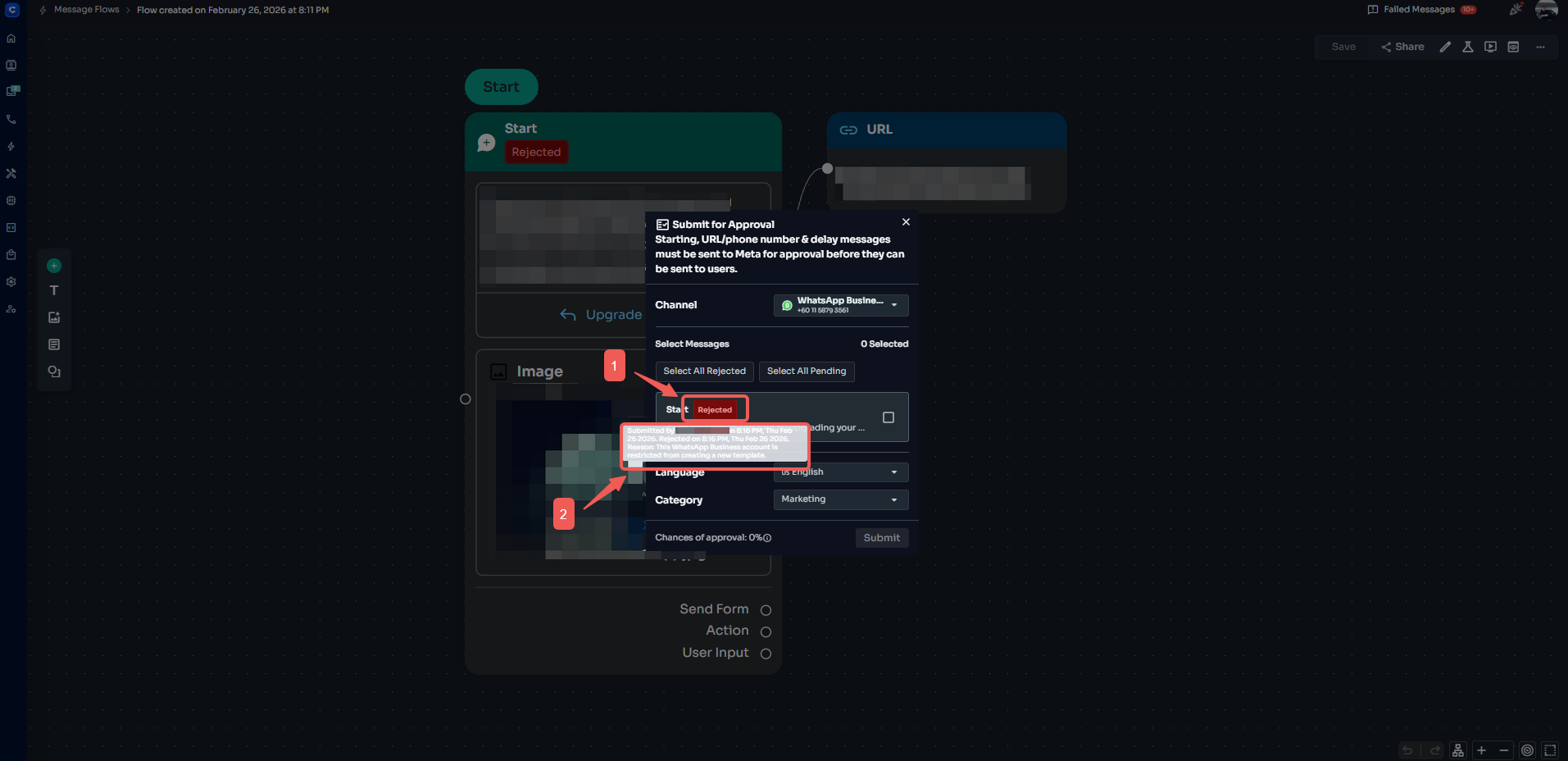
Step 3: A pop-up window will appear → Hover over the rejection message to view the full Meta error details
Common Meta Template Errors and Solutions
How to Fix and Resubmit a Rejected Template
- Edit the template within ChatDaddy
- Address the specific issue mentioned in the rejection reason
- Save and resubmit
- Wait for Meta’s review decision Avoid resubmitting without correcting the issue, as repeated rejections may impact approval performance.
Best Practices to Prevent Rejection
- Keep messages clear and professional
- Use correct variable formatting
- Avoid excessive capitalization or emojis
- Do not request confidential information
- Ensure the message aligns with a legitimate business purpose
Frequently Asked Questions
Where can I check rejected templates?
- Automation → Message Flow → Template Node
How long does template approval take?
Most templates are approved within minutes, but it may take up to 24 hours.
Can I edit a rejected template?
Yes. Correct the issue and resubmit it for approval.
Will repeated rejections affect my account?
Repeated violations may impact your account quality rating and approval rate.
Can ChatDaddy override Meta’s rejection decision?
No. Template approval is managed solely by Meta.
Was this article helpful?