
How to Delete a Channel?
Having trouble deleting a channel? Don’t worry — this is not a bug, but a designed system limitation.
Updated Jan 9, 2026
Having trouble deleting a channel? Don’t worry — this is not a bug, but a designed system limitation.
Steps
You can only delete channels if you have an admin role and the channel has never been connected before. Channels that have the “DISCONNECTED” indicator cannot be deleted
If you wish to delete a channel, please reach out to our customer support team (60164516816)
Deleting a channel will remove all contacts, messages, chats, notes, and assignees related to that channel. This cannot be undone
-
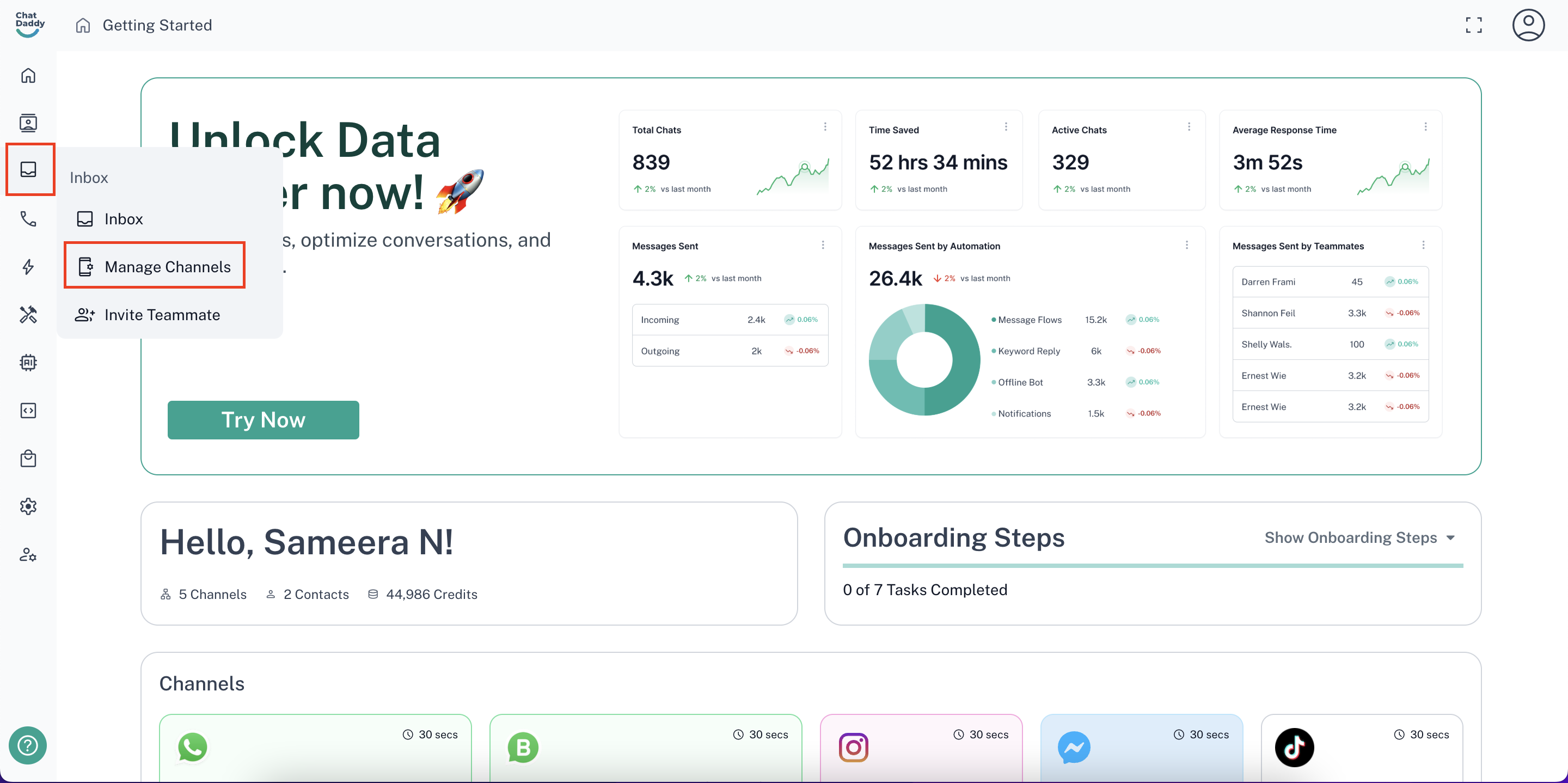
Go to the user icon on the top right corner, then click Manage Channels.
-
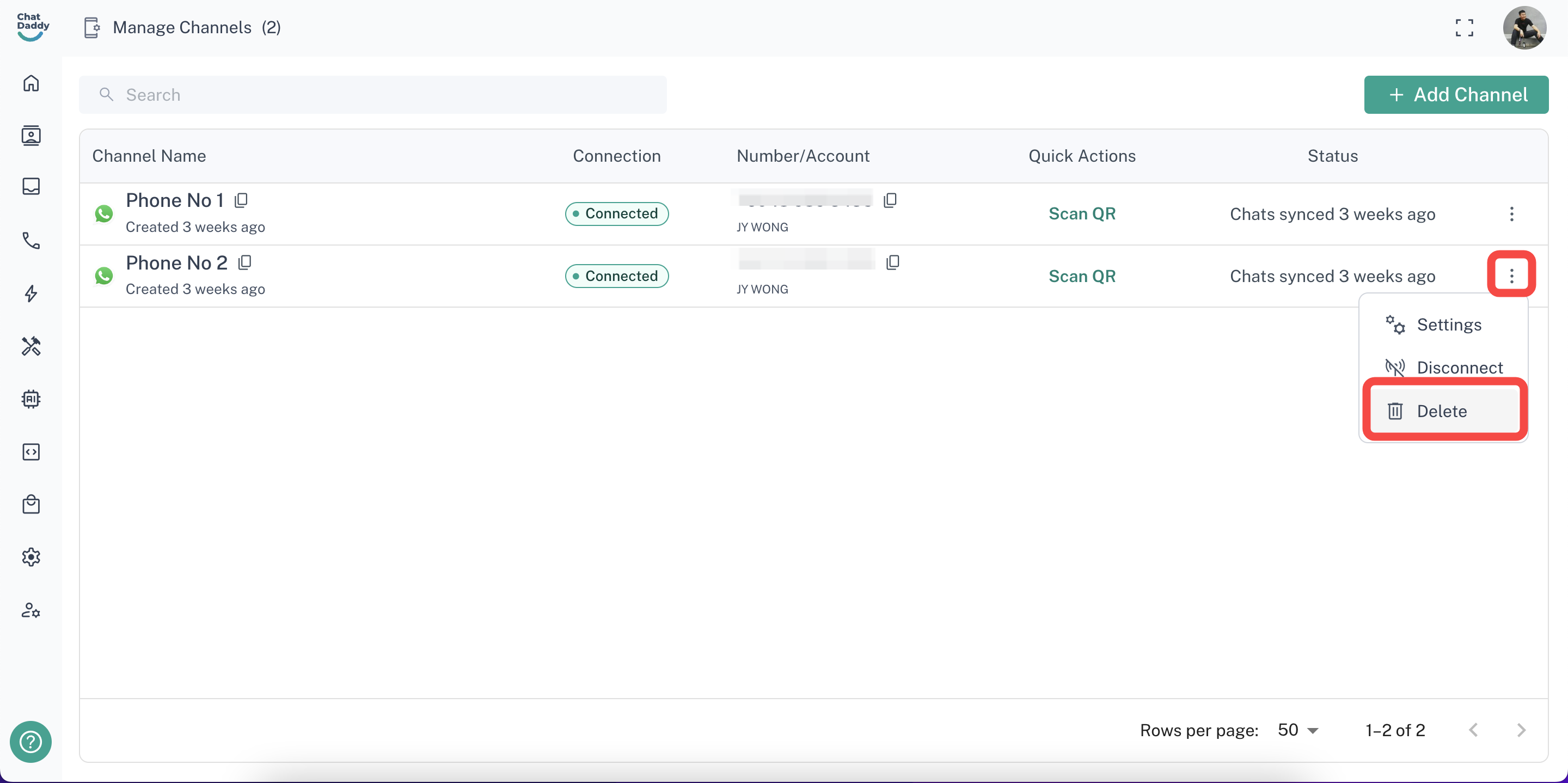
Click on the 3 dots on the channel you wish to delete, and click Delete.
Was this article helpful?