
Drive Sales with Live Stream Comment Triggers in ChatDaddy
This guide focuses on using ChatDaddy to automate lead generation and offer exclusive deals during your live streams, maximizing conversions in real-time.
Updated Nov 21, 2025
Intro
This guide focuses on using ChatDaddy to automate lead generation and offer exclusive deals during your live streams, maximizing conversions in real-time.
Use Case: Generating Leads and Offering Exclusive Deals
- Goal: Offer a limited-time discount or freebie to live viewers who comment with a specific keyword.
- Benefit: Drive immediate conversions, generate leads, and create a sense of urgency.
Streamline Your Implementation
1. Craft Your Winning Offer
- Define your compelling offer that delivers real value to viewers - whether it's a discount code, downloadable guide, or exclusive webinar access.
- Select an engaging, clear keyword that resonates with your audience and stands out in comments (e.g., "DEAL," "FREEBIE," "GIFT").
2. Set Up Your ChatDaddy Automation
-
Trigger:
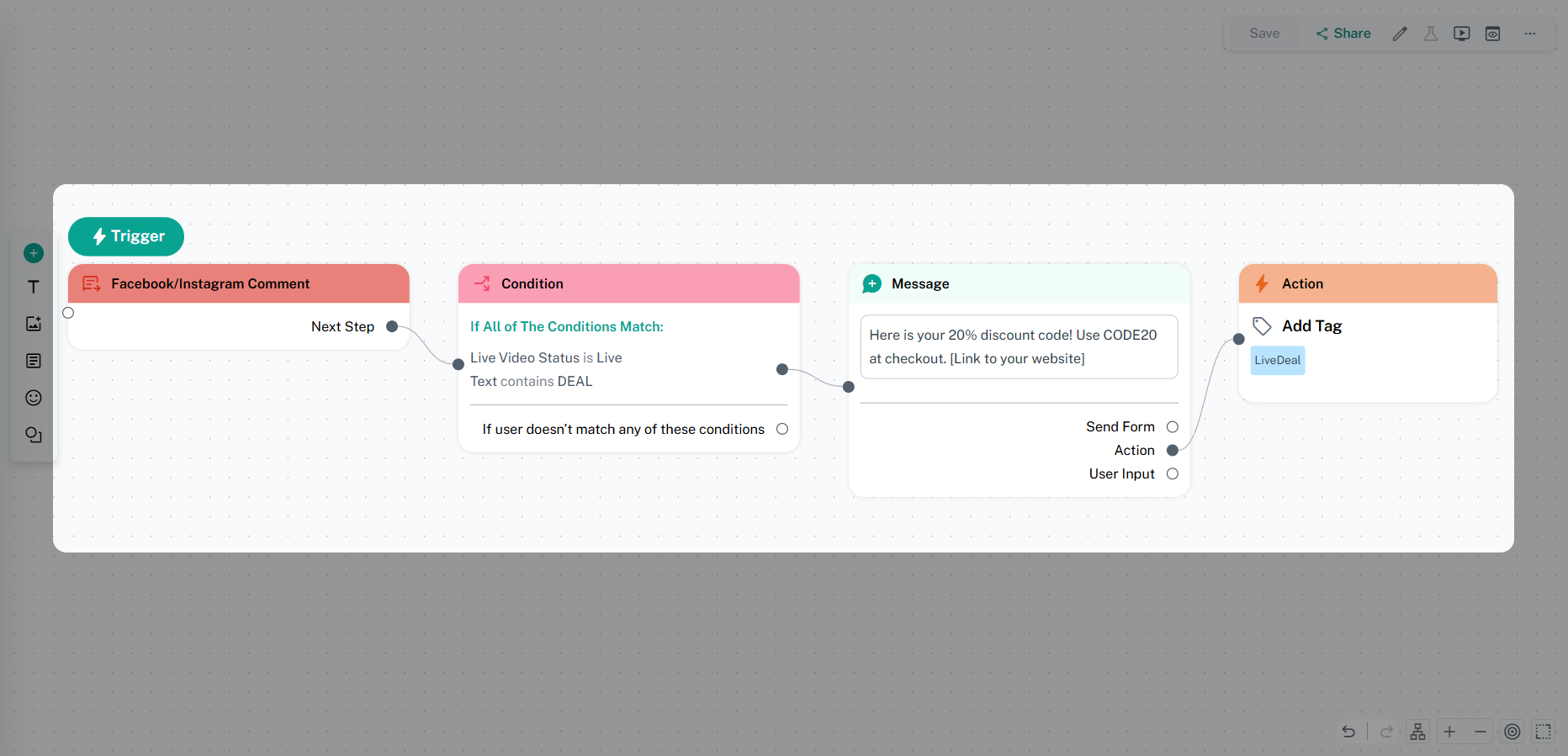
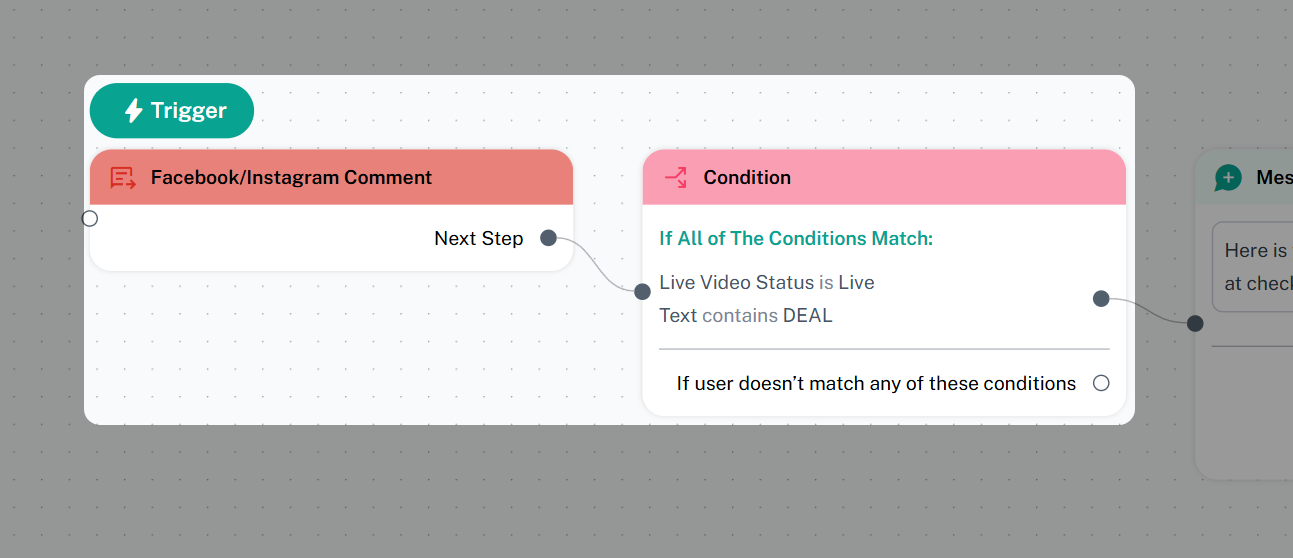
- Launch a new "Facebook/Instagram Comment" trigger.
- Configure the trigger to respond to your chosen keyword (e.g., "DEAL").
- Enable the "Live Video Status" is "Live" condition.
-
Action:
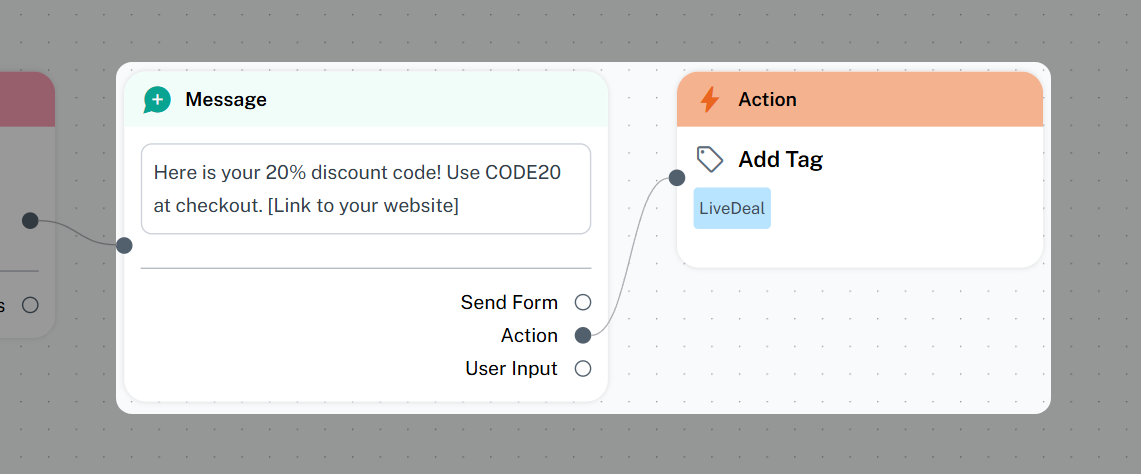
- Add a "Send Message" action.
- Craft a private message (DM) that includes:
- A brief description of the offer.
- The discount code, download link, or sign-up instructions.
- A clear call to action.
- Example: "Here is your 20% discount code! Use CODE20 at checkout. [Link to your website]"
-
Optional Action:
- Add "Add Tag" action.
- Tag the user with something like "LiveDeal" to track them.
3. Announce the Offer During Your Live Stream
- Clearly explain the offer and the keyword to your viewers.
- Encourage them to comment with the keyword to receive the exclusive deal.
- Example: "Comment 'DEAL' now, and I will DM you an exclusive 20% discount code!"
4. Monitor and Engage
- Monitor the live chat for comments containing your keyword.
- Ensure that ChatDaddy is sending the automated DMs correctly.
- Engage with viewers who have claimed the offer and answer any questions.
5. Follow Up (Optional)
- If you have tagged the user, you can create a follow up broadcast to this tagged user.
- Send a reminder about the offer or provide additional resources.
Key Considerations
- Clarity: Make the offer and keyword easy to understand.
- Urgency: Create a sense of urgency by emphasizing the limited-time nature of the offer.
- Value: Ensure the offer is valuable and relevant to your audience.
- Testing: Thoroughly test your automation before going live.
- Transparency: Let users know they will receive a DM when commenting. By following these steps, you can effectively use ChatDaddy to generate leads and drive sales during your live streams.
Was this article helpful?