
How do I stop active broadcasts?
On the Broadcast page, locate the three dots menu on the broadcast you wish to delete, then click Stop. Note: As the broadcast schedules messages a few minutes into the future, messages from the broa
Updated Jul 17, 2026
To stop a broadcast that is currently sending:
Step 1: Open the broadcast menu
Go to Marketing → Broadcasts, locate the running broadcast, and click the ⋮ (three-dot) menu on its row.
Step 2: Click Stop
Select Stop from the menu.
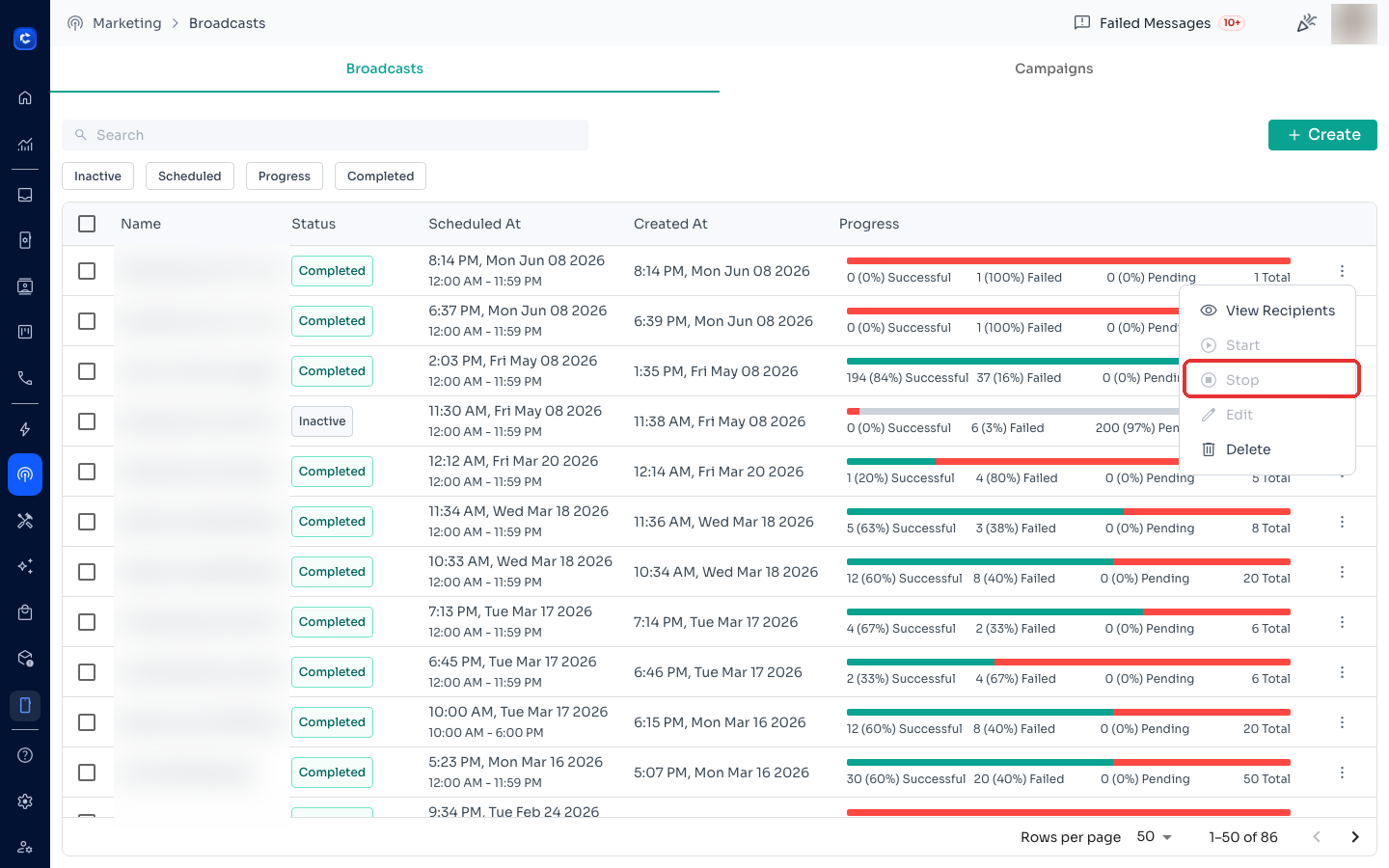
Note: broadcasts schedule messages a few minutes ahead, so some messages may continue sending for 2–10 minutes after you stop. To remove those too, clear all pending messages for the channel from the Manage Channels page. Cleared messages will not resend if you restart the broadcast.
Was this article helpful?