
Channels (WhatsApp / IG / FB)
How to Change a Channel Name 📝
## Feature Overview 🔍 This feature allows you to update a channel name within ChatDaddy to improve internal identification and organization. The update is for internal reference only. --- ## When
Updated Feb 4, 2026
Feature Overview 🔍
This feature allows you to update a channel name within ChatDaddy to improve internal identification and organization.
The update is for internal reference only.
When to Use This Feature 🤔
You may use this feature when:
- Managing multiple channels or phone numbers 📱
- The existing channel name is unclear or outdated
- Channels need to be labeled by team, branch, or purpose
Steps to Update the Channel Name 🔧
Please follow the steps below:
1️⃣ Go to Inbox
2️⃣ Select Manage Channels
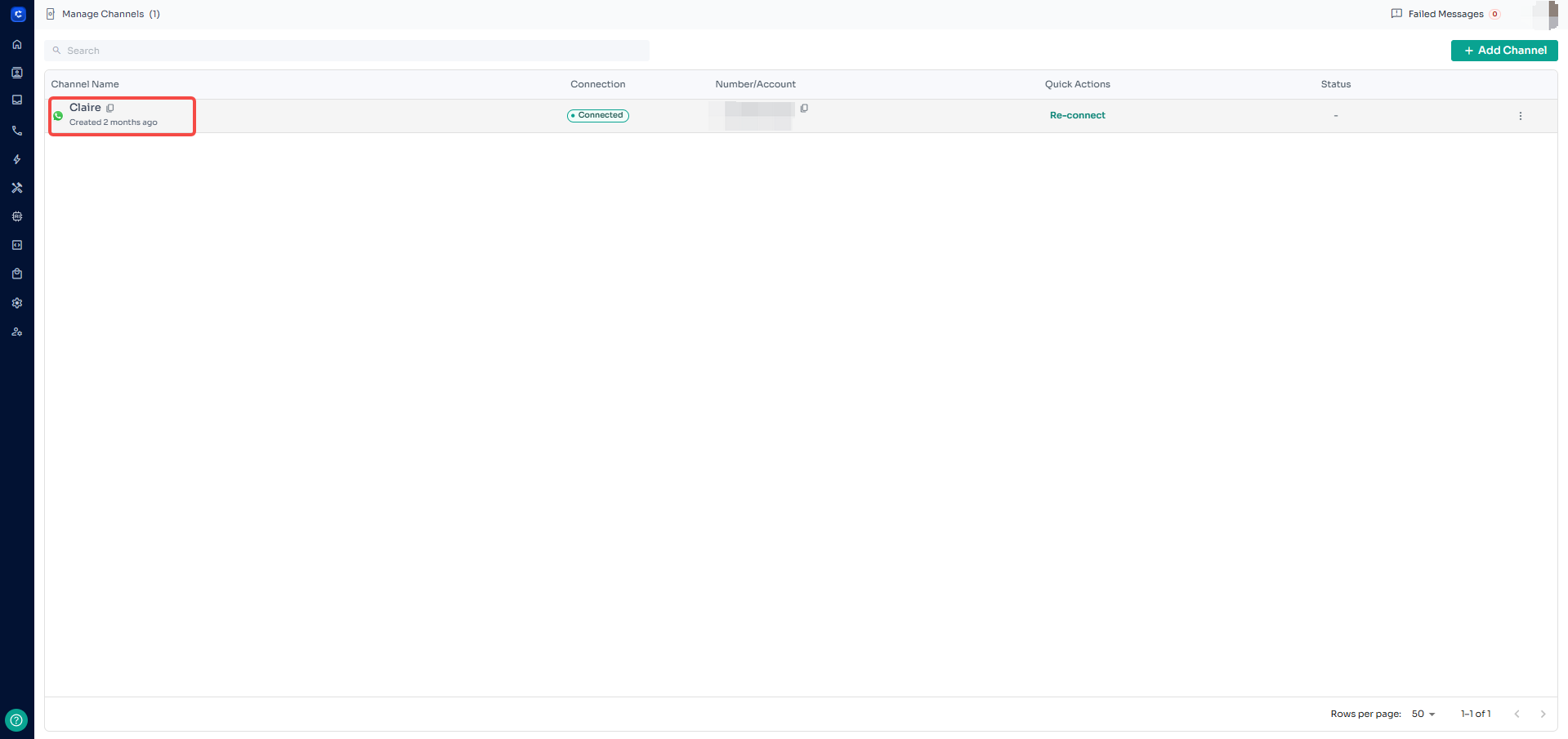
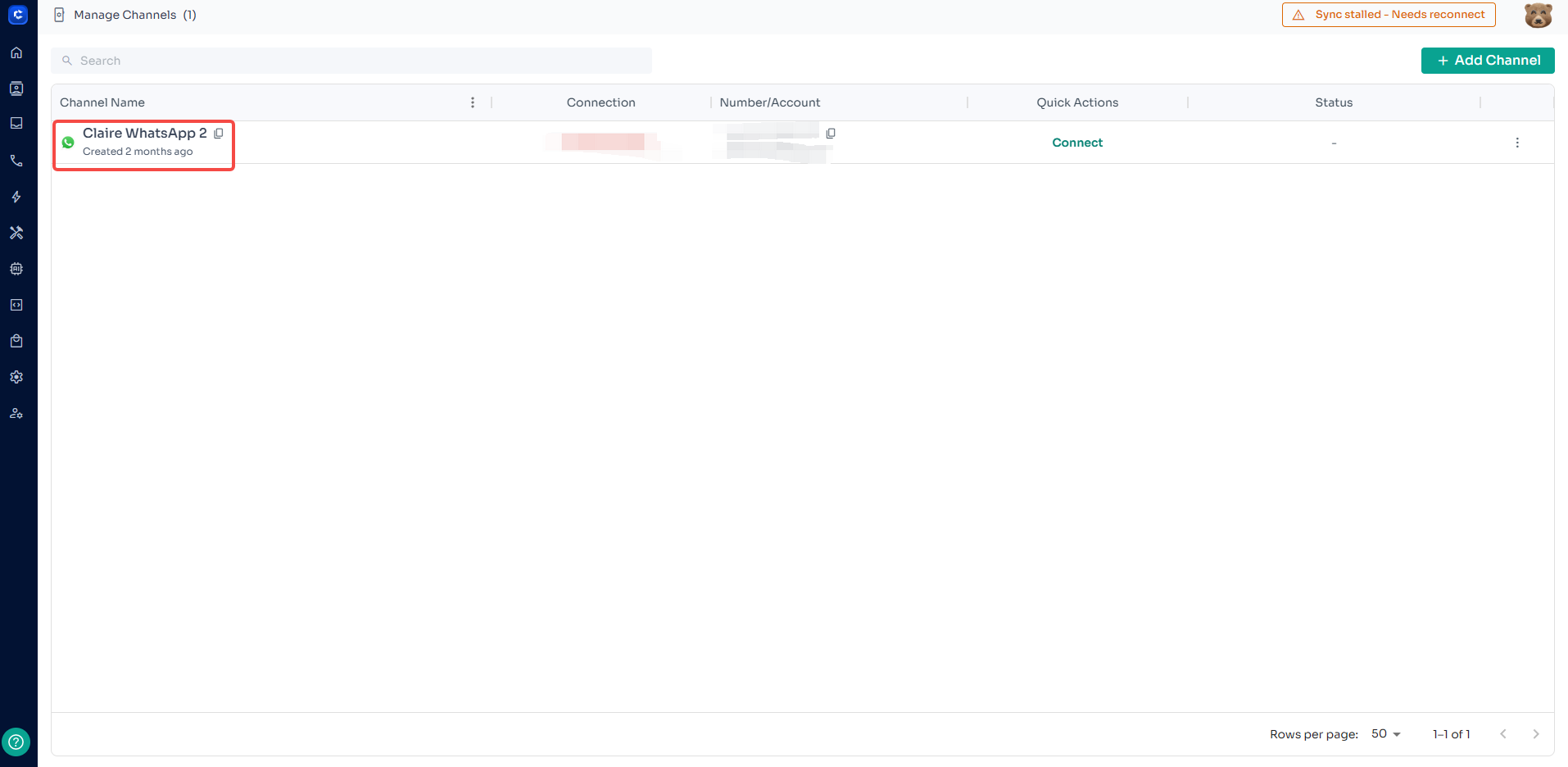
3️⃣ Locate the channel you want to update
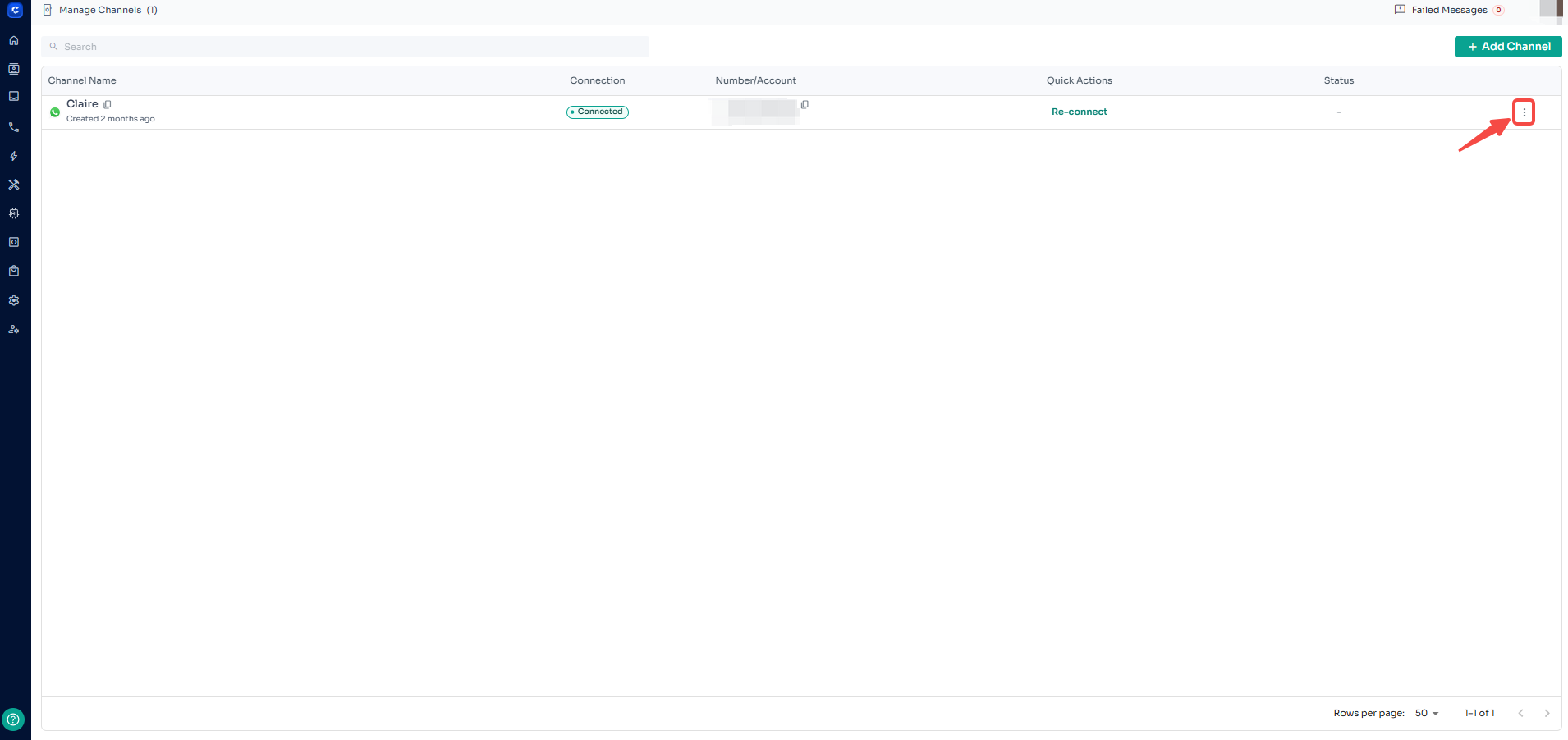
4️⃣ Click the three dots (⋮) on the right
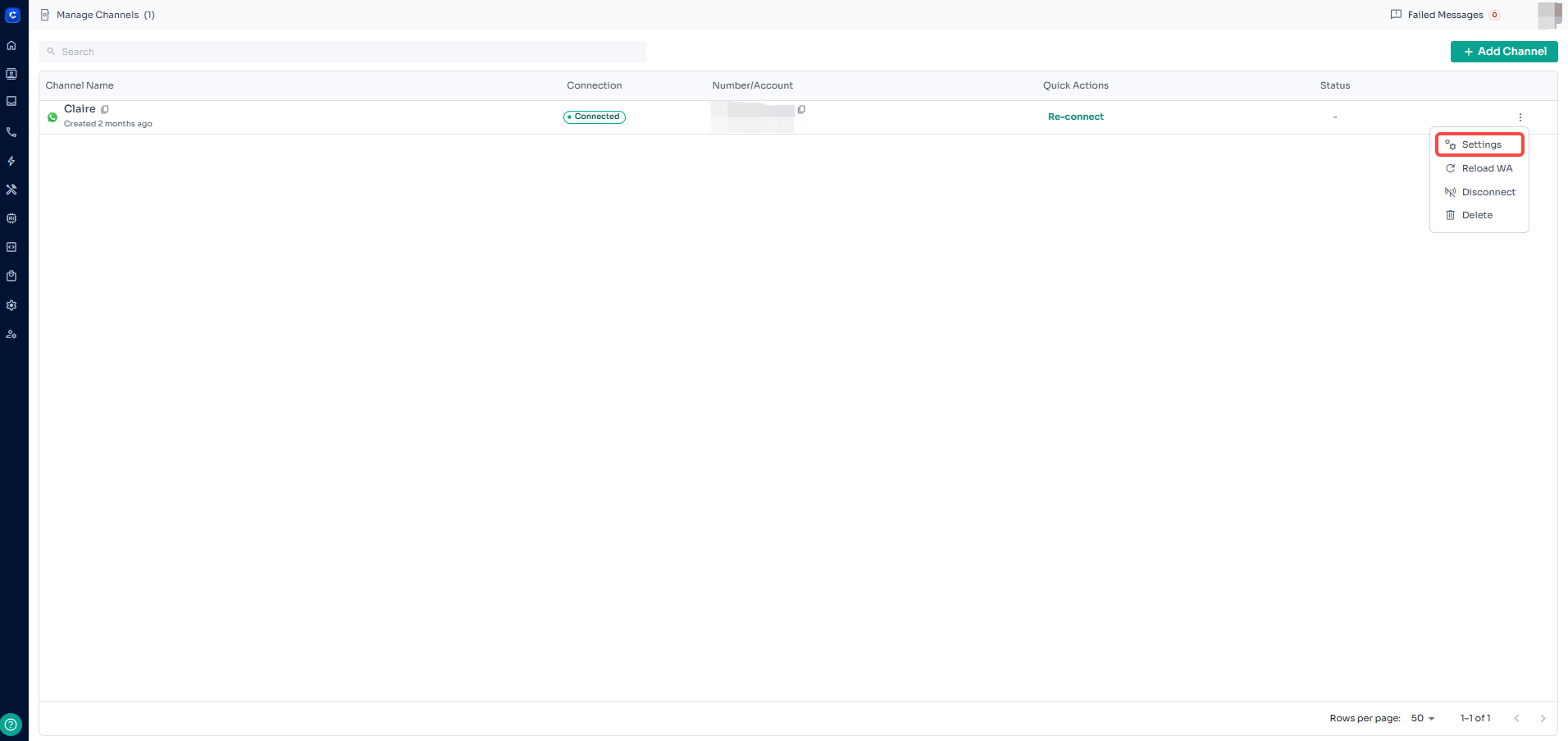
5️⃣ Choose Settings
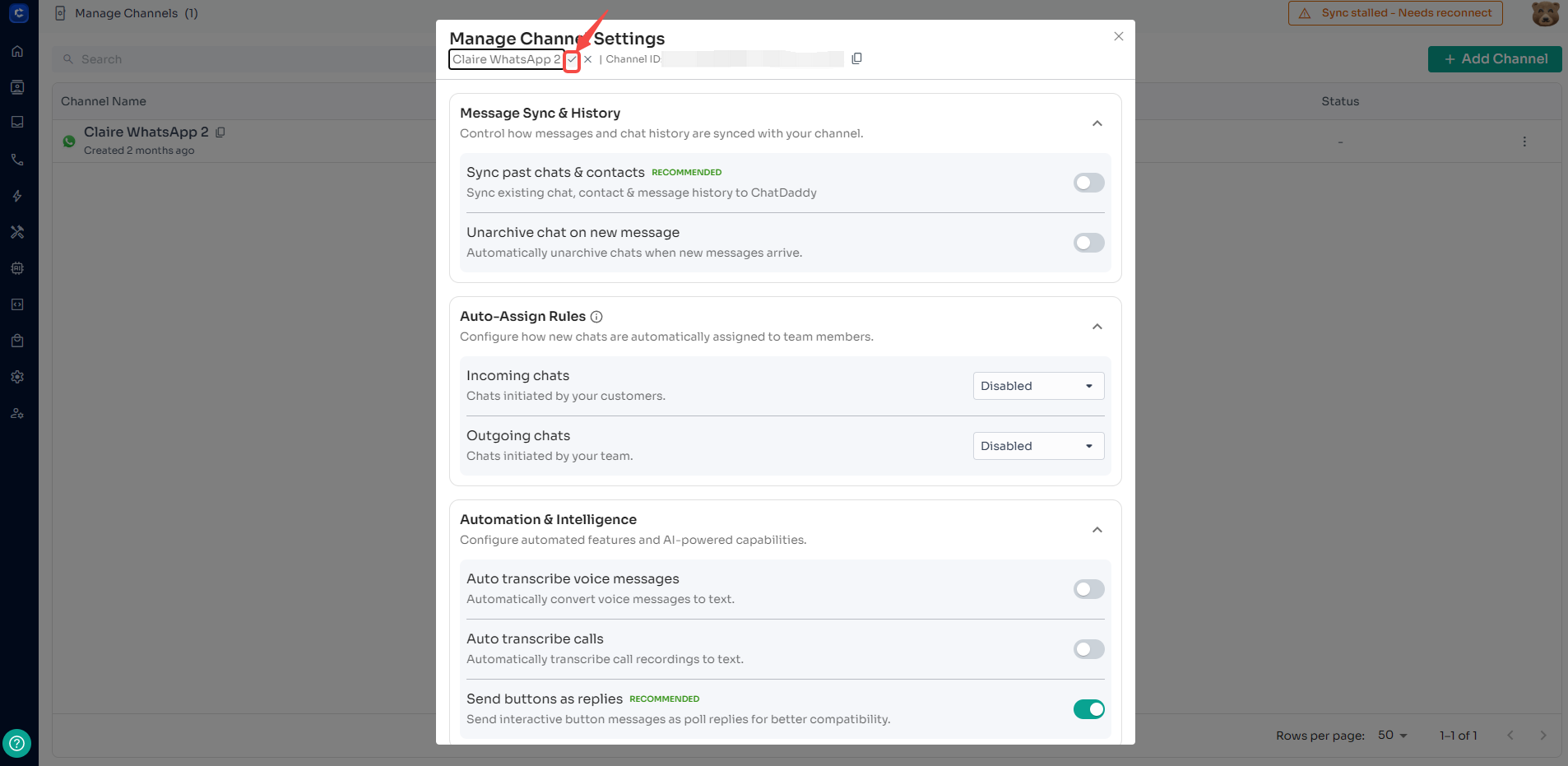
6️⃣ Hover over the channel name
7️⃣ Click the pencil ✏️ icon
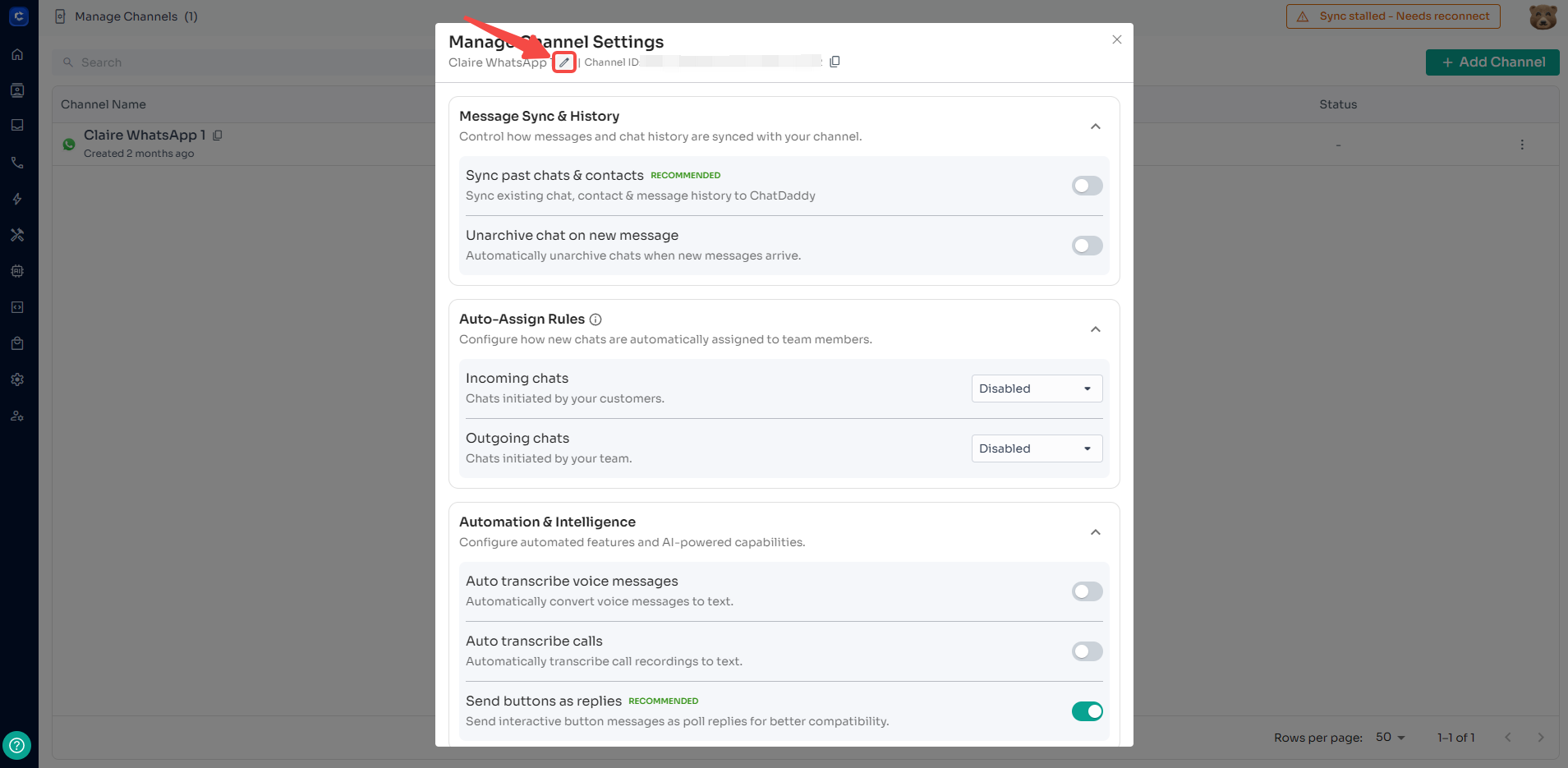
8️⃣ Update the name and click the check
Important Notes ⚠️
- Channel name updates are only visible within ChatDaddy
- This does not change the WhatsApp profile name
- Customers will continue to see the original WhatsApp name or number
- Channel names can be updated at any time
Feedback
Was this article helpful?