
How to Find Answers Without Leaving ChatDaddy (the Help Page)
The Help page puts the whole ChatDaddy help centre inside the app: search 525+ articles, ask Caven AI, follow a quick-start guide for your role, or browse by category — without opening another tab.
Also searched as: How to Find Answers Without Leaving ChatDaddy (the Help Page), Open Help from the sidebar, Choose how you want to look, Search and open an article, Tips, Find, Answers, Without, Leaving, ChatDaddy, Help, Page
ChatDaddy has a Help page built into the app. It is the same help centre you would reach at help.chatdaddy.tech, embedded on a page — so when you get stuck halfway through a task you can look the answer up and go straight back to what you were doing.
🔎 Four ways in, all on one page: search across every article, Ask Caven AI for a direct answer, a quick-start guide for your role, or browse by category.
Step-by-step
Step 1 — Open Help from the sidebar
Look near the bottom of the left sidebar for the question-mark icon, below the app sections and above Settings. Click it to open the Help page.
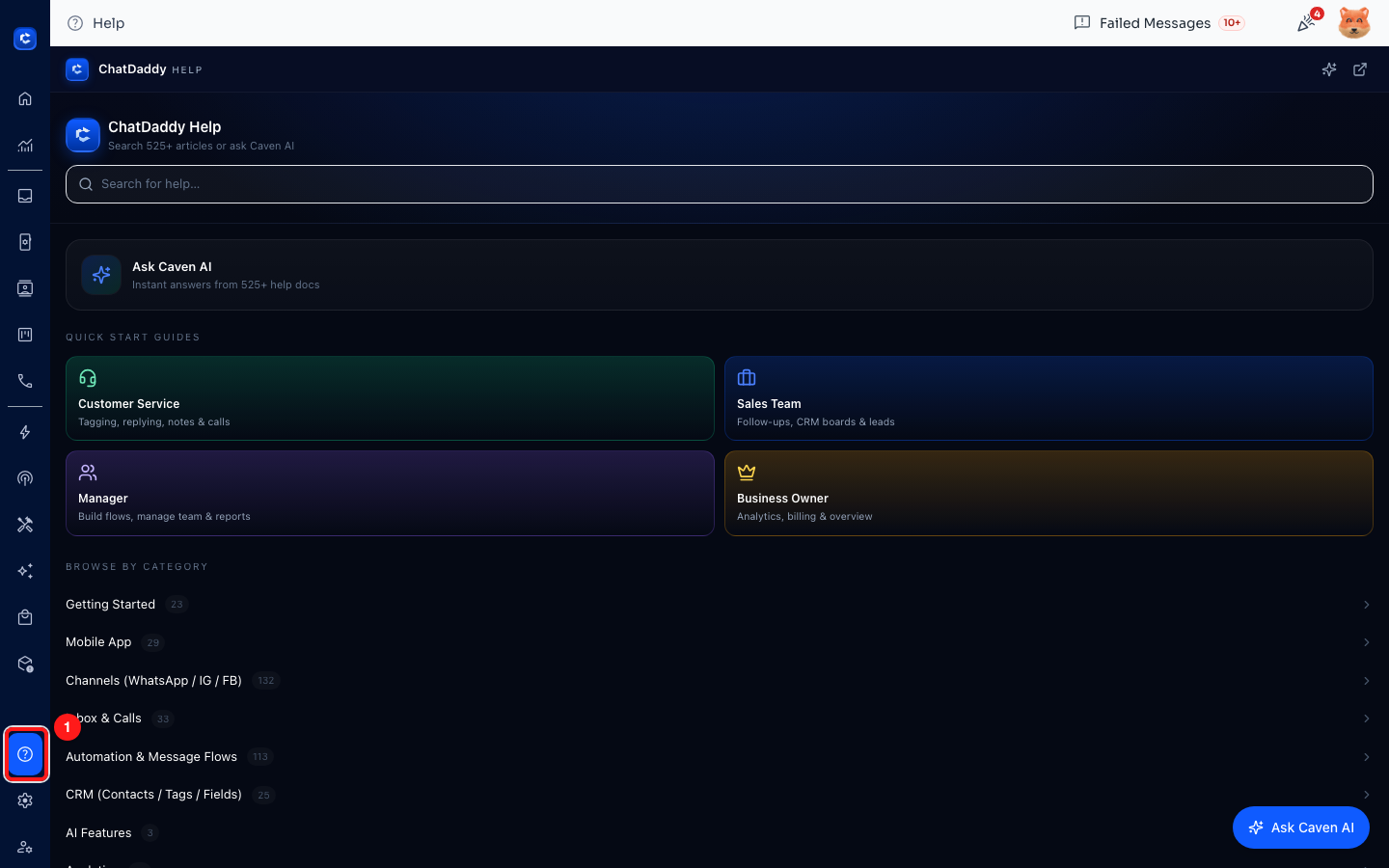
Step 1 — the Help icon (1) sits near the bottom of the left sidebar.
Step 2 — Choose how you want to look
The Help page opens on the help-centre home. From here you can:
- Search for help… — the search box at the top looks across every published article at once.
- Ask Caven AI — describe your problem in your own words and get an answer drawn from the help docs, instead of picking through a results list. There is also a floating Ask Caven AI button in the bottom-right corner, available while you read.
- Quick start guides — four role-based paths: Customer Service (tagging, replying, notes and calls), Sales Team (follow-ups, CRM boards and leads), Manager (building flows, managing the team, reports) and Business Owner (analytics, billing, overview).
- Browse by category — every section with its article count, from Getting Started and Channels through to WhatsApp Bans and Troubleshooting.
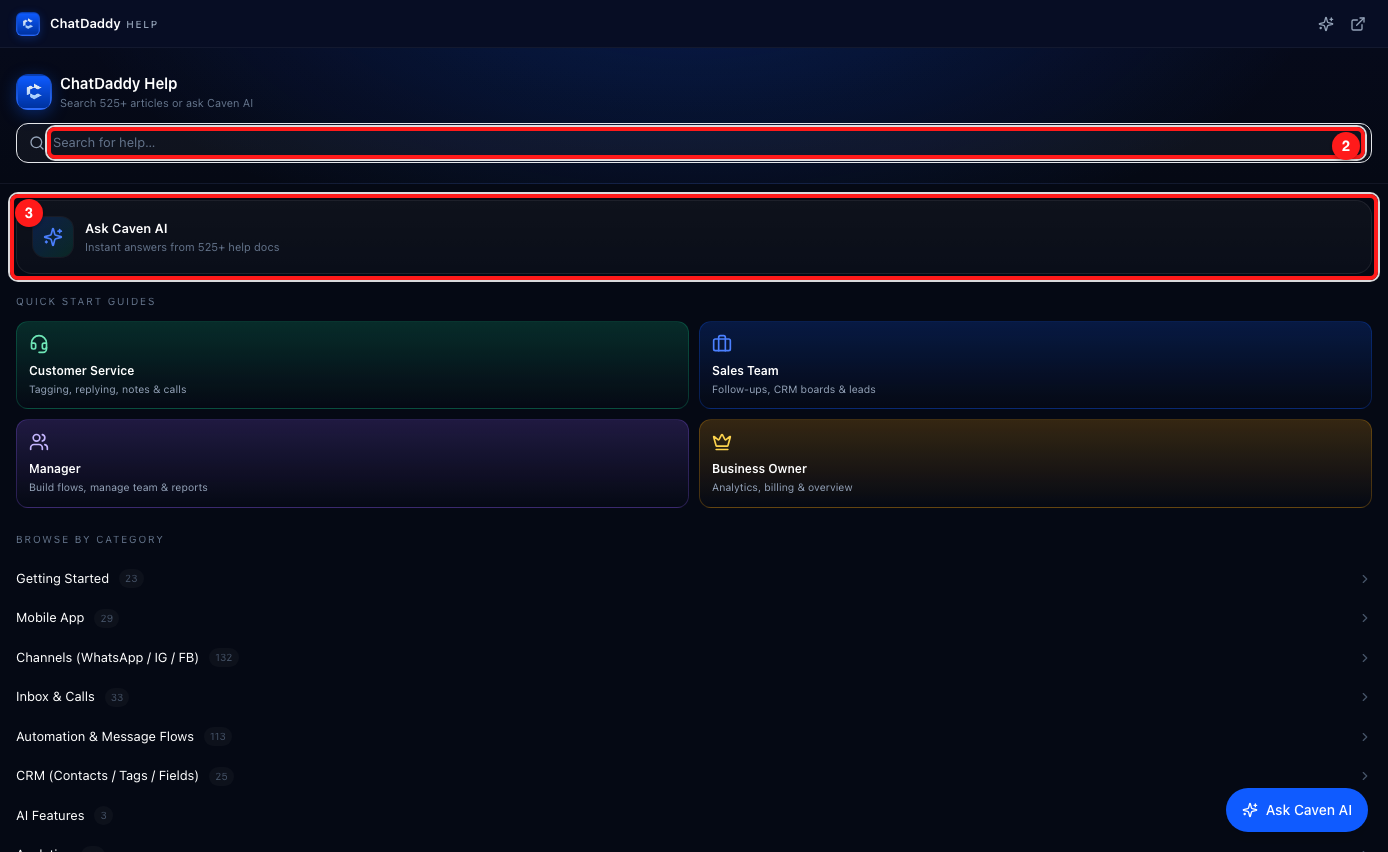
Step 2 — the search box (2) and Ask Caven AI (3), with the role guides and categories below.
Step 3 — Search and open an article
Type what you are trying to do — a few plain words work better than a single term. Results appear as you type, each with a one-line summary, so you can tell the guides apart before you click. Click a result to read it in place.
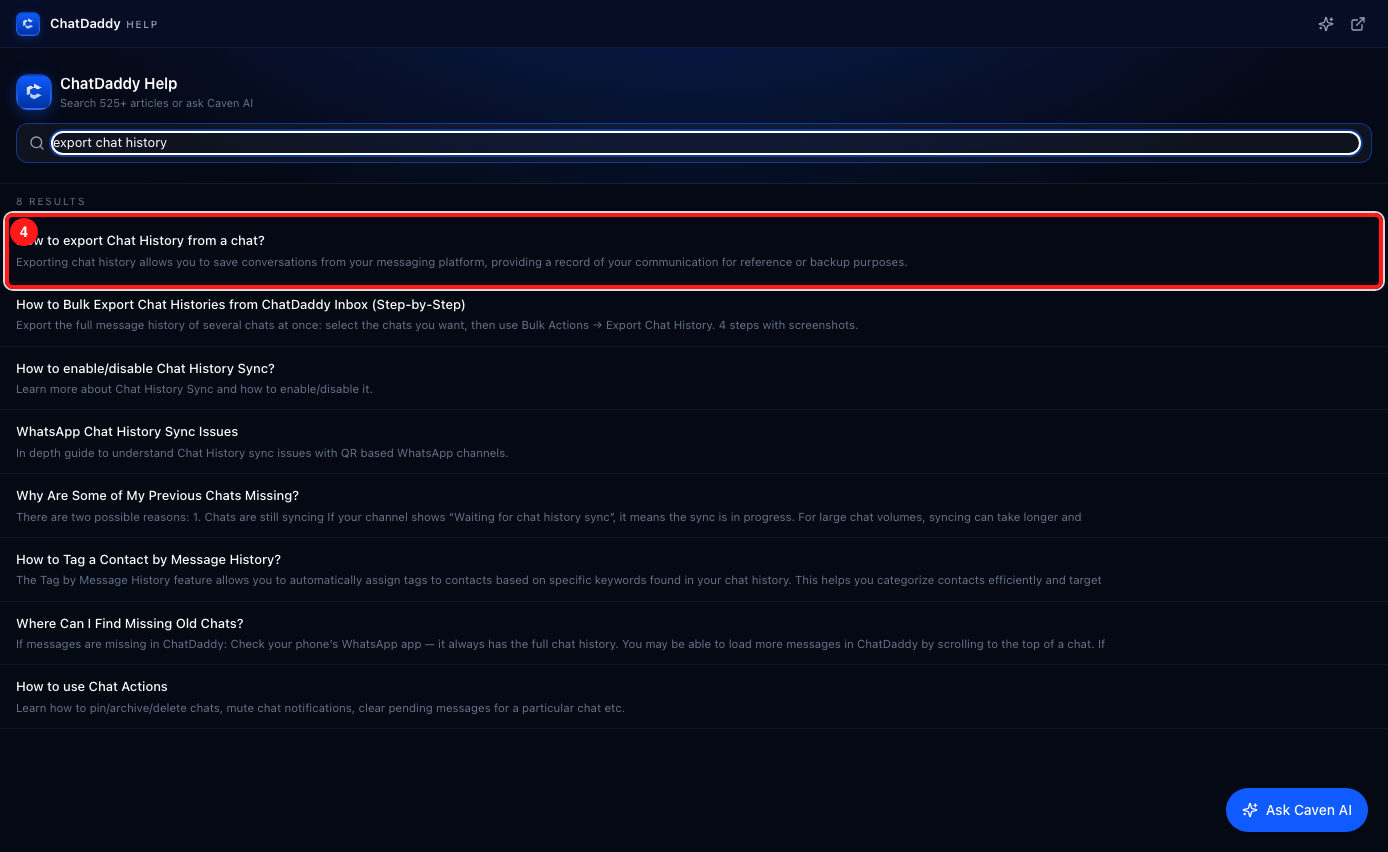
Step 3 — searching "export chat history" returns 8 results; click one (4) to read it without leaving ChatDaddy.
Tips
- Search by what you want to achieve, not by the button name — "stop a broadcast" finds more than "broadcast".
- If the results are not quite right, ask Caven AI the same question in a sentence. It reads the same articles and answers directly.
- Use the open-in-new-tab icon in the top-right of the help panel to pop the help centre into its own tab when you want it side by side with the app.
- Not sure where to start as a new user? Open the quick-start guide that matches your job rather than reading Getting Started end to end.
Frequently asked questions
Is this the same as the public help centre?
Yes. The Help page shows the same help centre as help.chatdaddy.tech, so you always see the current articles — nothing needs updating on your side.
The Help page looks blank or will not load.
The help centre is embedded, so a browser extension that blocks embedded frames (an ad blocker or strict privacy setting) can stop it rendering. Allow help.chatdaddy.tech, or open the help centre directly at help.chatdaddy.tech.
I have read the article and still need a person.
Reach out to the ChatDaddy support team — they can see your team's setup and check things no article can. For WhatsApp-side problems that only Meta can act on, see the related article on contacting WhatsApp support.