
How to install Tiktok Global
This guide helps you automatically send WhatsApp messages to your TikTok Shop buyers when they place an order.
Intro
This guide helps you automatically send WhatsApp messages to your TikTok Shop buyers when they place an order.
What you'll need
- A TikTok Seller Shop account
- Active ChatDaddy account
Here's how to do it
Video Tutorials
Step-by-Step Guide
Getting ChatDaddy Chrome Helper
-
go to https://chromewebstore.google.com/ 👇🏻
-
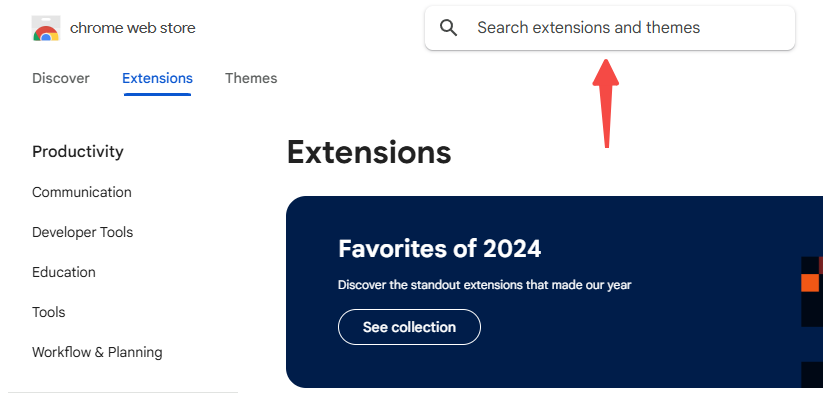
Search for “chatdaddy” and click on the result: 👇🏻
-
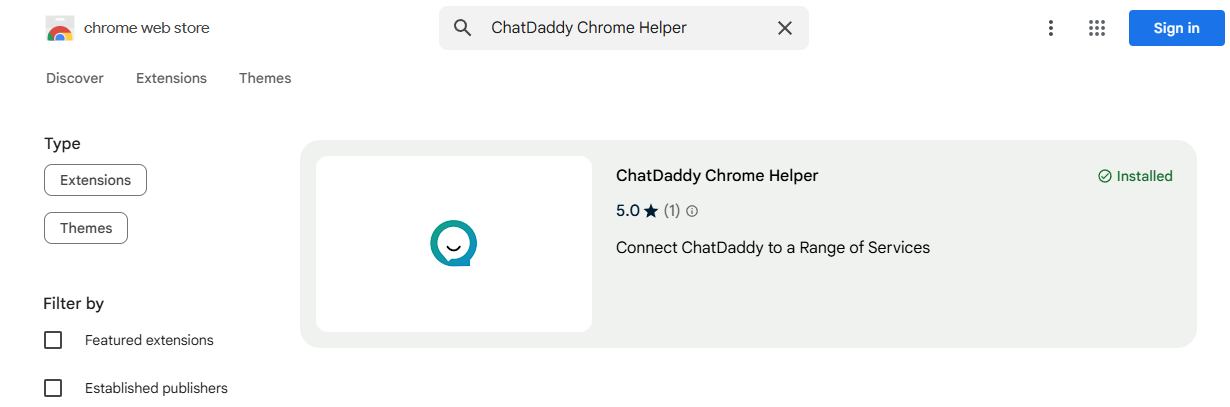
Click “Add to chrome”: 👇🏻
-
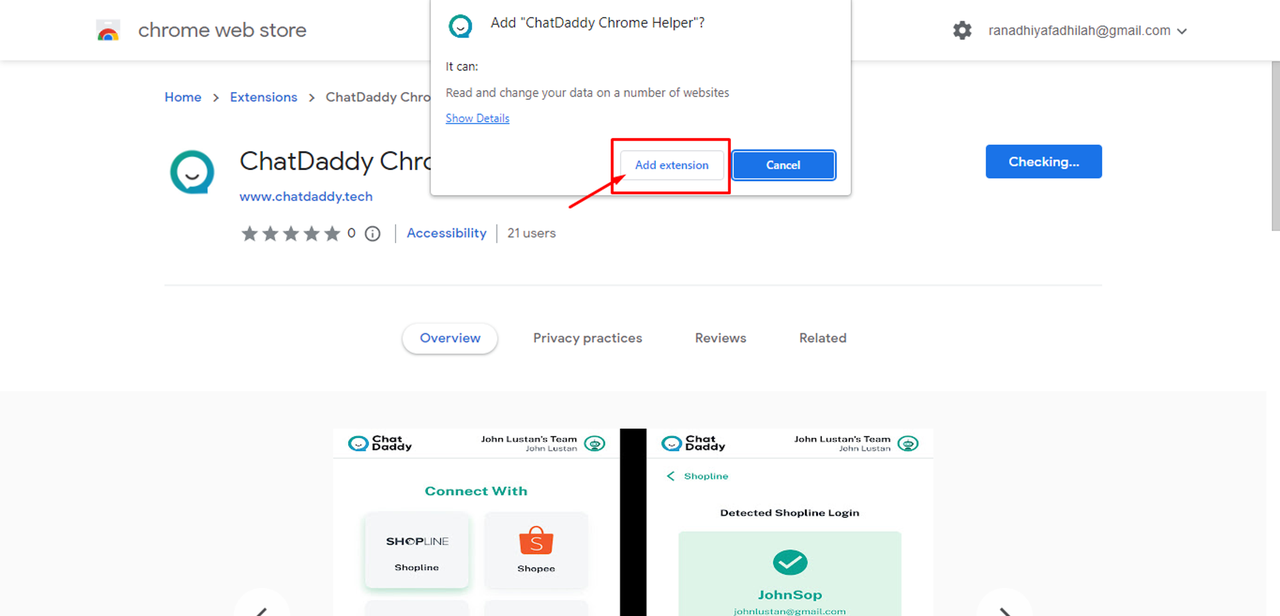
Click “add extension” button: 👇🏻
Connect TikTok Shop to ChatDaddy
-
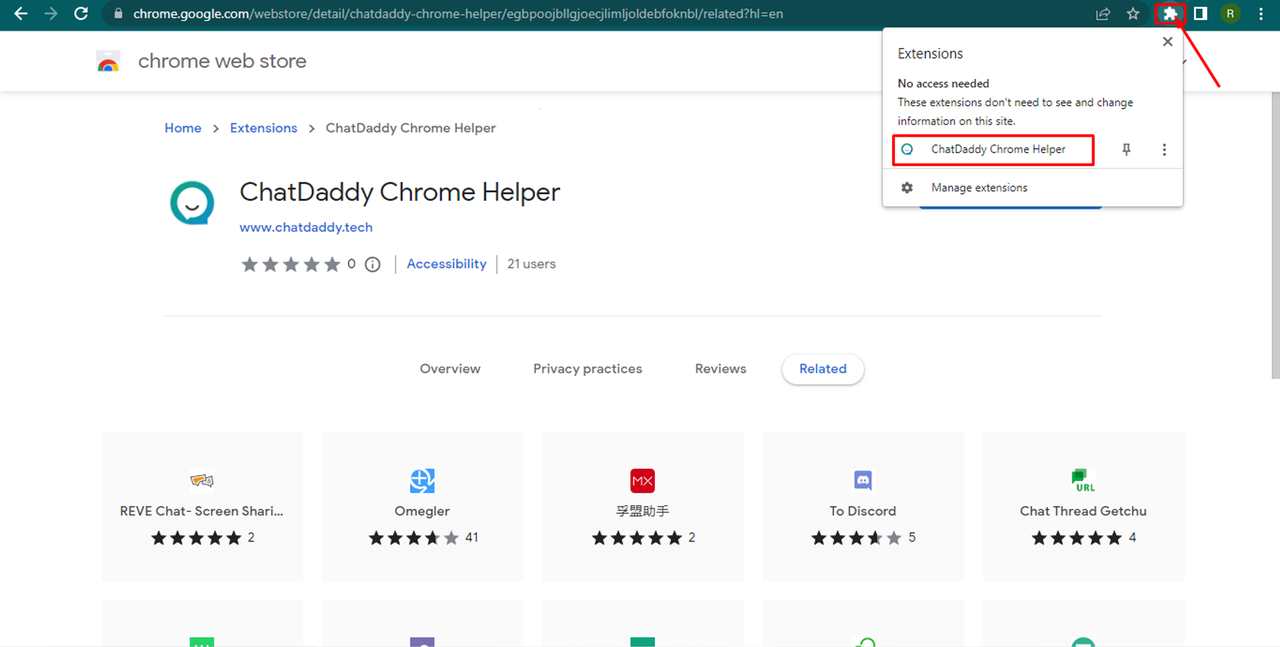
After added successfully, click on the puzzle icon and the “chatdaddy” extension: 👇🏻
-
Click on the Tiktok Shop to connect with your Tiktok Shop :👇🏻
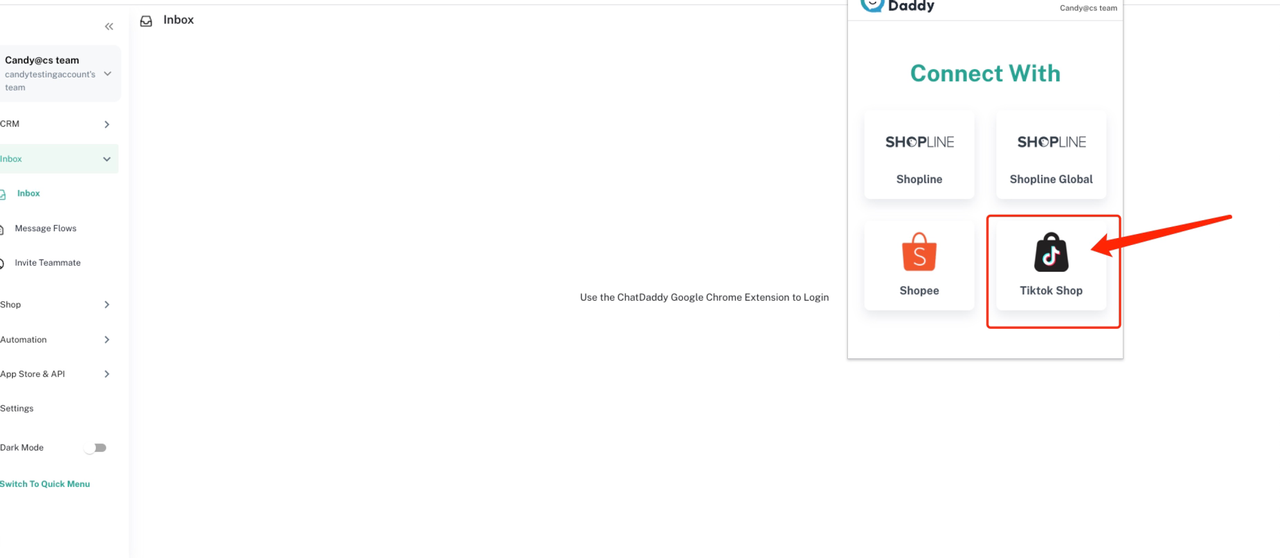
-
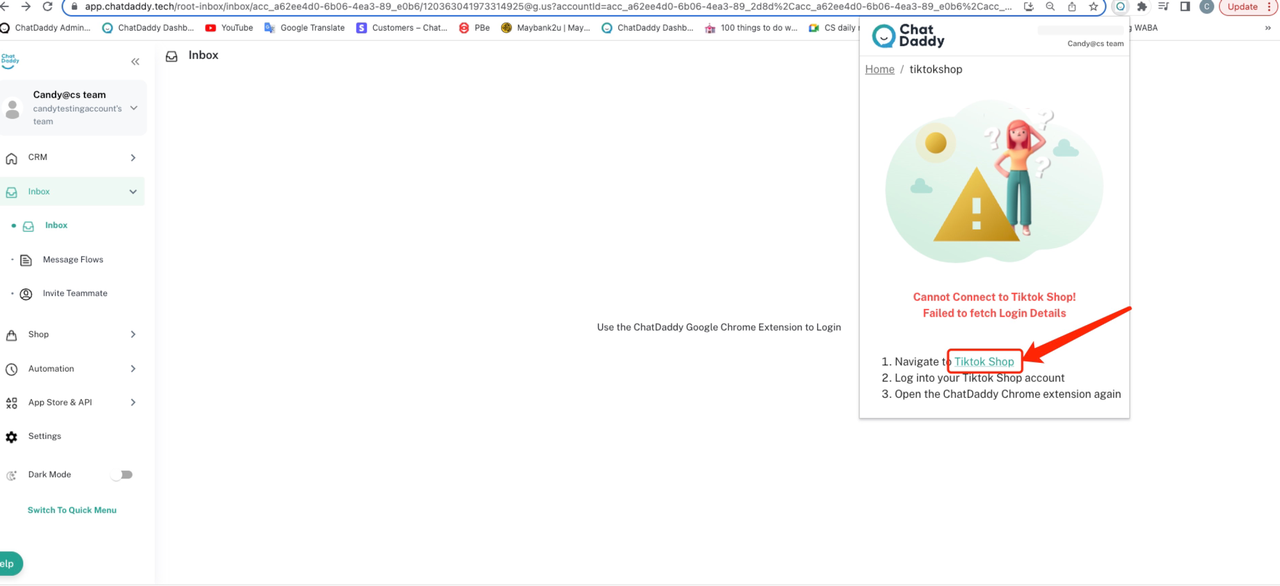
To get started, navigate to Tiktok Shop by clicking on the link.
-
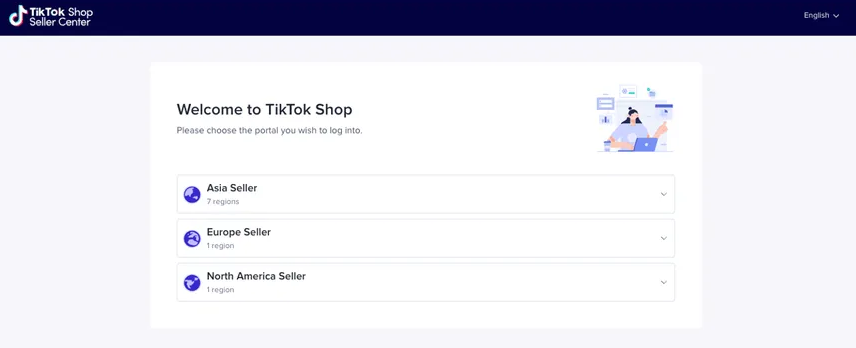
It will show you the Tiktok Shop Login page, Please choose the portal you wish to log into.
-
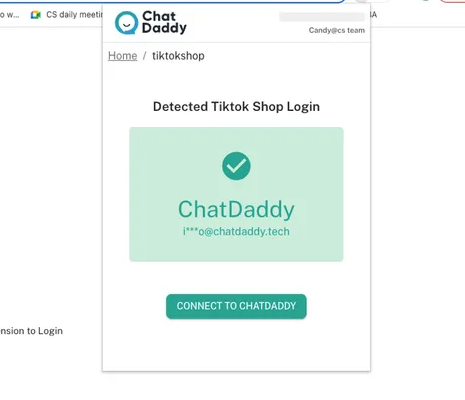
After logging in successfully, reopen the ChatDaddy extension and click on "CONNECT TO CHATDADDY"!
-
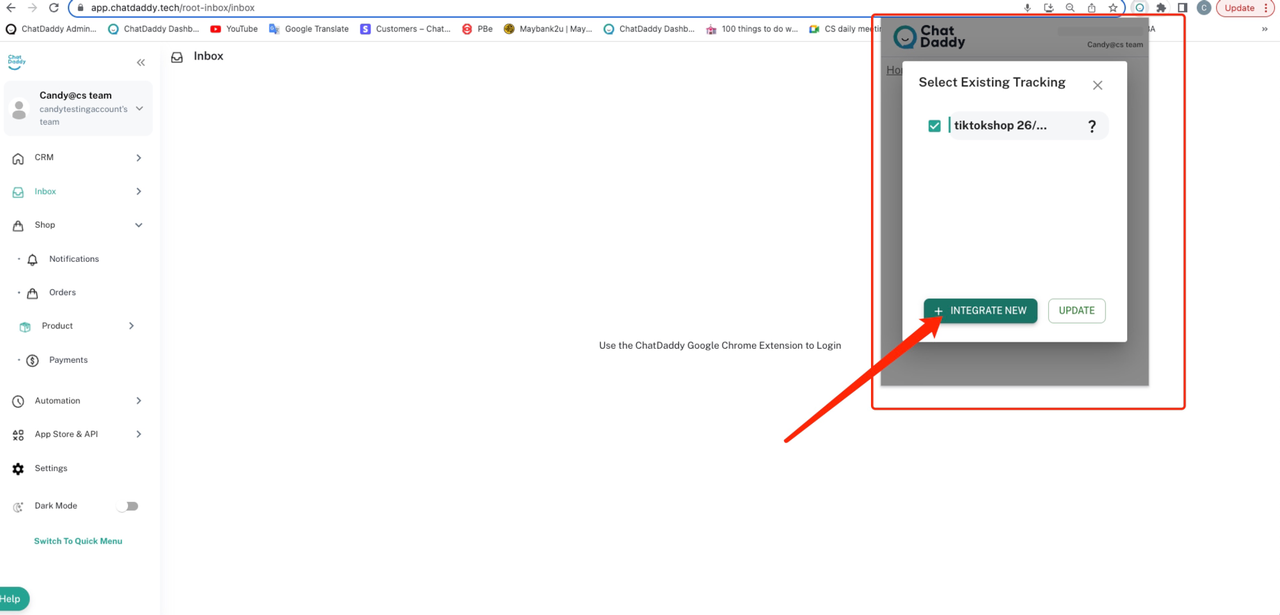
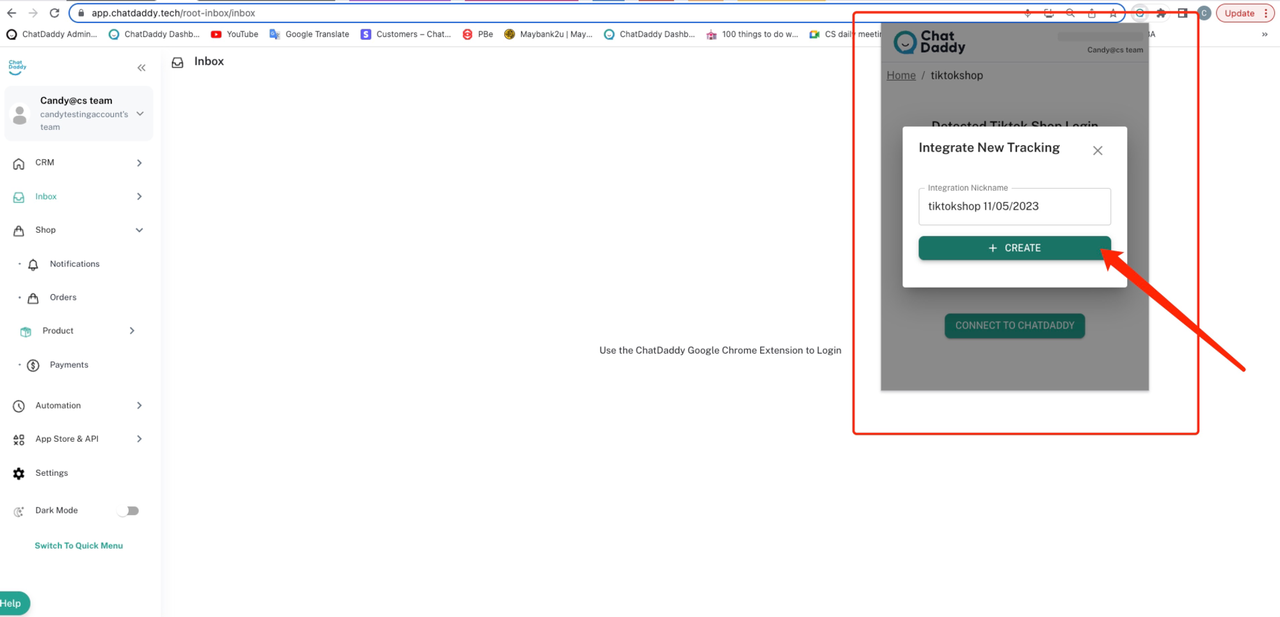
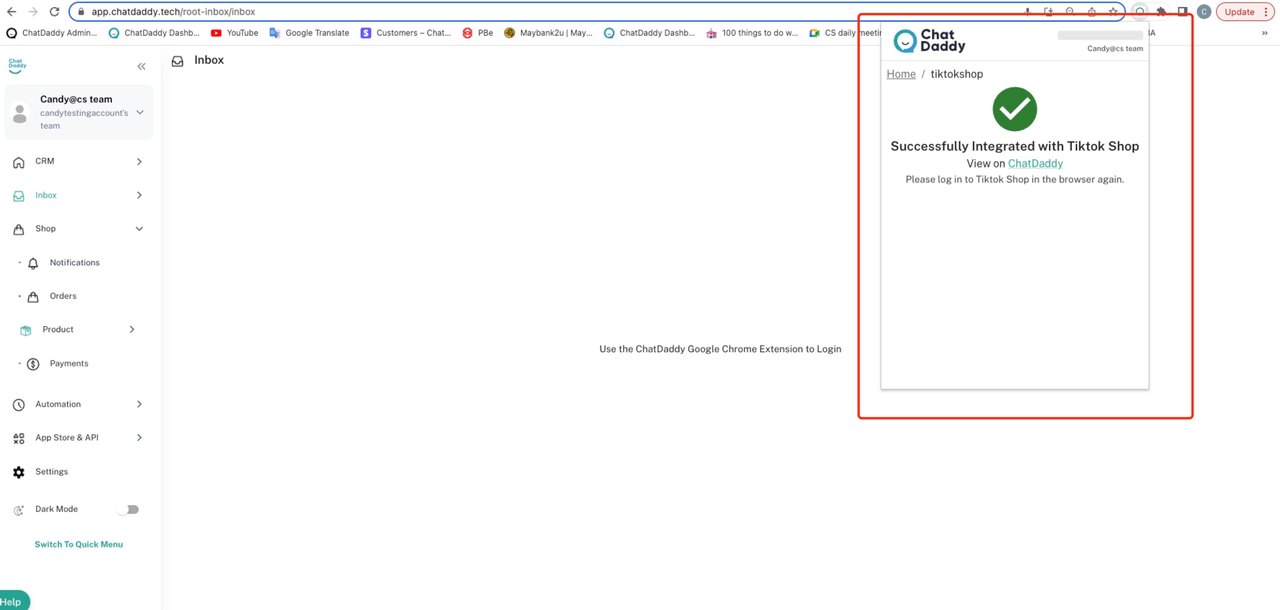
Click on "+Integrate New" and then enter the integration name by clicking on "+Create".
Frequently Asked Questions (FAQs)
What happens if a buyer blocks my WhatsApp number?
- If a buyer blocks your WhatsApp number, the order confirmation message will not be delivered.
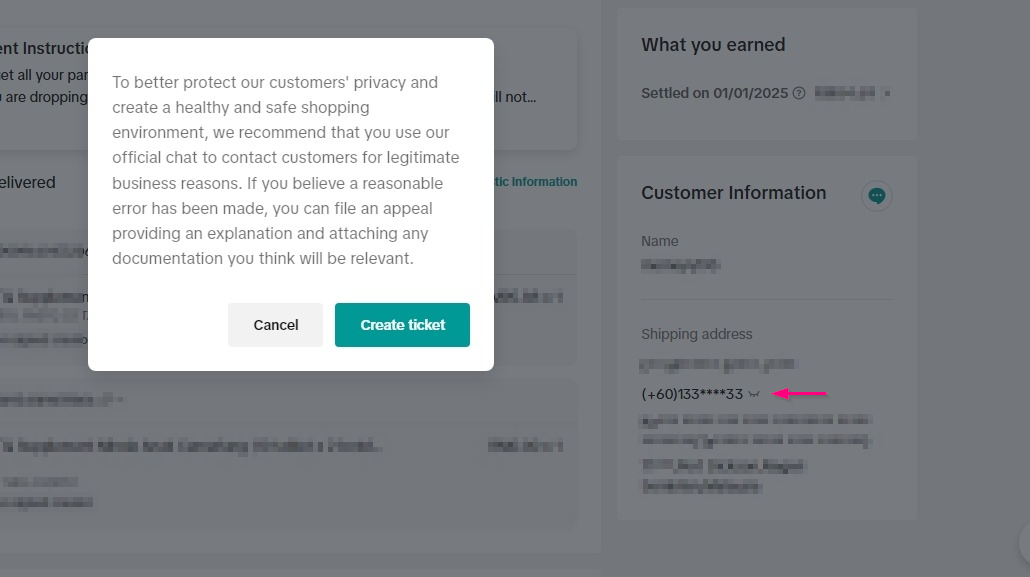
How can I tell if a buyer has hidden their phone number?
- If you click the "Open Eye" icon and see a popup message about protecting customer privacy, this indicates the buyer has hidden their number. See the image below
What happens if the WhatsApp Business API experiences an outage?
- If the WhatsApp Business API is unavailable, order confirmations may be delayed or fail to send.