
How to Migrate your WhatsApp Business API (WABA) number to WhatsApp Business?
Thinking of stepping away from WhatsApp Business API? While deleting your entire account is an option, it's important to know that there's a simpler…
Updated Feb 13, 2026
Intro
Thinking of stepping away from WhatsApp Business API? While deleting your entire account is an option, it's important to know that there's a simpler solution! Downgrading your WhatsApp Business API number allows you to switch back to the standard WhatsApp experience, without completely erasing your account.
This guide will walk you through the process of downgrading your number, so you can make an informed decision.
Steps to Migrate from WABA to WhatsApp Business
1. Delete the API Phone Number
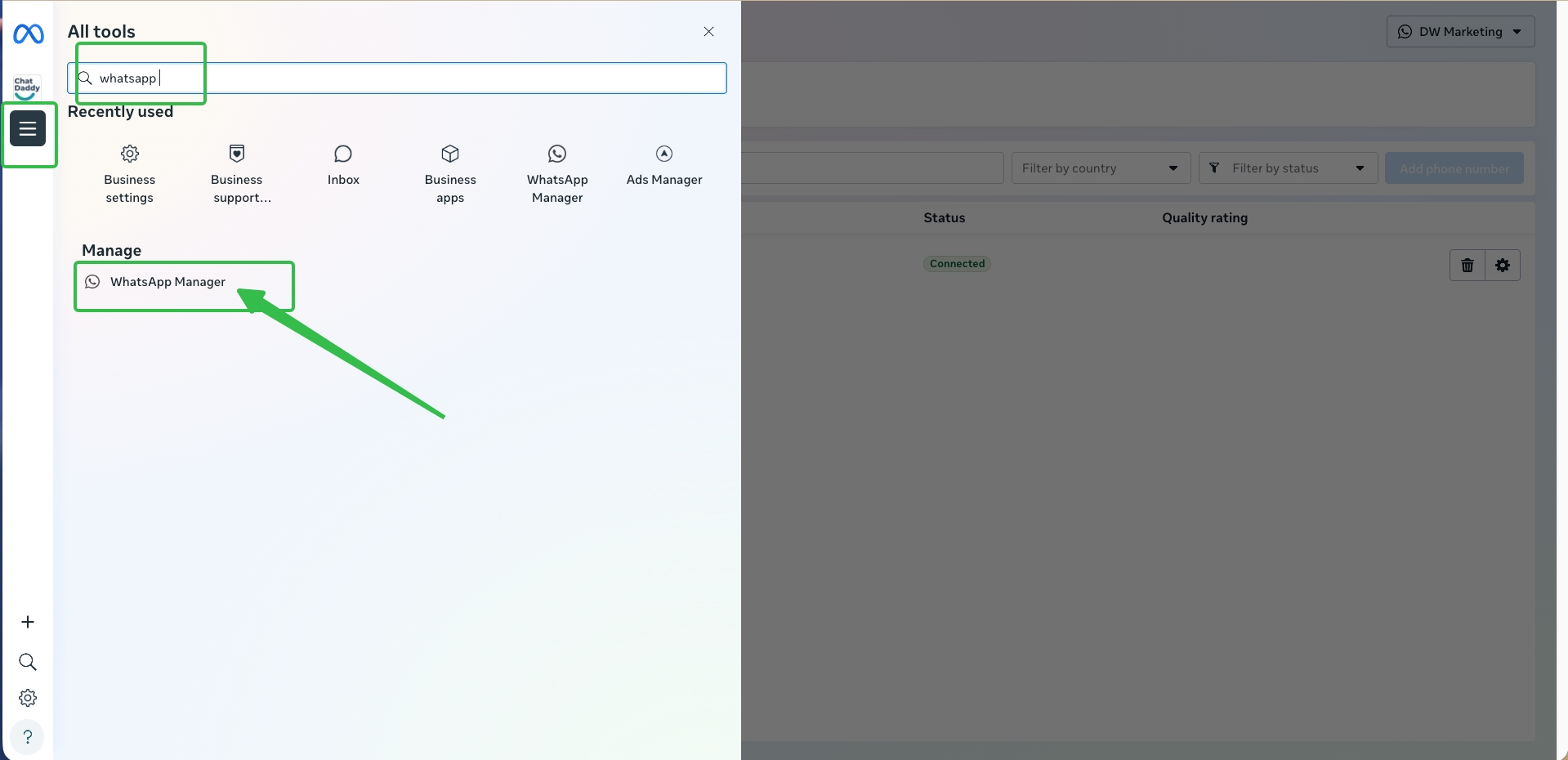
- Log in to Meta Business Manager.
- Go to Business Settings.
- Click WhatsApp Accounts.
- Open WhatsApp Manager.
- Select the phone number currently connected to the API. You can access it directly here:
https://business.facebook.com/latest/whatsapp_manager/phone_numbers/
2. Remove the Phone Number
- Click the trash/delete icon next to the phone number.
- Confirm the deletion to remove the number from the WhatsApp API.
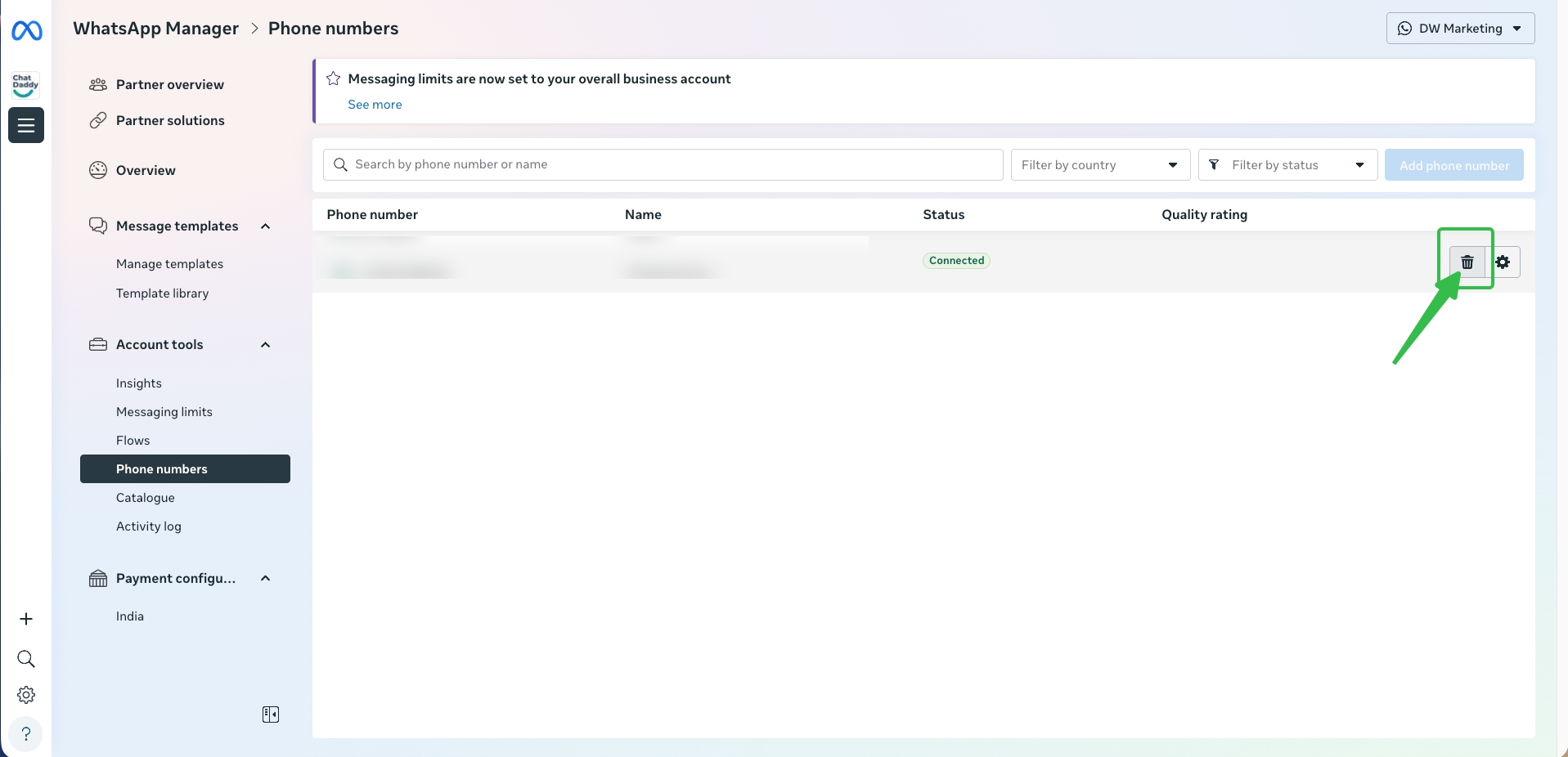
⚠️ Note: Once deleted, the number will no longer work with the API.
3. Download the WhatsApp Business App
- Install the WhatsApp Business App from the Google Play Store or Apple App Store.
4. Register the Number
- Open the app.
- Follow the on-screen instructions to register your phone number.
- If the number was recently removed from the API, you may need to wait before it can be registered in the app.
If you delete your basic WhatsApp Messenger/Business App account:
- You can’t regain access to your account.
- It may take up to 90 days from the beginning of the deletion process to delete your WhatsApp information. Copies of your information may also remain after the 90 days in the backup storage that WhatsApp uses to recover in the event of a disaster, software error, or other data loss event. Your information isn’t available to you on WhatsApp during this time.
- It doesn’t affect your information related to the groups you created or the information other users have relating to you, such as their copy of the messages you sent them.
- WhatsApp may retain certain log data in our databases even after you delete your account, but such data will be disassociated from any identifying information such that it can no longer be linked to your account. To do this, on a regular basis, WhatsApp wipes certain identifying information from this log data, and replaces any instance of your account ID with a replacement identifier which cannot be linked back to your account once it is deleted.
- WhatsApp may also keep your information for things like legal issues, terms violations, or harm prevention efforts.
- Please refer to WhatsApp’s Privacy Policy for more information.
- Your information shared with other Meta Companies will also be deleted.
Was this article helpful?