
How to Resubmit Your Template on ChatDaddy
When Meta rejects a template, duplicate the message flow, rename it, fix the content and save to resubmit — with real ChatDaddy screenshots for every step, plus the one-click Resubmit All Templates button.
Also searched as: resubmit template ChatDaddy, template rejected resubmit, duplicate message flow, rejected template fix, submit template again, template approval retry, message flow duplicate, resubmit WABA template, template rejected what to do, re-approve template
When Meta rejects one of your WhatsApp message templates, you can't edit and resubmit the same template — you duplicate the flow, fix the content, and submit the copy for approval. Here's exactly how, in ChatDaddy.
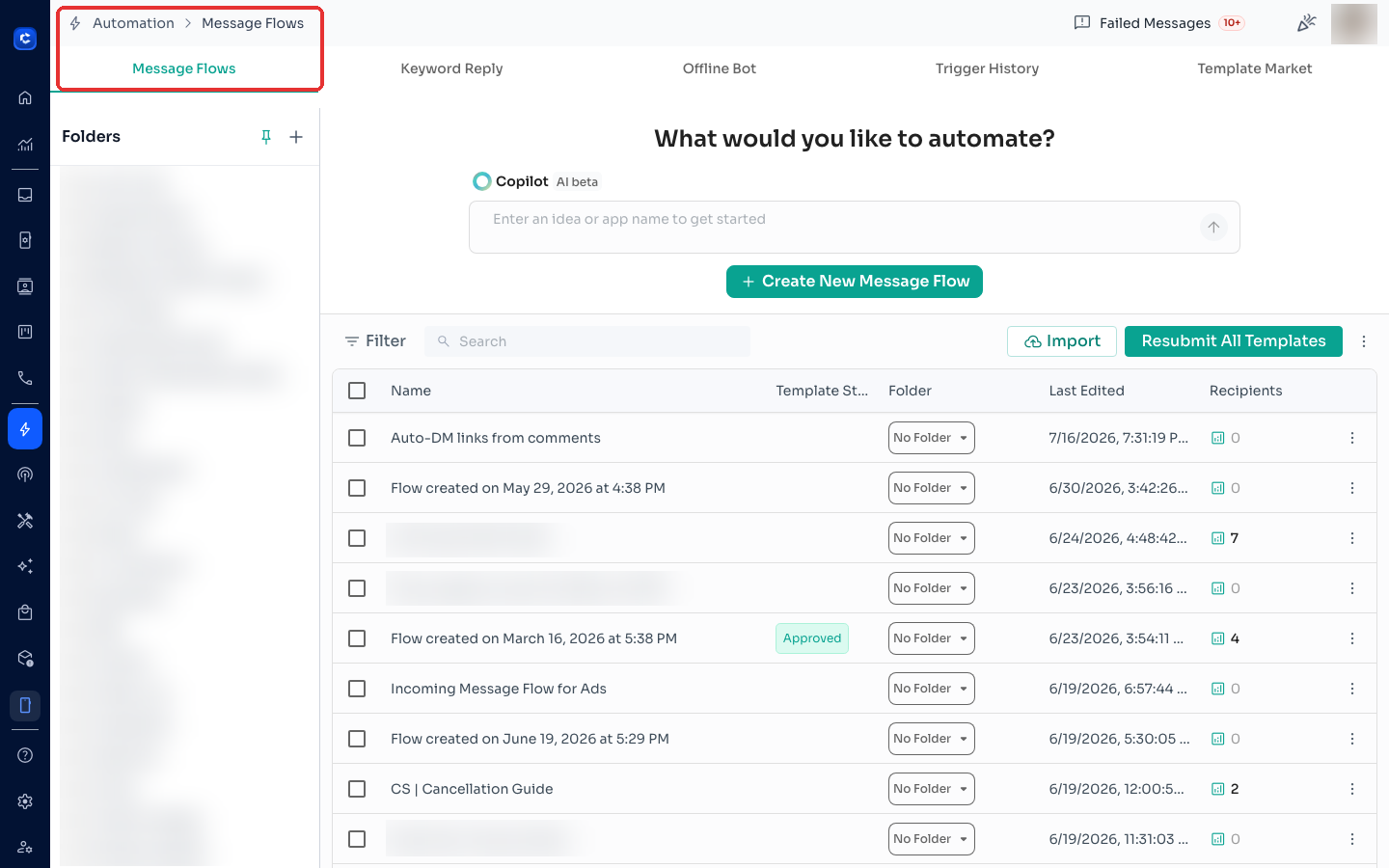
Step 1 — Open Message Flows
From the left sidebar, go to Automation → Message Flows.
Step 2 — Duplicate the rejected flow
Find the flow with the rejected template, click the ⋮ (three-dot) menu on the right of its row, and select Duplicate.
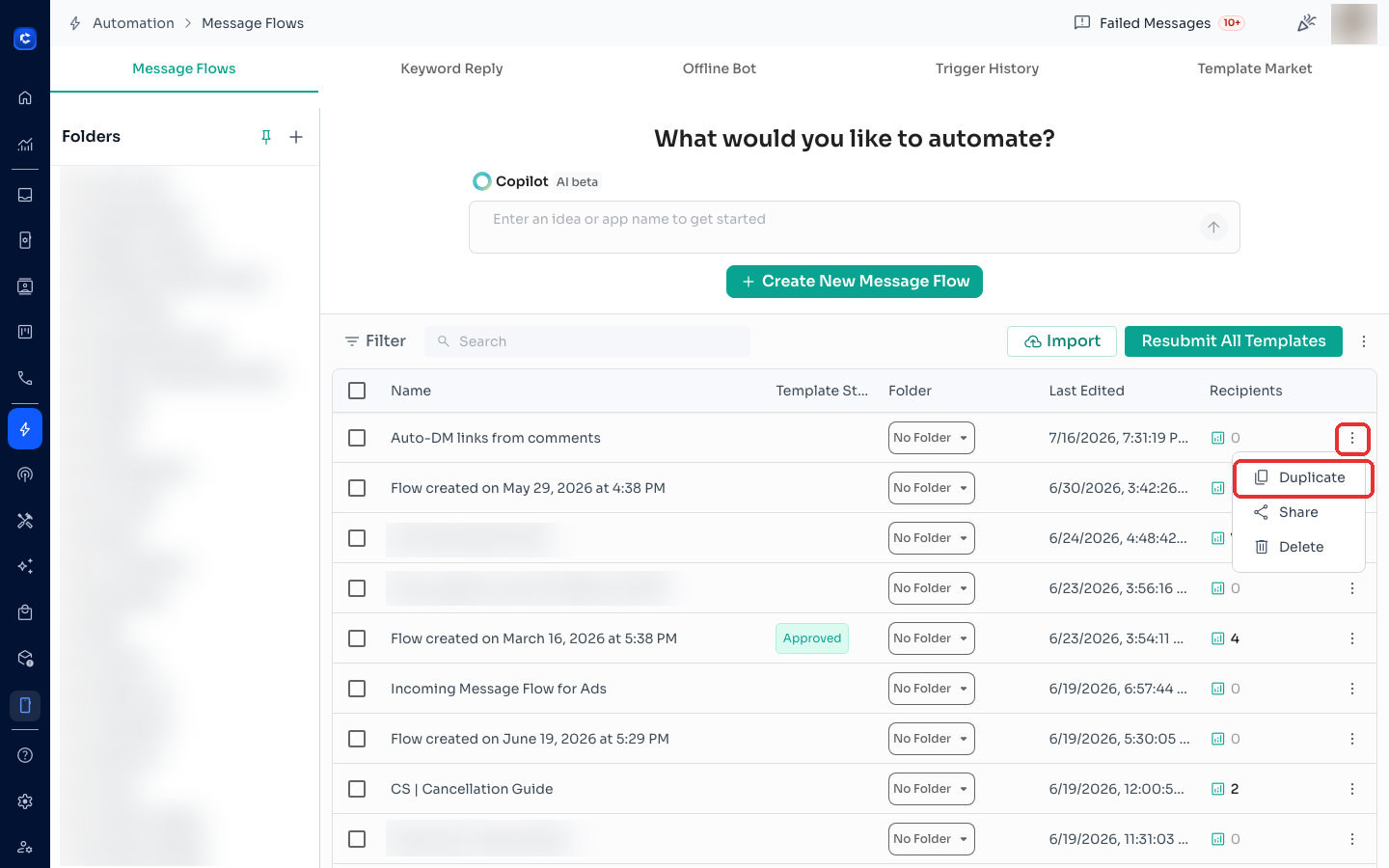
The copy appears at the top of your list with a (1) suffix.
Step 3 — Rename and fix the content
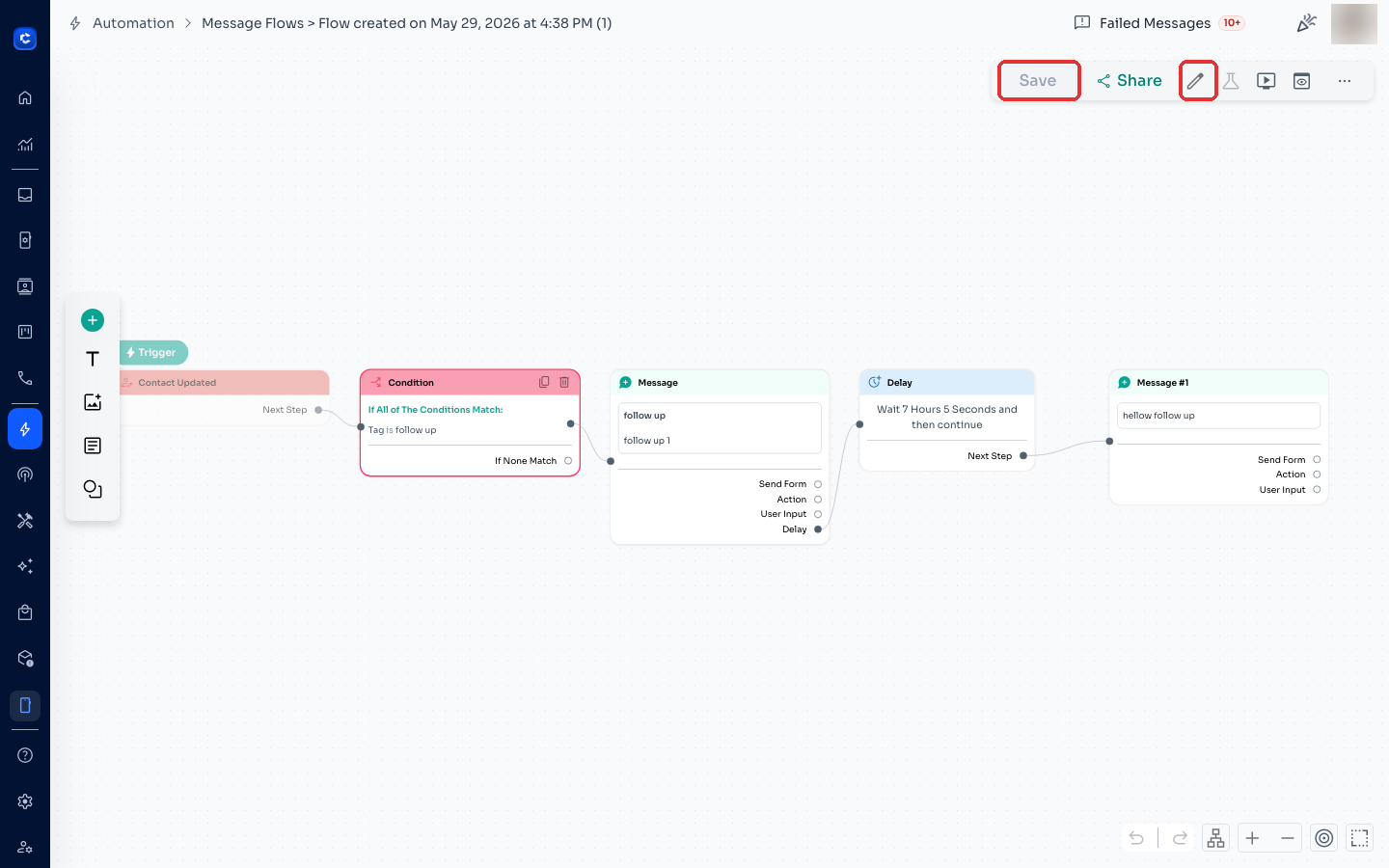
Open the duplicated flow. Click the pencil icon in the top-right toolbar to give it a new name — rejected template names cannot be reused, so pick a fresh one. Then correct the message content based on the rejection reason shown in Meta Business Manager (check the Template Status column or WhatsApp Manager for the reason).
Step 4 — Save to submit for approval
Click Save — the corrected template is submitted to Meta for review automatically. Approval status appears in the Template Status column back on the Message Flows list.
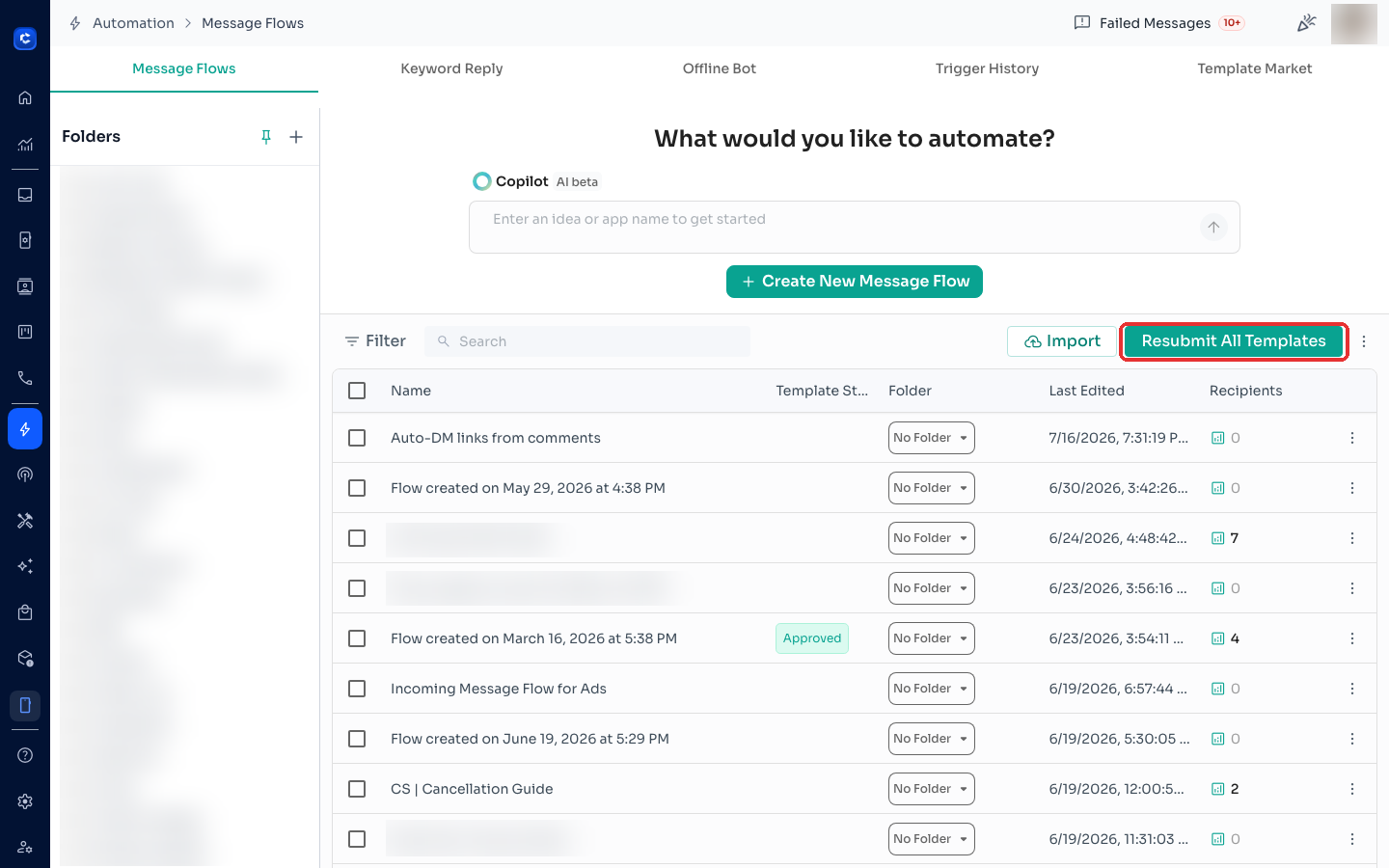
💡 Tip — Resubmit All Templates: if several templates were rejected at once (common after a policy update), use the Resubmit All Templates button at the top of the Message Flows page instead of duplicating one by one.
Common rejection reasons to fix before resubmitting
- Placeholder/variable formatting errors (e.g. missing {{1}} samples)
- Promotional content in a Utility-category template — recategorise or reword
- Content violating WhatsApp's Business Policy
- Too many special characters or ALL-CAPS text
See Messages Template Status (WABA) for what each status means, or submit a support ticket if a template keeps getting rejected.