
How to setup Offline Bot
The Offline Bot allows you to auto-reply to client messages during your specified off-hours. Regardless of the message type or content sent by clients, the bot will respond with a pre-set message flow
Updated Nov 21, 2025
The Offline Bot allows you to auto-reply to client messages during your specified off-hours. Regardless of the message type or content sent by clients, the bot will respond with a pre-set message flow.
How to Turn On/Off the Offline Bot
- Go to the Offline Bot section under Settings.
- Toggle the button next to “Enabled” to turn the bot ON or OFF.

How to Set Up an Offline Bot
1. Navigate to Offline Bot
- Hover your cursor over the Left navigation bar > Automation.
- Click on Offline Bot.
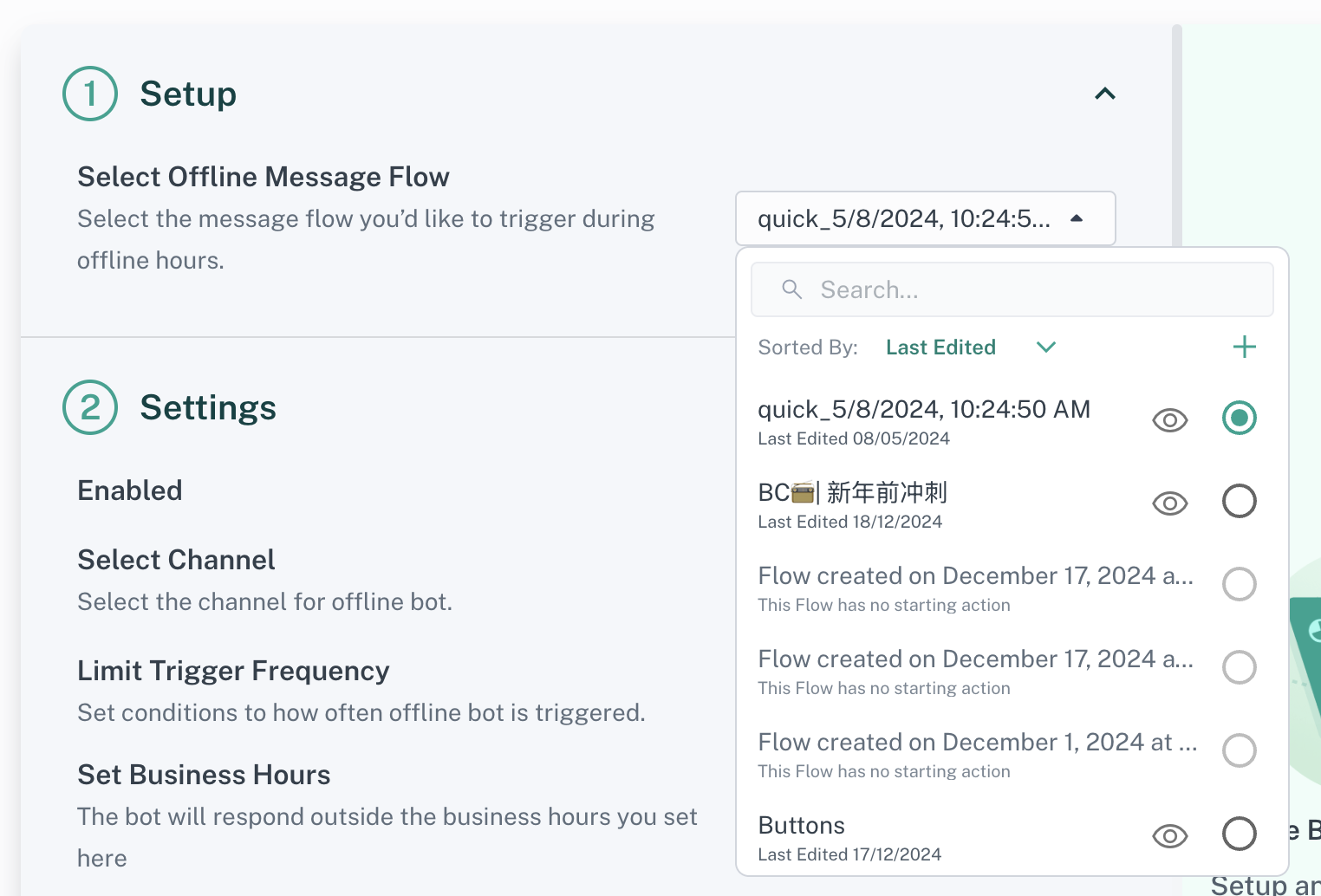
2. Select or Create an Offline Message Flow
- Click on “Select Offline Message Flow”.
- You can:
- Choose an existing message flow, or
- Create a new one by clicking the “+” icon.
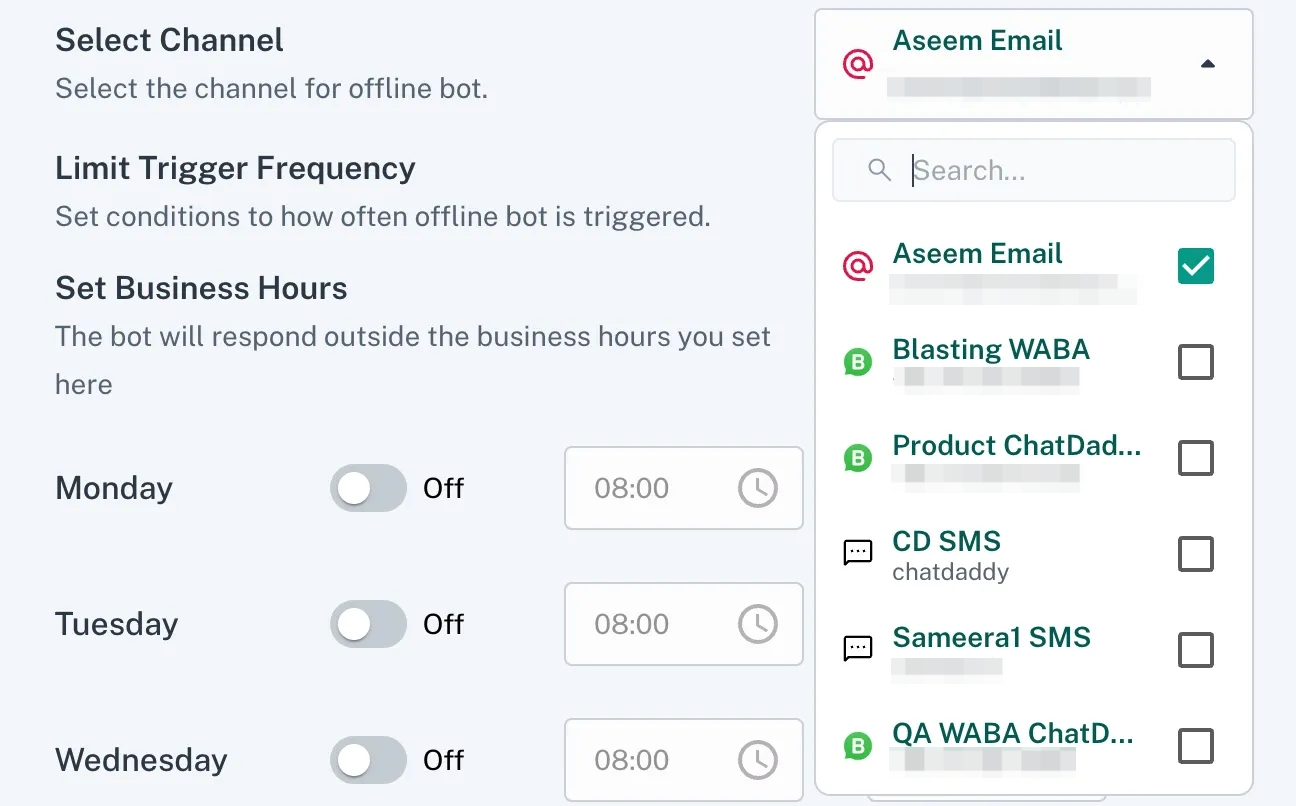
3. Select Channels
- Choose the channel(s) where the Offline Bot will send auto-replies.
- You can select multiple channels at once.
4. Set Trigger Frequency
- Choose how often the Offline Bot will trigger responses. Options:
- Limit Trigger Frequency (Recommended): Prevent excessive replies by setting an interval between triggers.
- No Limit: The bot will respond every time a message is received.

5. Set Business Hours
- Define your business operating hours. The Offline Bot will respond outside these hours.
- Default hours are 8:00 AM to 8:00 PM when enabled for any day.
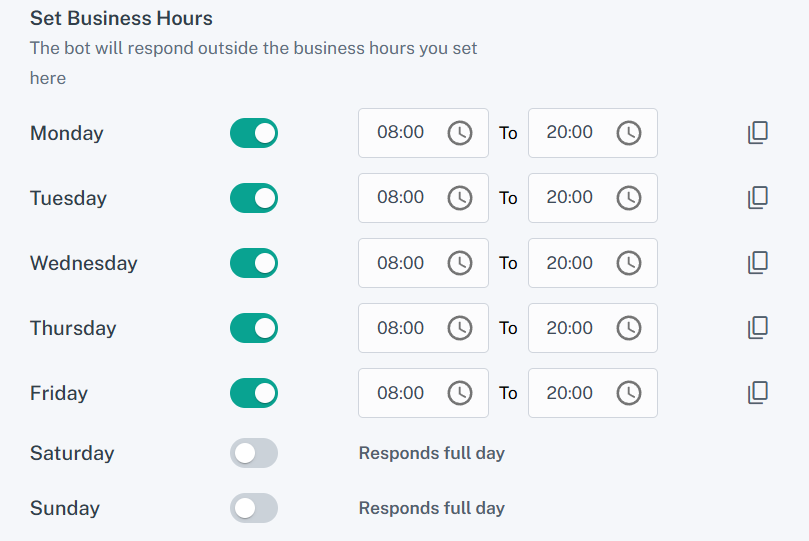
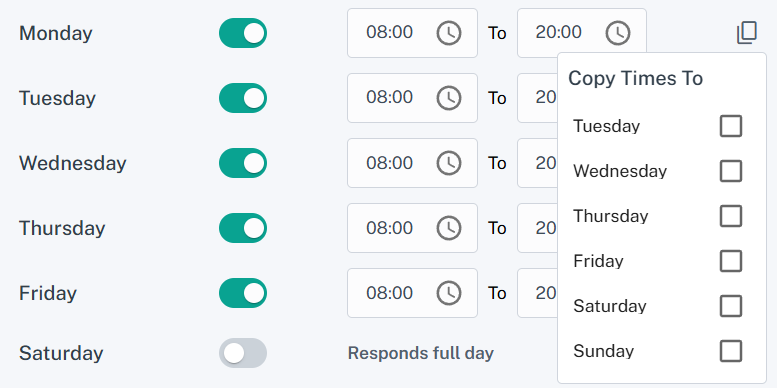
Tip: Use the Copy icon to replicate time settings across multiple days.
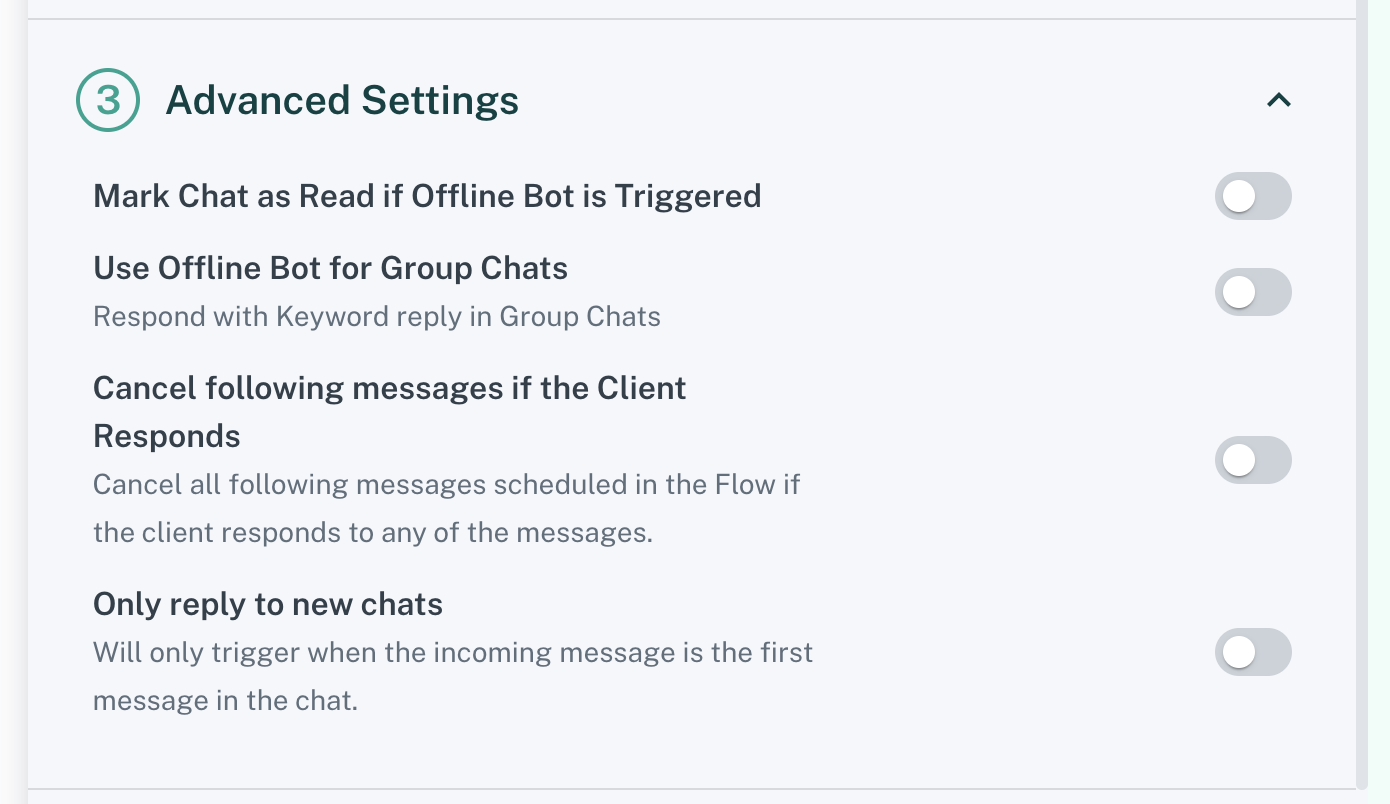
6. Configure Advanced Settings
- Mark Chat as Read if Offline Bot is Triggered: Automatically marks the chat as read when the bot responds.
- Offline Bot for Group Chats: Enables the bot to reply in group chats.
- Cancel Following Messages if the Client Responds: Cancels any scheduled messages in the flow if the client replies to the bot.
- Only Reply to New Messages: Ensures the bot only responds to new incoming messages.
7. Save Your Configuration
- Once all settings are configured, click “Save” to complete the setup.
Your Offline Bot is now ready to respond automatically during your off-hours!
Was this article helpful?