
How to smart assign with teammates in different time shifts?
🧠 How to Smart Assign with Teammates in Different Time Shifts?
Updated Nov 21, 2025
🧠 How to Smart Assign with Teammates in Different Time Shifts?
If your team works across different shifts and you want to automatically assign contacts based on working hours, here's a step-by-step setup using conditions and the "Modify Contact" action.
🔁 Use Case
Automatically assign incoming messages to different teammates depending on the time of day and who is currently not assigned.
You can use this template from here: https://www.app.chatdaddy.tech/automation/templateMarket/view/133
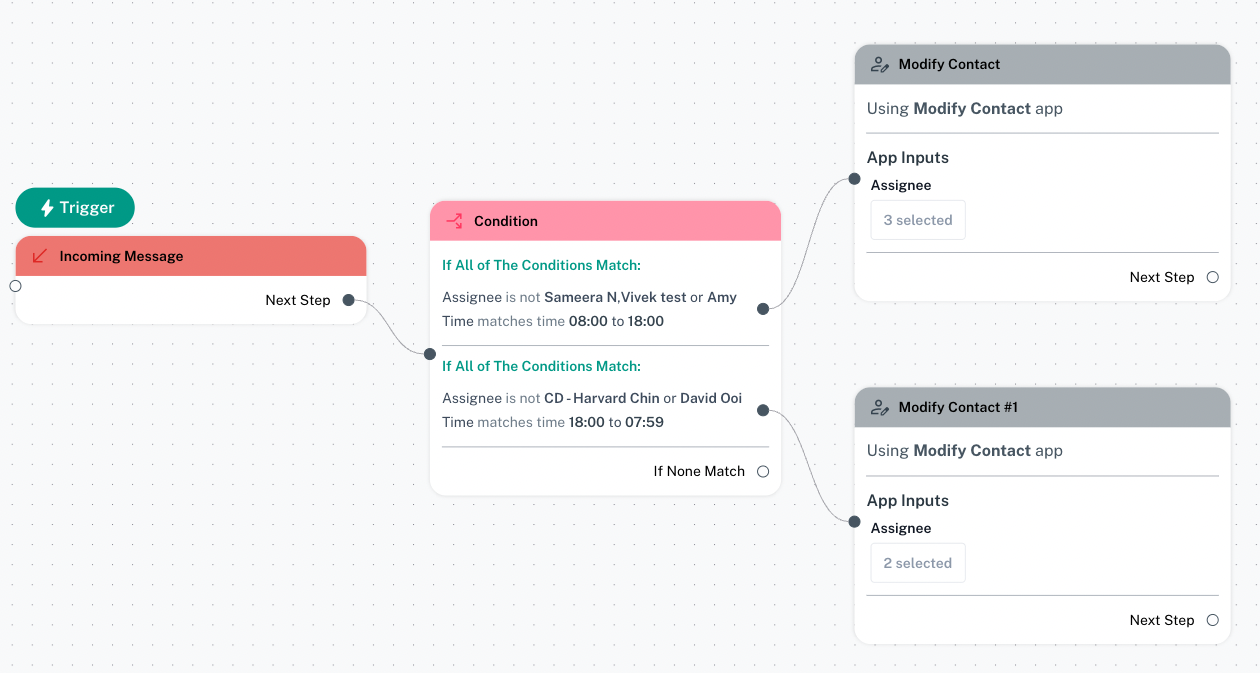
🛠️ Step-by-Step Setup
1. Trigger: Incoming Message
- Start the flow with a Trigger node.
- Set the event to Incoming Message.
2. Add Condition Node
Drag a Condition node and configure it with time-based assignment logic:
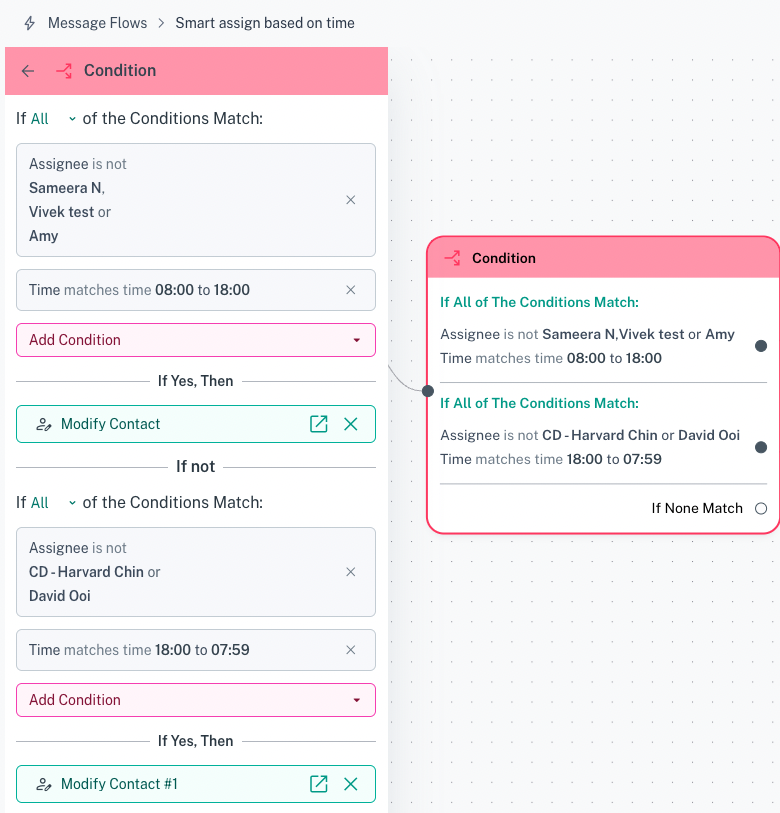
✅ Condition 1 (Day Shift: 08:00 - 18:00)
- If ALL of the following match:
- Assignee is not Teammate A, Teammate B, or Teammate C
- Time matches 08:00 to 18:00
✅ Condition 2 (Night Shift: 18:00 - 07:59)
- If ALL of the following match:
- Assignee is not CD - Teammate D or Teammate E
- Time matches 18:00 to 07:59
✏️ 3. Modify Contact Based on Condition
Use the Modify Contact action to assign contacts depending on which condition is matched:
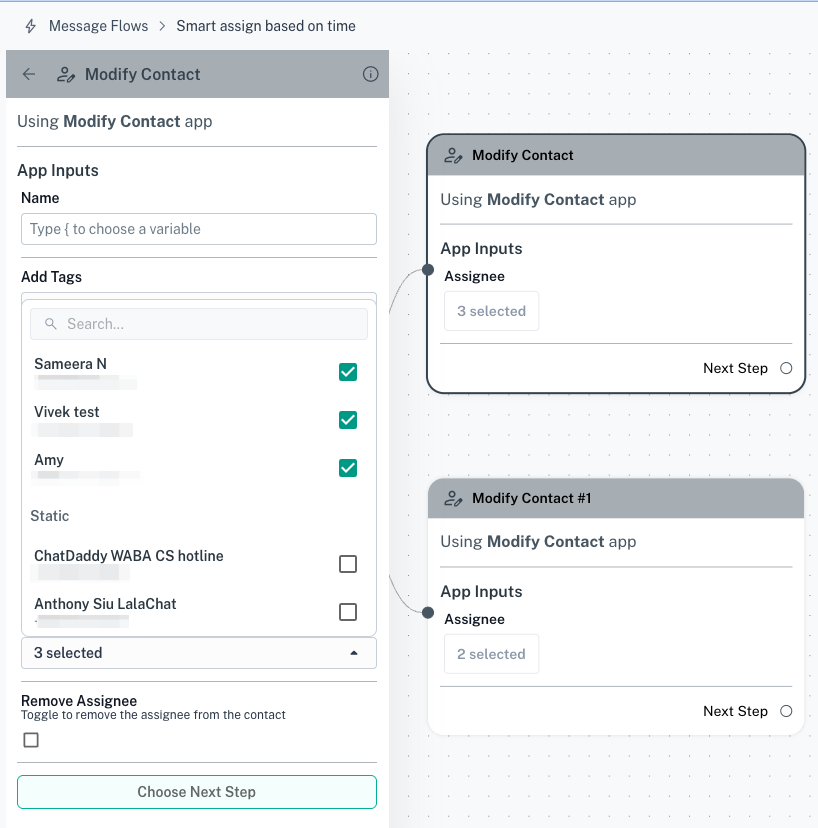
🔹 For Condition 1:
- Action: Modify Contact
- Assign to: Teammate A, Teammate B, or Teammate C
🔹 For Condition 2:
- Action: Modify Contact #1
- Assign to: Teammate D or Teammate E
Was this article helpful?