
How to Turn Off WhatsApp Two-Step Verification (2FA PIN)
Turn off two-step verification in WhatsApp Manager — a required step before migrating your phone number to the WhatsApp Business API. Six steps with Meta menu paths.
Also searched as: disable WhatsApp 2FA, turn off two step verification, WhatsApp PIN off, remove verification PIN, 2FA migration WhatsApp API, PIN error registration, two step verification WABA, WhatsApp Manager PIN settings, disable PIN WhatsApp business, migrate number PIN
Turning off two-step verification (the 6-digit 2FA PIN) in WhatsApp Manager is a required step before you can migrate your phone number to the WhatsApp Business API — including when connecting your number to ChatDaddy. If the PIN is still on, registration fails with PIN-related errors.
Note: Only users with Admin access in Meta Business Manager can do this.
Steps to turn off two-step verification
- Log in to Meta Business Manager (business.facebook.com) → WhatsApp Accounts → select your account → Settings tab → click WhatsApp Manager.
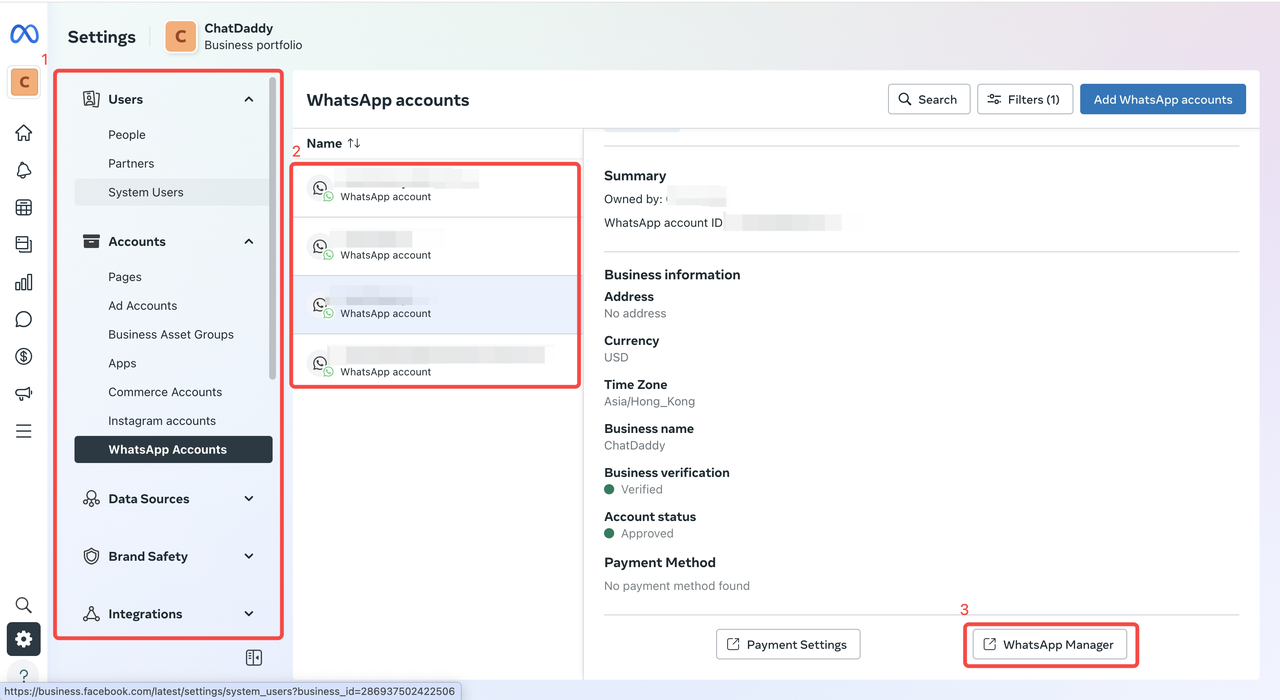 2. In the left menu, click Phone numbers.
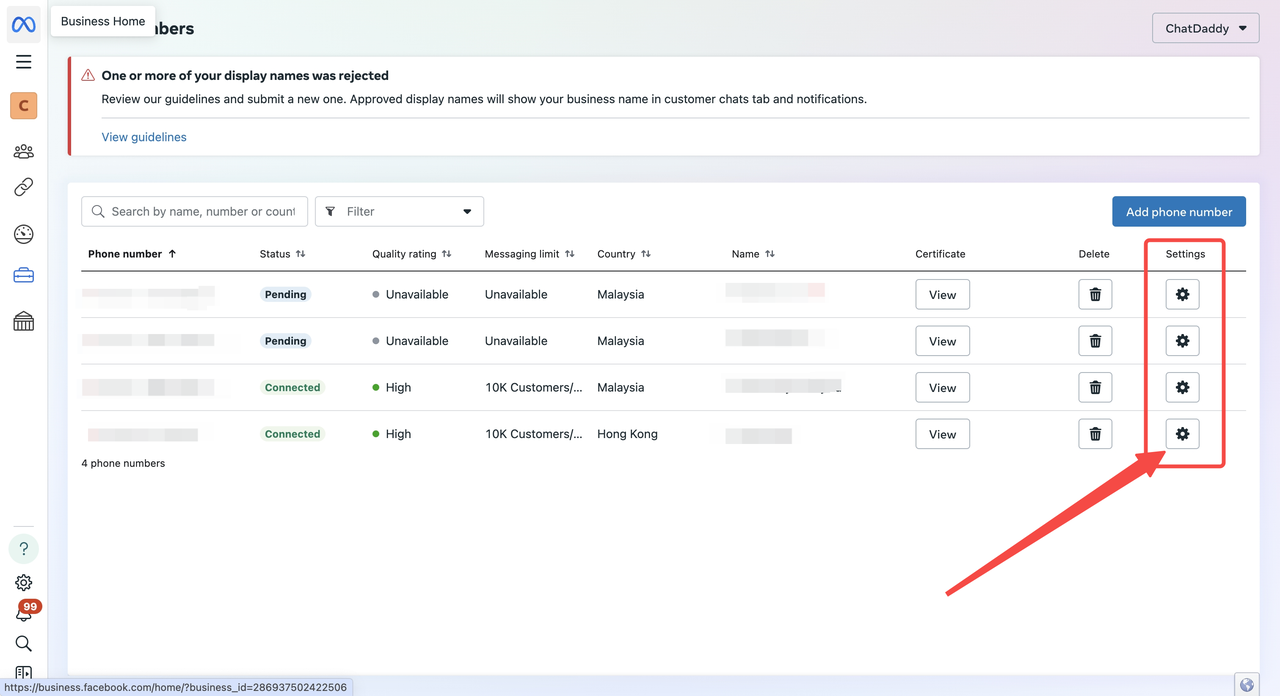
3. Click the settings (gear) icon on the right of your number.
2. In the left menu, click Phone numbers.
3. Click the settings (gear) icon on the right of your number.
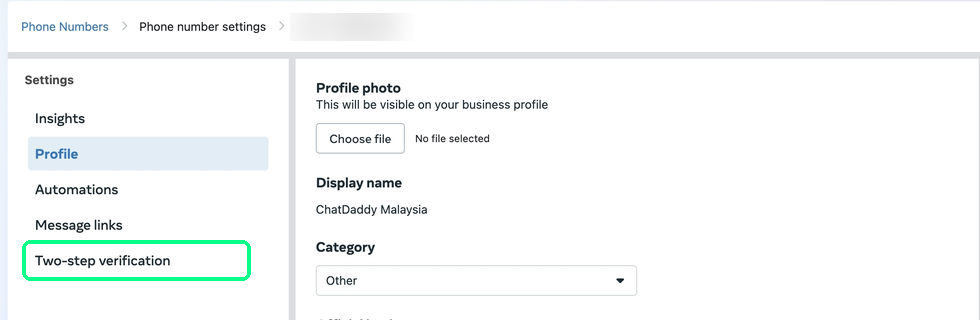
 4. Select Two-step verification → click Turn off two-step verification.
- In the pop-up, click OK — Meta emails you a confirmation link.
- Open the email and click the link to finish turning off two-step verification for the number.
Tip: The confirmation email goes to the address of the Meta account performing the action. If it doesn't arrive within a few minutes, check spam or make sure you have Admin (not Employee) access.
After it's off
Continue with your number migration or channel connection at https://app.chatdaddy.tech. Once your number is live on the API you can re-enable a new PIN for security.
Hitting PIN errors during registration?
If Meta returns PIN errors while you register (for example error codes 133005 or 133008), the old PIN is still active or recently cached — see Meta WhatsApp Error Code 133005 or wait a few minutes and retry.