
How to use “Notify Team Member” node
Learn How to use “Notify Team Member” node!
Updated Nov 21, 2025
Overview
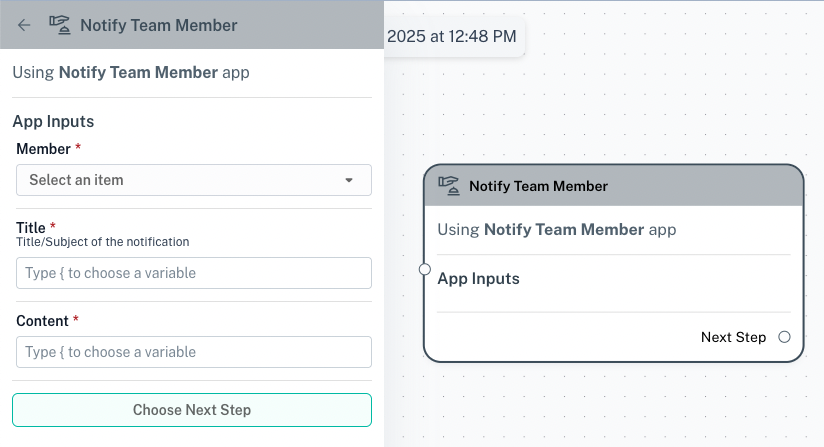
The Notify Team Member app node allows you to automatically send in-app notifications to a teammate or the assignee of a contact. This is useful for keeping teammates informed about important updates, task assignments, or urgent issues.
Use Cases
- Task Assignments: Notify a teammate when they are assigned to a new task or ticket.
- Escalations: Alert a supervisor when an urgent issue arises.
- Status Updates: Inform a teammate when a conversation moves to a specific stage.
- Reminders: Send automated reminders to teammates for pending actions.
Configuration Options
You can customize the Notify Teammate node with the following settings:
- Member: Select the teammate who should receive the notification.
- Title: Define the title or subject of the notification.
- Content: Customize the notification message, including dynamic variables as needed.
Example Workflow
Scenario: Notify a Manager When a High-Priority Ticket is Created
- Trigger: A new ticket is created.
- Condition: If the ticket priority is “High.”
- Action: The Notify Teammate node sends a notification to the manager with the ticket details.
Was this article helpful?