
How to use the Update Ticket node
The “Update Ticket” node can be used to automatically update/modify pre-existing tickets in any CRM board. Keep your customer service and support processes organised by ensuring that ticket informatio
The “Update Ticket” node can be used to automatically update/modify pre-existing tickets in any CRM board. Keep your customer service and support processes organised by ensuring that ticket information is always up-to-date using the “Update Ticket” node
- Status Updates: Automatically change the status of a ticket based on customer interactions. For example, mark a ticket as "In Progress" when a customer responds to an inquiry.
- Timer Changes: Change the amount of the your teammate has to respond to the client. For ex: If your teammate has already responded but the client has another question, you can add some more time for them to respond
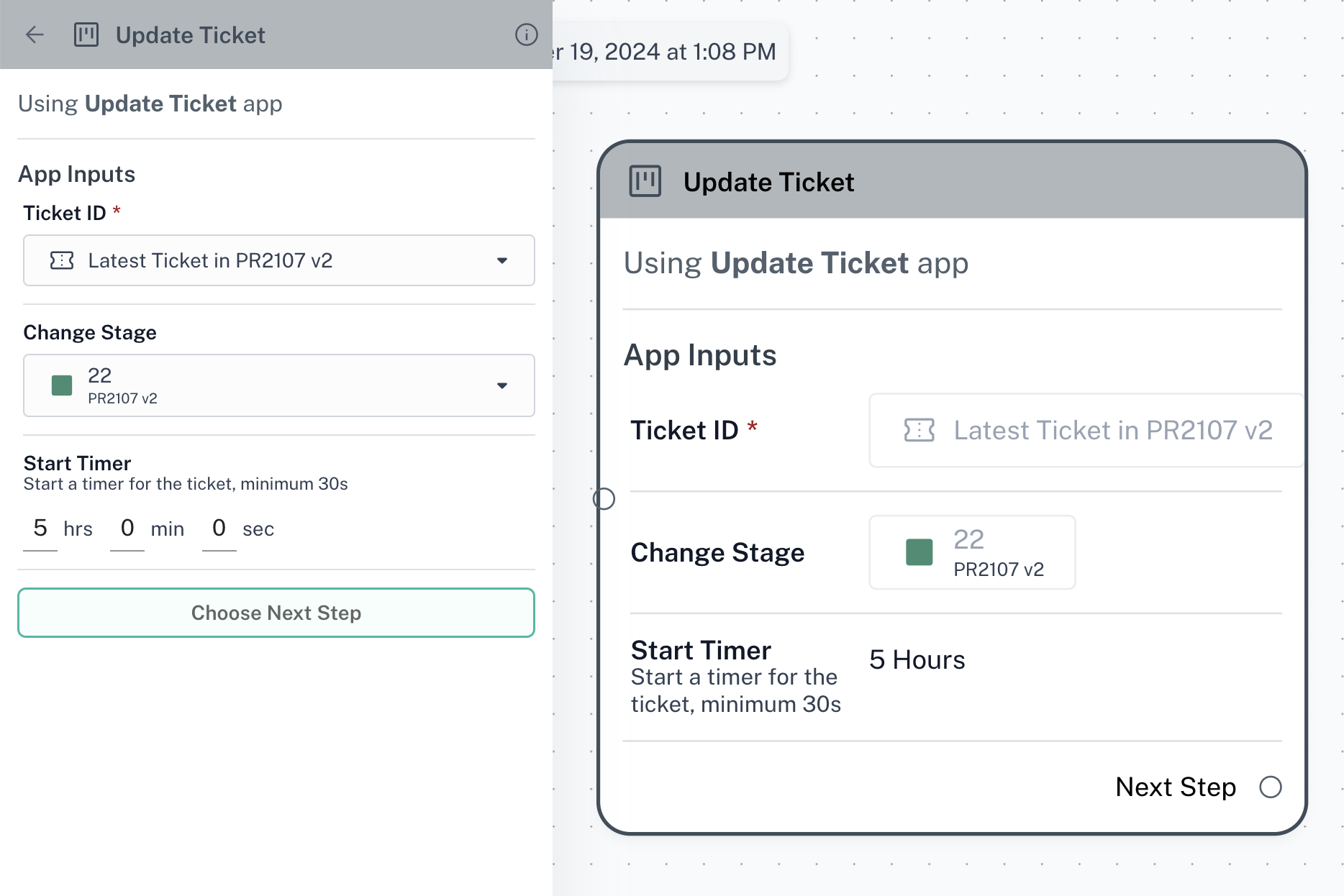
How to use the Update Ticket node
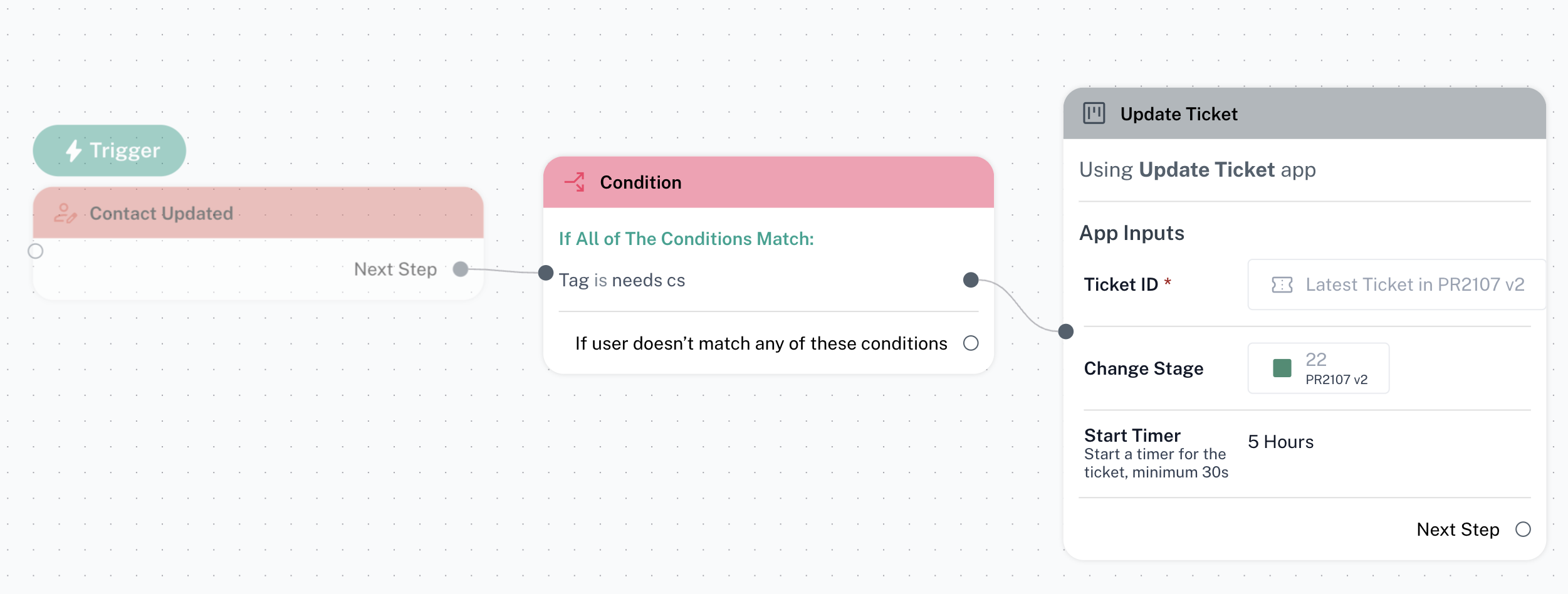
Step 1: Setup your message flow and navigate to the node where you want to update a ticket
Step 2: Click on “Choose Next Step” and select “Update Ticket”
Update Ticket node can be used in after buttons, conditions or triggers
Step 3: Select which ticket you want to update. You can choose the latest ticket in any CRM board, or manually select a particular ticket
Step 4: Select the updated CRM board and stage for your new ticket
The CRM board and stages should already be created before this step. Please click here to learn how
Step 5(Optional): Set a timer for the ticket. This indicates how much time your teammate has to respond to/close the ticket. Leave empty if you don’t want to set a timer