
How to view Broadcast details
Follow these simple steps to navigate to and view detailed information about a specific broadcast.
Updated Jul 17, 2026
Follow these steps to view detailed information about a specific broadcast.
Step 1: Open the Broadcasts page
From the left sidebar, go to Marketing → Broadcasts.
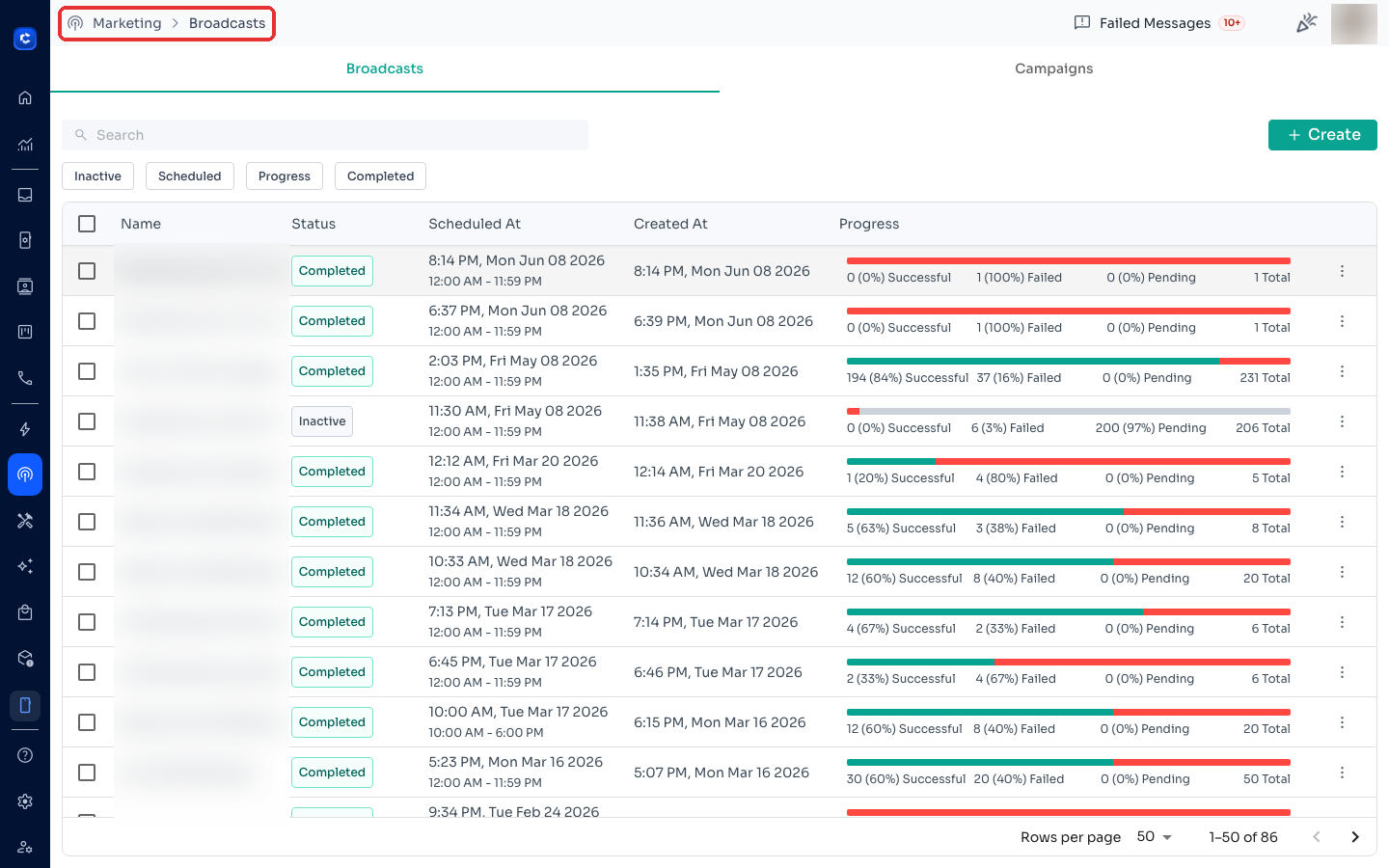
Step 2: Open the broadcast
Find the broadcast you want to inspect and click its Created At date/time to open the details page.
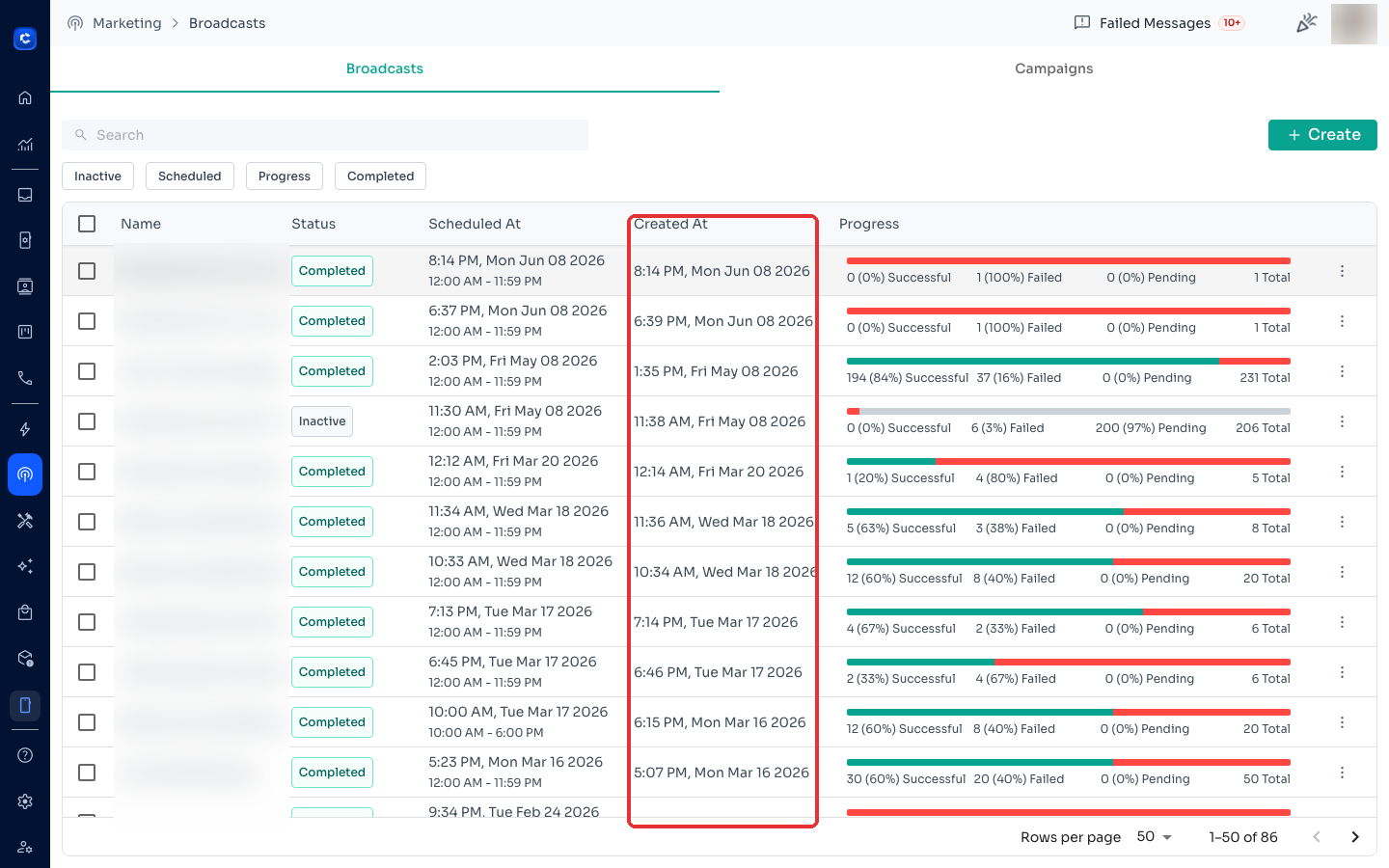
Step 3: Review the broadcast details
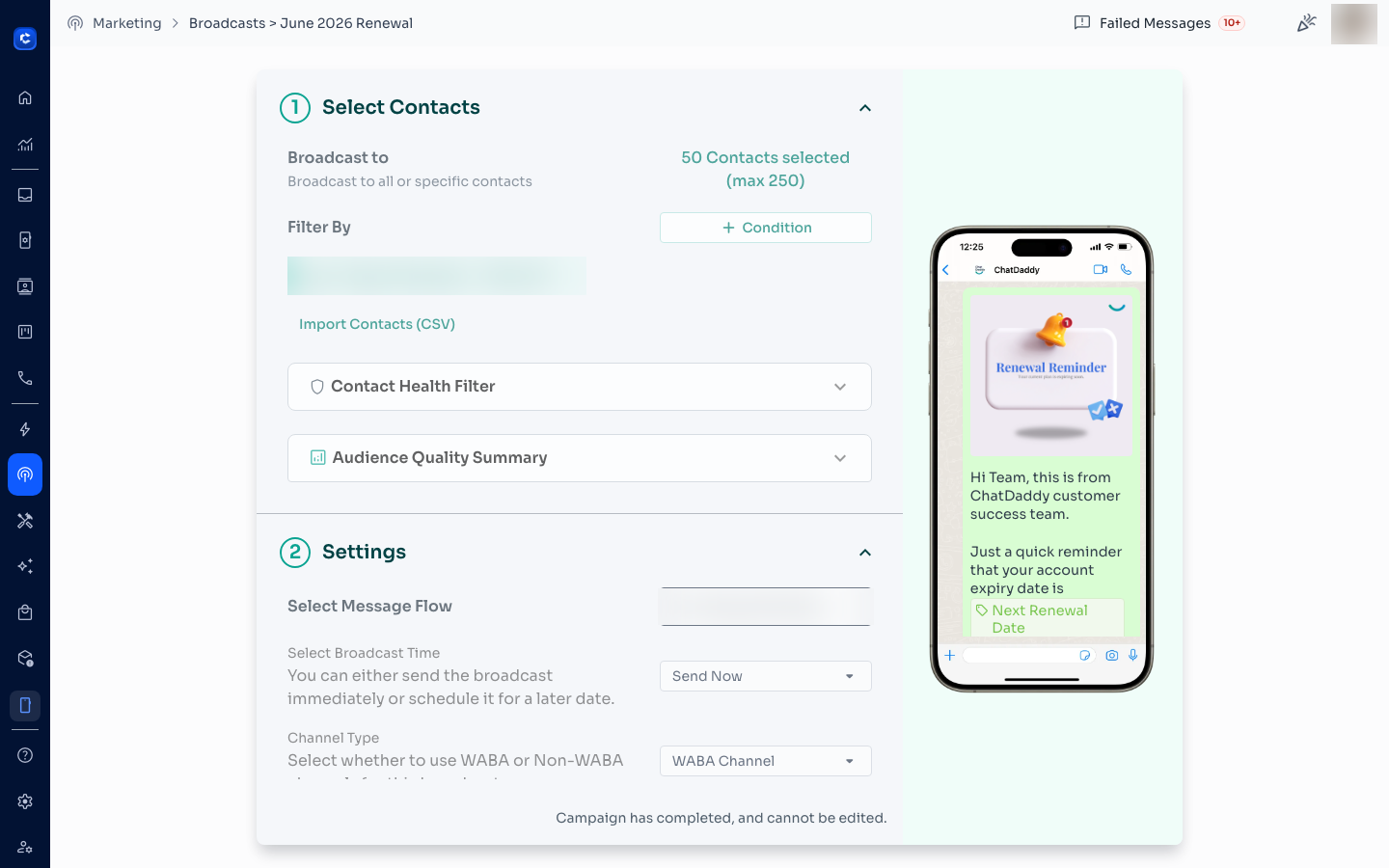
The details page shows everything that was configured when the broadcast was sent:
- Selected recipients and the audience filter used
- Message flow / content and a live message preview
- Broadcast time and delivery channel type (WABA / non-WABA)
- Advanced settings applied
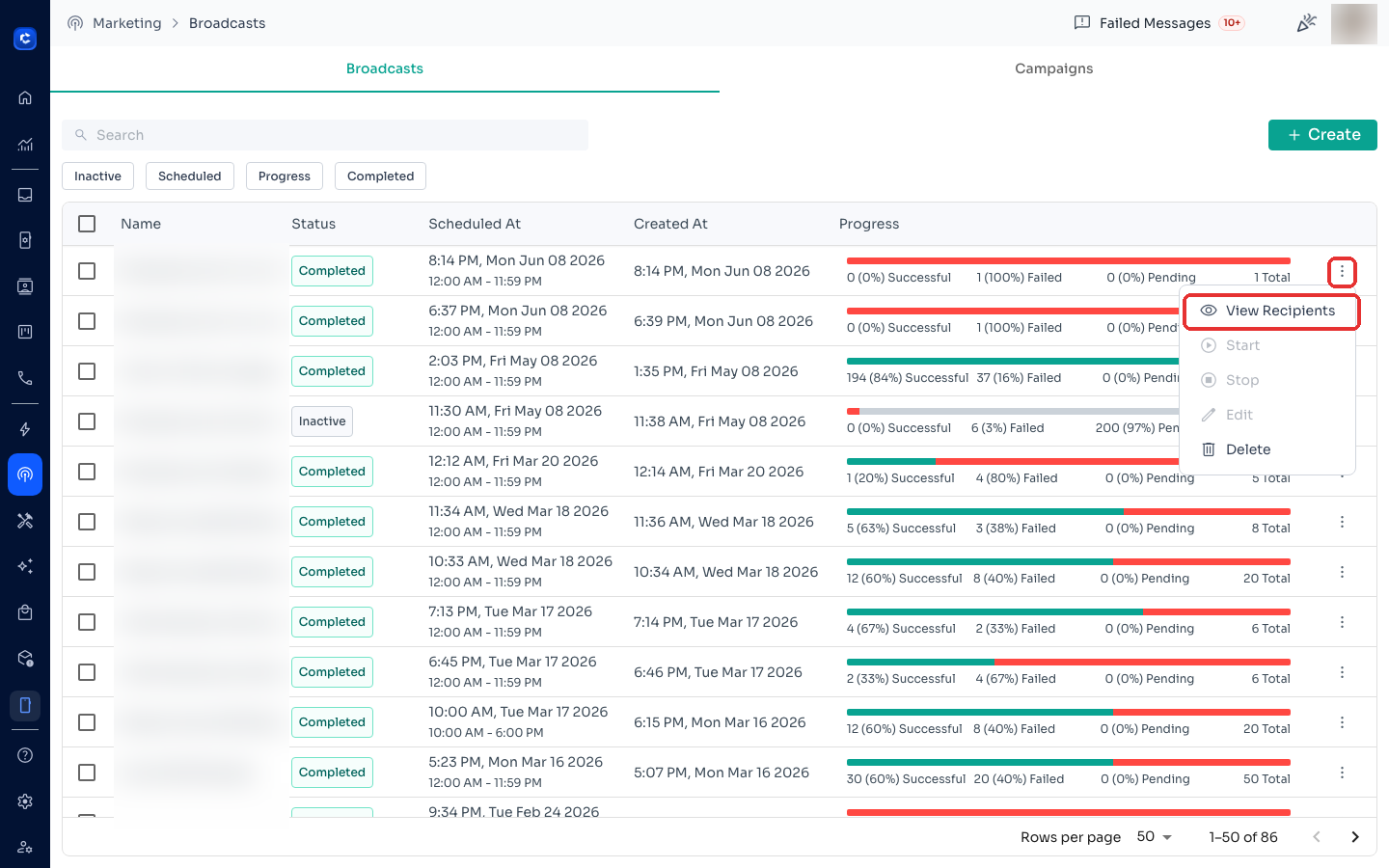
Tip: to see per-recipient delivery results instead, click the ⋮ menu → View Recipients on the broadcast row.
Was this article helpful?