
Running Live Giveaways and Contests with Comment Trigger
This guide focuses on using ChatDaddy to automate live giveaways and contests, streamlining the process and increasing participation.
Updated Nov 21, 2025
Intro
This guide focuses on using ChatDaddy to automate live giveaways and contests, streamlining the process and increasing participation.
Use Case: Running Live Giveaways and Contests
- Goal: Efficiently manage live giveaways and contests based on specific comment actions.
- Benefit: Simplifies contest management, collects participant data, and boosts engagement.
Steps to Implement:
1. Define Your Giveaway/Contest Rules:
- Determine the participation criteria (e.g., comment a specific word, tag friends, share the live video).
- Choose the prize and the method for selecting the winner.
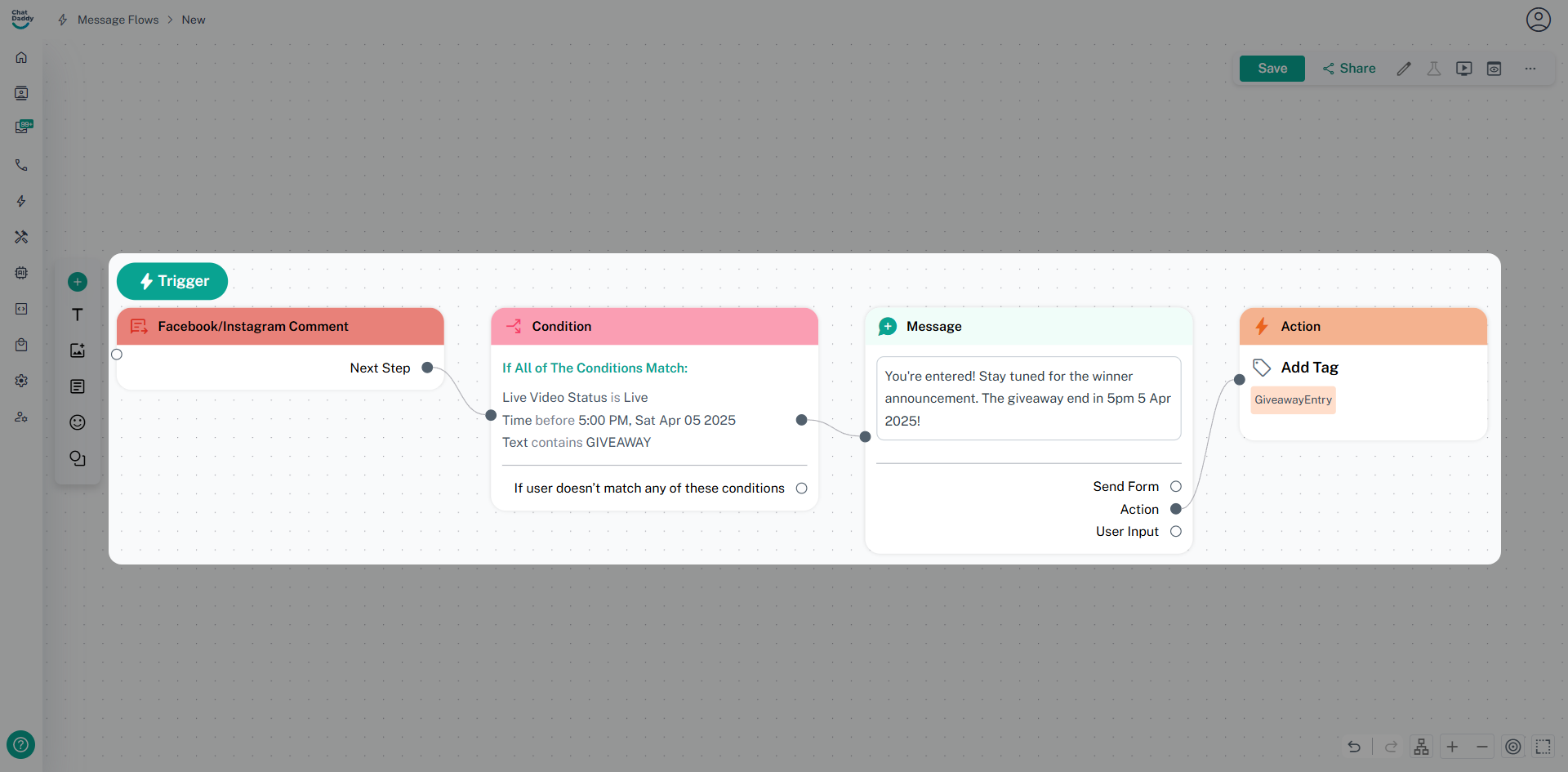
2. Create the Giveaway Automation in ChatDaddy:
-
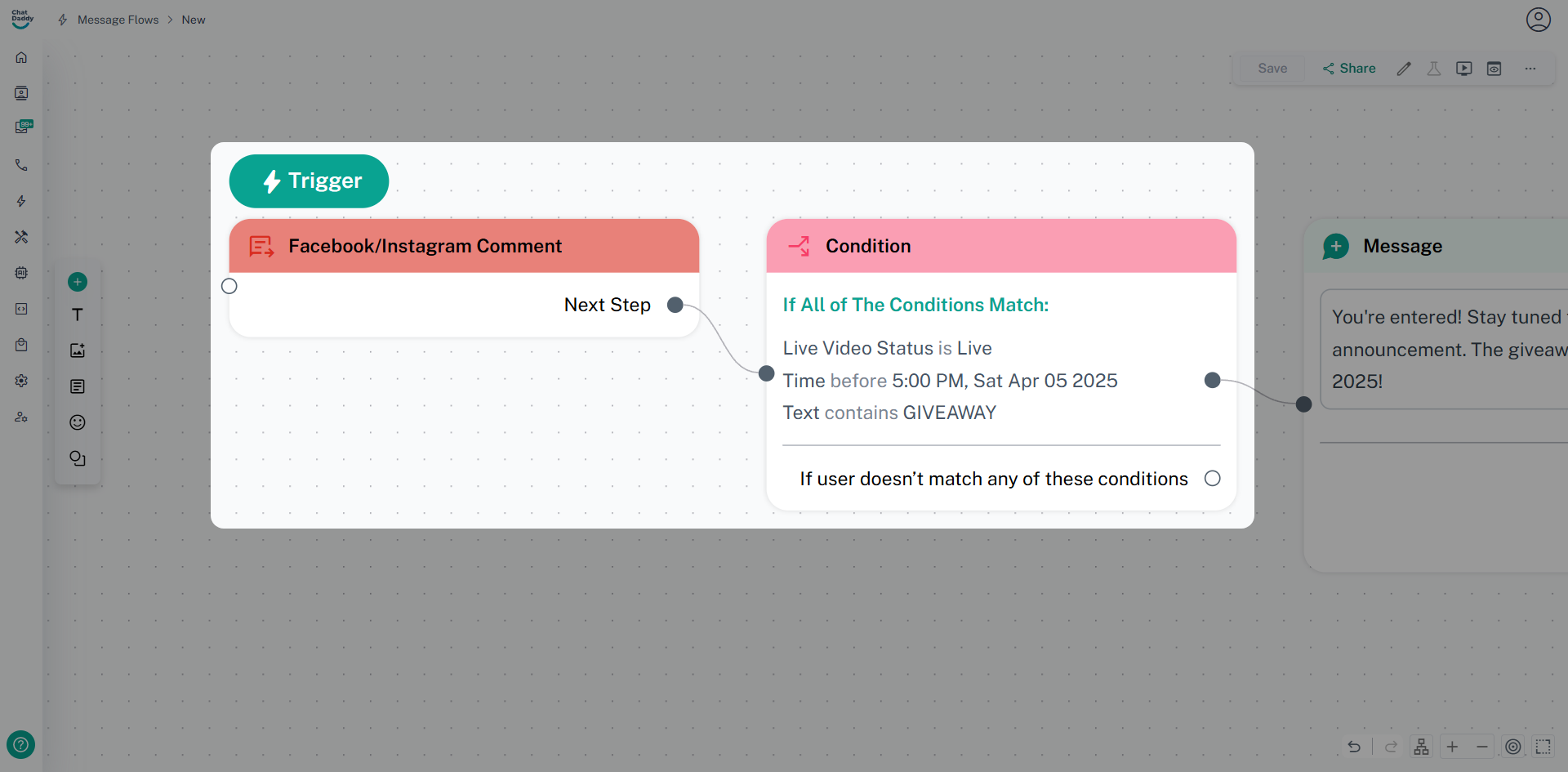
Trigger:
- Create a new "Facebook/Instagram Comment" trigger.
- Set the condition: "Comment Text" contains your chosen keyword (e.g., "GIVEAWAY").
- Set the condition: "Live Video Status" is "Live".
- Optionally, add condition: "Time" is before "5:00 PM 5 Apr 2025"
-
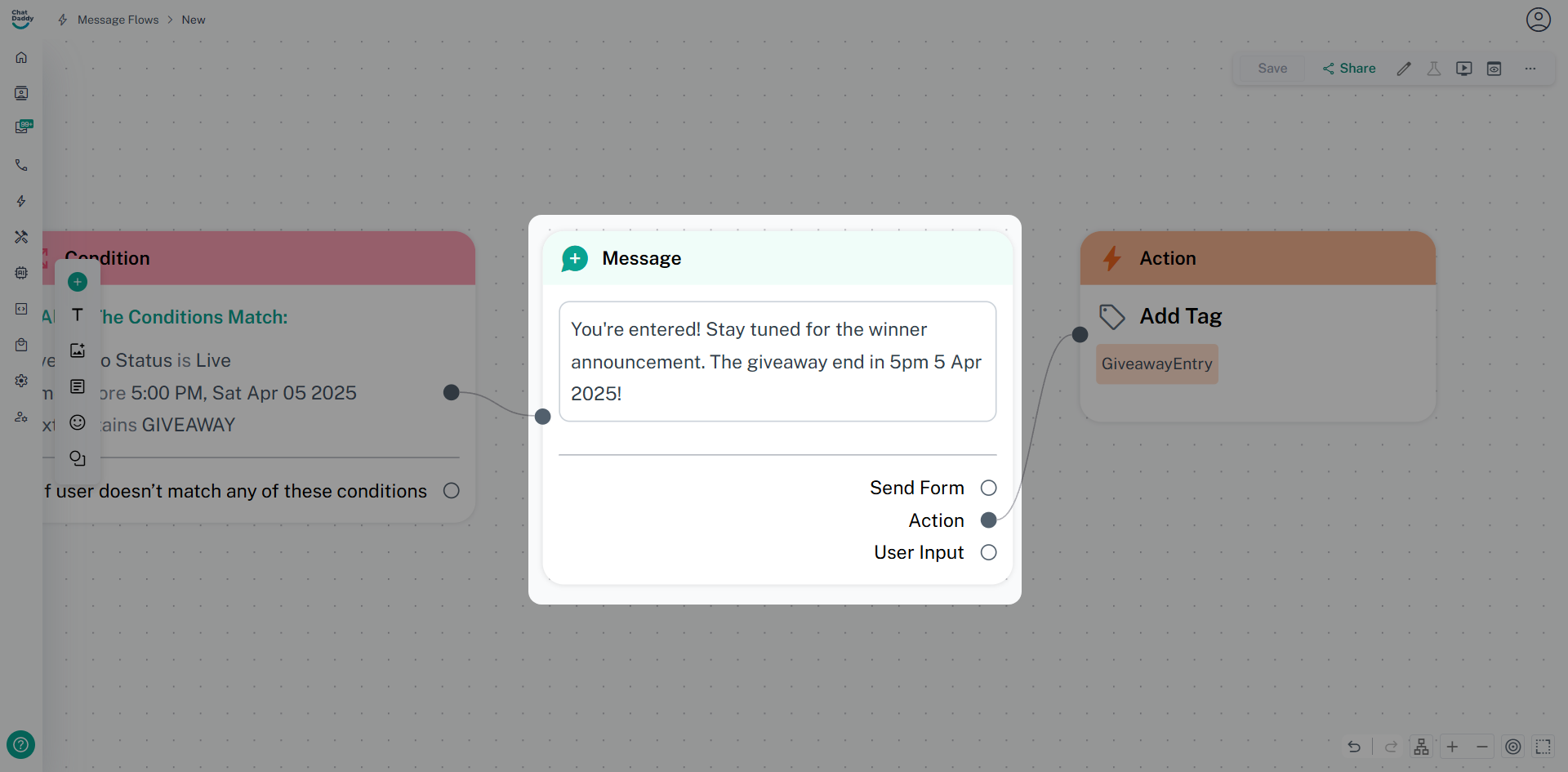
Action:
- Add a "Send Message" action.
- Craft a private message (DM) confirming entry and providing further instructions.
- Example: "You're entered! Stay tuned for the winner announcement. The giveaway end in 5pm 5 Apr 2025!"
-
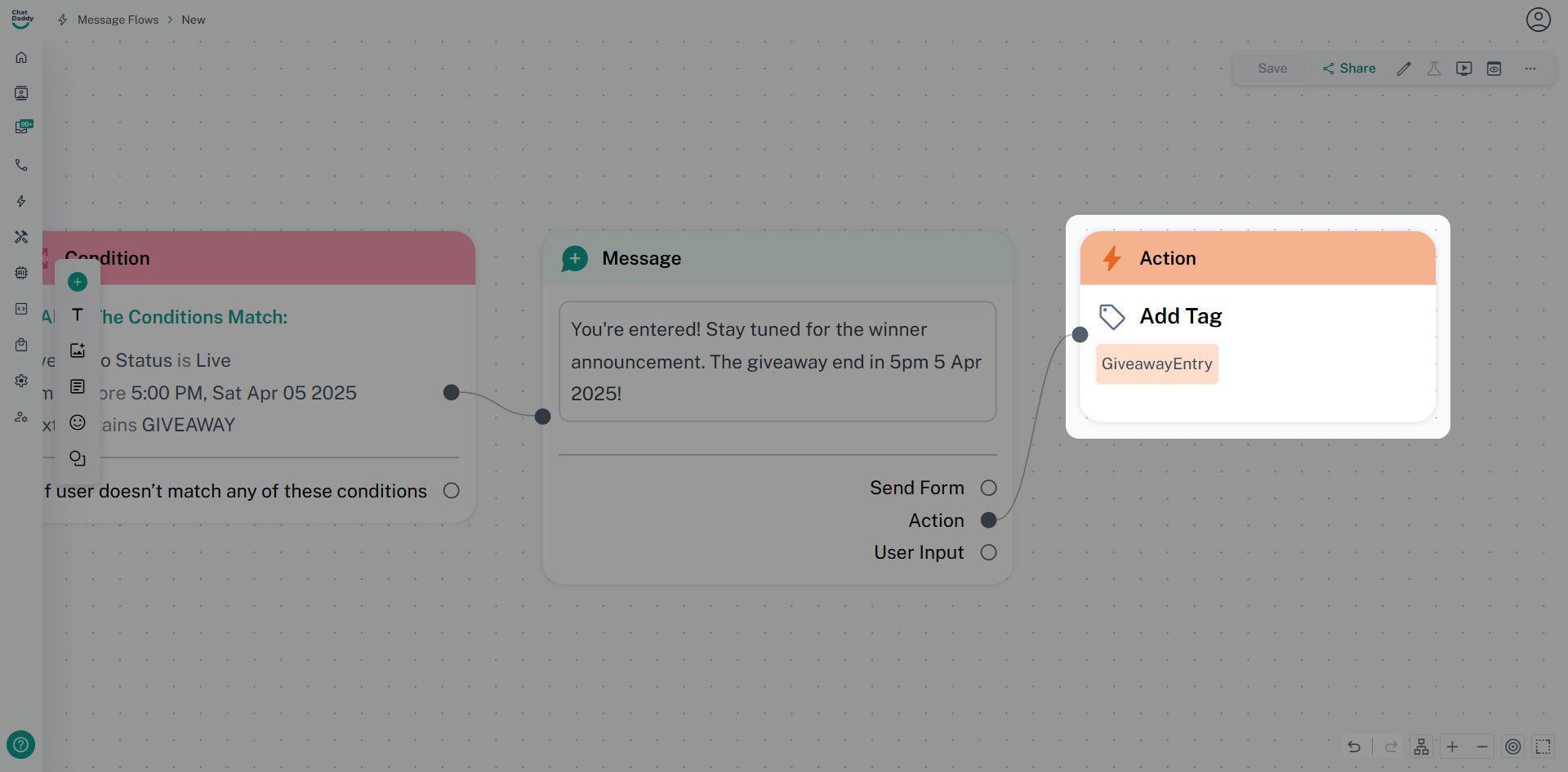
Optional Action:
- Add an "Add Tag" action.
- Tag participants (e.g., "GiveawayEntry").
3. Announce the Giveaway/Contest During the Live Stream:
- Clearly explain the rules and how to enter.
- Prompt viewers to comment with the required keyword or perform the desired action.
- Example: "To enter, comment 'GIVEAWAY' and tag two friends!"
4. Monitor and Manage Entries:
- Monitor the live chat and ensure ChatDaddy is sending confirmation DMs.
- Use the tags to track participants.
5. Select and Notify the Winner:
- After the live stream, use the tagged participants to select the winner.
- Send a private message (DM) to the winner with instructions on claiming the prize.
Key Considerations:
- Clear Instructions: Provide easy-to-understand rules.
- Engagement: Encourage viewers to participate actively.
- Transparency: Be clear about the selection process.
- Compliance: Ensure your giveaway complies with platform rules.
- Testing: Test your automation before the live event.
Was this article helpful?