
Slow Performance, Buffering, or Blank Pages
🚀 Troubleshooting Slow Performance, Buffering, or Blank Pages on ChatDaddy
Updated Nov 21, 2025
🚀 Troubleshooting Slow Performance, Buffering, or Blank Pages on ChatDaddy
If you notice ChatDaddy is running slowly, buffering, or showing a blank page, it’s often caused by browser cache or cookies. Clearing them usually fixes the issue.

✅ Clear Browser Cache & Cookies
-
Open your browser settings. At the top right, click the three dots (⋮) menu.
-
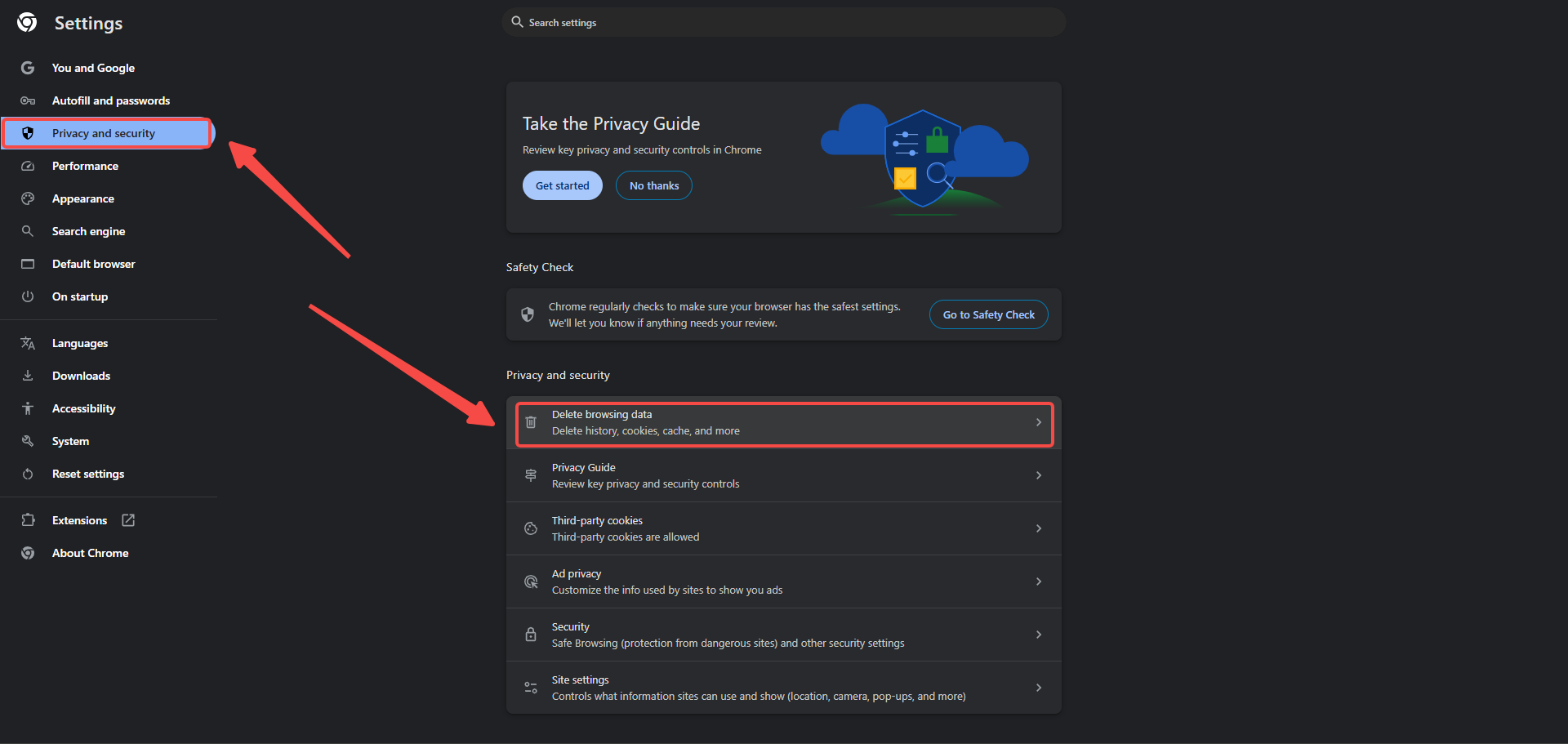
Look for Privacy & Security or History.
-
Select Clear Browsing Data.
-
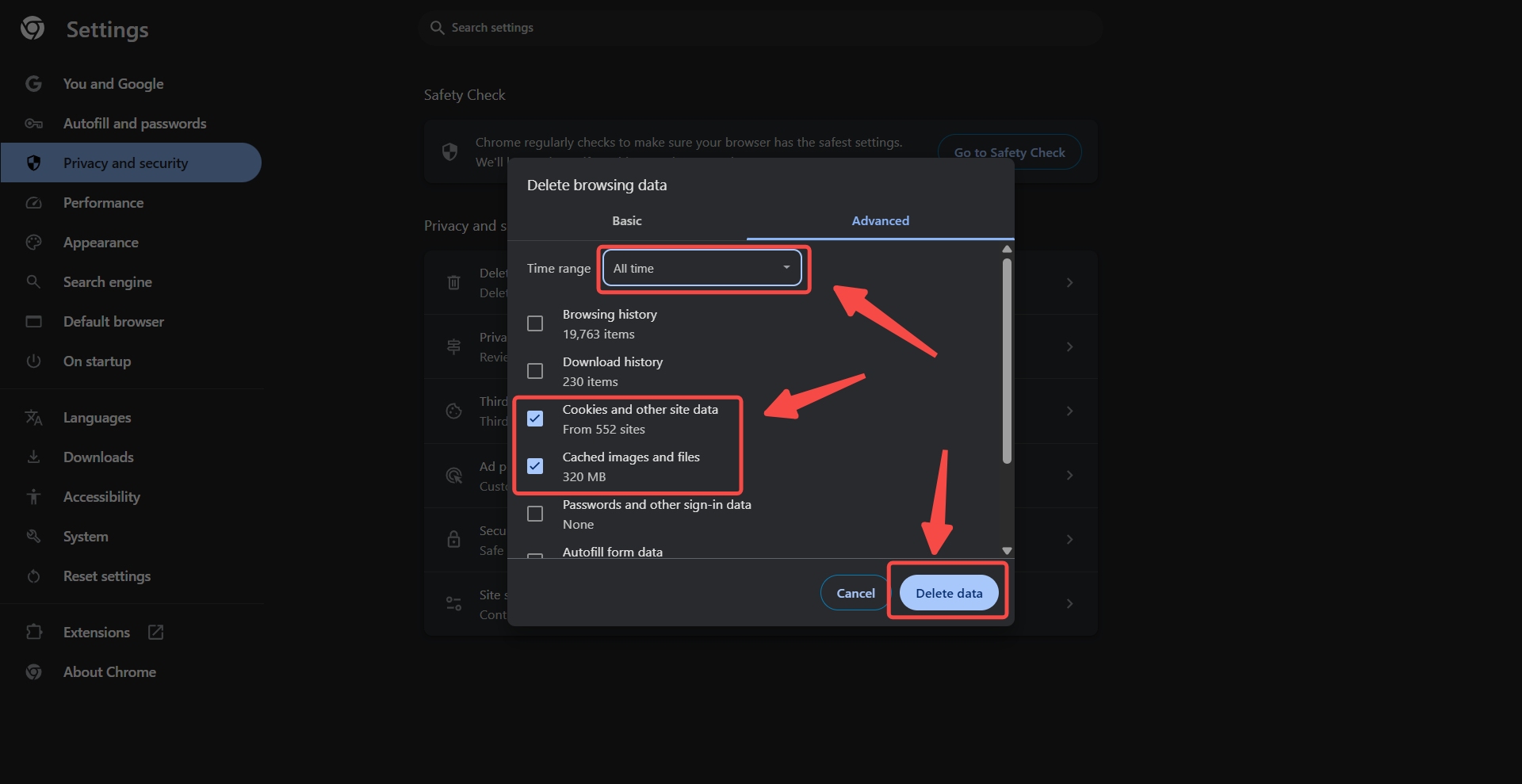
Choose Cached images and files and Cookies and site data.
-
Click Clear Data.
-
Restart your browser and log in to ChatDaddy again.
🔧 Additional Troubleshooting Steps
If the issue persists after clearing cache and cookies, try the following:
- Use an updated browser (we recommend Chrome).
- Open ChatDaddy in Incognito/Private Mode to rule out extensions causing conflicts.
- Restart your device to refresh resources.
- Check internet connection – ensure it’s stable and not restricted by firewalls.
📌 Still Having Issues?
If the problem continues even after trying the above steps, please contact ChatDaddy Support with:
- A screenshot of the issue.
- Your browser version.
- The steps you already tried. Click here to learn how to submit a support ticket.
Was this article helpful?