WhatsApp Not Working on ChatDaddy? Fix Bans, Delays, Disconnections & Blocks
Troubleshoot the most common WhatsApp issues on ChatDaddy — number banned, messages delayed or not sending, QR disconnecting, missing messages, duplicate broadcasts, and 24-hour blocks. Includes fixes and long-term solutions.
This guide covers the most common WhatsApp problems reported by ChatDaddy users — why they happen, what you can do right now, and the long-term fix. Use the sections below to find your issue.
1. WhatsApp Number Banned or Account Restricted
Also searched as: number flagged, account suspended, can't send messages, number marked sensitive, whatsapp ban chatdaddy
What you may experience
- Number banned after sending messages to multiple contacts
- Even long-term personal numbers (10+ years old) get restricted
- You see "Your account is not allowed to use WhatsApp" or similar error
- Worried your number is "marked as sensitive" by WhatsApp
Why this happens
WhatsApp uses machine learning anti-spam detection. The rules are not publicly documented, and once flagged, no software provider — including ChatDaddy — can reverse the ban. The risk is higher when sending identical messages to many people in a short period.
Official links
What you can do now
- Stop all broadcasts immediately
- Send only 1-to-1 replies to customers who messaged you first
- Avoid identical copy-paste messages to large groups
- Use WhatsApp-approved message templates
- Build healthy reply rates — encourage customers to respond
⭐ Recommended long-term fix: Upgrade to WhatsApp Business API (Co-existence) for higher stability, lower ban risk, and a visible account quality score.
2. WhatsApp Messages Delayed or Not Sending — Flow Delays
Also searched as: messages slow, messages not sending, flow not triggering, delay not working, messages stuck in queue, broadcast slow
What you may experience
- Delay set to 5 seconds but message sends after minutes
- Message flow steps delayed or skipped
- Slow broadcast sending during peak hours
- Messages appear "sent" in ChatDaddy but not received by customer
Why this happens
WhatsApp throttles sending speed based on your device performance, network stability, message volume, and server load. ChatDaddy has no control over WhatsApp's send queue.
Official link
What you can do now
- Reduce message volume per minute
- Keep your phone charged and online with a stable connection
- Avoid scheduling large broadcasts during peak hours (9am–12pm)
- Restart WhatsApp if the queue appears stuck
⭐ Recommended long-term fix: WhatsApp Business API (Co-existence) sends via Meta's servers directly — no phone dependency, faster and more stable delivery.
3. Instagram & Facebook Messenger Automation Not Working
Also searched as: ig trigger not working, instagram flow not triggering, messenger automation, facebook messages not syncing, ig automation chatdaddy
What you may experience
- Instagram message flows do not trigger
- Messenger automation is unavailable or inconsistent
- Some IG/FB messages don't sync into ChatDaddy inbox
- Comment triggers on IG not firing
Why this happens
Meta does not provide the same level of automation support for Instagram and Messenger as it does for WhatsApp. Many message types and trigger events are simply not available via the API.
Official links
What you can do now
- Reconnect your Facebook Page or Instagram account in ChatDaddy
- Make sure you are a Page Admin (not just an editor)
- Refresh the token via Meta Business Integrations
- Check that your IG account is a Professional (Business or Creator) account
⭐ Recommended long-term fix: For automation-heavy use cases, WhatsApp remains the most reliable channel. WhatsApp Business API provides enterprise-level reliability that IG/Messenger cannot match.
4. ChatDaddy Shows "Connected" But WhatsApp Shows "Disconnected"
Also searched as: session mismatch, whatsapp web disconnected chatdaddy connected, different status, channel status wrong, whatsapp web vs chatdaddy
What you may experience
- ChatDaddy dashboard shows channel as "Connected"
- WhatsApp Web (web.whatsapp.com) shows "Disconnected" or "Phone not connected"
- Customers not receiving messages despite "Connected" status
Why this happens
WhatsApp multi-device uses separate session IDs for each linked device. ChatDaddy and WhatsApp Web each hold their own session — they do not share the same connection, so mismatches are expected.
Official link
What you can do now
- Reconnect your QR code inside ChatDaddy (Manage Channels → Reconnect)
- Restart your phone and internet connection
- Avoid using WhatsApp Web at the same time as ChatDaddy (they compete for the same session slot)
- Turn off battery optimization for WhatsApp on your phone
⭐ Recommended long-term fix: WhatsApp Business API (Co-existence) removes the phone and QR dependency entirely — your number connects via Meta's cloud, not a phone session.
5. Messages Missing or Lost After Reconnecting WhatsApp
Also searched as: messages not received, messages disappeared, lost messages, messages missing after reconnect, messages delayed after scanning qr
What you may experience
- Some messages are missing after reconnecting
- Messages arrive very late (hours after being sent)
- Messages lost permanently after QR reconnection or network drop
Why this happens
When WhatsApp reconnects, it re-syncs your session from the server. Messages sent during the gap — when your session was offline — may be dropped or delayed, especially during network instability or multi-device syncing.
Official link
What you can do now
- Keep your phone online at all times (avoid flight mode, poor signal areas)
- Avoid switching between WiFi and mobile data during active conversations
- Turn off VPN while using ChatDaddy
- If messages are missing, check WhatsApp directly on the phone to confirm if they were received
⭐ Recommended long-term fix: WhatsApp Business API (Co-existence) has no mobile device dependency — no messages are ever lost due to QR disconnection.
6. Broadcast Sent Twice — Duplicate Messages
Also searched as: broadcast duplicated, message sent twice, double message, same message twice, duplicate broadcast chatdaddy
What you may experience
- A broadcast appears in the customer's chat twice
- The same broadcast runs again the next day
- Duplicate messages in outbox or flow logs
Why this happens
When WhatsApp re-syncs message receipts after a reconnection, it can trigger duplicate delivery confirmations — causing ChatDaddy's system to re-send or re-log the message.
What you can do now
- Never reconnect your WhatsApp channel while a broadcast is actively sending
- Wait for the broadcast to fully complete before making any channel changes
- Check your broadcast logs before resending — confirm it was not already delivered
⭐ Recommended long-term fix: WhatsApp Business API template messages use Meta's delivery infrastructure directly, with guaranteed single delivery and no phone-based duplication.
7. WhatsApp QR Code Keeps Disconnecting
Also searched as: qr code expired, channel keeps disconnecting, whatsapp logged out, session expired chatdaddy, reconnect qr every day, channel offline
What you may experience
- QR code must be re-scanned every few days or daily
- Channel drops when your phone's screen turns off or battery saver activates
- "Channel Disconnected" notification on ChatDaddy
Why this happens
QR-based WhatsApp sessions are tied to your phone being online and active. Battery saver modes, phone restarts, poor network, or WhatsApp app updates can break the session without warning.
Official link
What you can do now
- Keep your phone charged above 20% at all times
- Disable battery saver / power optimization for WhatsApp
- Ensure your phone has a stable WiFi connection
- Keep WhatsApp updated to the latest version
- Avoid restarting your phone during business hours
⭐ Recommended long-term fix: WhatsApp Business API (Co-existence) eliminates QR entirely — your number stays online 24/7 regardless of your phone's status.
8. WhatsApp 24-Hour Block — Cannot Send or Receive Messages
Also searched as: 24 hour ban, whatsapp blocked 24 hours, messaging restricted, cannot send messages chatdaddy, whatsapp account restricted, temporary ban whatsapp
What you may experience
- Cannot send any messages for a full 24 hours
- Cannot reply to customers even manually
- All flows and broadcasts are blocked
- You see a restriction notice in WhatsApp or ChatDaddy
Why this happens
WhatsApp enforces a temporary 24-hour messaging block when too many recipients block or report your number, your message volume spikes suddenly, or your messages violate WhatsApp's policies.
Official links
What you can do now
- Stop all flows and automation immediately — do not try to send manually either
- Wait out the full 24 hours before resuming any messaging
- Review your recent broadcast content for policy violations
- Remove any repeated or template-like messages from your flows
- Confirm that all contacts have opted in to receive messages from you
⭐ Recommended long-term fix: 24-hour blocks only apply to QR-based WhatsApp numbers. WhatsApp Business API (Co-existence) gives you a visible account quality score and significantly lowers the risk of restrictions.
Why Upgrade to WhatsApp Business API (Co-existence)?
If you're hitting these issues frequently, the long-term fix is the same for most of them: WhatsApp Business API (Co-existence).
Here's what it gives you:
- No QR disconnections — your number connects via Meta's cloud, not your phone
- No message loss — no device dependency means no gaps during reconnection
- Faster, more stable delivery — direct API connection, not throttled by phone performance
- Lower risk of bans and 24-hour blocks — plus a visible account quality score to monitor your standing
- Full multi-agent support — your whole team works from one number without conflicts
- Scale-ready — built for businesses that are growing
Many businesses upgrade not because of volume — but because they need reliability and peace of mind.
To find out if Co-existence is right for you, reach out to the ChatDaddy support team from the in-app chat.
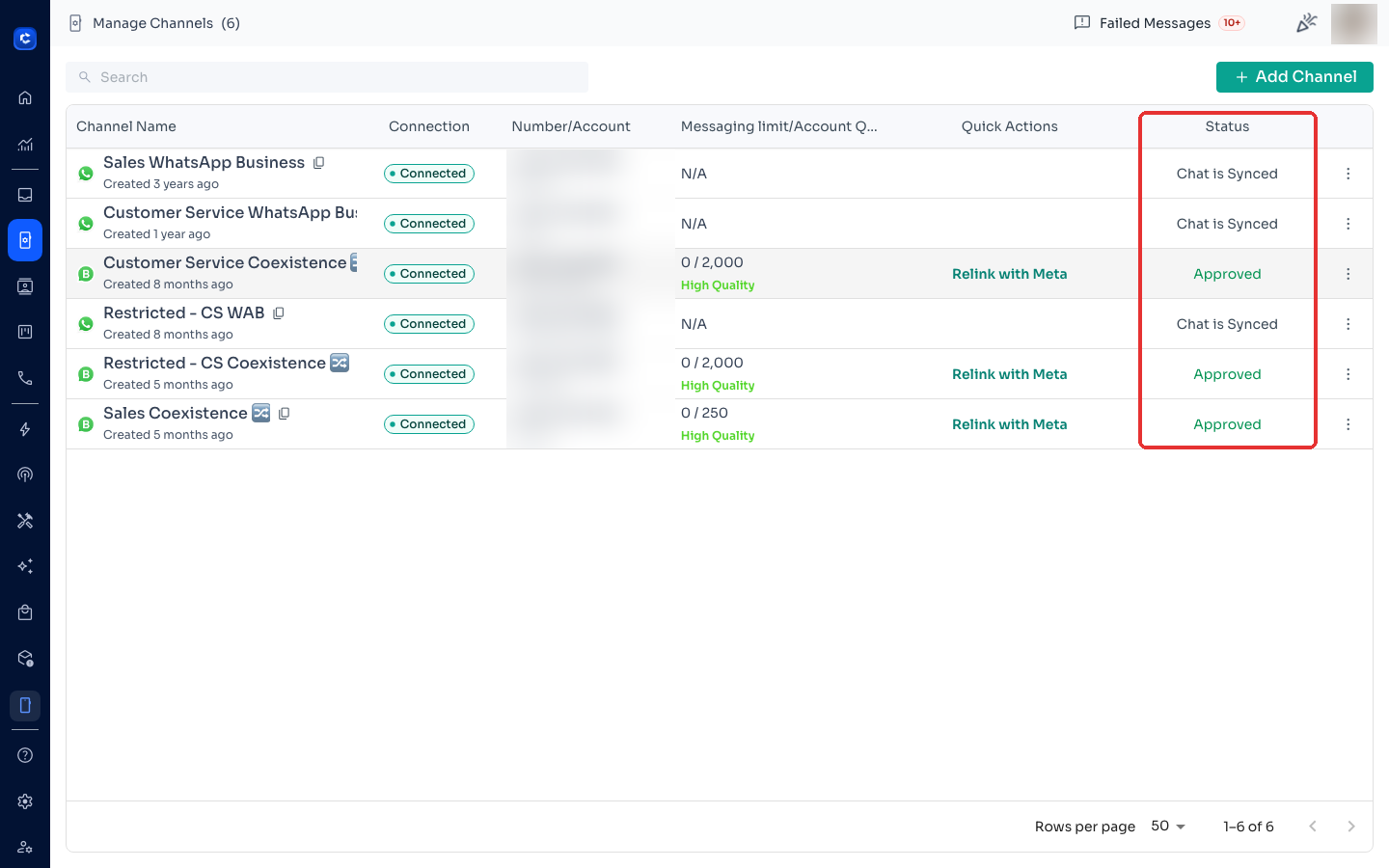
Where to click