SMS Channel
https://drive.google.com/file/d/101kamNu8e9tI6rDBfHsbPijh6oQZAlQw/view?usp=sharing
How to Integrate SMS Channel?
Note: The user has the flexibility to choose any name they prefer as the sender ID to be displayed on the recipient's end.
How to use SMS channel?
Using the SMS channel is as easy as integrating it.
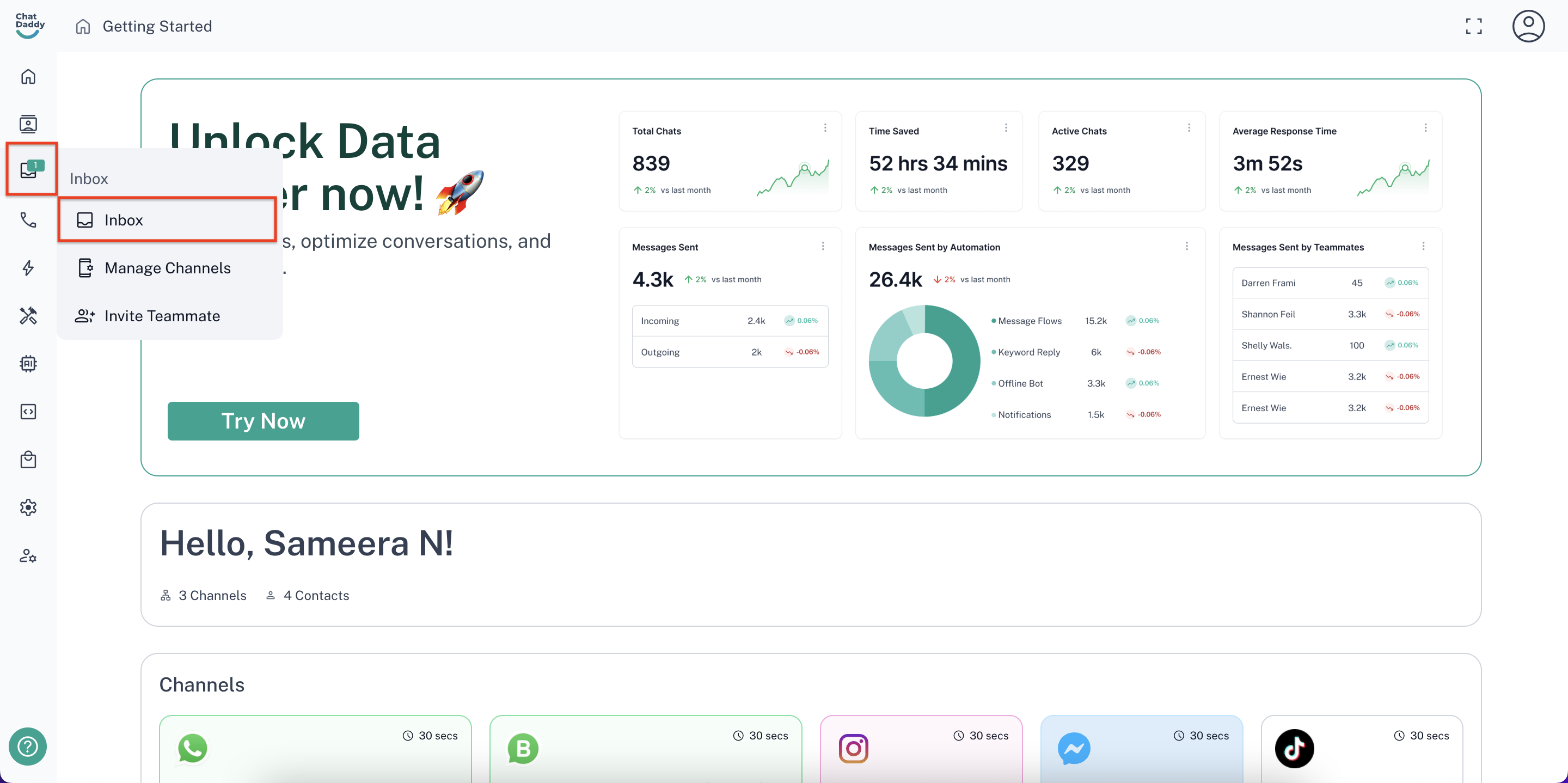
Step 1: On the ChatDaddy dashboard, hover over the menu on the left-hand side and dind the “Inbox” option
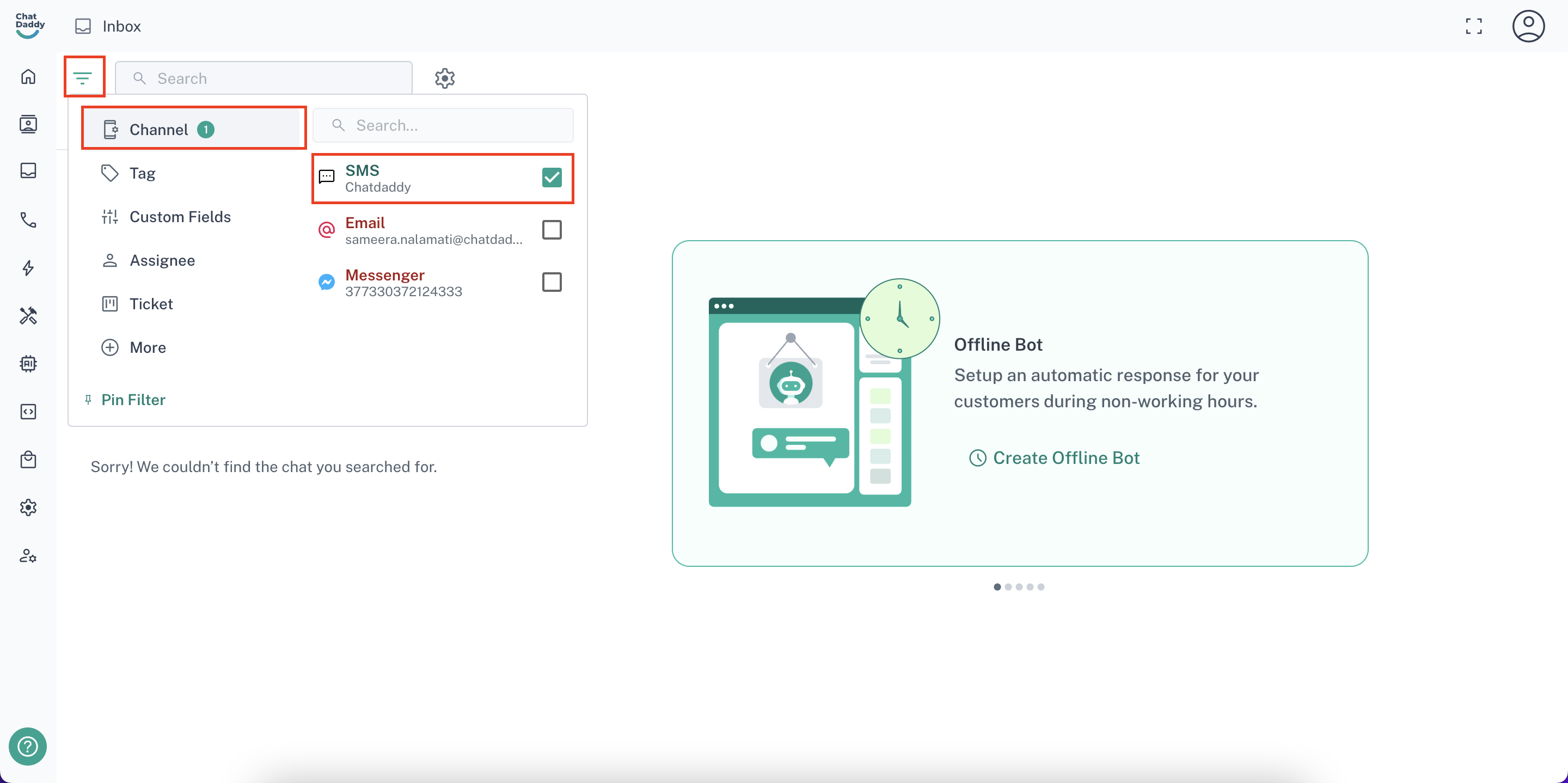
Step 2: Click on the filter button, select “Channel” and click the checkbox for the SMS Channel you just created
You can import contacts for SMS just like you upload contacts for a WhatsApp channel. Just select the SMS channel’s name at the time of importing.
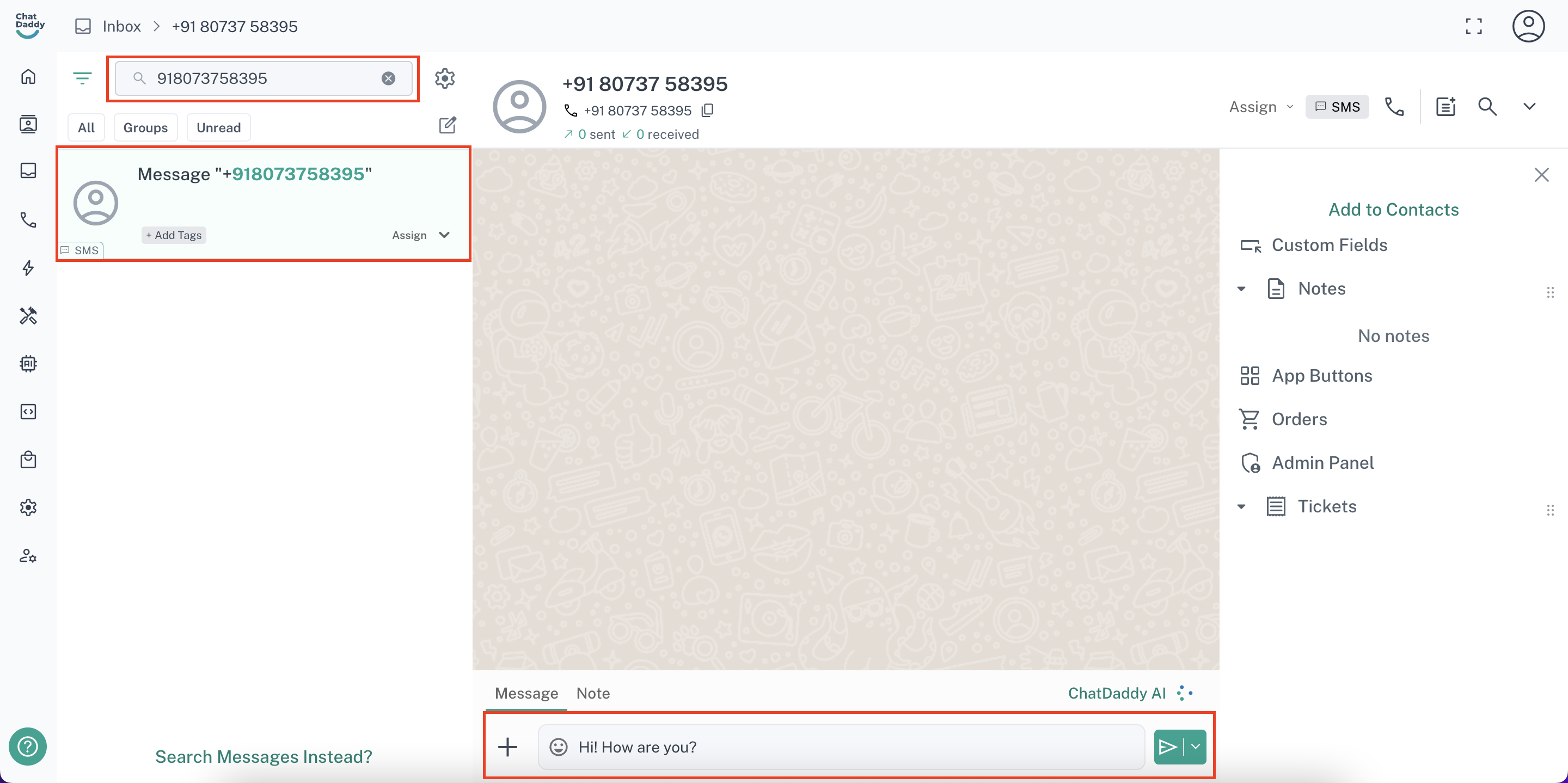
Step 3: Type in the Phone Number that you want to send your message to or search for it(if you already have the contacts imported). Then, send them a personalised SMS of your choosing!
SMS Channel can just send messages but not receive them. As in real world situations, SMS is only used for promotional and marketing purposes.