
Channels — Connecting WhatsApp Number via QR Code
Channels — Connecting WhatsApp via QR Code
Connect your personal WhatsApp or WhatsApp Business App to ChatDaddy by scanning a QR code — the fastest way to get started (no Meta approval needed).
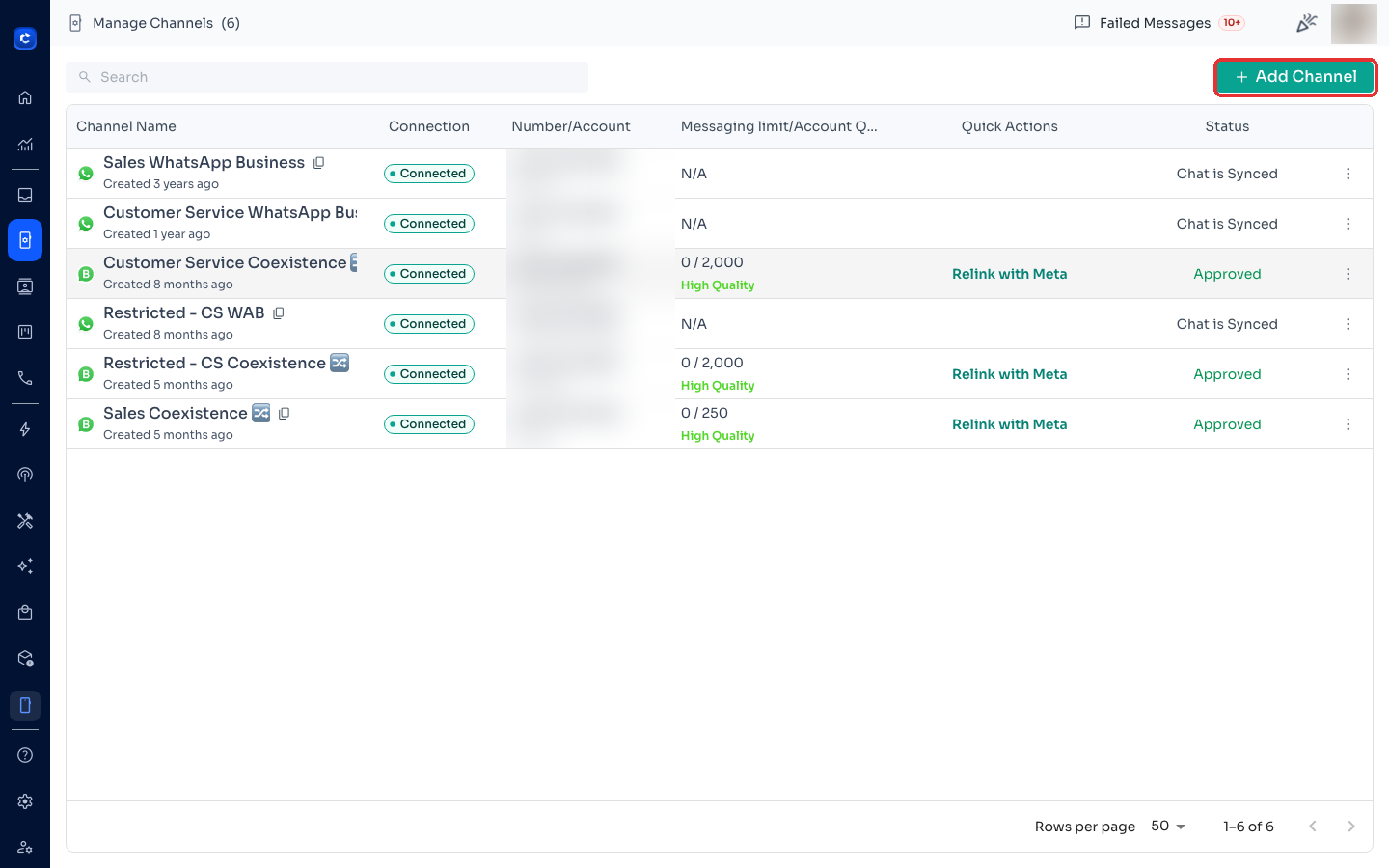
Step 1: Open Manage Channels
Click Manage Channels in the left sidebar, then click + Add Channel in the top-right.
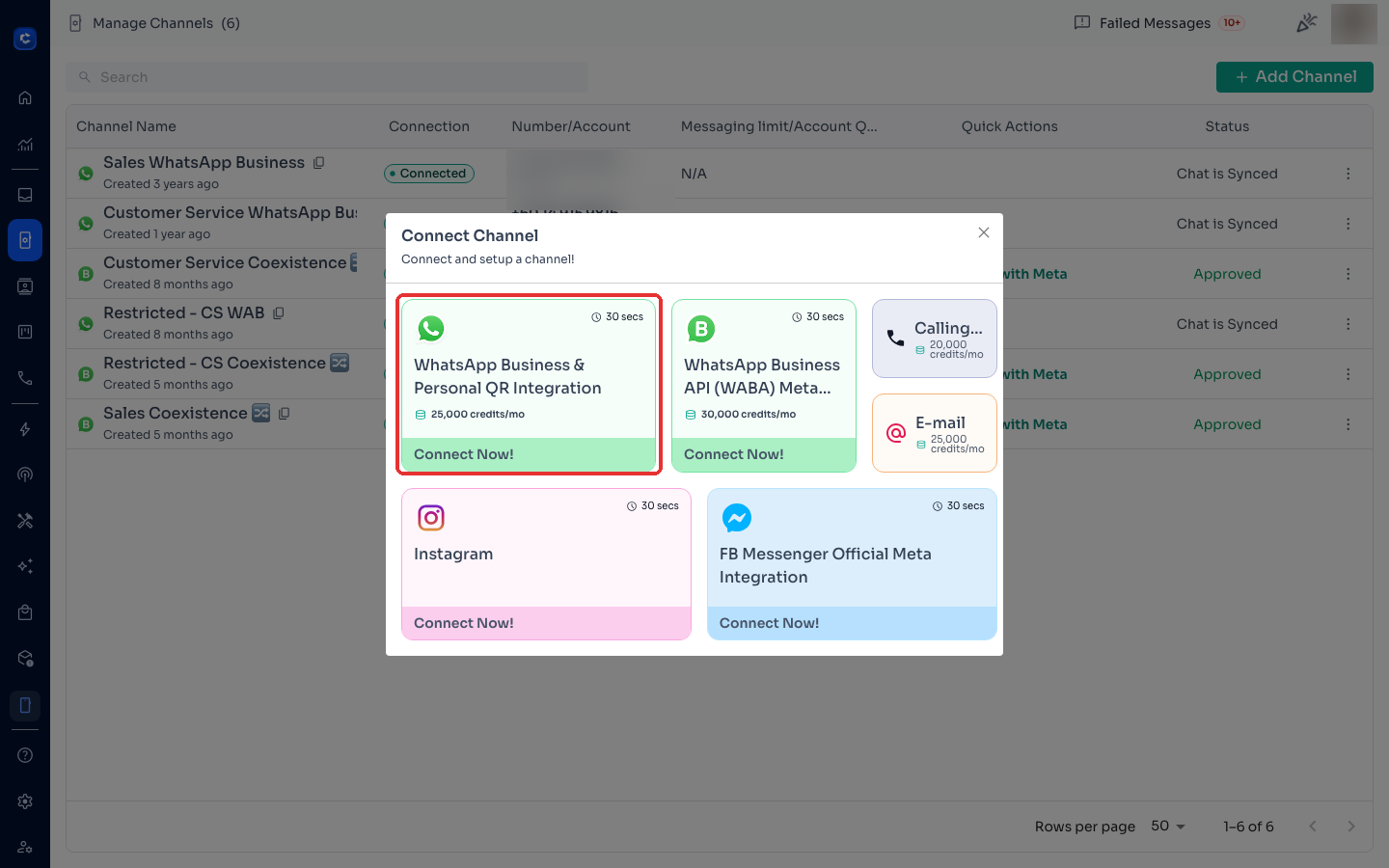
Step 2: Choose WhatsApp QR Integration
In the Connect Channel picker, select WhatsApp Business & Personal QR Integration.
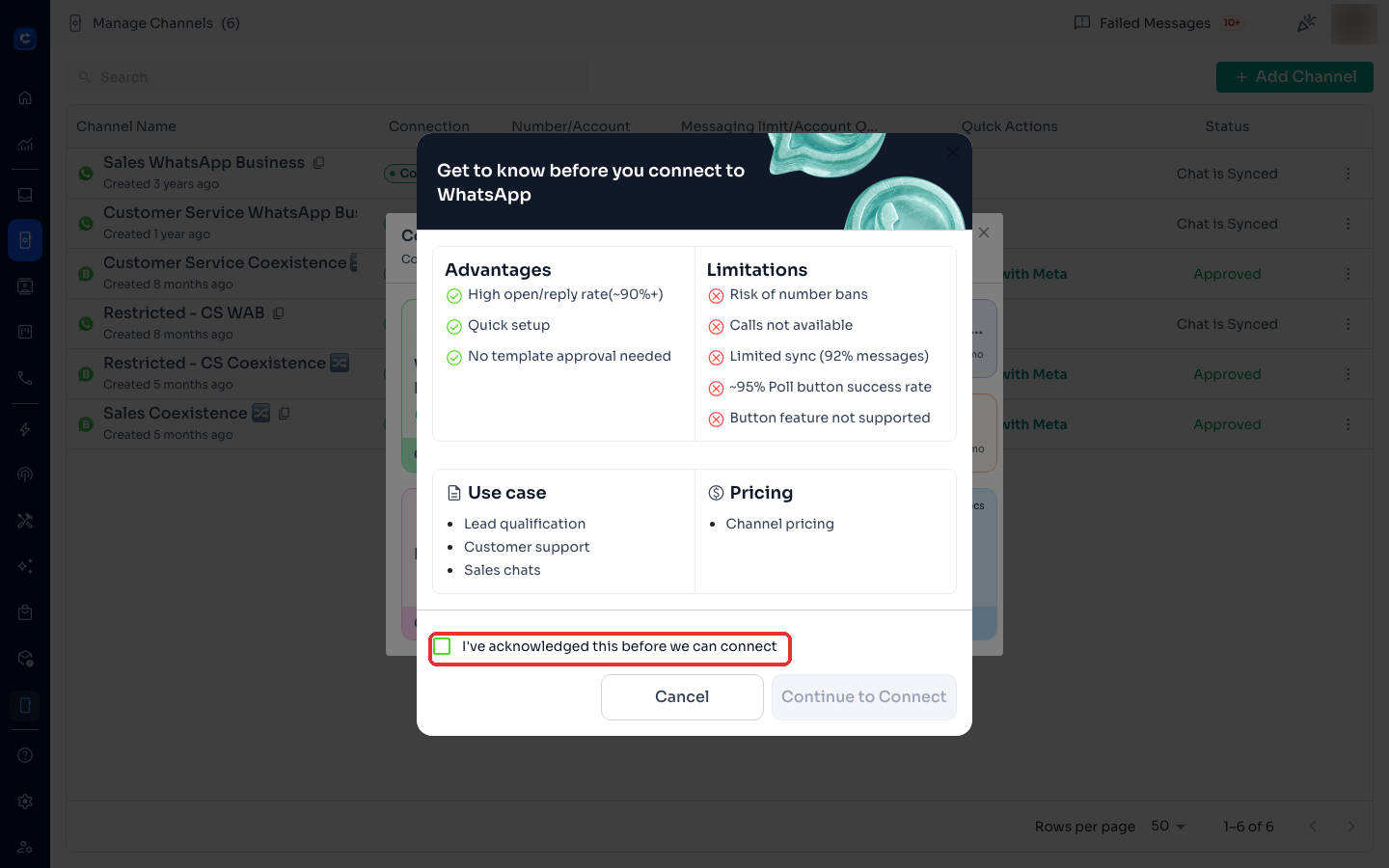
Step 3: Read and acknowledge the connection notes
ChatDaddy shows the advantages and limitations of a QR connection (high open rates and quick setup, but ban risk, no calls, and limited sync). Tick "I've acknowledged this before we can connect" and click Continue to Connect.
Step 4: Scan the QR code with your phone
- Open WhatsApp on your phone
- Go to Settings → Linked Devices → Link a Device
- Scan the QR code shown in ChatDaddy
Step 5: Wait for the sync
Once scanned, your channel appears in Manage Channels with status Chat is Synced. Recent conversations sync in over the next few minutes.
Keep your phone online. A QR connection works like WhatsApp Web — if your phone loses internet or WhatsApp is closed too long, the channel disconnects. See How to fix WhatsApp channel disconnecting frequently.