
How to Check Your Current Plan & Next Charge Date
This guide shows you how to view your current subscription plan and your next charge (renewal) date inside ChatDaddy. It takes less than a minute.
This guide shows you how to view your current subscription plan and your next charge (renewal) date inside ChatDaddy. It takes less than a minute.
Time needed: ~1 minute • Where: Settings → Billing
Step 1 — Open Settings
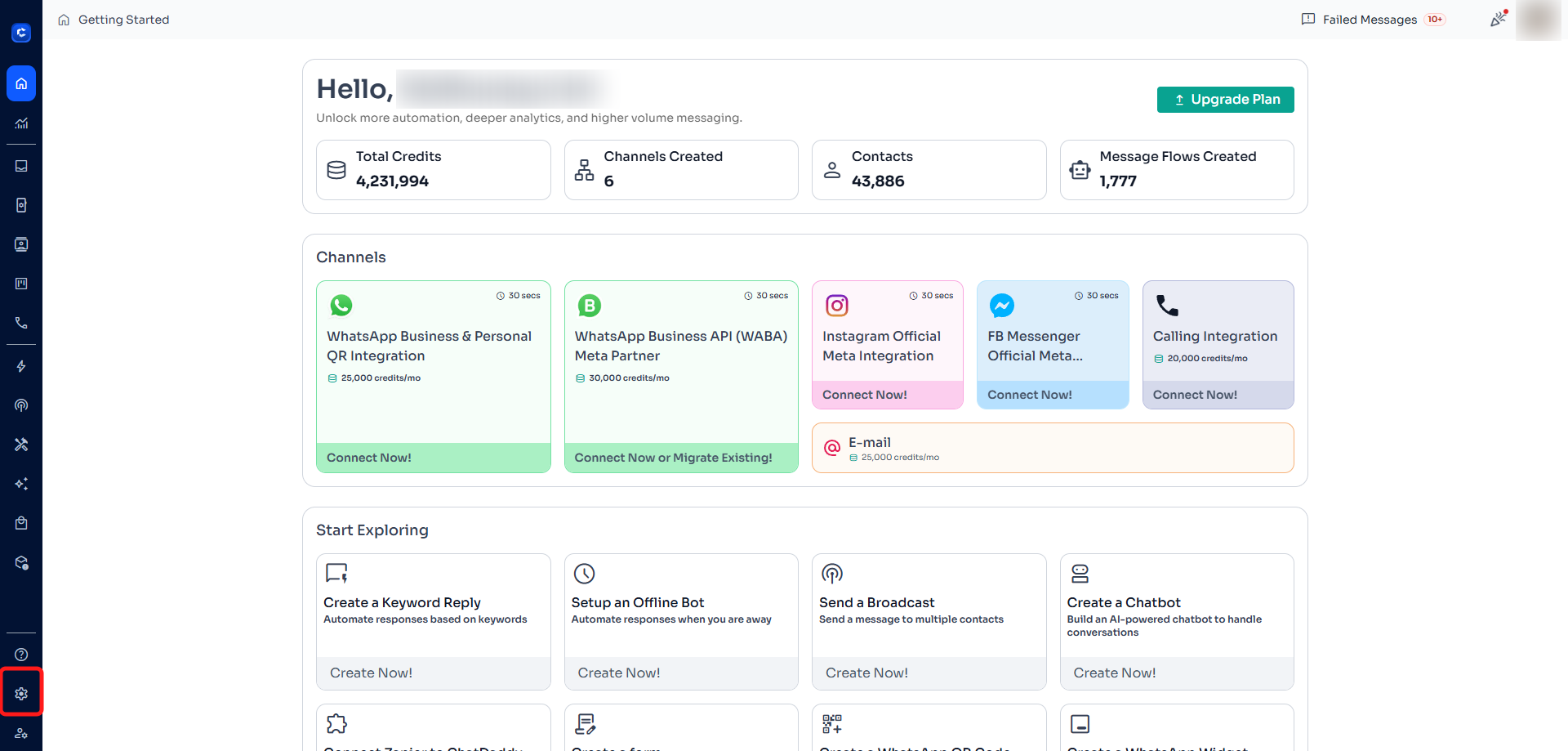
Log in to your ChatDaddy account. In the left-hand sidebar, click the Settings (gear) icon at the bottom.
Step 2 — Open the Billing tab
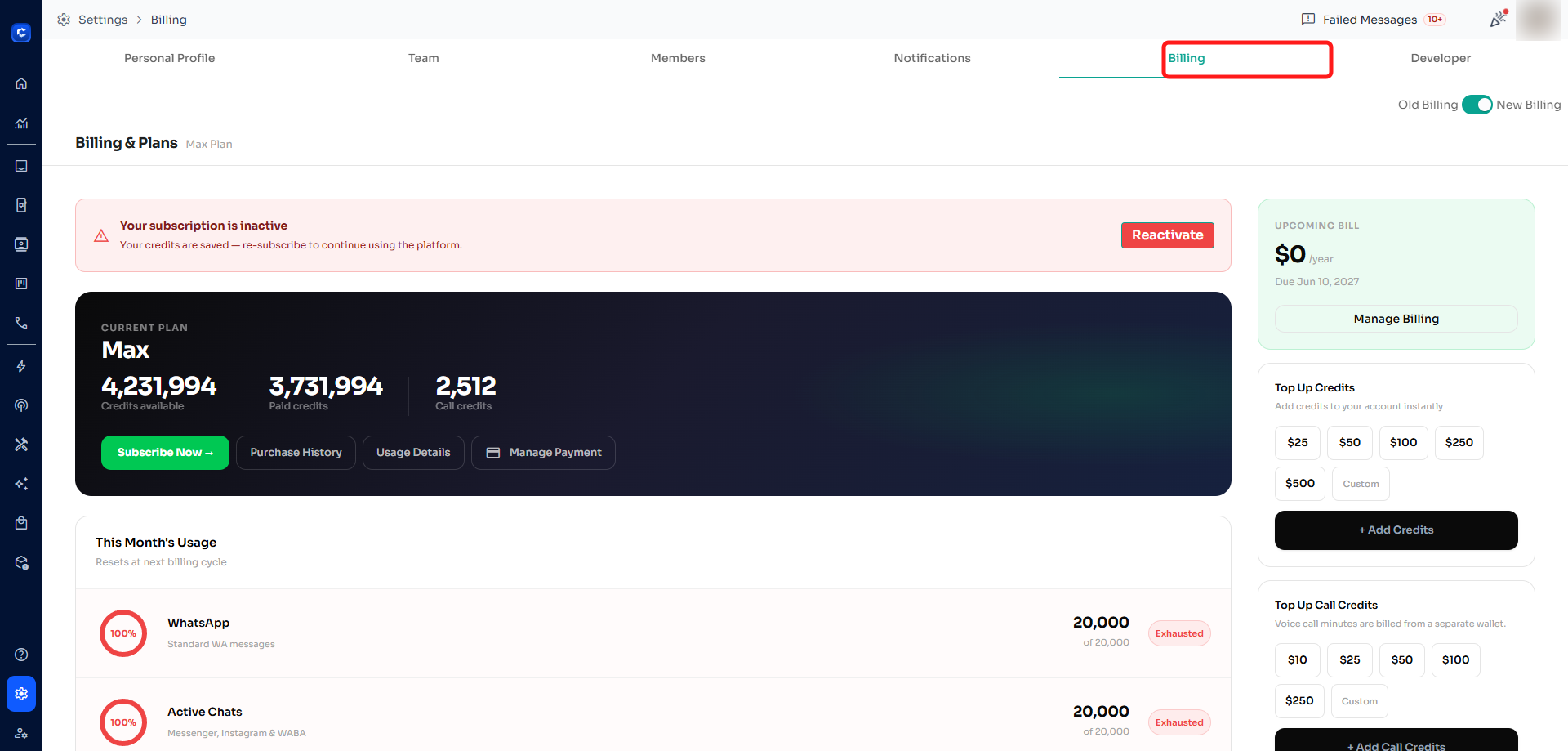
At the top of the Settings page, click the "Billing" tab. This opens your Billing & Plans page.
Step 3 — View your current plan
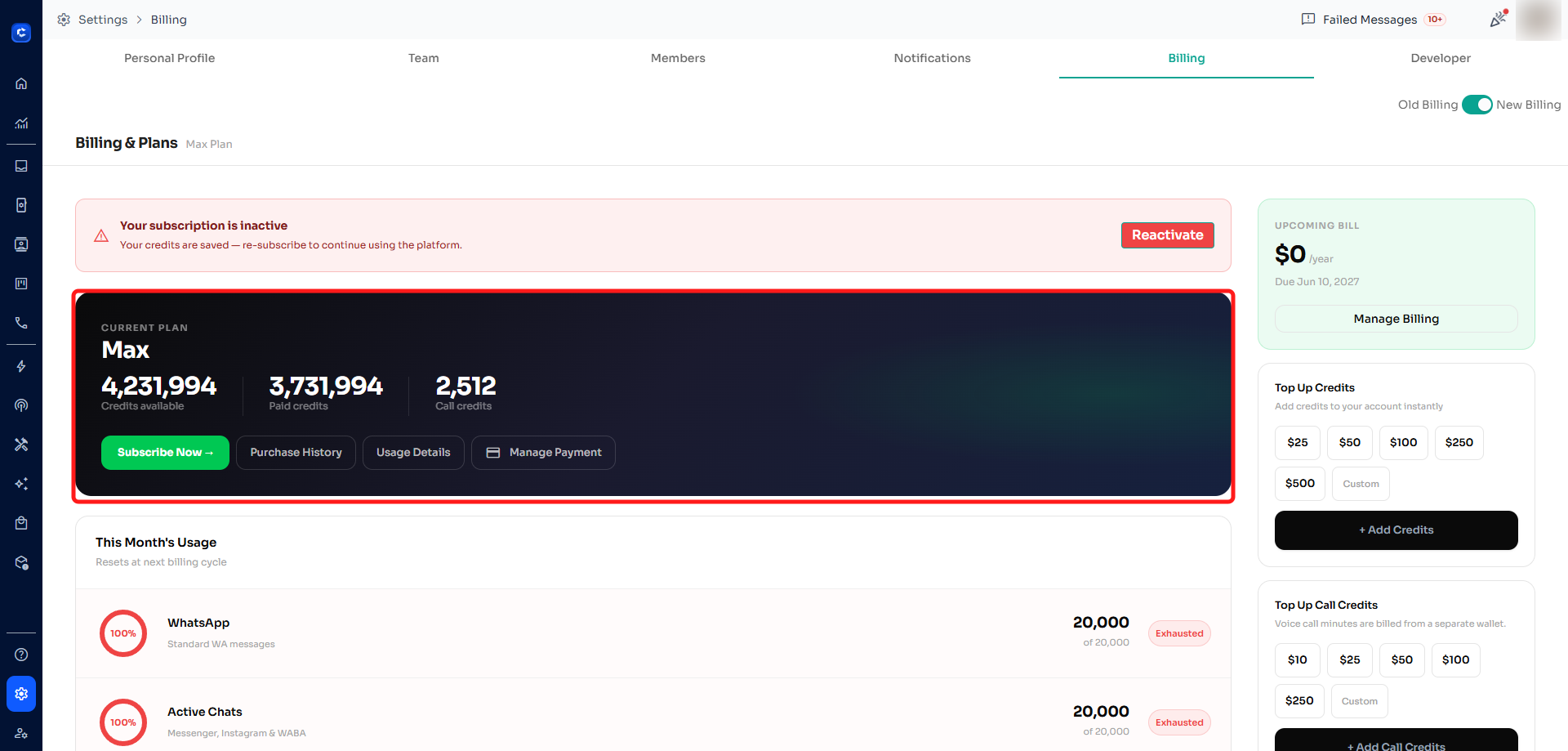
Your current plan is shown in the dark "CURRENT PLAN" card. Here you can see your plan name (for example, Max) along with your available credits, paid credits, and call credits.
Step 4 — Check your next charge date
On the right-hand side, the "UPCOMING BILL" card shows your next charge amount and the date it will be billed, shown as "Due [date]". This is your next charge / renewal date.
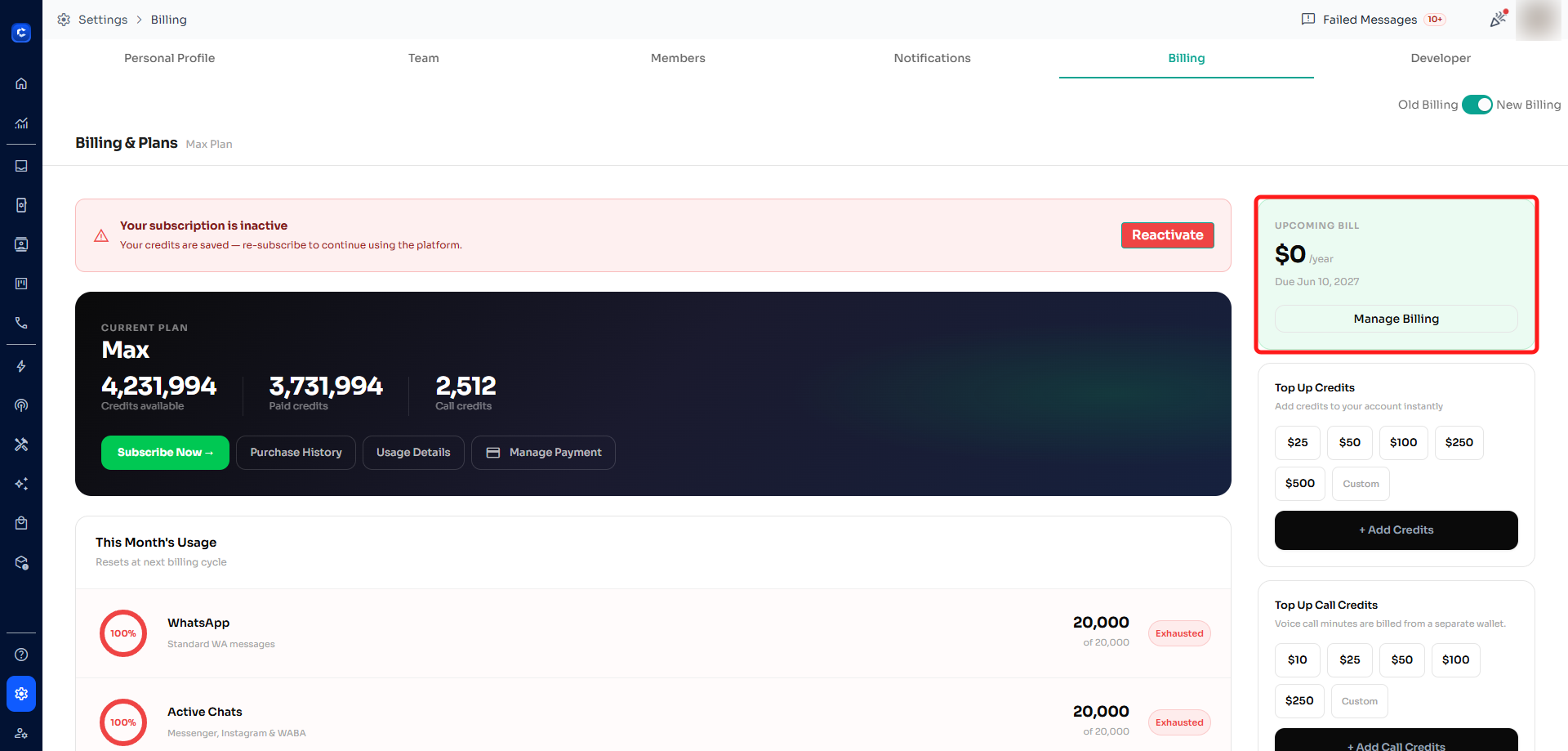
Tip: Click "Manage Billing" in the UPCOMING BILL card to update your payment method, change your plan, or review past invoices.