
How to update Payment Information?
Step 1: Hover your cursor on the left navigation bar, then hover it to “Settings”, then click on “Billing”. Step 2: Click on Manage Billing. Step 3. After that click on “Update Information”. Step 4
Updated Jul 18, 2026
Update your card or billing details in the secure Stripe portal.
Step 1: Open Settings → Billing
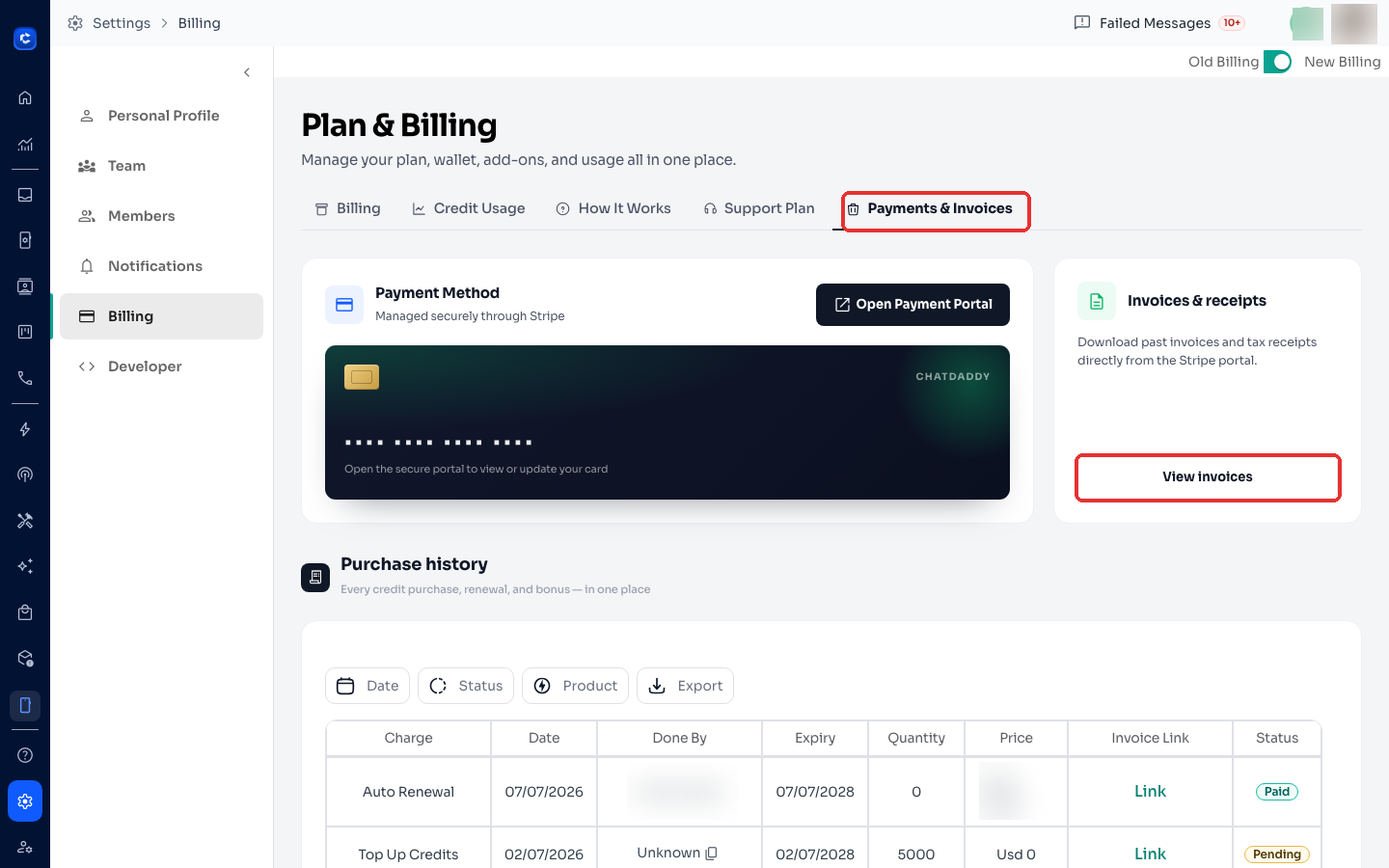
Click the Settings (gear) icon at the bottom of the left sidebar → Billing → open the Payments & Invoices tab.
Step 2: Open the Payment Portal
Under Payment Method, click Open Payment Portal — this opens Stripe's secure page for your account.
Step 3: Update and save
In the Stripe portal, add or update your card and billing address, then save. Changes apply to the next charge immediately.
Note: ChatDaddy never stores your card details — everything is managed by Stripe.
Related: How to Download My Invoice · Understanding the Plan & Billing Page
Was this article helpful?