
How to Archive & Unarchive a Chat
Archiving hides a conversation from your main list without deleting it.
Updated Jul 10, 2026
Archiving hides a conversation from your main list without deleting it.
Step 1 — Archive a chat
In the Chats list, long-press the conversation, then choose Archive chat.
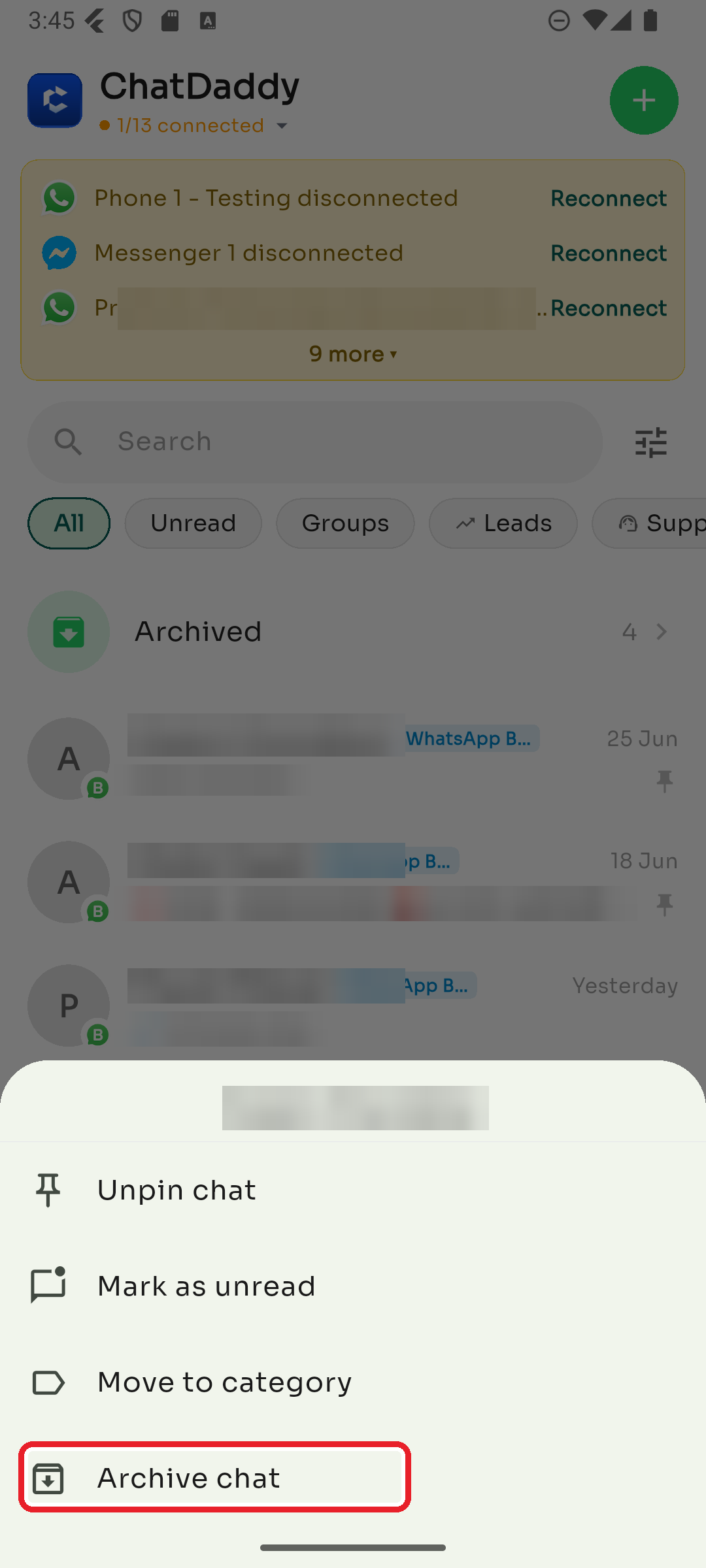
The same menu also lets you Pin/Unpin, Mark as unread, or Move to category.
Step 2 — Find and unarchive
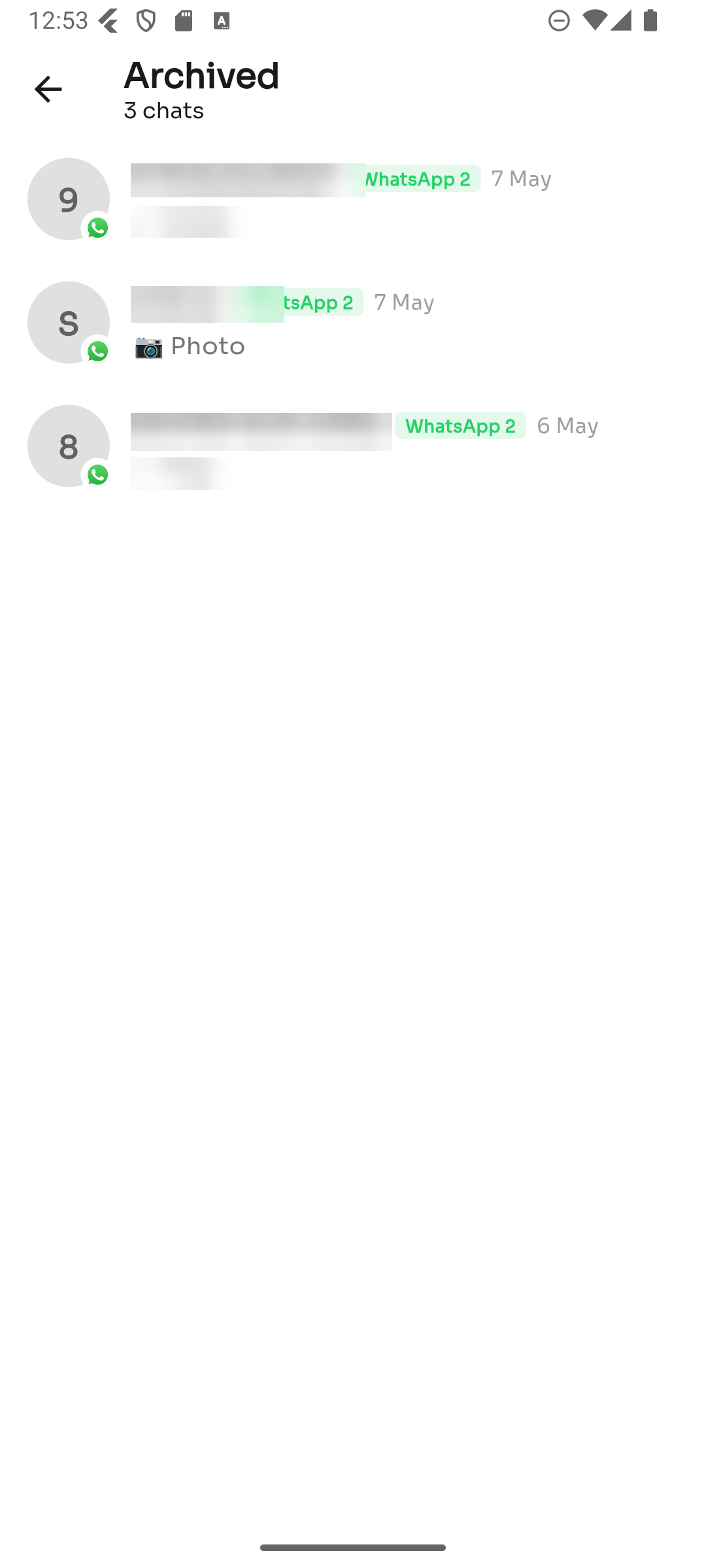
Tap Archived near the top of the Chats list to see archived conversations. To bring one back, long-press it and choose Unarchive.
Was this article helpful?