
How to Mute a Channel & Set Quiet Hours
Cut down on notification noise by muting specific channels or silencing alerts during set hours. Open Settings → Notifications.
Updated Jul 10, 2026
Cut down on notification noise by muting specific channels or silencing alerts during set hours. Open Settings → Notifications.
Mute a specific channel
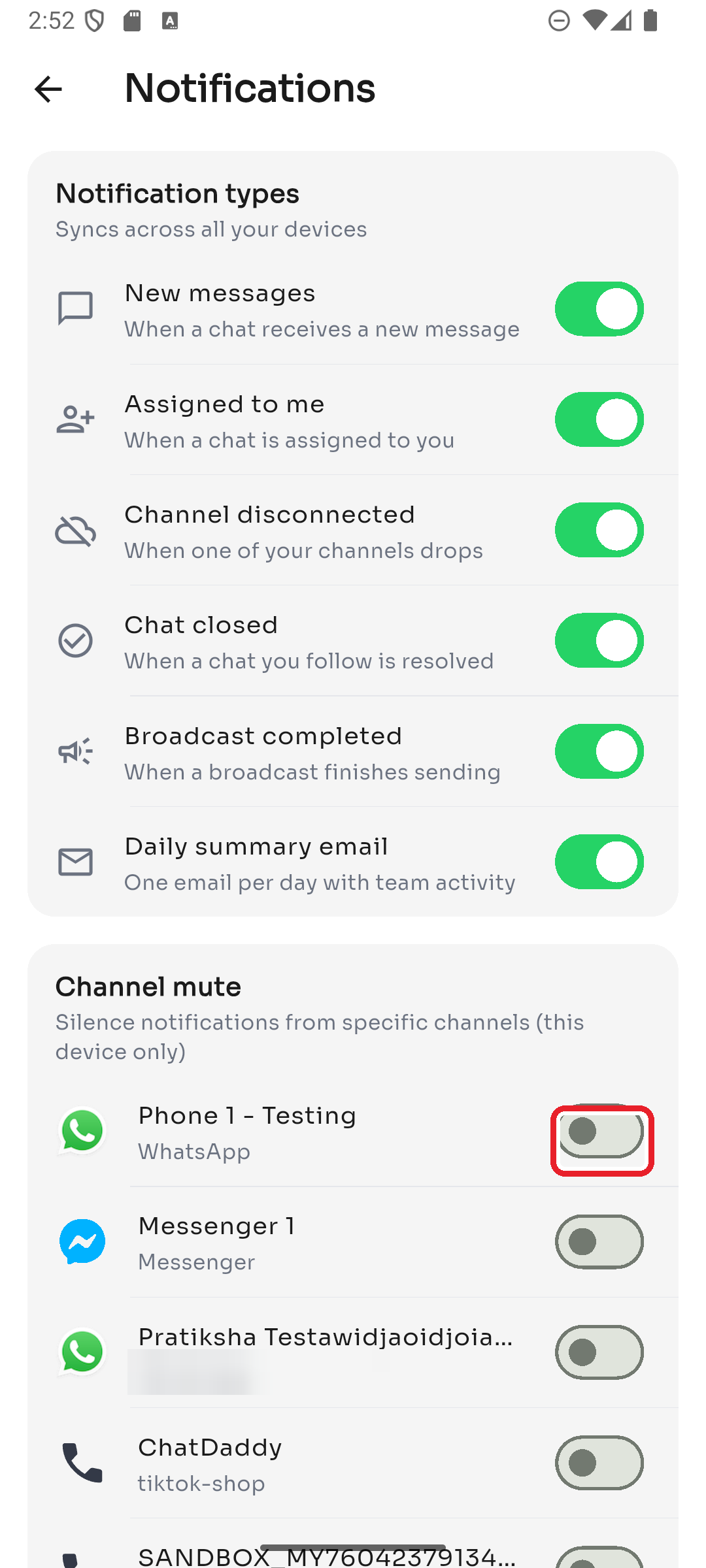
Under Channel mute, switch off any channel you don't want alerts from. This applies to this device only.
Set quiet hours
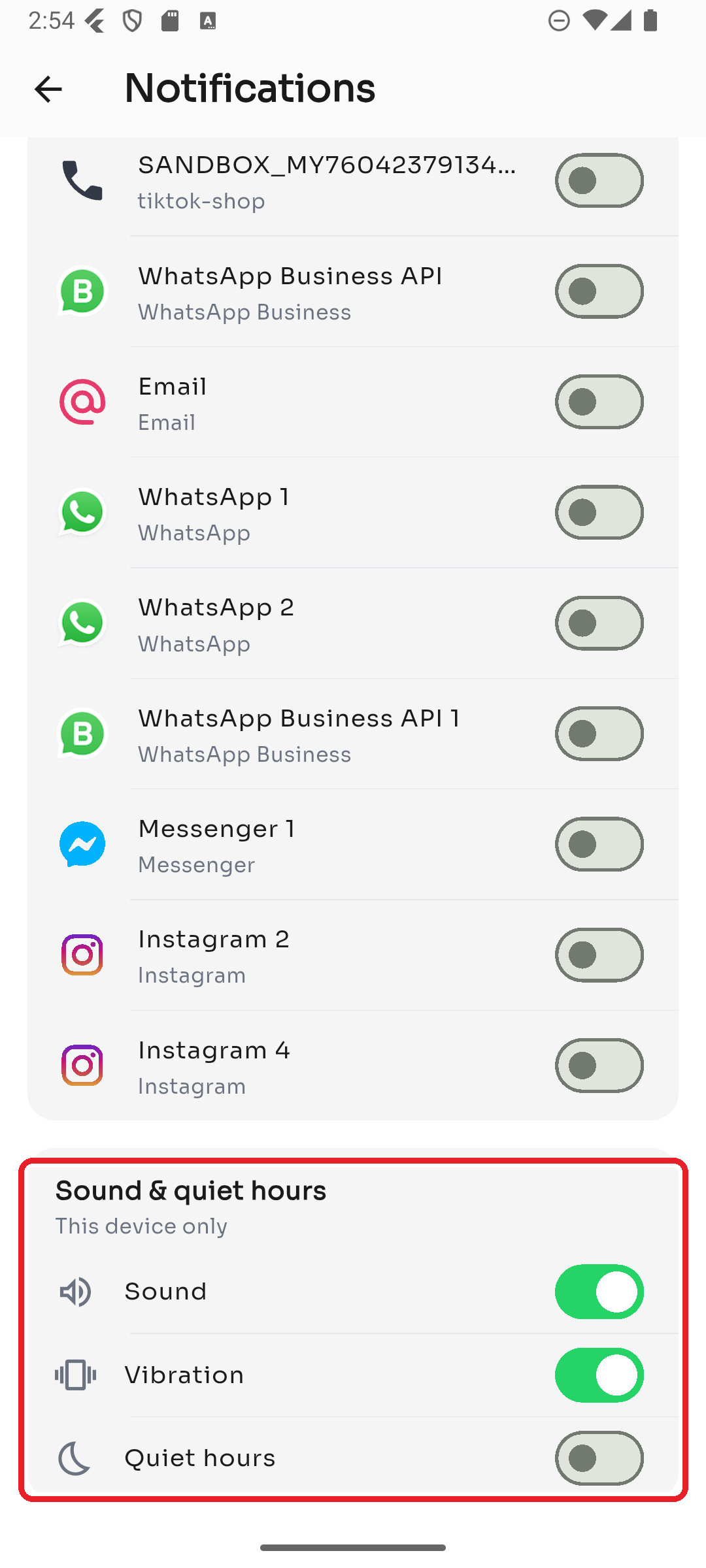
Under Sound & quiet hours, turn on Quiet hours and choose a start and end time to silence notifications during that window. You can also toggle Sound and Vibration here.
Want to turn specific alert types off entirely? See I'm not receiving notifications and the Notifications guide.
Was this article helpful?