
How to Reconnect a Disconnected Channel
If a channel goes offline, you'll see it marked Disconnected and a yellow banner at the top of your Chats list. Here's how to bring it back.
If a channel goes offline, you'll see it marked Disconnected and a yellow banner at the top of your Chats list. Here's how to bring it back.
Step 1 — Open Manage Channels
Go to Settings → Manage Channels. Any channel that's offline shows a red Disconnected badge.
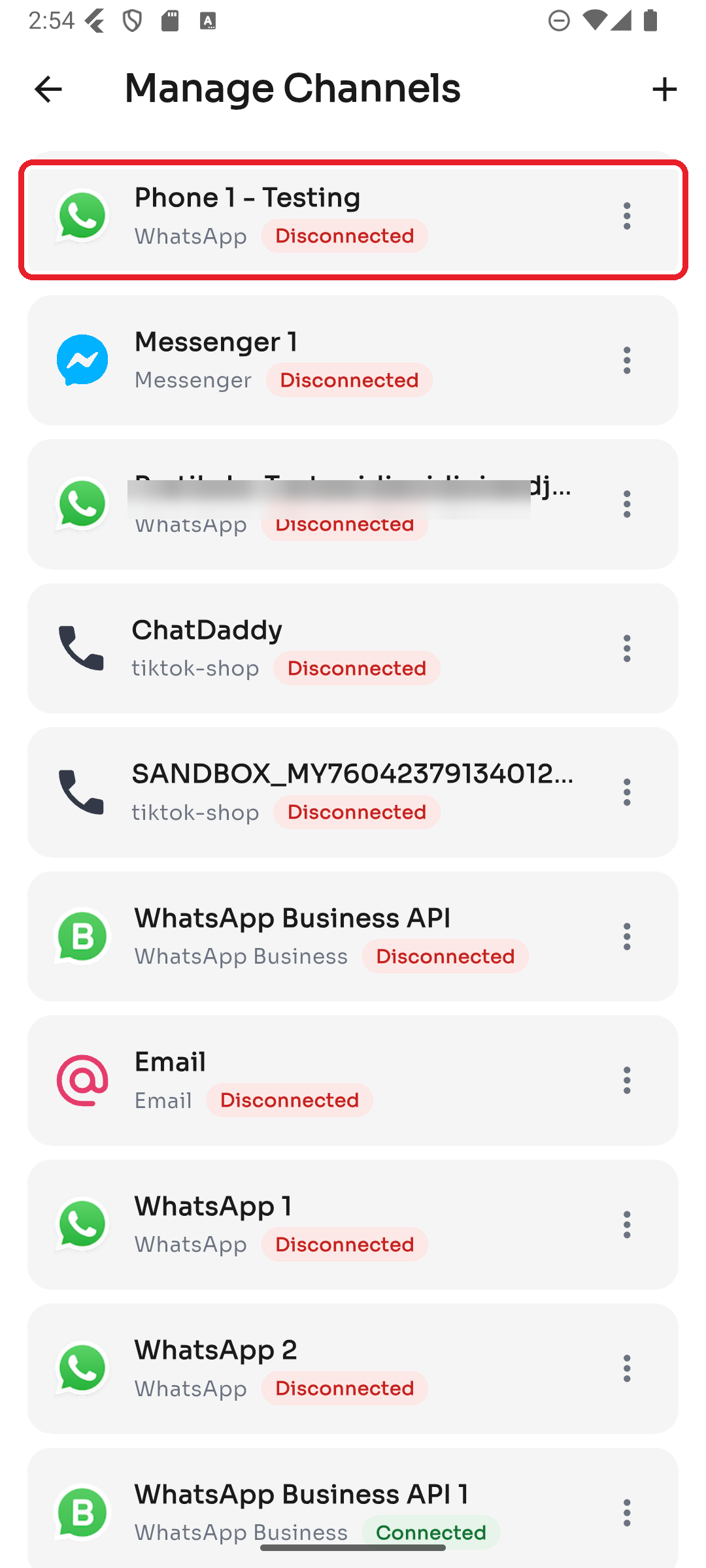
Shortcut: you can also tap Reconnect directly from the yellow banner at the top of your Chats list.
Step 2 — Reconnect it
Tap the ⋮ menu on the channel and choose Reconnect.
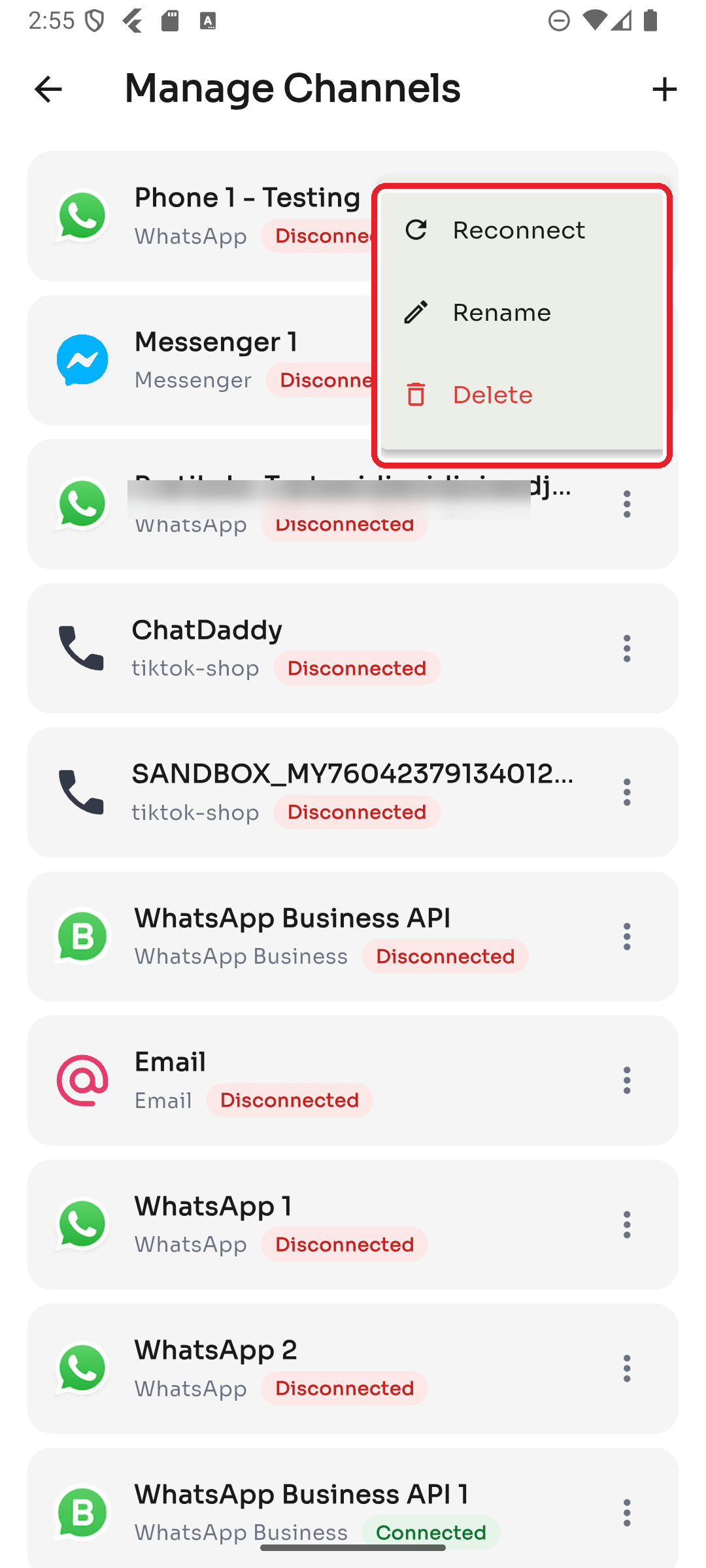
For a WhatsApp channel you may be asked to link it again with a pairing code — see How to Connect WhatsApp in the Channels guide.
If a channel keeps dropping, see the troubleshooting article My WhatsApp channel keeps disconnecting.