
I'm Not Receiving Notifications
If new messages aren't alerting you, work through this checklist. Most cases are one of the settings below.
If new messages aren't alerting you, work through this checklist. Most cases are one of the settings below.
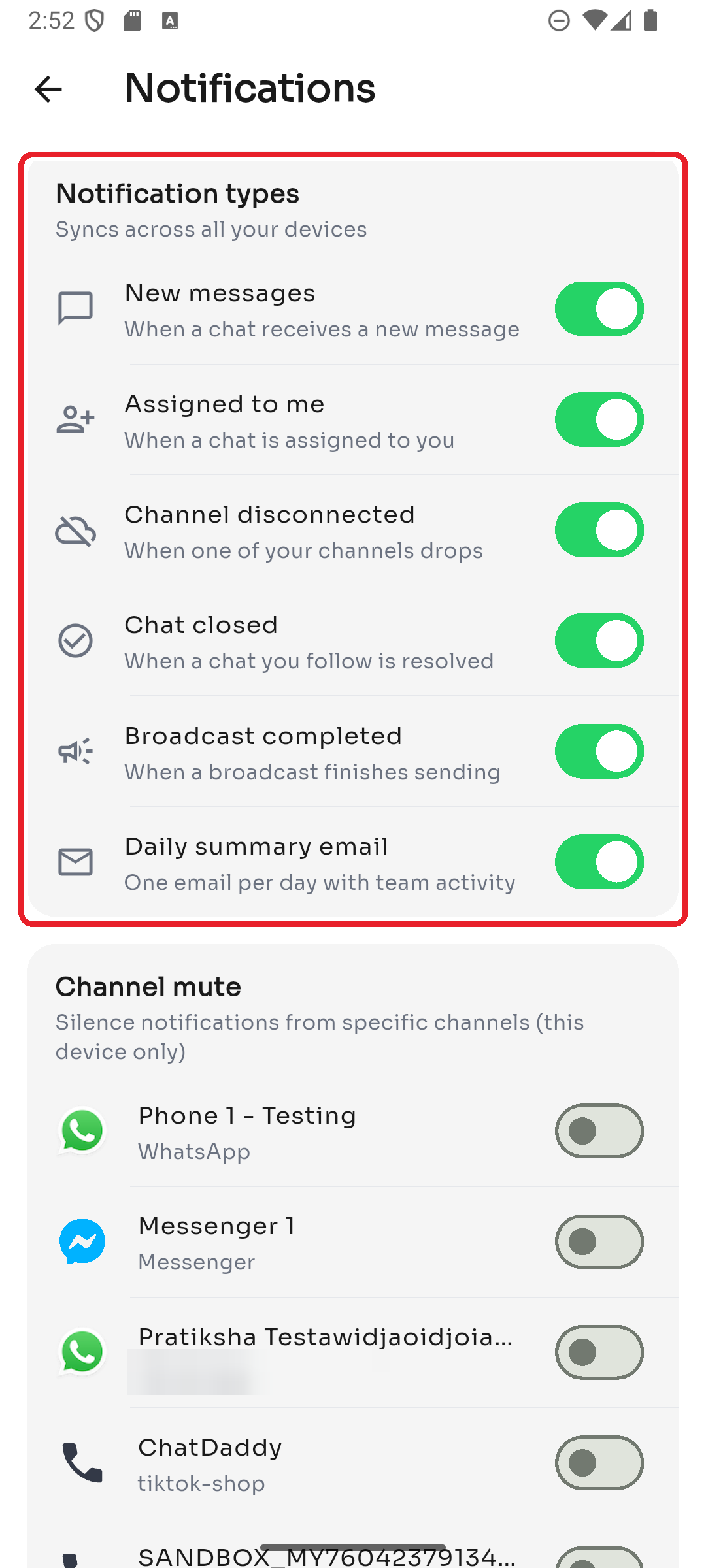
1. Check your notification types
Go to Settings → Notifications and make sure the alerts you expect are switched on (for example, New messages and Assigned to me). These sync across all your devices.
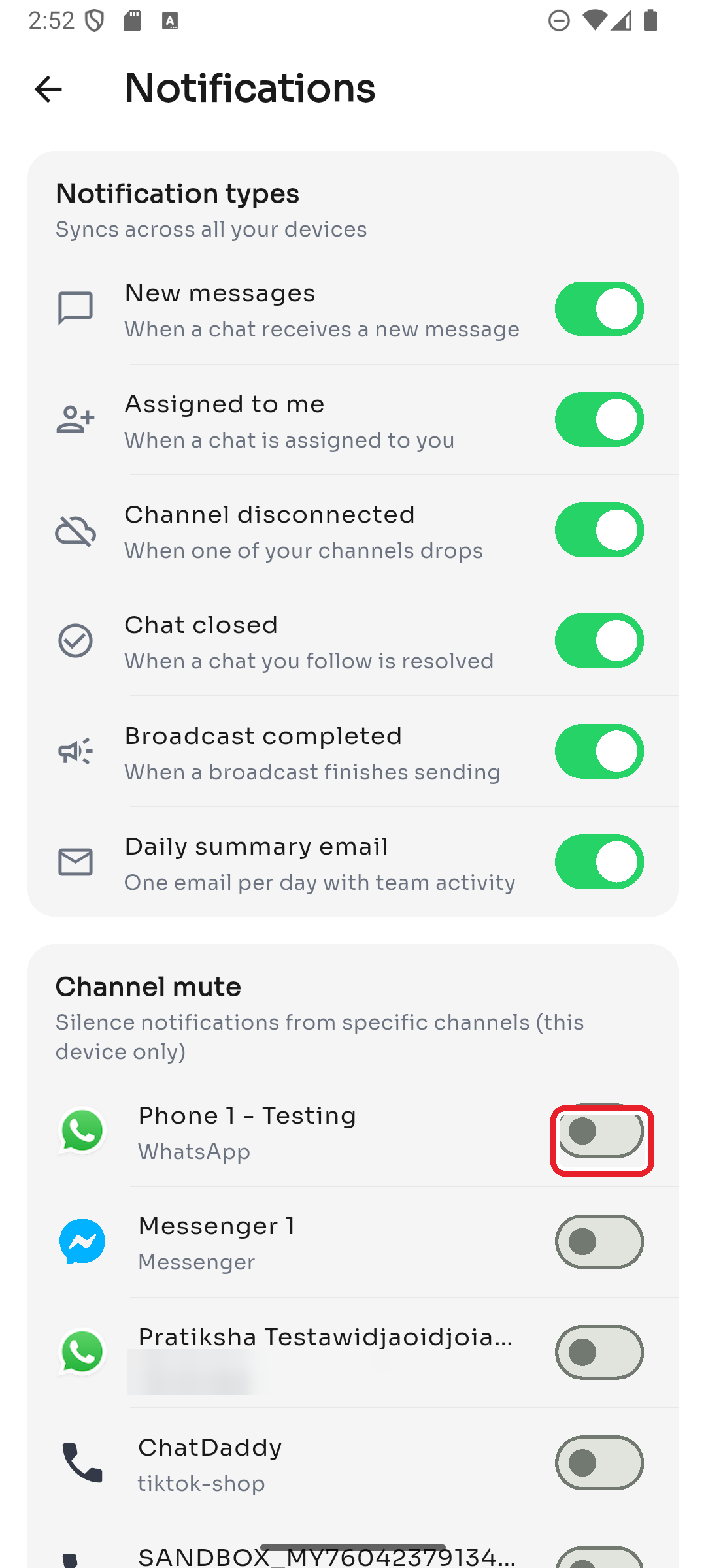
2. Check whether the channel is muted
Still in Notifications, scroll to Channel mute and confirm the channel isn't switched off. Channel mute applies to this device only.
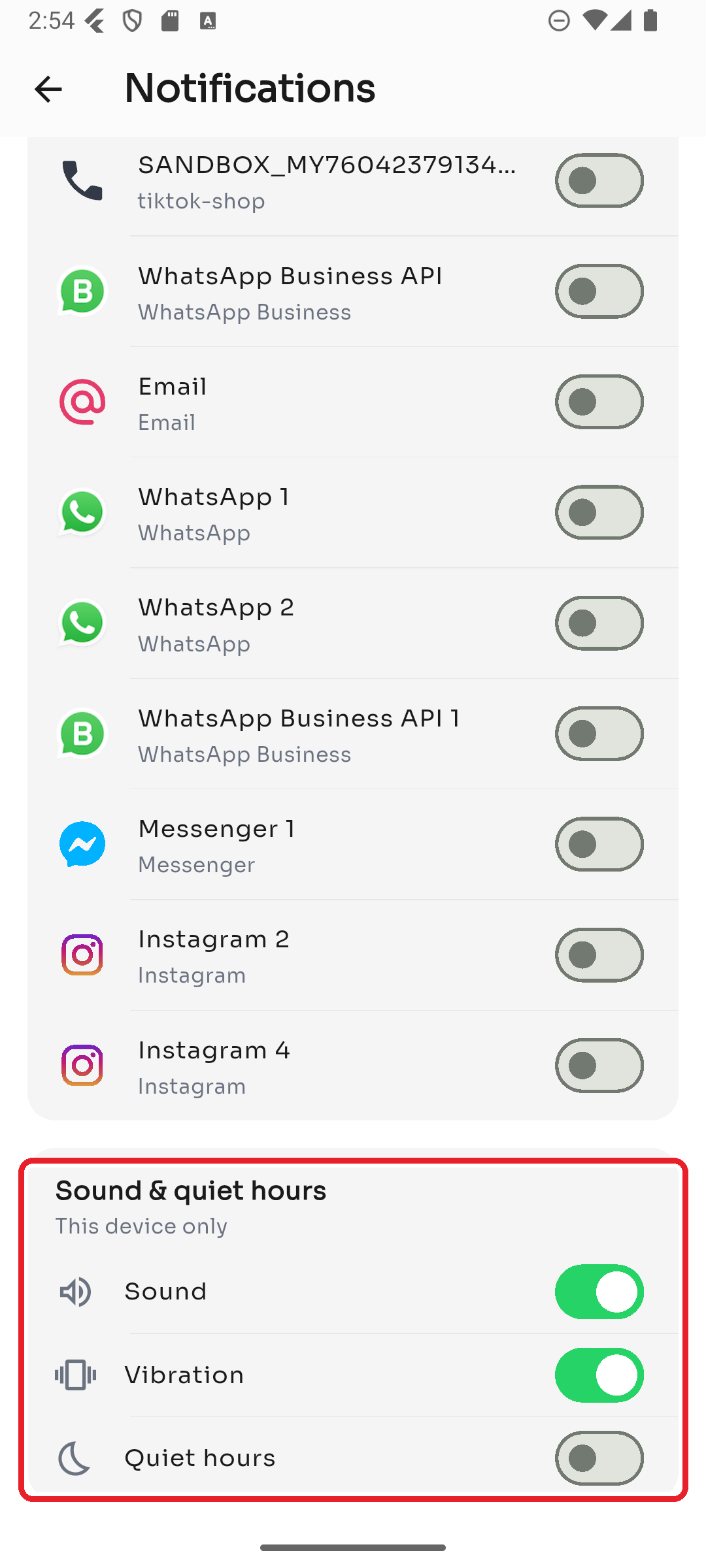
3. Check quiet hours, sound & vibration
Under Sound & quiet hours, make sure Quiet hours isn't silencing you right now, and that Sound/Vibration are on if you want them.
4. Check your phone's system settings
- Make sure notifications are allowed for ChatDaddy in your phone's Settings → Apps.
- Turn off Do Not Disturb / focus modes.
- Disable battery optimization / background restrictions for ChatDaddy so it can receive alerts.
5. Still nothing?
Confirm the channel is connected (a disconnected channel won't receive new messages), and that you're on the right team. If all of the above look correct, reopen the app and contact support.