
WhatsApp Pairing Code Expired or QR Won't Scan
When connecting WhatsApp, the pairing code is only valid for about 60 seconds. If it expires or the QR won't scan, here's what to do.
Updated Jul 10, 2026
When connecting WhatsApp, the pairing code is only valid for about 60 seconds. If it expires or the QR won't scan, here's what to do.
Get a fresh code
The code times out quickly, so have the phone ready before you start.
-
Go to Settings → Manage Channels → ➕ → WhatsApp.
-
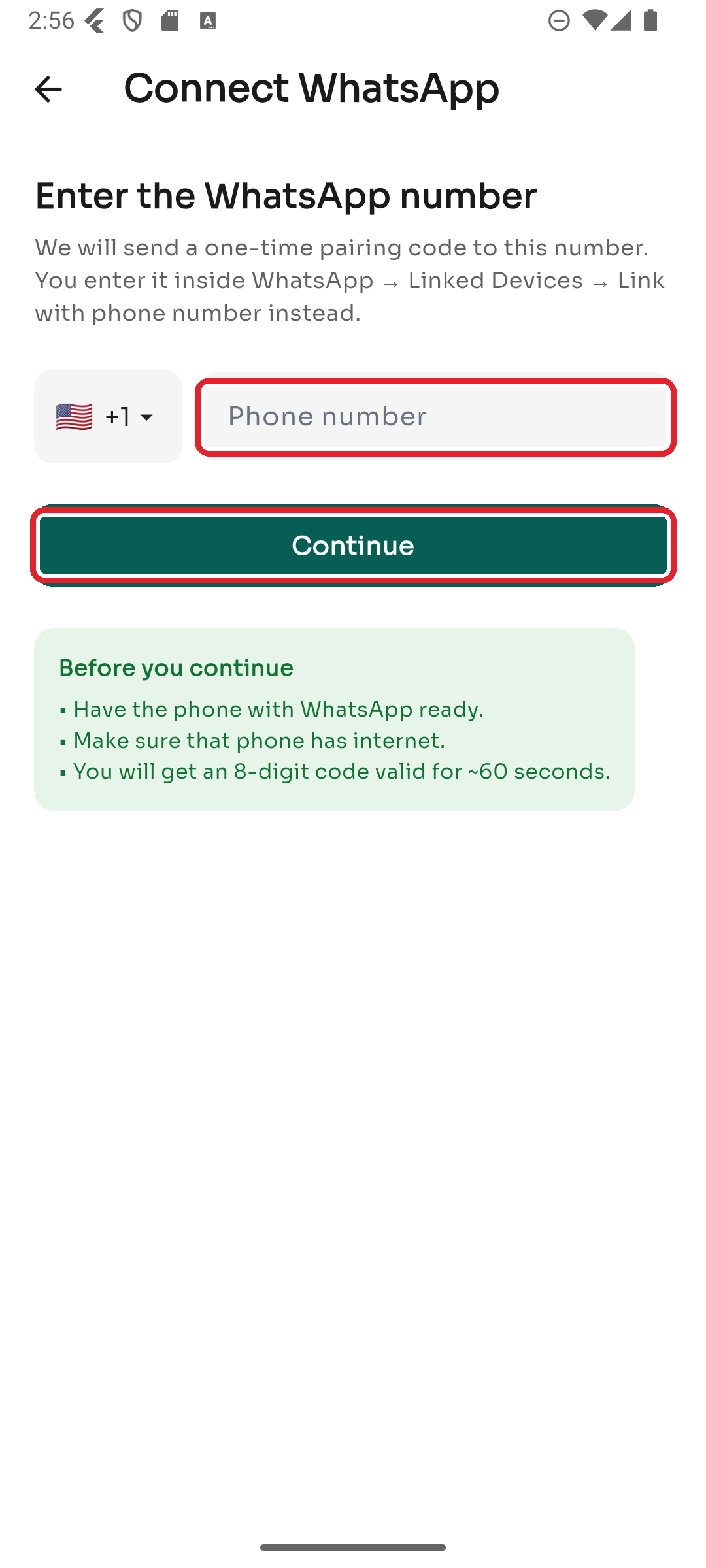
Enter the number and tap Continue to generate a new code.
-
On the phone, open WhatsApp → Settings → Linked Devices → Link with phone number instead and enter the 8-digit code right away.
If the pairing code won't work
- Make sure you're entering it under Link with phone number instead, not scanning.
- Confirm the phone has a working internet connection.
- Tap Link with QR code instead and scan the QR from WhatsApp → Linked Devices → Link a device.
If the QR won't scan
- Increase your screen brightness and hold the phone steady.
- Make sure the whole QR is visible and not cut off.
- Switch back to the phone-code method instead.
Still failing
- Remove old entries in WhatsApp → Linked Devices (there's a device limit).
- Restart the connect flow from the beginning to get a brand-new code/QR.
- If it keeps timing out, contact support with the number and time you tried.
Was this article helpful?