
How to Start a New Chat & Save a Contact (Mobile App)
Message any number in the ChatDaddy mobile app — even a brand-new one — and optionally save it as a contact at the same time via the New Contact sheet.
Updated Jul 19, 2026
Also searched as: start new chat, save contact mobile, new chat mobile app, message new number, add contact chat, save and open chat, new contact sheet, message any number, mobile new conversation, start conversation
You can message any number — even a brand-new one — and optionally save it as a contact at the same time. (In each screenshot, the red box shows where to tap.)
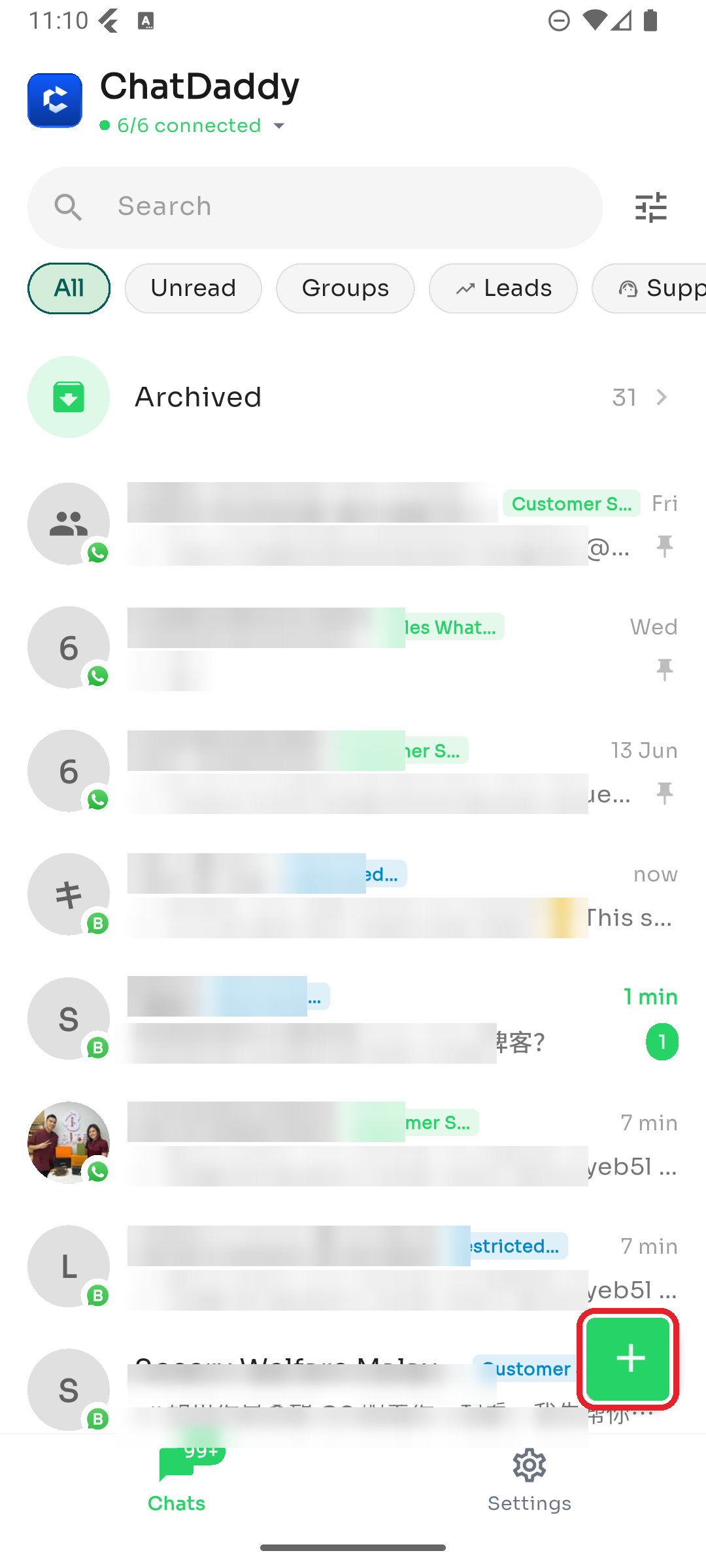
Step 1 — Tap the + button
On the Chats tab, tap the green + button in the bottom-right corner.
Step 2 — Fill in the New Contact sheet
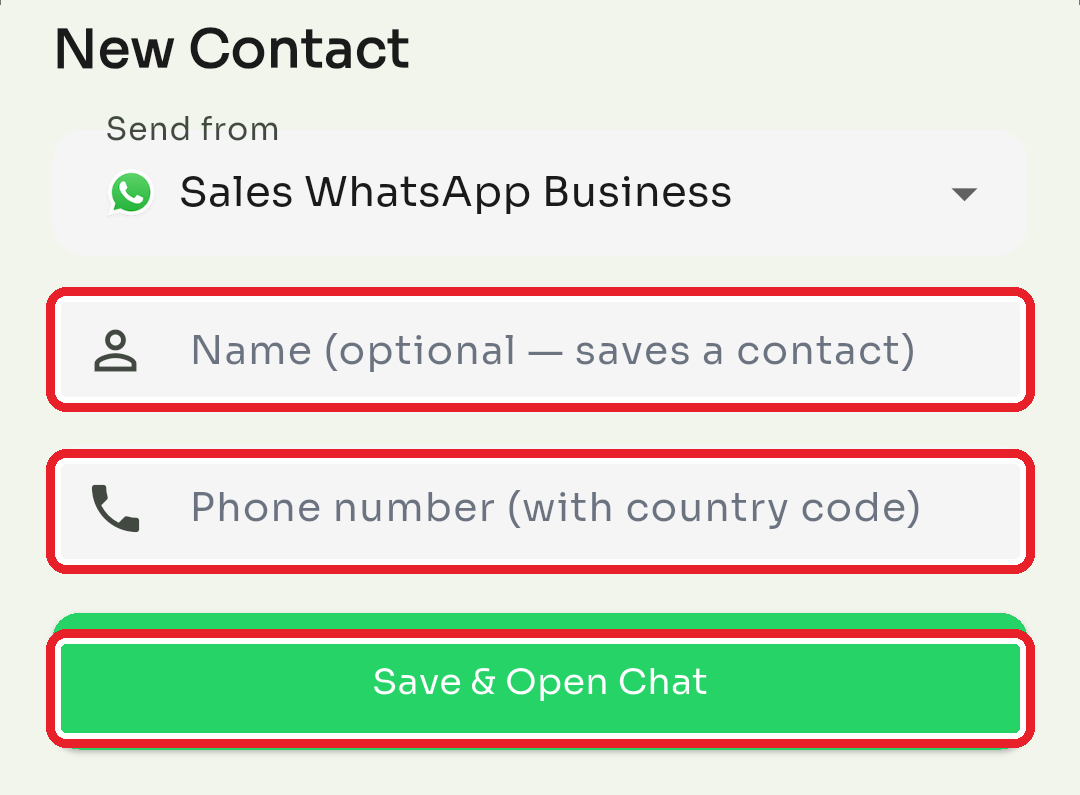
In the New Contact sheet:
- Send from — if you have more than one connected account, pick which one to message from.
- Name (optional) — add a name to save this person as a contact. Leave it blank to just open a chat.
- Phone number (required) — enter the number with country code. Then tap Save & Open Chat.
Good to know
- The phone number is required; the name is optional.
- If you add a name, the contact is saved first and then the chat opens. If saving the contact fails for any reason, ChatDaddy still opens the chat so you're not blocked.
- Need to change a saved contact's details later? See How to Edit a Contact's Details.
Was this article helpful?