
Recipient Not on WhatsApp, or No Longer in the Group
Two send failures you can hit on a WhatsApp channel you connected by scanning a QR code: the number has no WhatsApp account, or your number is no longer a member of the group. Learn how to tell them apart, how to check a number properly, and what to do about a group you have been removed from.
Also searched as: Recipient Not on WhatsApp, or No Longer in the Group, Open the failed message and read the card, Confirm which kind of channel sent it, “Recipient not on WhatsApp”: check the number, “Not a participant of this group”: get back into the group, Recipient, WhatsApp, Longer, Group
Some messages fail for a reason that has nothing to do with your plan, your credits or your template. WhatsApp simply could not find the person you were writing to: the number has no WhatsApp account, or the group you posted into no longer counts your number as a member.
This article is for anyone looking at a red failure box in the Inbox that says “Recipient not on WhatsApp” or “Not a participant of this group”. Both come from WhatsApp itself, both mean the message was not delivered, and both are fixed outside ChatDaddy — one by correcting the number, the other by getting back into the group.
🔎 These two cards carry a WhatsApp chip at the top instead of an error number. That chip is the tell: it means the failure came straight from WhatsApp, not from Meta's Business API, so there is no error code to look up and nothing to appeal. Retrying unchanged will fail again.
Step-by-step
Step 1 — Open the failed message and read the card
Go to the Inbox and open the conversation. A message WhatsApp refused is replaced by a red box where the bubble would be. Read it top to bottom — it always tells you what happened, why, and what to do.
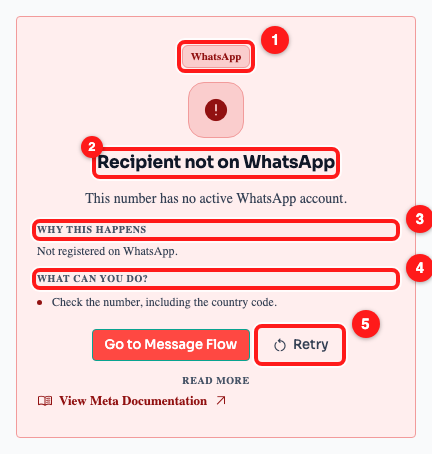
Step 1 — the failure box: the WhatsApp chip (1), the plain-language title (2), Why this happens (3), What can you do? (4) and Retry (5).
- The WhatsApp chip, at the top. On a Meta Business API failure this is a number such as #131047 instead — that is how you tell the two families of error apart.
- The title and one-line summary. “Recipient not on WhatsApp — this number has no active WhatsApp account.”
- Why this happens — the cause in one sentence.
- What can you do? — the concrete next step. For this error it is “Check the number, including the country code.”
- Retry — resends the same message. It only appears on messages you sent, and it is only worth pressing after you have changed something.
ℹ️ A green Go to Message Flow button sits next to Retry only when the failed message came from an automation. If you never set up a flow for this contact, you will not see it. View Meta Documentation at the bottom opens WhatsApp's own error reference — useful for support, not something you need day to day.
Step 2 — Confirm which kind of channel sent it
Both of these failures come from a WhatsApp channel you connected by scanning a QR code — a personal or WhatsApp Business number linked to ChatDaddy, rather than a number on the official WhatsApp Business API. Open Manage Channels in the left sidebar and look at the Quick Actions column.
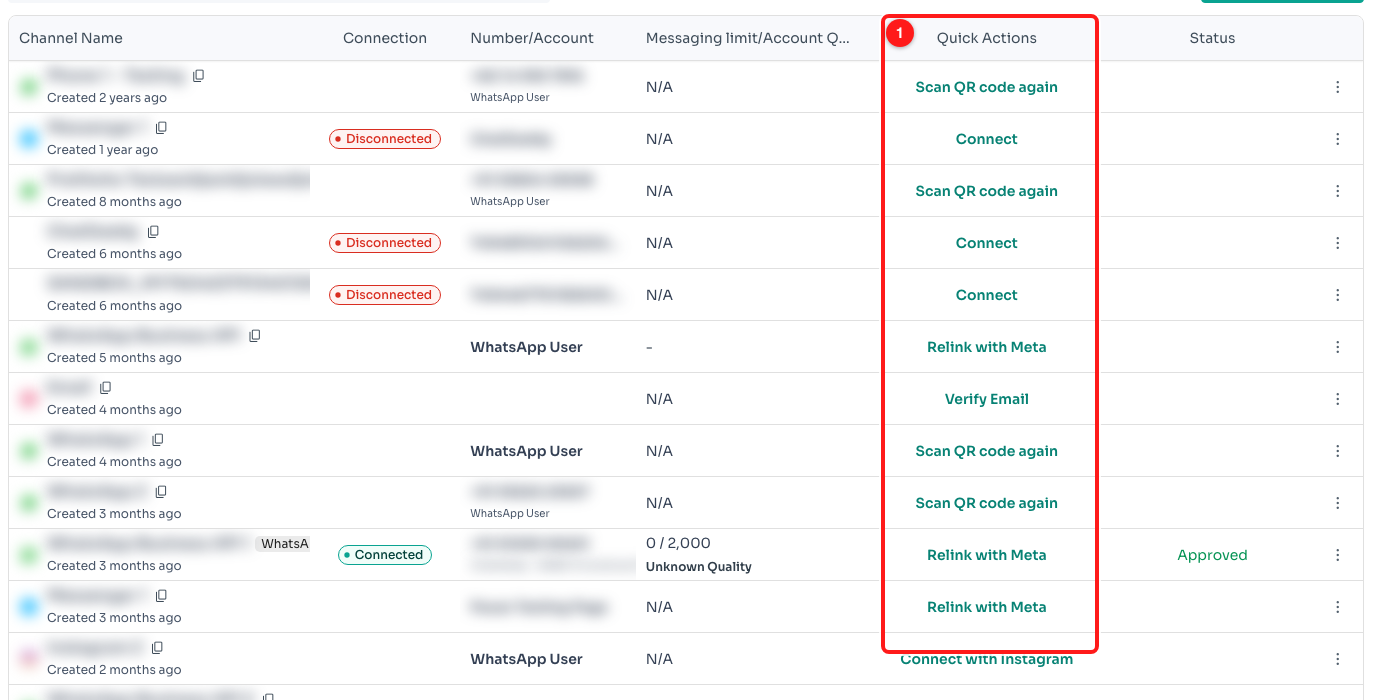
Step 2 — the Quick Actions column (1). Rows offering “Scan QR code again” are QR-linked channels; rows offering “Relink with Meta” are Business API channels.
- Scan QR code again — a QR-linked channel. This is where the two errors in this article come from.
- Relink with Meta — a WhatsApp Business API channel. Its send failures arrive as numbered Meta cards instead, and are covered in Understanding WhatsApp Send Error Cards in the Inbox.
Step 3 — “Recipient not on WhatsApp”: check the number
This failure means the number you sent to is not registered on WhatsApp at all. Almost every time, the number itself is the problem rather than the person: a missing country code, a leading zero that should have been dropped, a digit typed wrong, or a landline. Open Contacts and check the Phone Number column for the contact that failed.
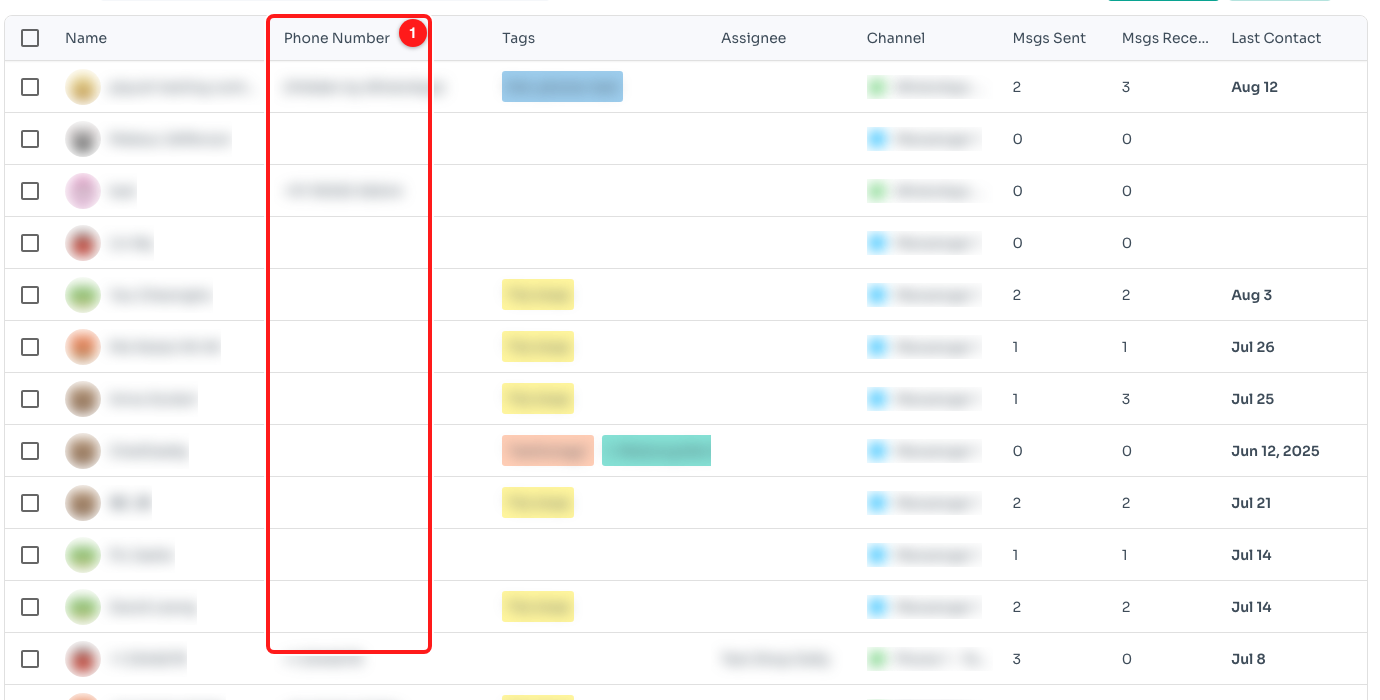
Step 3 — the Phone Number column in Contacts (1). Numbers are stored in full international form. (Contact details are blurred here.)
- The country code must be there. A local number saved without its country code cannot be matched to a WhatsApp account.
- Drop the national trunk prefix. Many countries write mobile numbers with a leading 0 that is removed once the country code is added.
- Check for typos and stray characters. Spaces and dashes are fine; letters, extensions and duplicated country codes are not.
- Some numbers genuinely have no WhatsApp. Landlines, office switchboards and numbers whose owner has deleted their account will always fail. Reach that customer another way.
Correct the number on the contact, then send again. If the number is right and you know the person uses WhatsApp, ask them to confirm which number their WhatsApp account is registered to — it is often not the number they gave you.
Step 4 — “Not a participant of this group”: get back into the group
This one is about you, not the recipient. WhatsApp only lets members post in a group, and the number behind your channel is no longer a member — usually because an admin removed it, someone left the group on the phone, or the group was deleted.
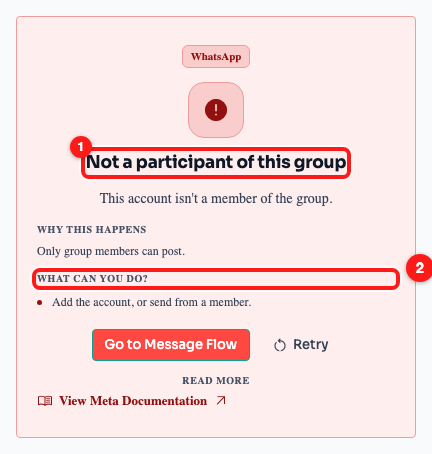
Step 4 — “Not a participant of this group” (1) and the fix it suggests (2).
- Ask a group admin to add your number back. Adding has to happen in WhatsApp on the phone the channel is linked to — ChatDaddy cannot join a group for you.
- Or send from a channel that is still a member. If another of your connected numbers is in the group, use that one.
- Check you left by accident. Opening WhatsApp on the linked phone will show whether the group is still there.
Once your number is a member again, press Retry on the failed message. Nothing you send before that will reach the group.
Troubleshooting
Was the message delivered to anyone?
No. A failure card means WhatsApp refused the message outright — nothing reached the contact or the group, and nobody saw a notification.
I pressed Retry and it failed again.
Expected, if nothing changed. Neither of these failures is temporary: WhatsApp will keep refusing until the number is corrected or your channel is a member of the group again. Fix the cause first, then retry.
The contact swears they are on WhatsApp.
They probably are — on a different number. WhatsApp accounts are tied to one specific number, so a person can be reachable on their personal mobile and invisible on the office number you saved. Ask which number their WhatsApp is registered to and save that one.
How do I find every message that failed?
In the Inbox, build a filter on the Failed Messages field and pin it. That gives you a single list of the chats with a failed send, instead of scrolling conversations one by one.
A whole broadcast failed with “Recipient not on WhatsApp”.
That points at how the list was imported rather than at the contacts. Check a few of the failed numbers in Contacts: if the country code is missing from all of them, re-import the list with numbers in full international form and send again.
Why is there no error code on these cards?
Because they do not come from the WhatsApp Business API. Meta issues numbered codes for API sends; a QR-linked channel gets a plain refusal from WhatsApp, so ChatDaddy shows the WhatsApp chip instead of a code.