
Old and Mistyped ChatDaddy Links Now Take You to the Right Page
A ChatDaddy address that is misspelled, out of date or cut short no longer ends on an error screen. Learn what the dashboard does with a wrong address, where old page names now lead, and how to use the page search on the ERROR 404 screen when the address cannot be placed at all.
Also searched as: Old and Mistyped ChatDaddy Links Now Take You to the Right Page, What the dashboard does with a wrong address, Open the link exactly as you have it, Check where you landed, Read the ERROR 404 screen if it still appears, Search for the page by name, Try another word if nothing matches, Old addresses and where they lead now, Mistyped, ChatDaddy, Links, Take, Right, Page
ChatDaddy addresses change as the product does, and links get mistyped, bookmarked years ago, or cut short when they are pasted into a chat. Until now every one of those ended on the same error screen, even when it was obvious which page the link was reaching for.
The dashboard now reads the address first. If it can tell which page you meant, it opens that page instead of stopping you. This guide is for anyone who keeps ChatDaddy bookmarks, follows links from older emails and help articles, or types addresses in by hand.
🧲 There is nothing to switch on and nothing to configure. Open the link you have. If the address names a real page — even misspelled, even by its old name — that page opens, and the address in your browser changes to the current one.
What the dashboard does with a wrong address
A wrong address is handled in one of three ways, and you never have to choose between them:
- It names a page. The page opens. This covers a misspelling (
/contatcs), an old name (/settings/plan), a singular where the page is plural (/broadcast), and an address with an extra ending on it. - Nothing in it is recognisable. You are taken to Getting Started rather than left on a dead end.
- The address cannot be placed at all. You get the ERROR 404 screen — which now carries a search box so you can find the page by name without leaving it.
ℹ️ A correction never gives you access you did not already have. If the page it points to needs a permission your account does not hold, ChatDaddy will not send you there — and pages that are not part of your plan are never suggested to you either.
Step-by-step
Step 1 — Open the link exactly as you have it
Do not try to repair the address first. Paste it, or open the bookmark, unchanged. In the example below the address typed was /contatcs — two letters the wrong way round — and the Contacts page opened anyway.
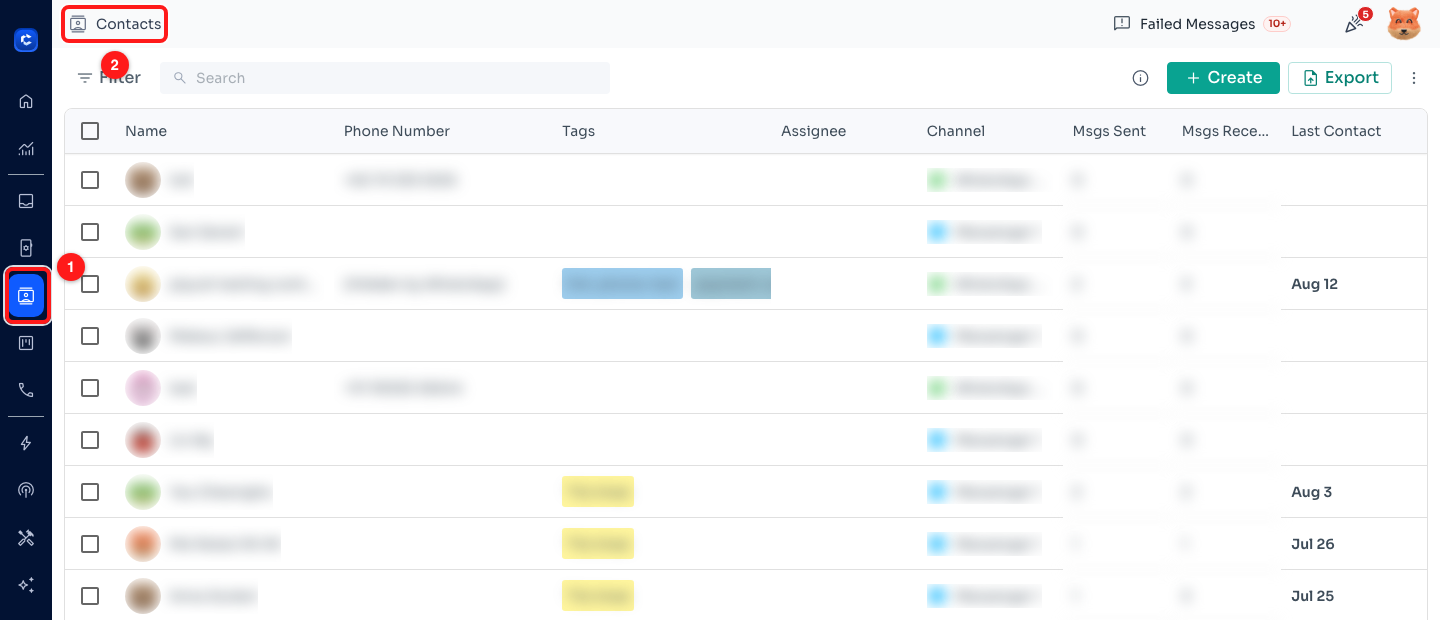
Step 1 — a misspelled address lands on the real page: Contacts is selected in the navigation bar (1) and named at the top of the screen (2). Contact names, phone numbers and avatars are blurred throughout this guide.
Step 2 — Check where you landed
The page name at the top of the screen tells you where you actually are. If you see Getting Started, the address had nothing recognisable in it and you have been brought to the starting point instead of an error. From here, pick the page you want from the navigation bar on the left.
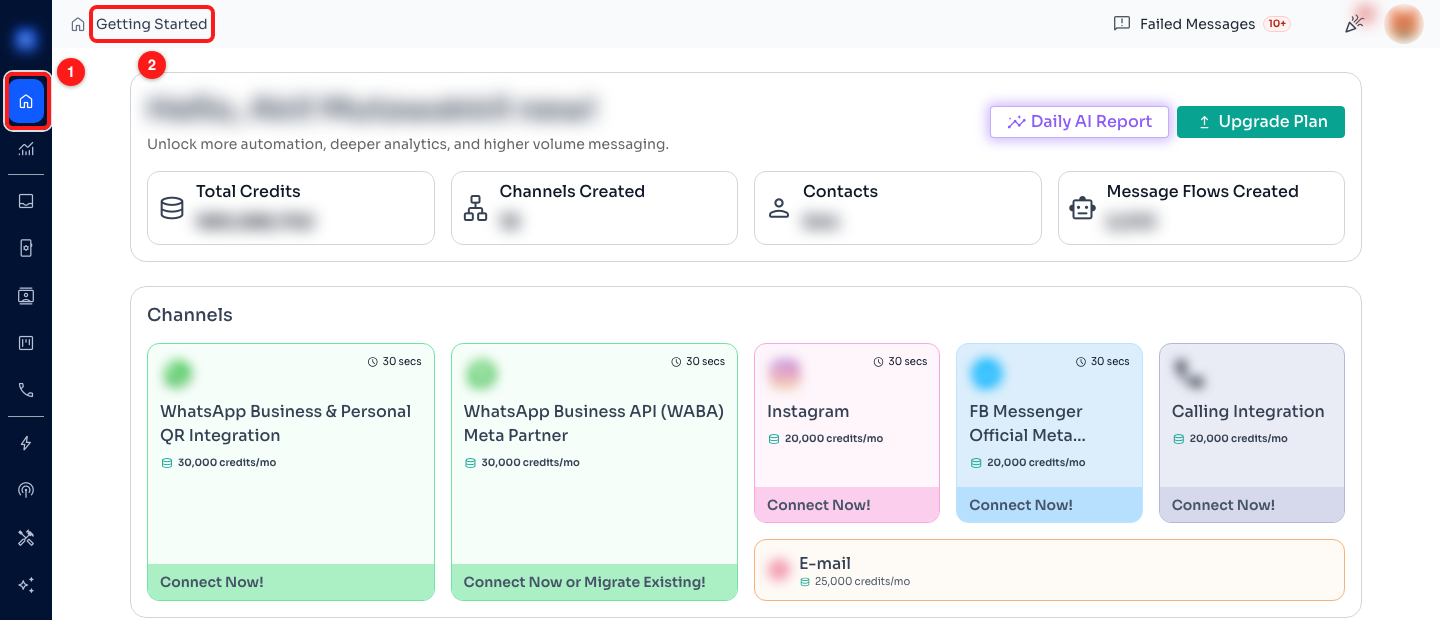
Step 2 — an unrecognisable address opens Getting Started: the home icon in the navigation bar (1) and the page name (2). The team name and figures are blurred.
Step 3 — Read the ERROR 404 screen if it still appears
A small number of addresses cannot be placed at all, and those still show ERROR 404 — This page does not exist. Nothing is broken and nothing is lost: your chats, contacts, flows and settings are untouched, and messages keep arriving in your Inbox. Go Home takes you to Getting Started and Go back returns you to the last page you were on.
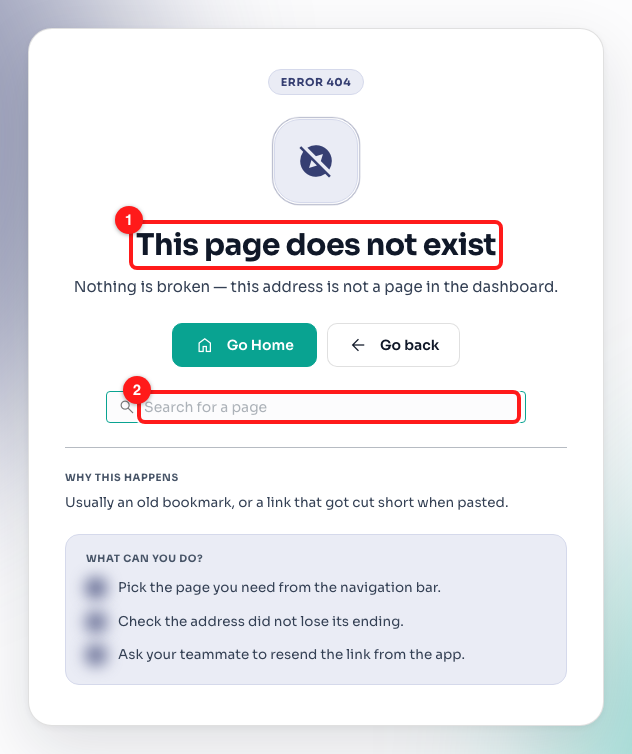
Step 3 — the ERROR 404 screen: the heading that explains what happened (1) and the page search box below the buttons (2).
Step 4 — Search for the page by name
The search box on the 404 screen already has your cursor in it, so you can just start typing. Type part of the page name — a few letters is enough — and matching pages are listed underneath with their current addresses. Click one to go straight there.
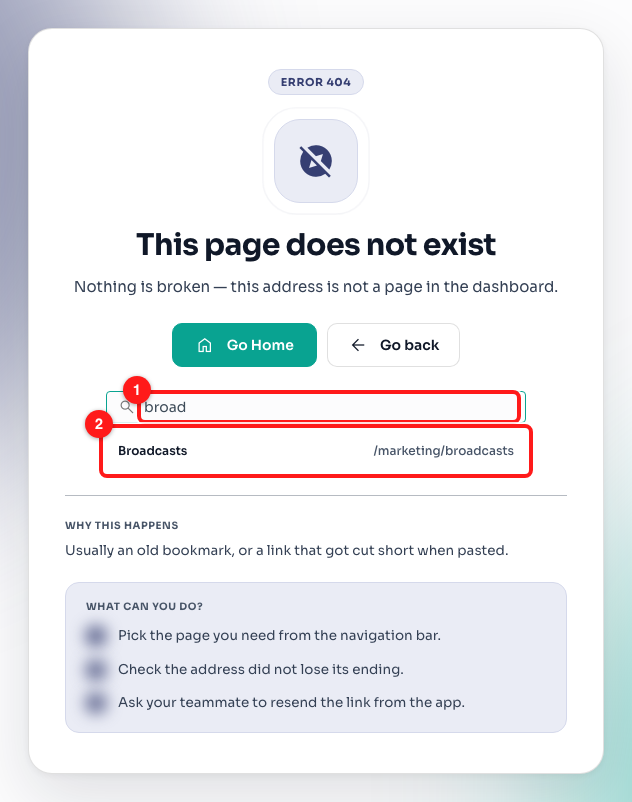
Step 4 — typing “broad” into the search box (1) lists Broadcasts with its current address (2).
Step 5 — Try another word if nothing matches
If the search reads No page matches that, the word you used is not a name ChatDaddy knows. Try what the feature is called in the navigation bar, or a shorter piece of it. The search only ever lists pages your account can actually open, so a page you have no access to will not appear here.
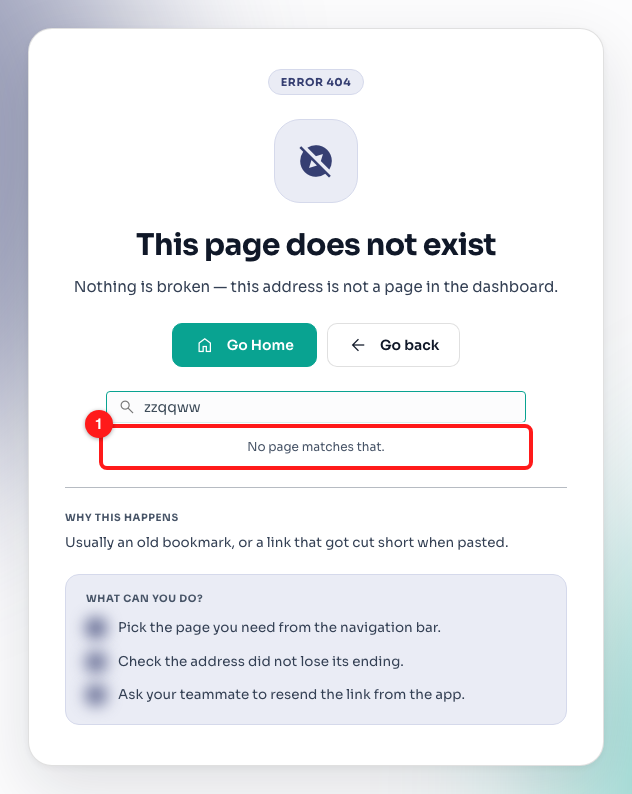
Step 5 — nothing matched what was typed (1); shorten the word or use the page name from the navigation bar.
Old addresses and where they lead now
These are old names that people still have saved. Each one now opens the current page:
/settings/plan,/upgrade,/subscription→ Billing/manageChannels→ Channels/reporting,/dashboard→ Analytics/audience,/customers→ Contacts/chats→ Inbox/flows→ Message Flows/qrCode→ QR generator/preferences→ Settings/broadcast→ Broadcasts
Misspellings of those same names work too, as long as they are close enough to be unmistakable — /boardcast opens Broadcasts, and /contatcs opens Contacts.
💡 Once you land on the right page, update the bookmark or the saved link with the address now showing in your browser. The correction will keep working, but the current address is one step shorter for everyone you share it with.
Frequently asked questions
Do I need to do anything to turn this on?
No. It applies to every ChatDaddy address for every account, and there is no setting for it.
Why did the address in my browser change?
Because you were moved to the page the old address pointed at, and the browser shows the address of the page you are actually on. That new address is the one worth saving.
I was sent to Getting Started, not the page I wanted. Why?
The address had nothing in it that names a page — usually a link that lost most of its ending when it was pasted. Ask whoever sent it to resend the link from inside the app, or pick the page from the navigation bar.
It opened a different page from the one I expected.
The address named that page more closely than the one you had in mind. Use the navigation bar, or the search box on the ERROR 404 screen, to get where you meant to go — nothing was changed by opening the wrong page.
Could this open a page I am not allowed to see?
No. Your permissions are checked before you are moved anywhere, and a page you cannot open is never chosen as the destination and never listed in the page search.
Does this fix broken links in emails and help articles for good?
It stops them costing you a dead end, which is the part that affected you. Every wrong address is still recorded when it is corrected, so the links themselves can be found and repaired at the source.
Is my data affected when this happens?
No. Opening a wrong address only decides which page is displayed. Nothing is created, changed or deleted, and messages keep arriving in your Inbox throughout.